Category: Tech Tools & Reviews

Explore trusted reviews of the latest tech tools for developers, businesses, and startups. Compare features, pricing, and performance to choose wisely.

  • SaaS Business Models 2025: From Usage-Based Pricing to Vertical SaaS

    SaaS Business Models 2025: From Usage-Based Pricing to Vertical SaaS

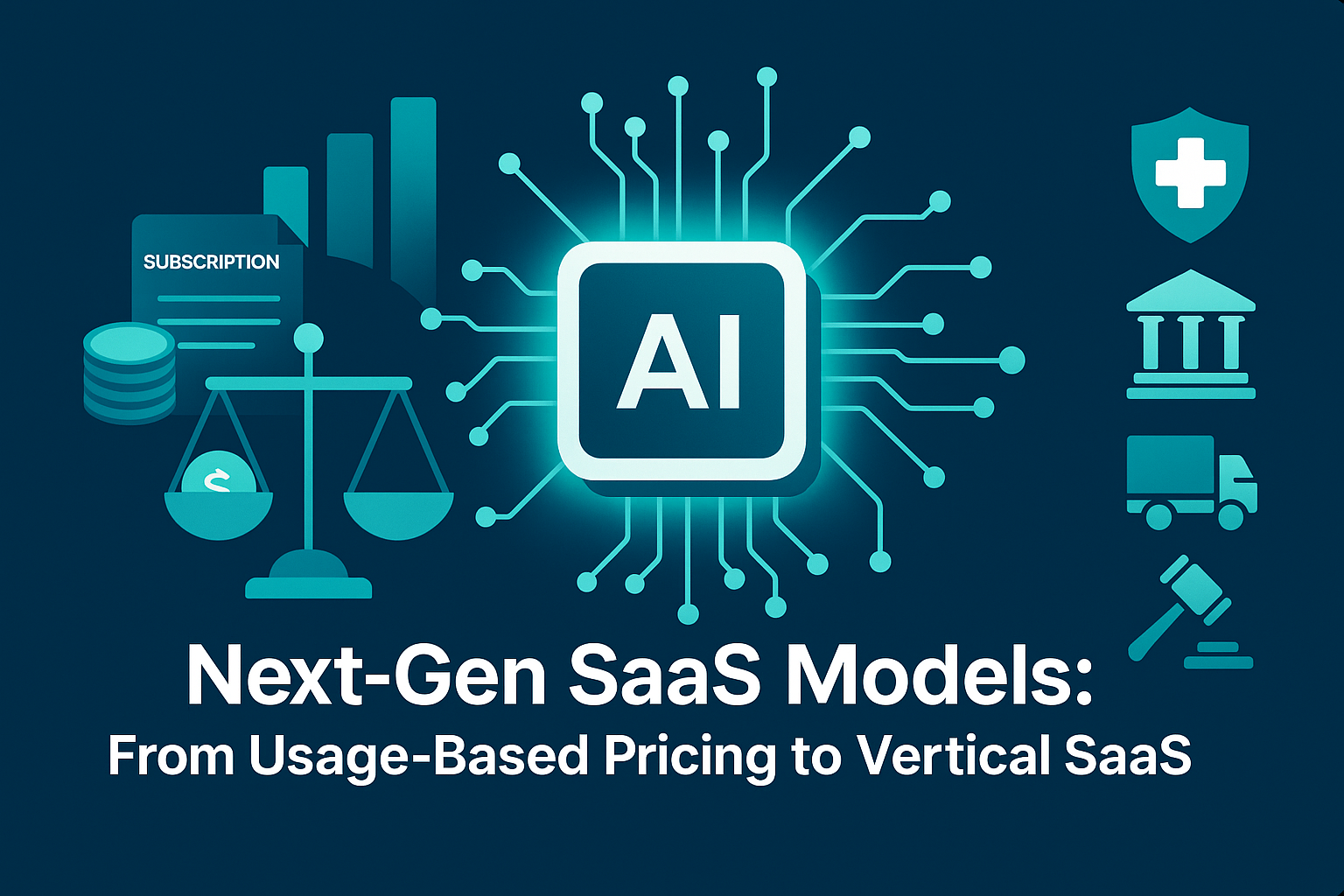
    Next-Gen SaaS Models: From Usage-Based Pricing to Vertical SaaS

    Why SaaS Business Models Are Changing in 2025

    SaaS business models 2025 are undergoing a dramatic transformation, driven by shifting customer expectations, market saturation, and the need for sustainable growth. Founders and investors alike recognise that the traditional “one-size-fits-all” subscription is no longer enough to keep customers loyal. Instead, the conversation in 2025 is about fairness, flexibility, and value — qualities that modern users expect from their software providers.

    Over the last decade, SaaS has travelled an exciting journey. We started with traditional flat subscriptions — simple monthly or annual payments that prioritised predictability for providers. The next stage was freemium models, which enabled companies to grow fast by lowering barriers to entry, though they often struggled with conversion. By 2020, forward-thinking SaaS companies began experimenting with usage-based pricing, tying revenue directly to customer value. Fast-forward to 2025, and these approaches have evolved into a diverse set of strategies including hybrid and vertical SaaS models, each designed to maximise retention and reduce churn.

    For founders, startups, and scaling businesses, understanding these shifts is essential. The companies that adopt innovative SaaS strategies are the ones that will lead their industries in customer satisfaction, profitability, and resilience.


    The Evolution of SaaS Pricing Models

    From Subscriptions to Freemium

    Traditional subscriptions worked well in SaaS’s early days, offering stability for providers and straightforward billing for customers. However, in highly competitive markets, rigid pricing quickly became a limitation. Freemium models appeared as a clever alternative — providing entry-level access at no cost and creating large user bases ripe for upselling. Yet, the weakness was clear: high infrastructure costs with uncertain returns.

    Rise of Usage-Based Pricing

    Usage-based pricing, also known as the “pay-as-you-go” model, solved a key pain point. Customers only pay for what they use, aligning cost with value. For example, a small startup might pay pennies to access essential analytics, while a multinational scales their bill based on volume. This model, now mainstream in 2025, has been particularly powerful in reducing churn, as customers no longer feel locked into plans that don’t reflect their needs.

    Looking Ahead to Hybrid and Vertical SaaS

    By 2025, the SaaS world has become more nuanced. Hybrid models combine predictable subscriptions with variable usage tiers, while vertical SaaS companies specialise in tailored solutions for industries like healthcare, finance, or logistics. These models demonstrate that pricing is no longer just a financial decision — it is a strategic lever for growth.


    Why This Matters for Founders and Scaling Businesses

    For startups and growing organisations, pricing isn’t simply about revenue collection. It is about customer experience, retention, and differentiation. In crowded markets, adopting the wrong model can increase churn and slow down growth. Conversely, the right pricing approach can unlock competitive advantages and secure long-term loyalty.

    This is why a growing number of businesses are seeking expert partners to help them navigate the complexity of SaaS strategy and implementation. At EmporionSoft, for example, we support ambitious founders with services that bridge technical execution and business alignment, ensuring SaaS models evolve in step with user demands (see our Services).

    For developers and product leaders, aligning with trends is also crucial. Resources like The Software Developer’s Roadmap 2025 show how modern development must integrate with new pricing and delivery models to ensure scalability and profitability.


    The Bigger Picture

    The SaaS market continues to expand at pace. According to a recent Gartner report, global SaaS revenue is forecast to surpass $232 billion in 2025, up from $197 billion in 2023, highlighting not just growth but also the fierce competition within the sector. This scale of opportunity means the decisions founders make today about their pricing and delivery models will shape the sustainability of their businesses for years to come.

    The Rise of Usage-Based SaaS Pricing

    “Only pay for what you use” is not just a consumer slogan anymore — it has become a defining expectation of modern software buyers. In 2025, pay-as-you-go SaaS has emerged as one of the most powerful SaaS business models 2025, offering flexibility and fairness in a way traditional subscriptions cannot match. Customers today want pricing that reflects their actual consumption, not a flat monthly bill that often feels detached from value. This shift reflects a deeper trend: software must now adapt to customer behaviour, not the other way around.

    Across industries, from data analytics platforms to cloud services, usage-based pricing is enabling companies to attract broader audiences and foster loyalty. When customers feel they are paying in proportion to the benefits they receive, they are more likely to stay engaged and renew. This alignment between price and value is central to why usage-based models are dominating SaaS conversations in 2025.


    Why Pay-As-You-Go Resonates With Customers

    Customer Retention Through Flexibility

    One of the biggest challenges SaaS companies face is retention. High churn rates can quickly erode revenue, especially for startups with limited margins. Pay-as-you-go SaaS models address this by lowering the barrier to entry and keeping costs variable. Small customers don’t feel overcharged, while larger enterprises scale their payments seamlessly as usage grows.

    This dynamic creates an environment where customers don’t resent monthly invoices. Instead, they see them as fair reflections of their usage. As a result, SaaS retention strategies increasingly prioritise consumption-based billing as a lever for reducing cancellations.

    Fair Value Exchange Builds Trust

    A core reason why SaaS churn reduction is stronger under usage-based models is the sense of transparency. Customers aren’t paying for unused features or locked into tiers that don’t fit their needs. Instead, they pay only when they generate value. This strengthens the customer-provider relationship, turning pricing into a trust-building mechanism rather than a source of frustration.


    Pros & Cons for SaaS Startups

    Advantages of Usage-Based SaaS Pricing

    • Scalability: Revenue grows alongside customer usage, making it easier to expand with high-value clients.

    • Market Accessibility: Startups can attract smaller users unwilling to commit to subscriptions.

    • Lower Churn: Flexible pricing reduces the pressure to cancel when customers’ needs fluctuate.

    • Customer Insights: Usage data provides deep insights into how customers engage with features, guiding product development.

    These advantages explain why many SaaS firms now integrate usage-based options into their pricing experiments. By aligning customer outcomes with business revenue, providers strengthen their long-term sustainability.

    Challenges and Trade-Offs

    Despite the benefits, usage-based pricing also brings complexity. Startups must weigh several risks:

    • Revenue Forecasting: Predictable revenue streams are harder to achieve when bills fluctuate by customer usage. This can complicate fundraising and investor confidence.

    • Billing Complexity: Usage-based systems require robust infrastructure to track consumption, issue transparent invoices, and manage disputes.

    • Cash Flow Risks: Customers with inconsistent usage patterns may contribute to irregular revenue cycles.

    For early-stage businesses, the decision often lies in striking a balance — offering usage-based tiers while keeping some fixed plans for predictability.


    Practical Applications in 2025

    SaaS companies adopting usage-based pricing are finding innovative ways to differentiate. For instance, cloud platforms charge by processing time or storage, while API-driven companies bill by the number of calls. These models not only serve customers better but also encourage providers to innovate continuously, optimising features around what delivers the most value.

    EmporionSoft’s expertise in implementing cutting-edge solutions, such as Real-Time AI in Production, shows how businesses can adapt their SaaS models in line with evolving demand. Founders exploring usage-based strategies can also explore tailored guidance through EmporionSoft’s Consultation services.


    The Broader Shift in the Subscription Economy

    Usage-based pricing isn’t an isolated trend — it reflects broader changes across the digital economy. A Harvard Business Review analysis of the subscription economy highlights that customer-centric pricing is now the most important differentiator in competitive markets. Companies that innovate in pricing are not only winning more customers but also fostering deeper loyalty.

    For SaaS founders in 2025, this shift means that pricing decisions are no longer just financial levers; they are central to customer strategy. Those who embrace usage-based models stand to reduce churn, increase retention, and future-proof their revenue streams.

    Hybrid SaaS Pricing: The Best of Both Worlds

    In the landscape of SaaS business models 2025, hybrid pricing has emerged as the natural bridge between the simplicity of subscriptions and the fairness of usage-based models. For enterprises, it offers the best of both worlds: predictable costs that satisfy finance teams and flexible consumption that appeals to operational leaders. This balance is particularly important at a time when customers expect adaptability without losing the stability they once valued in traditional models.

    Why Hybrid Pricing Fits Enterprise SaaS Models

    Enterprises often operate under two conflicting pressures: the need for reliable budgeting and the demand for agility. A flat subscription can provide cost certainty but fails to account for fluctuating usage across teams, projects, and business cycles. Conversely, a fully usage-based model can make long-term financial planning difficult.

    SaaS hybrid pricing solves this tension by combining fixed subscriptions with variable consumption charges. For instance, a customer might pay a baseline fee for access to a platform, with additional charges based on storage, user activity, or data volume. This layered approach ensures that clients are never overpaying for unused capacity while vendors still secure recurring revenue.


    Real-World Examples: AWS, Snowflake, and B2B Platforms

    AWS (Amazon Web Services)

    AWS is the classic example of consumption-based SaaS blended with hybrid principles. Customers typically commit to a baseline subscription tier for support and platform access, but variable charges are applied to usage categories such as storage, compute, or networking. This hybrid model has allowed AWS to scale globally, serving startups and Fortune 500 enterprises with equal relevance.

    Snowflake

    Snowflake’s approach has redefined cloud data warehousing. Clients pay for storage at predictable rates but face usage-based fees when computing resources are consumed. The duality of stable baseline charges and flexible consumption allows customers to scale efficiently while maintaining transparency in billing.

    B2B SaaS Platforms

    Beyond tech giants, smaller enterprise SaaS models are embracing hybrid pricing to differentiate. Platforms for project management, analytics, and customer engagement often include baseline tiers for core features with premium add-ons (e.g., extra dashboards or advanced AI insights). This approach helps companies serve both SMBs with limited budgets and enterprises with high consumption needs.


    How Hybrid SaaS Pricing Works

    A visual-friendly breakdown of hybrid models can be understood in three layers:

    1. Base Tier Subscription – fixed monthly or annual cost guaranteeing access to the platform’s core features.

    2. Add-Ons – optional upgrades for specialised needs such as security modules, advanced reporting, or integrations.

    3. Consumption Fees – variable charges tied directly to customer usage (e.g., per gigabyte stored, per user added, per transaction processed).

    This structure gives enterprises predictability at the core, while ensuring flexibility at the edges. Vendors benefit from recurring revenue while retaining the opportunity to monetise heavy users more effectively.


    Benefits for SaaS Startups and Enterprises

    For Customers

    • Budget Certainty: Finance teams can forecast recurring costs with confidence.

    • Scalability: Clients only pay extra as their usage grows, aligning spend with business outcomes.

    • Customisation: Add-ons allow enterprises to tailor solutions without paying for unnecessary features.

    For Vendors

    • Revenue Diversification: Mix of subscription and consumption ensures steady cash flow with growth upside.

    • Customer Retention: Hybrid models discourage churn by offering choice, flexibility, and fairness.

    • Market Expansion: Vendors can attract both small clients (with low subscription entry points) and large enterprises (with high consumption tiers).


    Strategic Importance in 2025

    According to a McKinsey report, SaaS companies that adopt flexible pricing models such as hybrid or consumption-based approaches grow revenue 20–30% faster than those relying on static subscriptions. Similarly, BCG highlights that hybrid pricing enables providers to better capture value across diverse customer segments, especially in competitive enterprise markets.

    For SaaS founders in 2025, hybrid pricing is no longer just an experiment — it is becoming a competitive necessity. The ability to strike a balance between stability and flexibility will define who scales sustainably and who risks stagnation.


    Linking Pricing Models to Broader Cloud Growth

    Hybrid SaaS pricing also ties closely to the broader evolution of cloud infrastructure. As highlighted in EmporionSoft’s insights on the Future of Cloud Computing, enterprises are increasingly adopting multi-cloud strategies that demand pricing models flexible enough to reflect varied usage patterns.

    At EmporionSoft, we’ve seen through client engagements that successful pricing strategies often become as important as product features themselves. Businesses looking for real-world applications of hybrid pricing can explore detailed Case Studies that demonstrate its impact on scaling, retention, and customer satisfaction.


    Final Thought

    In 2025, SaaS hybrid pricing is not just a bridge between two models — it is the blueprint for balancing enterprise needs with modern customer expectations. By blending subscription predictability with consumption-based SaaS flexibility, companies can future-proof their offerings while unlocking sustainable growth.

    Vertical SaaS: Industry-Specific Solutions for 2025

    “In 2025, SaaS no longer aims to serve everyone—it aims to serve you.” This powerful shift captures the essence of vertical SaaS, one of the most dominant SaaS business models 2025. Unlike horizontal SaaS platforms that target broad business functions across industries, vertical SaaS solutions are designed with laser focus, catering to the unique workflows, compliance needs, and customer expectations of specific sectors such as healthcare, finance, logistics, and legal technology.

    This transformation is redefining how companies perceive software value. Instead of one-size-fits-all platforms, businesses are increasingly choosing solutions that feel tailor-made for their challenges.


    What Is Vertical SaaS?

    Vertical SaaS refers to industry-specific SaaS products built to address the unique operational requirements of a single sector. Examples include:

    • Healthcare SaaS platforms offering electronic health records with built-in compliance for HIPAA or GDPR.

    • Finance SaaS tools tailored for risk management, fraud detection, and regulatory reporting.

    • Logistics SaaS solutions optimising fleet management, route planning, and supply chain visibility.

    • Legal tech SaaS platforms automating case documentation, e-discovery, and client management.

    Unlike broad productivity tools that span multiple industries, vertical SaaS thrives by going deep into specialised functionality, offering superior domain expertise and higher relevance to target users.


    Benefits of Vertical SaaS

    Deep Domain Expertise

    Vertical SaaS providers build solutions that mirror industry-specific workflows, creating seamless integration with daily operations. This level of alignment means customers spend less time customising software and more time using it effectively.

    Lower Churn and Higher Retention

    Customers using industry-focused solutions rarely find equal alternatives in generic platforms. This translates into significantly lower churn. The perceived value of vertical SaaS leads to stronger adoption and consistent renewals, a core advantage in a competitive subscription economy.

    Higher Lifetime Value (LTV)

    Because vertical SaaS is so closely tied to business-critical functions, clients are more willing to commit long term. As a result, SaaS LTV increases dramatically compared to horizontal providers. Long-term contracts, add-ons, and integrations amplify the revenue potential of each customer.


    Risks and Limitations of Vertical SaaS

    While the benefits are clear, vertical SaaS does face challenges:

    • Smaller Total Addressable Market (TAM): By focusing on a single industry, providers naturally reduce the size of their potential customer base. Growth requires careful scaling across geographies rather than across industries.

    • Higher Compliance Requirements: Industries such as healthcare and finance demand strict adherence to regulatory frameworks. Building secure, compliant solutions requires significant investment in governance and auditing.

    • Barrier to Diversification: Unlike horizontal SaaS providers, vertical players may find it harder to pivot into new sectors without fundamentally re-engineering their platform.

    Despite these risks, the stability of long-term contracts and industry reliance on specialised tools often outweighs the limitations.


    Vertical SaaS in 2025: Growth and Adoption

    According to a Forbes report, the global vertical SaaS market is expected to grow at double-digit rates throughout 2025, driven by demand for tailored solutions in highly regulated and complex industries. Similarly, TechCrunch notes that investor interest in industry-focused SaaS startups has surged, particularly in healthcare and fintech, where innovation meets necessity.

    The rise of vertical SaaS examples highlights how software is no longer about being broad but about being indispensable. Startups entering this space are securing higher valuations due to predictable recurring revenue streams and long-term retention potential.


    Vertical SaaS and Broader Tech Trends

    Vertical SaaS does not exist in isolation; it is part of the broader evolution of adaptive, resilient software development. EmporionSoft’s insights on Adaptive Software Development demonstrate how customisation and agility are key to meeting industry-specific needs. Similarly, innovations in areas such as blockchain are opening opportunities for compliance and security in niche SaaS markets, as discussed in Blockchain Beyond Crypto.

    This convergence of industry-specific SaaS with emerging technologies underscores why vertical SaaS is one of the most promising business models of 2025.


    Final Thought

    Vertical SaaS represents a strategic pivot away from generic platforms toward precision-fit, domain-driven solutions. By focusing on deep expertise, lowering churn, and driving higher SaaS LTV, these providers secure stronger customer relationships and long-term growth. While the TAM may be smaller, the depth of engagement ensures that vertical SaaS will remain a powerful force in 2025 and beyond.

    AI-Driven SaaS: From Smart Features to Smart Monetisation

    “AI isn’t an add-on for SaaS anymore—it’s the backbone.” In 2025, the most competitive SaaS business models 2025 are not those that simply offer automation or analytics as optional extras. Instead, the winners are platforms where artificial intelligence, automation, and data lakes form the very foundation of how value is delivered and monetised.

    AI-enabled SaaS solutions are moving beyond operational efficiency into the realms of predictive intelligence, hyper-personalisation, and adaptive pricing. The result? SaaS companies are achieving lower churn, higher customer lifetime value, and entirely new revenue streams.


    AI SaaS 2025: Predictive Analytics at the Core

    Modern SaaS platforms are leveraging AI to predict user needs before they become problems. Predictive analytics enables businesses to anticipate customer churn, forecast resource demand, and even identify cross-sell opportunities. For example, a project management SaaS might suggest additional integrations when it predicts that a customer’s workload will spike, turning AI SaaS 2025 into a proactive business partner rather than a passive tool.

    This predictive capability is transforming how startups and enterprises make decisions. It moves software from being reactive to anticipatory, fundamentally changing customer expectations and satisfaction.


    Personalisation as a Growth Driver

    Customers are no longer content with generic experiences. AI-driven SaaS tools excel at creating personalised journeys by analysing usage patterns, preferences, and behavioural data. From tailored dashboards to adaptive onboarding sequences, personalisation powered by AI has become one of the most effective retention levers in modern SaaS.

    By tailoring features and communications to individual customer profiles, SaaS providers strengthen engagement and reduce churn. This reflects a wider market trend: customer-centric personalisation is now seen as a baseline expectation in SaaS business models 2025.


    AI in Customer Support and Engagement

    AI-driven chatbots and virtual assistants are no longer simple FAQ responders. In 2025, they provide context-aware guidance, support ticket triage, and even in-app coaching. Intelligent assistants enhance customer experiences by resolving queries faster, reducing human support costs, and increasing user confidence.

    For SaaS providers, these tools generate invaluable data. Every customer interaction enriches the platform’s predictive models, which in turn drives product improvements and SaaS data monetisation strategies.


    Data Lakes: The Foundation of Intelligent SaaS

    AI thrives on data. Without scalable, well-structured data storage, SaaS companies cannot unlock the full value of machine learning. This is why data lakes have become indispensable in 2025. By consolidating structured and unstructured data from multiple sources, they enable real-time analytics and actionable insights.

    For example, SaaS companies leveraging insights from Harnessing the Power of Data Lakes can design smarter pricing models, improve user segmentation, and enhance feature recommendation engines. Data lakes ensure that SaaS businesses don’t just collect data — they turn it into long-term competitive advantage.


    Smart Monetisation: AI Pricing SaaS and Intelligent Upselling

    One of the most transformative applications of AI in SaaS is intelligent pricing. Traditional tiers and discounts are giving way to AI pricing SaaS, where algorithms dynamically adjust based on user value, industry benchmarks, and even seasonality.

    Additionally, intelligent upselling strategies are now powered by machine learning. Instead of broad marketing campaigns, AI identifies micro-opportunities — suggesting premium features only when customers are most likely to convert. This not only increases revenue per user but also strengthens satisfaction, as recommendations feel helpful rather than intrusive.


    Linking AI and Modern SaaS Development

    AI-driven SaaS is inseparable from innovation in software engineering. As EmporionSoft explains in How AI is Revolutionising Software Development, automation and machine learning are reshaping coding, deployment, and scalability itself. When combined with SaaS platforms, these shifts lead to faster releases, smarter product iterations, and more responsive user experiences.

    The convergence of AI development and SaaS monetisation strategies is setting a new benchmark for software businesses in 2025.


    The Bigger Picture: AI SaaS Market Growth

    Industry analysts consistently highlight the pace of AI adoption in SaaS. According to reports shared by TheCodeV, AI is now considered a “non-negotiable” for competitive SaaS platforms, with investors favouring startups that demonstrate clear AI integration. This underlines the reality that artificial intelligence has transitioned from a differentiator into a market expectation.


    Final Thought

    By embedding AI, automation, and data lakes into their DNA, SaaS providers in 2025 are creating smarter, more personalised, and more profitable platforms. From predictive analytics to AI pricing SaaS, these innovations are not only transforming customer experiences but also redefining how software companies scale. The shift confirms one truth: the future of SaaS lies not in generic functionality but in intelligence, adaptability, and monetisation through data.

    Retention-First SaaS Design

    “Retention, not acquisition, defines SaaS success in 2025.” This statement captures the reality facing modern SaaS providers. While acquiring new customers remains important, the real battleground lies in keeping existing users engaged, satisfied, and loyal. In an increasingly competitive market, the most successful SaaS business models 2025 are built around retention-first strategies that reduce churn and maximise customer lifetime value (LTV).

    Customer-centric design goes far beyond product functionality. It involves anticipating user needs, personalising experiences, and building long-term relationships. By focusing on personalised onboarding, engagement metrics, continuous feedback, and user experience improvements, SaaS providers are turning retention into their strongest growth driver.


    Personalised Onboarding: Setting the Tone Early

    Onboarding is the critical moment when first impressions are made. In SaaS onboarding 2025, companies no longer deliver one-size-fits-all tutorials. Instead, they use AI and behavioural data to create personalised onboarding flows that reflect user roles, goals, and preferences.

    For example, a project manager might be shown collaborative tools first, while a developer is introduced to integration options. This customised approach reduces friction, accelerates time-to-value, and increases adoption rates.

    Personalised onboarding is one of the most effective SaaS UX best practices, ensuring that customers feel understood from day one. It lays the foundation for long-term retention and higher satisfaction levels.


    In-App Engagement Metrics: Measuring What Matters

    Once customers are onboarded, tracking engagement becomes vital. SaaS providers now rely on in-app analytics to monitor usage frequency, feature adoption, and drop-off points. These insights allow companies to intervene early if a customer appears disengaged.

    For instance, if analytics reveal that a team has stopped using collaboration features, providers can trigger in-app prompts offering guidance, tutorials, or even discounts on advanced tools. This proactive approach not only increases engagement but also prevents churn.

    As EmporionSoft highlights in Project Management Tools, understanding how customers interact with features helps businesses optimise products in real time. By aligning product decisions with actual customer behaviour, SaaS companies ensure relevance and stickiness.


    Customer Feedback Loops: Listening to Stay Relevant

    Engagement is not just about monitoring — it’s about dialogue. Modern SaaS companies are embedding customer feedback loops directly into their platforms, using surveys, feedback widgets, and real-time chat to capture insights.

    These loops allow providers to refine products continuously, addressing user pain points before they escalate into cancellations. More importantly, they create a sense of co-creation, making customers feel invested in the product’s evolution.

    When customers see that their feedback leads to tangible improvements, trust deepens and churn declines. This is why customer-centric SaaS strategies prioritise listening as much as building.


    Lowering Churn With UX Improvements

    Churn is often the result of poor user experience rather than poor product functionality. In 2025, SaaS UX best practices emphasise intuitive design, simplified workflows, and responsive support. Companies are investing heavily in usability testing and iterative design to ensure seamless customer journeys.

    For example, eliminating unnecessary steps in onboarding forms, improving navigation, or adding contextual tooltips can significantly reduce frustration. Even small changes in interface design can improve adoption and boost retention.

    According to a Deloitte report, SaaS companies that prioritise UX see up to 25% higher customer retention compared to those that focus solely on features. This underscores the strategic role of design in shaping the financial success of modern SaaS businesses.


    Building Lifetime Value

    The end goal of customer-centric strategies is not just retention but maximising SaaS customer lifetime value. By reducing churn, driving deeper adoption, and cultivating advocacy, SaaS providers can transform satisfied users into long-term partners.

    Effective strategies include:

    • Tiered loyalty programmes that reward long-term customers.

    • Contextual upselling based on in-app behaviour.

    • Proactive success management, ensuring customers achieve their intended outcomes.

    Together, these efforts increase revenue per customer while lowering acquisition costs.

    SaaS companies ready to refine their retention strategies can connect directly with EmporionSoft for tailored support via Contact Us.


    Final Thought

    In SaaS business models 2025, customer-centric design is no longer optional — it is the primary driver of growth. From personalised onboarding to real-time feedback loops, providers that invest in retention-first strategies are not only reducing churn but also unlocking higher customer lifetime value.

    By embedding SaaS UX best practices and aligning product development with user needs, businesses position themselves to thrive in a saturated market. Retention has become the new acquisition, and in 2025, it defines the future of SaaS.

    The Future of SaaS Business Models 2025 and Beyond

    The evolution of SaaS has always been driven by one principle: aligning business value with customer value. In SaaS business models 2025, that alignment has never been stronger. From usage-based pricing to hybrid models, from vertical SaaS to AI-powered platforms and customer-centric design, the industry is embracing strategies that prioritise retention, fairness, and adaptability.


    Usage-Based and Hybrid Pricing: Redefining Fairness

    The rise of pay-as-you-go SaaS demonstrated that customers value transparency and flexibility. By paying only for what they use, businesses perceive pricing as a fair exchange, leading to reduced churn and stronger trust.

    Meanwhile, hybrid SaaS pricing has emerged as the natural bridge between subscription predictability and usage-based flexibility. Enterprises now enjoy stable baselines for budgeting, alongside scalable options that grow with demand. Together, these models strengthen customer relationships while diversifying revenue streams.


    Vertical SaaS: Precision Over Scale

    The surge of industry-specific SaaS reflects a critical shift: software is no longer about serving everyone, but about serving industries with deep expertise. From healthcare to finance and logistics, vertical SaaS examples showcase how specialised solutions deliver lower churn and higher SaaS customer lifetime value (LTV).

    Although the total addressable market may be narrower, the payoff lies in higher retention, stronger compliance capabilities, and customers who treat SaaS platforms as indispensable.


    AI-Powered SaaS: Intelligence at the Core

    Artificial intelligence has moved from feature to foundation. AI SaaS 2025 is driving predictive analytics, hyper-personalisation, and intelligent upselling. Data lakes, automation, and AI pricing SaaS strategies ensure providers are not just delivering tools, but learning, adapting, and monetising in smarter ways.

    As Gartner’s 2025 SaaS forecast shows, global SaaS revenue is projected to surpass $230 billion, with AI-driven solutions leading much of that growth. The platforms that embed AI and data at their core are the ones positioned to scale sustainably.


    Customer-Centric SaaS: Retention as the Growth Engine

    In 2025, SaaS success is defined not by how many customers a company acquires, but by how many it retains. SaaS onboarding 2025, in-app engagement metrics, and continuous feedback loops are helping providers deliver experiences that reduce churn and maximise satisfaction.

    By embedding SaaS UX best practices, companies are improving usability, strengthening loyalty, and unlocking higher LTV. Retention-first design is no longer optional; it is the cornerstone of every competitive SaaS strategy.


    Scaling with EmporionSoft Pvt Ltd

    The future of SaaS is clear: businesses that embrace modern pricing, AI innovation, and customer-centric design will thrive, while those that cling to outdated models risk falling behind. The challenge for founders and enterprises lies in execution — choosing the right model, implementing it effectively, and ensuring scalability.

    This is where EmporionSoft Pvt Ltd can help. As a trusted technology partner, we specialise in aligning SaaS strategy, development, and scaling with modern market demands. Whether you are exploring usage-based pricing, building AI-enabled SaaS solutions, or launching an industry-specific platform, our expertise ensures your product is ready for growth.

    Discover more About us, explore our Services, or book a tailored Consultation to see how we can accelerate your SaaS journey.


    Final Thought

    The SaaS industry in 2025 is at a crossroads. With hybrid models balancing predictability and flexibility, vertical SaaS delivering deep expertise, AI transforming monetisation, and customer-centric strategies reducing churn, the future belongs to companies that adapt with speed and precision.

    According to McKinsey Digital, SaaS providers that modernise their models can achieve 20–40% higher growth compared to competitors clinging to traditional subscriptions. The evidence is clear: next-generation SaaS models are not a trend but a survival strategy.

    If you’re ready to scale smarter, build stronger retention, and future-proof your business, it’s time to act. Partner with EmporionSoft Pvt Ltd and let’s shape the next era of SaaS together.

  • Boost Developer Productivity with Cursor AI: The Next-Gen Coding Companion

    Boost Developer Productivity with Cursor AI: The Next-Gen Coding Companion

    Boost Developer Productivity with Cursor AI: The Next-Gen Coding Companion

    In today’s fast-paced digital era, developers are expected to deliver robust, scalable, and efficient code—often under tight deadlines. But what if we told you there’s a smarter, faster way to code? Enter Cursor AI, a revolutionary AI code assistant designed to boost developer productivity with Cursor AI, giving coders the tools they need to streamline workflows, reduce repetitive tasks, and unlock their full potential.

    AI has rapidly become the backbone of innovation across industries, and software development is no exception. As businesses increasingly turn to automation and intelligent technologies, development teams must evolve. That’s where Cursor AI shines—a next-gen coding companion equipped with intelligent code suggestions, context-aware debugging, and deep integrations that align seamlessly with a developer’s workflow.

    At EmporionSoft Pvt Ltd, we’ve always championed future-ready technologies that empower teams and deliver results. Our team of engineers, data scientists, and digital innovators are consistently looking for solutions that reduce coding bottlenecks and accelerate delivery cycles. With Cursor AI, we’re not just talking about incremental improvements—we’re talking about a quantum leap in how software is built.

    This article is your comprehensive guide to understanding how to boost developer productivity with Cursor AI. We’ll walk you through:

    • What Cursor AI is and why it’s being hailed as the next-gen coding companion

    • How Cursor AI streamlines the AI-driven development workflow

    • The transformative role of programming automation in modern tech stacks

    • Real-world use cases and success stories from developers and teams

    • Integration with existing development environments

    • A deep dive into how it offers intelligent code suggestions in real time

    • Security, ethics, and trust in AI-assisted coding

    • Future trends in AI-powered software development

    • Why EmporionSoft recommends Cursor AI to forward-thinking development teams

    • How you can get started with Cursor AI today

    We’ve packed each section with expert insights, visual breakdowns, practical examples, and links to trusted resources. Whether you’re a solo developer or part of a large engineering team, this blog post will give you actionable knowledge to stay ahead of the curve.

    🔍 Ready to rethink your development workflow?
    Let’s dive in and explore how Cursor AI is transforming the way we code—starting with understanding the power of AI in software development.

    Table of Contents

    1. Introduction: Boost Developer Productivity with Cursor AI

    2. Understanding Developer Productivity in Modern Software Development

    3. How Cursor AI Enhances Developer Productivity

    4. The Power of Intelligent Code Suggestions

    5. AI-Driven Development Workflow: A Game Changer

    6. Reducing Repetitive Tasks Through AI Automation

    7. Context-Aware Debugging with Cursor AI

    8. Real-World Use Cases: Success Stories from Developers

    9. Integration and Compatibility with Development Environments

    10. The Future of Software Development: AI’s Role in Shaping the Industry


    Understanding Developer Productivity in Modern Software Development

    Developer productivity is the ability to efficiently create, modify, and deliver high-quality software with minimal delays and maximum output. In today’s competitive environment, where every second counts, boosting developer productivity is critical for staying ahead. But what exactly makes a developer productive? Is it just about writing code quickly, or is there more to it?

    In traditional development settings, productivity often boils down to the speed of writing code, but the real value lies in quality, efficiency, and scalability. These elements, however, are frequently hampered by several common bottlenecks that developers face.

    The Challenges Slowing Down Developer Productivity

    1. Coding Errors
      Even experienced developers make mistakes. Whether it’s a missed semicolon or an incorrect variable declaration, coding errors can lead to costly debugging sessions, delaying progress. These errors can pile up over time, resulting in long cycles of rework that eat into productivity. Worse yet, if undetected, they can make their way into the final product, causing critical issues in production.

    2. Repetitive Tasks
      Programming often involves performing the same tasks repeatedly: writing boilerplate code, creating test cases, or performing routine operations across multiple files or systems. While these tasks are necessary, they take up valuable time that could be better spent on solving more complex problems. The manual nature of repetitive tasks can lead to frustration and burnout, reducing motivation and overall productivity.

    3. Context Switching
      As developers juggle different tasks, switching between debugging, writing new features, and meeting deadlines, context switching becomes a significant productivity drain. When developers move from one task to another, they often lose focus, requiring time to get back on track. This constant back-and-forth between tasks impacts the quality and speed of their work.

    How AI Can Transform Developer Productivity

    The introduction of AI into development workflows offers a powerful solution to these common bottlenecks. AI-driven development workflows are designed to automate repetitive tasks, provide intelligent code suggestions, and support context-aware debugging, all of which can reduce errors and minimize unnecessary back-and-forth.

    With AI code assistants like Cursor AI, developers can significantly reduce manual effort. These tools analyze code in real time, offering intelligent suggestions based on the context of what the developer is writing. For example, Cursor AI’s suggestions can prevent common coding errors before they even occur, allowing developers to focus on more complex problems.

    Moreover, AI systems can automate routine tasks like formatting, testing, and documentation, freeing up developers to concentrate on high-priority tasks that require creativity and strategic thinking. Cursor AI, in particular, is built to seamlessly integrate into existing workflows, complementing developers’ skills while providing an extra layer of efficiency.

    EmporionSoft Pvt Ltd, a leader in AI-driven solutions, recognizes the power of AI in boosting developer productivity. As an AI-powered software consultancy, we are committed to helping businesses integrate cutting-edge technologies that enable faster development cycles and improved software quality. Explore our services to learn more about how we can support your business in leveraging AI for improved development outcomes.

    In the next section, we will dive deeper into how Cursor AI specifically enhances productivity by offering intelligent suggestions and automating routine tasks. Stay with us as we explore these groundbreaking tools in detail.

    Introducing Cursor AI: The Next-Gen Coding Companion

    When it comes to revolutionizing software development, Cursor AI has emerged as a true next-gen coding companion that is transforming how developers code, debug, and automate tasks. Built on powerful machine learning models and advanced algorithms, Cursor AI offers a step forward from traditional coding assistants, positioning itself as a key player in the world of AI-driven development.

    The History of Cursor AI

    Cursor AI was developed with one goal in mind: to streamline the coding process by leveraging the full potential of AI and machine learning. As software development became increasingly complex and fast-paced, the need for a solution that could simplify common challenges, such as debugging, coding errors, and repetitive tasks, became evident. Enter Cursor AI—a tool that automates and enhances coding tasks, making development smoother, faster, and more efficient.

    Unlike traditional code assistants that offer basic code completion and error-checking, Cursor AI takes it a step further by using next-gen technologies to provide context-aware, real-time suggestions. This makes it not only a tool for writing code but also a strategic partner that enhances productivity through advanced programming automation.

    Core Functionalities of Cursor AI

    Cursor AI is built to integrate seamlessly into a developer’s workflow, providing powerful features that address some of the biggest pain points in software development. Let’s take a look at its core functionalities:

    1. Intelligent Code Suggestions
      At the heart of Cursor AI lies its ability to offer intelligent code suggestions. Unlike traditional code completion tools, Cursor AI utilizes machine learning models trained on vast datasets, enabling it to provide suggestions that are contextually relevant to the developer’s code. Whether you’re writing a function, debugging an error, or optimizing an algorithm, Cursor AI offers the most appropriate recommendations based on the current code context, saving developers valuable time and reducing human error.

    2. Real-Time Assistance
      Cursor AI doesn’t just wait for you to ask for help—it actively works in the background, offering real-time assistance as you code. It monitors your code for potential issues and proactively provides suggestions for improvements. This allows developers to catch problems early, thus reducing debugging time and ensuring a more efficient workflow.

    3. Automated Task Handling
      With its AI-driven development workflow, Cursor AI also handles several tasks automatically, such as refactoring code, formatting, and generating documentation. This is where programming automation truly shines. Developers no longer need to manually reformat code, write repetitive functions, or spend time on mundane documentation tasks—Cursor AI takes care of it all, letting developers focus on higher-level problem-solving.

    4. Enhanced Debugging
      Debugging can be a time-consuming and frustrating process. Cursor AI’s advanced error detection and contextual debugging suggestions provide an extra layer of support, helping developers locate and fix issues faster. By analyzing the code in real-time, Cursor AI can flag potential errors and recommend solutions before they evolve into bigger problems, reducing the need for extensive manual testing.

    What Sets Cursor AI Apart?

    While traditional coding assistants have been around for some time, Cursor AI stands out due to its sophisticated machine learning algorithms and its focus on intelligent coding automation. Instead of simply offering static suggestions, Cursor AI learns from your coding style, the libraries you use, and the projects you’re working on to deliver highly personalized recommendations. This level of customization allows it to provide far more accurate and relevant suggestions than basic code completion tools.

    Additionally, Cursor AI integrates seamlessly with a range of popular IDEs (Integrated Development Environments), ensuring developers can start using the tool without major changes to their setup. Whether you’re working on JavaScript, Python, or Java, Cursor AI fits into your workflow with ease, providing dynamic support across a range of programming languages.

    AI-Powered Development: A Future-Ready Solution

    With the growth of AI-driven development workflows, tools like Cursor AI are changing the landscape of software development. According to a report by Google AI, machine learning models are becoming integral in creating smarter development tools that enhance efficiency and productivity (“AI Research“).

    As AI continues to evolve, we can expect tools like Cursor AI to become even more sophisticated, with predictive capabilities and deeper integration into developer environments. The future of coding is not just about writing lines of code faster—it’s about making development smarter, with tools that understand and anticipate what developers need.

    Why Cursor AI is Worth the Hype

    Cursor AI is not just another coding tool; it’s a game-changer in the world of software development. By reducing repetitive tasks, offering intelligent code suggestions, and automating debugging, it empowers developers to focus on the most important aspects of their work—creating innovative solutions, optimizing performance, and driving project success. If you’re looking to boost developer productivity and stay ahead of the competition, Cursor AI is the tool that can help you achieve just that.

    In the next section, we’ll explore how Cursor AI integrates seamlessly into existing workflows and discuss its impact on real-world development teams. Stay tuned for more insights into how this AI-driven development workflow can transform your coding experience.

    Key Features & Functionality of Cursor AI: Revolutionizing Coding Efficiency

    Cursor AI, a cutting-edge AI code assistant, is equipped with a suite of features designed to significantly enhance the coding experience. These features not only streamline the development process but also drastically cut down on time spent on debugging and repetitive tasks. Here’s a look at five primary features that make Cursor AI a standout tool for modern developers.

    1. Real-Time Error Checking

    One of Cursor AI’s most powerful features is its ability to perform real-time error checking. This tool scans code as it is written, identifying syntax and logical errors instantly. This immediate feedback allows developers to correct issues on the fly, significantly reducing the time traditionally spent on debugging after a coding session. For instance, if a developer mistakenly types a variable name that hasn’t been declared yet, Cursor AI will flag this error instantly, preventing a potential runtime error later.

    2. Intuitive Auto-Complete

    Cursor AI goes beyond traditional auto-complete features by using machine learning to predict what a developer is likely to type next, based on the context of the existing code. This intuitive auto-complete system can suggest entire lines or blocks of code, which not only speeds up the coding process but also helps maintain coding standards and reduces errors due to typos or incorrect syntax.

    3. Advanced Debugging Suggestions

    Advanced debugging is another area where Cursor AI shines. It provides contextual suggestions for fixing bugs, which is much more than simply pointing out errors. For example, if there’s a memory leak or a potential infinite loop, Cursor AI will suggest the most likely fixes, often accompanied by explanations to help developers understand the root cause of the issue.

    4. Code Refactoring Tools

    Cursor AI includes powerful code refactoring tools that help improve the readability and maintainability of code without changing its functionality. It suggests better ways to structure code, offers renaming suggestions for variables and functions to improve clarity, and identifies opportunities to simplify complex code constructs.

    5. Seamless Integration with Development Environments

    Finally, Cursor AI is designed to seamlessly integrate with popular Integrated Development Environments (IDEs) such as Visual Studio Code, JetBrains IntelliJ IDEA, and more. This integration ensures that developers can use Cursor AI’s features without disrupting their existing workflows. Whether you’re working on a small project or a large enterprise application, Cursor AI adapts to your environment, providing support exactly where it’s needed.

    EmporionSoft Pvt Ltd and Cursor AI: Enhancing Client Projects

    At EmporionSoft Pvt Ltd, we leverage Cursor AI’s capabilities to enhance our client projects, ensuring faster delivery times, higher code quality, and reduced development costs. By integrating Cursor AI into our workflows, we enable our developers to focus more on creative problem-solving and less on routine coding tasks. This not only boosts developer productivity but also enhances the overall quality of the software solutions we deliver to our clients.

    The integration of Cursor AI into our services allows us to offer our clients something beyond traditional software development: a smart, efficient, and error-minimized development process. It’s tools like Cursor AI that help us stand out in the competitive field of software development by providing our clients with cutting-edge solutions that are both innovative and reliable.

    In summary, the features of Cursor AI not only make it an indispensable tool for developers looking to boost their productivity but also illustrate our commitment at EmporionSoft Pvt Ltd to using the latest technologies to deliver superior software products.

    Real-World Use Cases & Success Stories with Cursor AI

    The impact of Cursor AI on development teams becomes most evident when applied to real-world scenarios. Whether it’s shrinking debugging time from hours to minutes or automating refactoring tasks that would otherwise take days, Cursor AI is helping teams accelerate software delivery while improving code quality. Let’s explore how this next-gen coding companion makes a measurable difference through two compelling use cases.


    Case Study 1: Debugging a Failing Payment Gateway in a Fintech App

    Challenge:
    A fintech startup was facing a critical issue: their newly released payment gateway was intermittently failing. Logs were unhelpful, and the issue appeared sporadic during live user sessions. The development team struggled to reproduce the bug consistently and wasted hours manually scanning through logs and code.

    Solution with Cursor AI:
    Upon integrating Cursor AI, developers received intelligent code suggestions as they worked through the gateway module. The AI assistant flagged a potential race condition between API callbacks and the session timeout handler—something human eyes had missed. Cursor AI’s context-aware debugging suggestions not only identified the faulty segment but also proposed a revised version of the logic.

    Outcome:
    The issue was resolved in under two hours, a task that had consumed nearly two full days before Cursor AI was brought in. Moreover, the team updated related modules with suggestions from Cursor AI, preventing future instances of similar issues.

    👉 Want to resolve bugs faster like this team did? Contact EmporionSoft Pvt Ltd to learn how AI can enhance your workflow.

    Case Study 2: Automating Refactoring Across a Large Codebase

    Challenge:
    An e-commerce platform needed to refactor thousands of lines of legacy code to align with new API structures and naming conventions. Manual refactoring was estimated to take several weeks, involving tedious code reviews and multiple QA cycles.

    Solution with Cursor AI:
    Cursor AI was deployed across the platform’s backend repositories. The tool intelligently scanned the codebase, flagged deprecated methods, and suggested consistent, scalable refactoring based on modern coding standards. More importantly, Cursor AI’s auto-refactor capabilities helped the developers restructure methods and update dependencies across hundreds of files—automatically and safely.

    Outcome:
    What was projected as a 3-week task was completed in just 5 days. Cursor AI’s machine-learning-based suggestions ensured that the refactored code was clean, maintainable, and free of the bugs that commonly occur during manual refactoring. This allowed the development team to redirect their efforts toward feature development and performance optimization.

    For broader industry insight, even teams from global tech leaders are starting to recognize the power of AI in software development. As highlighted in TechRepublic, AI-assisted tools are drastically improving developer efficiency across sectors.


    AI in Action: A New Standard in Software Delivery

    These use cases highlight a recurring theme: Cursor AI doesn’t just assist—it transforms. Whether it’s identifying logic errors or offering intelligent code suggestions during crunch time, this tool helps developers code smarter, not harder.

    At EmporionSoft Pvt Ltd, we incorporate Cursor AI in our development process to ensure faster turnaround times, reduced bugs, and superior product quality. Our clients benefit from AI-powered automation that scales with their business needs.

    Looking to boost developer productivity with Cursor AI in your own projects?
    📩 Reach out to EmporionSoft’s AI team today and see what this next-gen tool can do for you.


    Seamless Integration: Implementing Cursor AI into Your Development Workflow

    Integrating Cursor AI into your existing setup is remarkably straightforward, whether you’re working on a solo project or managing an enterprise-scale codebase. As a next-gen coding companion, Cursor AI is designed for compatibility, scalability, and ease of use—even for junior developers or teams new to AI tooling.

    At EmporionSoft Pvt Ltd, we specialise in helping clients implement AI-driven technologies like Cursor AI into their development pipelines for maximum productivity and long-term scalability.


    Best Practices for Integrating Cursor AI

    To get the most out of Cursor AI, follow these recommended practices:

    1. Choose a Compatible IDE or Code Editor

    Cursor AI is built to integrate seamlessly with widely-used development environments. It offers plug-and-play extensions or SDKs for:

    • Visual Studio Code (VS Code)

    • JetBrains IDEs (IntelliJ IDEA, PyCharm, WebStorm)

    • Sublime Text

    • Atom (limited support)

    Tip: For best performance, use the latest version of VS Code or IntelliJ.


    2. Check System Requirements

    Before installation, ensure your development environment meets the following prerequisites:

    • Operating System: Windows 10+, macOS 11+, or a modern Linux distro

    • Processor: Minimum Intel i5 (or equivalent)

    • RAM: 8GB or higher recommended

    • Internet Access: Required for real-time AI model querying and updates

    • Version Control: Git integration highly recommended for efficient code tracking

    • Languages Supported:

      • JavaScript / TypeScript

      • Python

      • Java

      • C#

      • Go

      • Ruby

      • Rust

      • And more (depending on plugin availability)


    3. Install Cursor AI Extension or Plugin

    Installing Cursor AI typically involves:

    • Navigating to your IDE’s plugin/extension marketplace

    • Searching for “Cursor AI”

    • Clicking Install

    • Restarting the IDE to activate the plugin

    • Logging into your Cursor AI account or generating an API key (if required)

    Post-installation, Cursor AI becomes active and starts offering intelligent code suggestions, syntax enhancements, and real-time debugging support as you write.


    4. Customize to Fit Your Workflow

    Cursor AI allows developers to tweak:

    • Suggestion frequency and verbosity

    • Language-specific preferences

    • Auto-formatting rules

    • Integration with linters or testing frameworks

    These settings can be adjusted in your IDE’s extension settings panel to create a tailored experience.


    How EmporionSoft Pvt Ltd Supports Seamless Integration

    Integrating new tools into your workflow shouldn’t disrupt your momentum. That’s where we come in. At EmporionSoft Pvt Ltd, we provide:

    • End-to-end setup assistance for Cursor AI in any development environment

    • Workflow optimization audits to ensure you’re maximizing its capabilities

    • Custom AI automation integration within larger CI/CD pipelines

    • Training sessions for junior developers to get up to speed quickly

    • Ongoing support and AI tooling maintenance

    Our team has helped multiple startups and enterprises implement Cursor AI effectively, reducing development time by up to 40% while improving overall code quality.


    Not Just for Experts

    One of Cursor AI’s greatest strengths is accessibility. Developers at all experience levels can benefit from its features—from auto-completing boilerplate code to explaining complex logic. It’s like having a senior developer embedded in your IDE, offering assistance 24/7.


    Ready to Transform Your Workflow?

    Whether you’re modernising your development stack or just starting out with AI tools, Cursor AI offers a fast, frictionless upgrade. Let EmporionSoft Pvt Ltd help you implement it the right way.

    🔗 Visit our homepage to discover how our team integrates next-gen solutions like Cursor AI into real-world projects that deliver.


    Best Practices & Tips to Maximize Cursor AI in Daily Development

    While Cursor AI is a powerful tool to boost developer productivity, its full potential is unlocked only when used strategically. Like any tool, it works best when developers combine its AI-driven capabilities with their own judgment, creativity, and experience.

    Here are practical, actionable tips to ensure you’re getting the most out of this next-gen coding companion—while avoiding pitfalls like over-reliance and AI bias.


    1. Balance AI Suggestions with Human Oversight

    Cursor AI offers intelligent code suggestions in real time. But no matter how advanced the underlying model, it’s important to:

    • Review all AI-generated code for correctness and alignment with your project’s logic.

    • Avoid copying and pasting without understanding the suggestion, especially in complex modules.

    • Treat Cursor AI as a thinking partner, not a replacement for decision-making.

    Tip: If a suggestion doesn’t make sense at first glance, try to understand why it was offered. Use it as a learning moment, not just a shortcut.


    2. Customize Cursor AI for Your Codebase

    Cursor AI’s flexibility allows you to fine-tune its behaviour for different projects or coding environments.

    Suggested Customizations:

    • Adjust verbosity: Reduce unnecessary or excessive suggestions for experienced coders.

    • Enable project-specific preferences: Such as naming conventions, language-specific patterns, or library usage.

    • Ignore files/folders: Exclude auto-generated or legacy files to focus Cursor’s assistance on the most relevant parts of your codebase.

    If you’re working on microservices or large monorepos, these settings can drastically reduce noise and increase contextual accuracy.

    📘 For advanced configuration, consult the official Cursor AI documentation (external link – DoFollow) for in-depth guides.


    3. Use Cursor AI as a Learning Tool

    One of the underrated benefits of Cursor AI is its educational potential.

    • Junior developers can observe suggestions and learn best practices in real time.

    • Use Cursor to generate alternate solutions, then evaluate them manually to understand trade-offs.

    • Developers working in unfamiliar languages or frameworks can get productive more quickly using Cursor as a contextual guide.

    This turns Cursor AI into not just an assistant, but a development mentor.


    4. Don’t Skip the Setup Phase

    When integrating Cursor AI into a new project, take time to:

    • Tag relevant files or modules for training context.

    • Provide documentation or README files to help the AI understand your architecture.

    • Connect your version control system (e.g., Git) to offer better context about file histories and code evolution.

    This preparatory work ensures Cursor AI provides context-aware suggestions, not just generic completions.


    5. Monitor Performance & Regularly Review Output

    AI can make errors—especially in edge cases or niche frameworks. Always:

    • Run full test suites before accepting larger auto-generated changes.

    • Monitor performance implications, especially when Cursor suggests optimizations or asynchronous logic.

    It’s a good idea to schedule monthly reviews of AI contributions to identify patterns or training gaps.


    6. Empower Your Team with EmporionSoft Pvt Ltd

    At EmporionSoft Pvt Ltd, we help businesses not only implement Cursor AI but also train their teams on how to use it effectively. From setting up guardrails to customizing configurations for large-scale applications, we make sure you get real productivity gains—without the risks.

    Our consultants can:

    • Set up role-based settings for teams

    • Fine-tune AI suggestions for specific tech stacks

    • Deliver workshops on ethical AI usage in code generation

    • Potential Challenges & Considerations When Adopting Cursor AI

      While Cursor AI offers substantial productivity gains, adopting any AI-based tool comes with its own set of challenges. These concerns are valid—especially when it comes to handling sensitive codebases, proprietary information, or maintaining regulatory compliance in high-stakes industries.

      As organisations move toward AI-driven development workflows, it’s essential to evaluate the potential risks with a clear, proactive strategy. At EmporionSoft Pvt Ltd, we guide clients through this transition, ensuring that productivity never comes at the cost of security or trust.


      1. Data Privacy & Code Confidentiality

      Concern:
      Developers and companies may worry that AI assistants like Cursor AI could expose proprietary code or unintentionally send sensitive information to external servers during real-time processing.

      Solution:
      Modern AI tools, including Cursor AI, are evolving to respect enterprise-level privacy standards. Many now offer:

      • On-premise deployment options

      • End-to-end encryption

      • Data anonymisation and masking

      • User-level access control

      Additionally, companies can configure Cursor AI to exclude specific directories or files from analysis, ensuring that sensitive parts of the codebase remain untouched.

      💡 EmporionSoft Pvt Ltd implements secure development practices by default. Learn how we protect your data through private deployments, encryption protocols, and compliance audits.


      2. Intellectual Property & Code Ownership

      Concern:
      AI-generated code may raise legal or ethical concerns about intellectual property (IP) rights, especially if suggestions are derived from open-source datasets or pre-trained models.

      Solution:
      To mitigate IP conflicts, EmporionSoft advises clients to:

      • Use Cursor AI versions aligned with commercial licensing models

      • Regularly review generated code for originality and IP compatibility

      • Establish internal guidelines on acceptable use of AI suggestions

      We also help teams create clear documentation for code provenance, making it easier to trace contributions and maintain codebase integrity.


      3. Over-Reliance on AI for Critical Systems

      Concern:
      There’s a risk that teams may begin to over-rely on Cursor AI, especially for mission-critical logic, leading to complacency in code reviews or unit testing.

      Solution:
      We recommend:

      • Mandatory peer code reviews, even for AI-assisted code

      • Automated CI/CD testing pipelines to catch unexpected bugs

      • Regular manual audits of AI-generated logic

      • AI literacy workshops to educate teams on when to trust vs. validate

      At EmporionSoft, our consultants work closely with engineering leads to ensure that human oversight remains central to the development cycle, even with AI support.


      4. Initial Learning Curve and Resistance to Change

      Concern:
      Adopting AI tools like Cursor AI may feel disruptive—especially for teams used to traditional workflows. There’s often a learning curve or resistance from senior developers unsure of the benefits.

      Solution:
      EmporionSoft addresses this with:

      • Hands-on training sessions tailored to experience levels

      • Shadow deployment, allowing teams to observe Cursor AI before fully integrating it

      • Clear documentation on benefits, limitations, and usage best practices

      We make AI adoption smooth and stress-free by focusing on collaboration rather than replacement, showing developers how Cursor AI can make their jobs easier—not take them away.


      5. Integration Compatibility & Tooling Conflicts

      Concern:
      Not all development environments are immediately compatible with Cursor AI. Some organisations may use custom stacks or tools that complicate integration.

      Solution:
      Cursor AI supports a wide range of IDEs and offers flexible APIs. However, EmporionSoft helps bridge any gaps with custom connectors, extensions, or alternative deployment solutions tailored to your environment.

      The Future of AI in Software Development: A Vision Beyond the Code

      As we move further into the era of intelligent automation, the role of AI in software development is shifting from being a helpful tool to becoming an integral, decision-making component of the development lifecycle. Tools like Cursor AI are just the beginning—ushering in a new generation of next-gen coding companions that not only assist with writing code but help design, architect, and even test it with unprecedented precision.

      At EmporionSoft Pvt Ltd, we’re not just observing this transformation—we’re actively driving it. Through our commitment to cutting-edge solutions and future-ready integrations, we’re helping businesses adapt, thrive, and lead in this new AI-first landscape. Visit our homepage to learn more about how we future-proof digital operations.


      AI Development Trends That Are Reshaping the Industry

      1. GPT-Powered Programming

      The evolution of large language models (LLMs) like GPT-4 and beyond has brought human-level text generation into the development space. These models are increasingly used to:

      • Auto-generate entire application modules

      • Translate code across languages

      • Suggest architectural improvements

      • Generate documentation from source code

      Cursor AI leverages similar deep-learning foundations, combining them with developer context to provide intelligent code suggestions in real time. As these models become more specialized, their integration into development environments will feel less like assistance—and more like true co-development.


      2. Low-Code and No-Code Revolution

      AI is also fueling the low-code/no-code movement, enabling non-technical stakeholders to build robust applications using visual interfaces powered by automation. Cursor AI and similar tools bridge the gap by helping developers quickly implement backend logic while citizen developers handle the UI.

      This hybrid model of development fosters cross-functional collaboration, reduces time-to-market, and opens the door to faster innovation across industries.


      3. Autonomous Software Development

      The future holds the potential for fully autonomous AI agents capable of planning, coding, testing, and deploying small applications or scripts without human intervention. These agents will:

      • Monitor performance in production

      • Self-heal bugs in real time

      • Suggest strategic refactoring

      • Adapt code based on business rule changes

      While we’re not fully there yet, Cursor AI lays the groundwork for these future agents by already providing AI-driven development workflows that mimic early stages of autonomy.

      According to a recent IBM AI trends report, 74% of tech leaders believe AI will play a central role in shaping enterprise development strategy within the next five years. That trajectory places AI tools like Cursor AI at the heart of tomorrow’s development culture.


      Conclusion: Unlocking the Future of Development with Cursor AI

      In an age where efficiency, speed, and innovation define success, boosting developer productivity with Cursor AI isn’t just a competitive advantage—it’s a necessity. Throughout this guide, we’ve explored how Cursor AI, the next-gen coding companion, transforms software development by automating repetitive tasks, offering intelligent code suggestions, enhancing debugging, and seamlessly integrating into modern workflows.

      From reducing debugging time and simplifying refactoring to accelerating onboarding for junior developers, Cursor AI brings AI-driven development workflows to life. It empowers teams to shift their focus from routine coding tasks to creative problem-solving and high-level strategy—exactly where human ingenuity shines brightest.

      Key Takeaways

      • Real-Time Support: Intelligent code suggestions, auto-complete, and error detection make Cursor AI an always-on assistant that speeds up every phase of development.

      • Time-Saving Automation: Repetitive and mundane coding tasks are handled instantly, allowing developers to stay focused on innovation.

      • Flexible Integration: Whether you’re using VS Code, IntelliJ, or Git-based workflows, Cursor AI fits seamlessly into your existing tools and environments.

      • Future-Proof Technology: Powered by machine learning and designed for scale, Cursor AI aligns with the future of autonomous software development and low-code/no-code trends.

      • Customizable and Secure: It adapts to your codebase, development style, and compliance needs—backed by best practices for privacy and IP protection.


      Why Choose EmporionSoft Pvt Ltd?

      At EmporionSoft Pvt Ltd, we don’t just recommend tools—we partner with businesses to implement them intelligently and securely. Our consultants work with clients across the globe, particularly in the United States, Europe, and the Middle East, delivering tailored AI-powered solutions that boost development velocity without compromising on code quality or data security.

      Whether you’re a startup looking to modernize your stack or a large enterprise aiming to reduce costs and time-to-market, we help you:

      • Strategically implement Cursor AI across teams

      • Customize AI configurations for your codebase

      • Train developers to integrate AI into their daily workflows

      • Maintain compliance, governance, and IP protections


      Take the Next Step Toward Smarter Development

      If you’re ready to embrace the next evolution of software development and unlock the full potential of Cursor AI, now is the time to act.

      👉 Contact EmporionSoft Pvt Ltd today to schedule a free consultation and explore how our AI integration services can transform your development pipeline.


      The Future is Being Coded by AI—Will You Lead or Lag Behind?

      AI isn’t replacing developers—it’s amplifying them. Cursor AI exemplifies how technology can be a true collaborator, helping you deliver better software, faster. As AI tools become more intelligent and integrated, the development process will only grow smarter and more seamless.

      Stay curious. Stay innovative.
      And let EmporionSoft Pvt Ltd be your guide on the journey to AI-empowered success in software engineering.

  • Best Project Management Tools for Tech Companies: Jira vs. Trello vs. Monday.com

    Best Project Management Tools for Tech Companies: Jira vs. Trello vs. Monday.com

    Best Project Management Tools for Tech Companies: Jira vs. Trello vs. Monday.com

    Why Project Management Tools Matter for Tech Companies

    Imagine this: a promising tech startup begins its new project with energy and excitement. Deadlines are ambitious. Team members are remote. Slack messages pile up, GitHub pull requests go unnoticed, and the Google Sheet meant to track progress becomes a tangled mess of outdated tasks. Sound familiar? This is the chaos that unfolds when a tech company operates without a powerful project management framework.

    In today’s fast-paced and innovation-driven world, project management tools for tech companies aren’t a luxury — they’re a necessity. Whether you’re building SaaS products, managing DevOps pipelines, or coordinating cross-functional agile teams, the right tools can mean the difference between a successful product launch and a missed opportunity.

    The Growing Complexity of Software Projects

    Modern software development involves more moving parts than ever before:

    • Remote and hybrid teams across time zones

    • Continuous deployment cycles requiring constant collaboration

    • Ever-evolving feature sets driven by customer demand

    • Complex integrations between tools like Git, CI/CD, and cloud services

    As the scope expands, traditional methods like spreadsheets or email threads simply can’t keep up. What teams need are robust platforms that support sprint planning, backlog grooming, task tracking, team communication, and performance analytics — all in one place.

    That’s where project management tools step in, providing structure and clarity in the chaos.

    Why the Right Tool Matters More Than Ever

    The wrong project management tool can slow your team down, create friction between departments, and result in misalignment. Conversely, the right one can:

    • Streamline your workflow

    • Increase developer velocity

    • Enhance communication

    • Improve delivery timelines

    • Enable cross-team collaboration with fewer blockers

    That’s especially critical for tech startups, growing SaaS businesses, or large-scale development teams juggling multiple product lines and feature releases.

    And it’s not just about having a tool — it’s about having the right tool for your team’s unique culture, workflow, and business model.

    Enter the Titans: Jira, Trello, and Monday.com

    There’s no shortage of project tracking software out there. But when it comes to the tools most commonly adopted by tech companies around the world, three names rise to the top:

    • Jira – The go-to for agile software teams and complex development environments.

    • Trello – Known for its simplicity and flexibility with kanban-style boards.

    • Monday.com – A visually dynamic platform with broad use cases across departments.

    In this blog series, we’ll dive deep into each of these platforms — comparing Jira vs Trello vs Monday, exploring real-world use cases, and highlighting features that make them ideal (or not) for specific tech environments.

    Whether you’re looking for the best tools for agile teams, scalable solutions for a tech startup, or collaborative platforms that bring together your designers, developers, and product managers, this article will help you find the perfect fit.

    Let’s explore the top project management tools for tech companies — and discover how your team can stay aligned, move faster, and deliver with confidence.

    What Makes a Great Project Management Tool for Software Teams

    When it comes to managing software projects, not all tools are created equal. Tech companies — especially startups and agile-driven teams — require project management tools that go beyond simple task lists. They need intelligent systems that adapt to fast-paced environments, support complex development lifecycles, and encourage seamless team collaboration.

    In this section, we’ll explore the essential features needed by tech startups and growing software teams, and why choosing the right solution is key to long-term success.


    🚀 Features Needed by Tech Startups

    Tech startups face unique challenges: lean teams, tight deadlines, rapidly evolving product roadmaps, and the constant need to pivot. The best project management tools for tech startups are those that combine power with simplicity, offering enough flexibility to evolve as the company scales.

    Here are some must-have features:

    • Scalability: As your team grows from 5 to 50 to 500, your project management tool should grow with you. Tools like Jira offer scalable user management and customizable workflows to fit changing needs.

    • Easy Onboarding: Startups need tools that are intuitive and require minimal training. Platforms like Trello shine here, allowing team members to jump in and start managing tasks with minimal friction.

    • Real-Time Collaboration: Built-in commenting, file sharing, and tagging ensure that all communication stays contextual — a must for fast-moving environments.

    • Custom Workflows: The ability to tailor workflows based on different team structures and roles is invaluable for startups experimenting with their processes.


    📈 Best Tools for Agile Teams

    For tech companies that follow the agile methodology, the best tools for agile teams must support specific frameworks like Scrum and Kanban. These features allow for iterative development and continuous delivery.

    Look for tools that include:

    • Sprint Planning Boards: Tools like Jira and Monday.com allow you to organize tasks into defined sprints, complete with velocity tracking and burn-down charts.

    • Kanban Views: Visual task tracking is a favourite for developers. Trello’s drag-and-drop boards or Monday’s column-based layouts make it easy to move tasks through stages like To Do, In Progress, and Done.

    • User Stories and Epics: Advanced tools offer agile-specific features like backlog management, epics, and story points — critical for teams measuring productivity and forecasting future workloads.

    • Retrospectives and Reporting: Agile isn’t just about speed — it’s about learning. Tools that support retrospective meetings and provide actionable analytics help teams improve over time.


    🔌 Seamless Integrations with Dev Tools

    Tech teams rely on a wide range of platforms — GitHub for version control, Slack for messaging, Google Drive for file sharing, and CI/CD tools like Jenkins or CircleCI.

    That’s why the best project tracking software integrates effortlessly with:

    • GitHub/GitLab – Automatically link commits to project tasks.

    • Slack – Get task notifications and updates in your team’s communication hub.

    • Figma or Notion – Sync design files or product documentation.

    Integrations reduce context switching and keep your team in flow, making it easier to push projects forward without breaking momentum.


    🤝 Team Collaboration and Transparency

    Collaboration is the heartbeat of modern software development. Your chosen project management tool should:

    • Allow cross-functional teams (developers, QA, design, marketing) to work in one ecosystem.

    • Offer transparency so everyone knows project status and ownership.

    • Provide access controls to manage visibility for internal and external stakeholders.

    Jira: Features, Strengths, and When to Use It

    When it comes to robust, enterprise-grade project management tools for tech companies, Jira is a name that dominates the conversation. Developed by Atlassian, Jira has become the go-to solution for development teams that require granular control, agile frameworks, and enterprise-level scalability.

    Whether you’re a fast-growing startup or a large enterprise with complex engineering pipelines, Jira for software development provides unmatched depth and customisation for technical teams.


    🔍 Key Jira Features That Power Agile Software Development

    Jira’s architecture is designed to empower agile methodologies from the ground up. Below are the core Jira features that make it a strong contender for modern software teams:

    • Issue Tracking
      Jira excels in tracking bugs, tasks, stories, epics, and more — each represented as an “issue.” You can assign them to team members, set priorities, link them to sprints, and track their entire lifecycle.

    • Agile Boards (Kanban & Scrum)
      Whether your team prefers Kanban or Scrum, Jira supports both through dynamic visual boards that reflect your real-time project flow. Customize columns, swimlanes, and filters to match your team’s workflow.

    • Sprint Management
      Jira simplifies sprint planning with backlog grooming tools, story point estimation, and sprint velocity tracking. These tools help teams forecast workloads and deliver consistent releases.

    • Roadmap Planning
      Jira’s advanced roadmaps feature lets you plan long-term initiatives, track dependencies, and align cross-team efforts toward unified goals — ideal for growing teams and enterprises.

    • Custom Workflows & Automation
      Build unique workflows using a powerful visual editor. Automate recurring tasks such as updating statuses or assigning tickets based on triggers.

    • Integrations with Dev Tools
      Seamlessly integrate with GitHub, Bitbucket, Slack, Figma, Confluence, and more — keeping your development pipeline and documentation fully in sync.

    • Detailed Reports & Dashboards
      Burndown charts, cumulative flow diagrams, control charts, sprint reports, and velocity reports give you the insights needed to improve team efficiency over time.

    🔗 Official Jira Documentation (Atlassian) (DoFollow)


    ⚙️ Where Jira Fits: From Startups to Global Enterprises

    • Tech Startups: While Jira may feel heavy for small teams initially, it’s a great investment if your startup follows a structured agile approach or anticipates rapid scaling.

    • Mid-Sized Teams: Jira starts to shine here. With growing cross-functional teams and feature-rich roadmaps, it becomes invaluable for coordination.

    • Enterprises: This is where Jira truly dominates. Large engineering teams across departments can utilise advanced roadmaps, detailed reporting, and permission-based project management to run massive initiatives.

    Compared to lightweight tools like Trello or visually appealing platforms like Monday.com, Jira is engineered for depth, structure, and software development-specific workflows. It’s ideal for companies that take agile methodologies seriously and need a high degree of control and customisation.


    🧠 When Should You Choose Jira?

    Choose Jira if:

    • Your team follows Scrum or Kanban methodologies.

    • You need structured sprint planning, backlog grooming, and release management.

    • You manage complex projects with multiple teams and dependencies.

    • You want deep integrations with developer tools like GitHub, Bitbucket, and CI/CD pipelines.

    • You’re building products at scale and need detailed reporting and roadmap features.

    Trello: Simplicity, Flexibility, and Ideal Use Cases

    For tech companies looking for a visual, intuitive, and refreshingly simple approach to managing tasks, Trello offers a powerful yet lightweight alternative. Unlike more comprehensive platforms such as Jira or Monday.com, Trello thrives by stripping away complexity, making it particularly suitable for smaller teams, startups launching MVPs, or agile groups needing rapid visual organisation.

    With its easy-to-understand Kanban-style layout, Trello helps teams stay focused, efficient, and flexible.


    📌 Trello Boards for Development: Visual Clarity for Tech Teams

    One of Trello’s greatest strengths lies in its visual clarity. Each project is represented by a “board,” tasks as “cards,” and stages of progress as clearly labeled “lists” or columns. Developers and product teams can instantly grasp project status, reducing confusion and speeding up communication.

    Typical development workflows in Trello might include lists such as:

    • Backlog: Ideas, bugs, and planned features

    • To-Do: Tasks ready to be worked on next

    • In Progress: Tasks actively being developed or tested

    • Code Review: Tasks awaiting peer review

    • Done: Completed and delivered tasks

    For example, a UI/UX team might create visually appealing boards to track designs, wireframes, and customer feedback. Developers, meanwhile, can easily link GitHub commits or code snippets directly to Trello cards, enhancing collaboration without complex configurations.


    🚀 Trello for Agile Teams: Fast, Simple, Effective

    Although Trello lacks some of Jira’s advanced sprint planning capabilities, it’s an excellent choice for agile teams that prefer simplicity over complexity. It perfectly fits agile principles by:

    • Allowing rapid creation and reassignment of tasks (cards)

    • Providing clear visual status via drag-and-drop Kanban boards

    • Supporting checklists, due dates, and file attachments directly within cards

    • Facilitating quick, asynchronous communication via card-based comments and mentions

    Small startups particularly benefit from Trello’s simplicity, as the tool requires virtually no training or onboarding. This advantage lets developers, designers, and product managers get straight to work, avoiding the overhead that often comes with more complicated platforms.


    🎯 Ideal Trello Use Cases for Tech Companies

    1. MVP Tracking:
    For startups building an MVP, speed is critical. Trello allows for rapid task creation, tracking features from conception to delivery effortlessly. By visualizing tasks clearly, teams can quickly pivot based on user feedback or testing results.

    2. UI/UX and Design Projects:
    Trello excels at visual task management, making it ideal for UI/UX teams to coordinate mockups, wireframes, or prototypes. Using card attachments and comments, designers can seamlessly collaborate, centralizing all design assets and feedback in one location.

    3. Remote Team Coordination:
    Remote development teams love Trello for its ease of asynchronous communication. Cards clearly outline who is responsible, what’s due, and provide an instant visual of overall team progress—perfect for distributed or hybrid workplaces.

    Visual Example:
    Imagine a Trello board titled “Mobile App MVP Development” with columns like “Ideation,” “UI Design,” “Development,” “Testing,” and “Release.” Cards move from left to right, indicating clear progress at a glance. This intuitive visualisation reduces friction and enhances productivity.


    🔗 Explore More: For advanced tips and real-world case studies, check out the official Trello Blog (DoFollow).

    Monday.com: Custom Workflows and Visual Planning

    When tech companies seek project management tools that combine visual clarity, powerful automation, and flexible workflows, Monday.com frequently emerges as a standout choice. With its intuitive interface, extensive customisation, and impressive automation capabilities, Monday.com is quickly gaining popularity among tech teams—especially SaaS businesses and agile-focused startups looking for collaborative power without complexity.

    This section explores essential Monday.com use cases, key features, and how it supports software development teams in streamlining their workflows, managing timelines, and improving client collaboration.


    🎯 Monday.com for SaaS and Tech Teams: Key Features

    Monday.com strikes an ideal balance between simplicity and flexibility. Its drag-and-drop functionality, visual timelines, and highly customisable dashboards make it particularly attractive for tech teams managing multiple projects and dynamic tasks.

    Some standout features include:

    • Visual Workflow Boards:
      Easily customisable boards let teams track software development lifecycles clearly, moving tasks from design and coding through QA testing and deployment.

    • Timeline Planning (Gantt Charts):
      Monday.com’s visually appealing timelines help development teams forecast delivery dates, anticipate dependencies, and align multiple projects seamlessly.

    • Bug and Issue Tracking:
      Teams can quickly log, assign, and track bugs. Automated notifications ensure rapid responses, keeping issues visible until resolved.

    • Client Collaboration:
      Monday.com lets teams create shared client boards. Clients can monitor progress in real-time, comment directly on tasks, and stay informed—fostering transparency and trust.

    • Robust Automation & Notifications:
      Automation rules streamline repetitive tasks, such as assigning new bugs, moving completed tasks to QA, or sending reminders to developers about upcoming deadlines.


    🚀 Monday.com Use Cases in Action

    Here’s how software teams commonly leverage Monday.com:

    1. Agile Sprint Management
    Agile teams set up custom sprint boards to plan, execute, and track development sprints. Tasks move through stages like backlog, in-progress, review, and completed, enabling full transparency. Monday.com’s built-in sprint dashboards offer burndown charts and velocity tracking, supporting agile teams’ iterative workflow.

    2. SaaS Product Roadmaps & Release Management
    For SaaS businesses, keeping track of ongoing feature development, product enhancements, and customer-requested improvements can be challenging. Monday.com simplifies this with visual roadmaps, linking high-level initiatives directly to development tasks, bug fixes, and deployment stages. This ensures the entire team stays aligned from conception to product launch.

    3. Bug & Incident Management
    Tech teams use Monday.com boards dedicated to bug tracking, categorising issues by severity, assigning tasks to team members automatically, and setting up real-time alerts via Slack or email integrations. This reduces downtime and improves issue response time.

    4. Client-Facing Project Management
    Monday.com makes client interactions smooth and transparent. Clients gain controlled access to dedicated boards, providing visibility into ongoing tasks, updates, and progress. Direct communication and feedback become streamlined, significantly improving client satisfaction.


    🔌 Integrations and Automations: Enhancing Workflow Efficiency

    Monday.com stands out for its vast integration ecosystem and automation capabilities. Teams can seamlessly integrate with essential tools like:

    • GitHub – Link commits and PRs directly to Monday.com tasks.

    • Slack – Instant updates and task notifications in team channels.

    • Figma – Sync designs and UI/UX tasks automatically.

    • Jira & Trello – Easily transfer data between platforms, benefiting multi-tool teams.

    Automation allows teams to create rules like:

    • Automatically move tasks to “QA” once developers mark them as “Done.”

    • Notify project leads via Slack whenever a task misses its due date.

    • Assign high-priority labels automatically based on bug severity.


    🔗 Learn More: Discover deeper insights and real-world scenarios on the official Monday.com Solutions Page (DoFollow).


    EmporionSoft assists tech and SaaS companies in leveraging Monday.com for SaaS projects and more. Explore our tailored software solutions designed specifically for your tech team’s workflow needs.

    Jira vs Trello vs Monday: A Side-by-Side Comparison Table

    Choosing the right project management software can significantly influence your tech team’s productivity and effectiveness. Jira, Trello, and Monday.com each offer distinct strengths, making them suitable for different types of tech teams and project requirements. To simplify this decision, here’s a clear, detailed comparison covering pricing, integrations, user interface, agile support, reporting tools, and more, optimised around the keyword Jira vs Trello vs Monday.


    📌 Comparison Table: Jira vs Trello vs Monday.com

    Feature Jira Trello Monday.com
    Pricing Free for small teams; Standard: ÂŁ6/user/month; Premium: ÂŁ11/user/month Free basic tier; Standard: ÂŁ5/user/month; Premium: ÂŁ10/user/month Basic: ÂŁ7/user/month; Standard: ÂŁ9/user/month; Pro: ÂŁ14/user/month
    Ideal Team Size Medium to Enterprise (50+) Small teams (1-30) Small to Medium (10-200)
    User Interface Feature-rich, detailed, complex Simple, minimalistic, highly visual Visual, intuitive, highly customisable
    Agile Support Strong (Scrum, Kanban, Agile reporting) Basic Kanban, Limited Agile Good Agile support, visual sprint planning
    Integrations Extensive: GitHub, Bitbucket, Slack, CI/CD tools Good: Slack, Google Drive, GitHub, Zapier Strong: Slack, GitHub, Jira, Trello, Figma, Google Workspace
    Reporting & Analytics Advanced Agile reporting, burndown charts, velocity tracking Basic reporting, limited analytics Strong reporting, visual dashboards, custom analytics
    Automation Powerful automation capabilities (Jira Automation) Simple automation via Butler, basic rules Highly flexible automations and rules engine
    Customisation Highly customisable workflows, fields, and permissions Limited workflow customisation Very flexible workflows and templates
    Learning Curve Steep – requires onboarding/training Minimal – intuitive and easy onboarding Moderate – easy but some advanced features require learning
    Client Collaboration Moderate (requires setup of permissions) Good (simple guest access) Excellent (dedicated client boards, easy collaboration)

    ⚖️ Analyzing the Results

    From the comparison above, several clear distinctions emerge:

    • Jira is a powerful, sophisticated tool built specifically for agile-driven software teams. Its strengths lie in advanced reporting, extensive integrations, and customisable workflows—perfect for mid-sized companies and enterprises with structured processes. However, it may feel overwhelming for startups needing quick adoption.

    • Trello offers unmatched simplicity and ease of use. Its minimalist Kanban boards make it ideal for small teams, startups building MVPs, or teams requiring visual clarity without complexity. While perfect for small-scale operations, Trello’s reporting and agile support remain limited for larger, complex projects.

    • Monday.com strikes a middle ground between Jira and Trello. It excels in visual collaboration, powerful automations, and strong client-facing capabilities. Its flexibility in creating custom workflows and dashboards makes it highly adaptable for both SaaS companies and agile tech teams who need robust collaboration tools without Jira’s complexity.

    Ultimately, choosing between Jira vs Trello vs Monday depends heavily on your team’s specific needs—such as your size, required integrations, agile methodology commitment, and workflow complexity.

    At EmporionSoft, we specialise in helping tech teams select and implement the ideal project management software tailored precisely to their needs. For guidance on finding your perfect match, explore our expert software consulting services.

    Which Tool Is Best for Startups, Mid-Size Teams, and Enterprises?

    Every tech company—whether a scrappy startup, a rapidly growing mid-sized team, or a large global enterprise—has unique requirements when it comes to selecting project management tools for tech companies. Making the right choice directly impacts your efficiency, team collaboration, and scalability. Let’s break down clearly which among Jira, Trello, and Monday.com best suits different stages of your business journey.


    🚀 Best for Agile Startups: Trello

    Startups often run lean, prioritising simplicity, speed, and flexibility. When launching MVPs or iterating quickly based on feedback, complexity is a bottleneck—not an advantage. That’s why Trello is frequently the first choice for agile startups.

    Why Trello excels for startups:

    • Quick onboarding with minimal learning curve

    • Visual clarity through Kanban-style boards

    • Perfect for lightweight project tracking, design iterations, and rapid feedback loops

    Use Case Example: Imagine an early-stage SaaS startup launching its first MVP. Trello boards can quickly visualise the development cycle from ideation to deployment. Cards representing key features move from backlog, to in-progress, to review, then launch. Fast-moving teams appreciate Trello’s straightforward setup, easy collaboration, and low overhead.


    📈 Tools for Scaling Teams: Monday.com

    As startups scale into mid-size tech firms (typically 30–200 members), they require enhanced capabilities without sacrificing usability. Monday.com offers a balanced blend of powerful automation, extensive integrations, and highly customisable workflows suitable for fast-scaling teams.

    Why Monday.com fits scaling teams:

    • Advanced automations streamline repetitive tasks and notifications

    • Strong reporting and visual timeline features aid in planning and tracking

    • Highly adaptable workflows for multiple teams (dev, QA, marketing, sales)

    Use Case Example: Consider a mid-size SaaS business with multiple agile teams working on parallel feature sets. Monday.com’s visual roadmap clearly maps product launches and dependencies, while integration with GitHub and Slack streamlines developer productivity. Automation reduces manual task assignment, improving velocity and freeing resources for strategic initiatives.


    🏢 Enterprise-Ready Solutions: Jira

    For large enterprises managing hundreds of developers, complex agile methodologies, and detailed project governance, the clear choice is Jira. Its comprehensive set of features caters precisely to sophisticated environments requiring structured management, detailed reporting, and scalable processes.

    Why Jira dominates the enterprise:

    • Powerful agile reporting and in-depth analytics (velocity, burndown charts, sprint management)

    • Extensive customisation and granular permission settings

    • Robust integration ecosystem (GitHub, CI/CD, DevOps pipelines, enterprise systems)

    Use Case Example: Take a global financial software company managing development teams across three continents. Jira allows such an enterprise to run multiple Scrum teams, utilise advanced roadmaps, manage release versions, and implement automation rules—ensuring clarity and control across complex, large-scale initiatives. Enterprises benefit from Jira’s structured workflows, audit trails, compliance-friendly reporting, and sophisticated user access controls.


    🎯 Choosing the Right Tool for Your Company’s Stage

    Ultimately, the right tool matches your current needs and aligns with future growth plans:

    • Startups: Choose Trello for rapid setup, simplicity, and quick collaboration.

    • Mid-Size Teams: Opt for Monday.com to gain more advanced features without losing ease of use.

    • Enterprises: Invest in Jira for powerful customisation, agile rigor, and robust scalability.

    At EmporionSoft, our expertise lies in matching tech companies with precisely tailored project management solutions. Whether you’re launching an MVP or scaling into a global enterprise, our specialists provide personalised guidance to help you make the perfect choice.

    👉 Contact us today for a complimentary consultation and let’s find your ideal project management solution together.

    Common Mistakes When Choosing a PM Tool (and How to Avoid Them)

    Selecting the right project management tools for tech companies is crucial—yet many tech firms repeatedly fall into common pitfalls that hinder productivity, cause frustration, and limit growth. By understanding these mistakes, your company can avoid costly missteps and make an informed, strategic choice from the start.

    Here are the top 5 mistakes tech companies make when choosing a project management (PM) tool—and how to avoid them effectively:


    ❌ Ignoring Integration Needs

    One common oversight is failing to consider how a PM tool integrates with your existing tech stack. Tools that don’t sync easily with GitHub, Slack, CI/CD platforms, or your CRM can slow your workflow significantly, forcing manual workarounds and fragmenting collaboration.

    How to avoid:
    Before selecting a PM tool, carefully map out essential integrations your team relies upon daily. Opt for a solution that seamlessly connects with these critical platforms—such as Jira’s robust integrations or Monday.com’s flexible API—eliminating productivity-killing friction.


    ❌ Choosing Tools with Overly Complex Features

    Another frequent error is selecting a sophisticated PM tool simply because it’s feature-rich—without considering your actual needs. Overly complex software can overwhelm teams, increase onboarding times, and slow progress.

    How to avoid:
    Assess your project complexity realistically. Startups might benefit from Trello’s simplicity, while enterprises need Jira’s advanced features. Focus on what you truly need now, and scale complexity only when your team is ready.


    ❌ Underestimating Scalability

    Tech companies, especially startups, frequently pick tools suited only for immediate, short-term needs, without considering future growth. A tool great for a five-person team might become unusable as your organisation scales to 50 or 500.

    How to avoid:
    Always anticipate growth. Choose a PM tool capable of scaling with your team size and project complexity. Monday.com and Jira, for instance, offer extensive scalability for fast-growing teams, providing continuity as your business evolves.


    ❌ Overcomplicating Simple Projects

    Sometimes teams select heavyweight project management platforms designed for enterprise-level complexity when their projects are straightforward. This mistake adds unnecessary layers of administration, reducing agility and efficiency.

    How to avoid:
    Keep it simple when your needs are straightforward. For quick projects, small teams, or MVPs, stick to intuitive solutions like Trello or Monday.com, which minimise management overhead and keep your team nimble.


    ❌ Not Considering Team Input

    A frequent oversight occurs when leadership selects PM tools without adequately involving the people who actually use them daily—developers, designers, and product managers. This can lead to adoption resistance, decreased productivity, and frustration among users.

    How to avoid:
    Include your team from the start. Gather their feedback about current pain points and preferences. Consider running short trials with tools like Jira or Monday.com, assessing usability and alignment with the team’s workflow before committing fully.


    ✅ Expert Advice Can Make the Difference

    Avoiding these common mistakes significantly increases the chance of successful PM tool adoption, enhancing productivity and team satisfaction. For tech companies unsure of the best approach, expert advice from a trusted consultancy like EmporionSoft can be invaluable.

    We specialise in helping tech companies choose, integrate, and optimise project management tools that precisely match their unique workflows, growth stage, and tech stack. Our experienced consultants ensure that your company selects the perfect PM solution the first time, every time.

    👉 To learn more, visit EmporionSoft’s Homepage, and discover how our expertise can streamline your projects and accelerate your growth.

    How EmporionSoft Helps Tech Companies Choose and Implement the Right PM Tools

    Selecting the ideal project management tools for tech companies is a critical decision, directly affecting your team’s productivity, efficiency, and ability to scale. At EmporionSoft Pvt Ltd, we specialise in guiding startups, mid-sized businesses, and large enterprises through the entire process of selecting, implementing, and optimising PM software tailored precisely to their unique needs.

    Whether you’re launching your first product, scaling rapidly, or managing global engineering teams, our expert consultants ensure your PM tool fits your exact workflows, integrations, and growth strategy.


    🎯 Expert Consultation Tailored to Your Needs

    Choosing between robust solutions like Jira, agile-friendly platforms like Monday.com, or lightweight options such as Trello can feel overwhelming. EmporionSoft begins every project with an in-depth consultation process. Our experienced consultants evaluate your:

    • Team size and project complexity

    • Current technology stack and required integrations

    • Existing workflows and agile practices

    • Future growth plans and scalability needs

    Based on this comprehensive analysis, we recommend solutions precisely matched to your unique circumstances, preventing costly mistakes and future scalability issues.


    ⚙️ Customisation to Optimise Your Workflow

    Once the right tool is selected, EmporionSoft’s expert team steps in to customise and configure it specifically for your tech company’s processes. Whether it’s setting up agile sprints in Jira, creating intuitive client-facing boards in Monday.com, or organising streamlined MVP workflows in Trello—we tailor every element to ensure seamless adoption and maximum productivity.

    A hypothetical example:

    Imagine a SaaS startup transitioning from spreadsheets and email threads to Monday.com. Our consultants help them build customised boards to manage development sprints, client feedback, and integrations with Slack and GitHub. Automations ensure developers are instantly notified about critical tasks, speeding up product releases significantly.


    🚀 Comprehensive Training & Seamless Onboarding

    Even the best tool loses effectiveness if teams aren’t fully comfortable using it. EmporionSoft provides comprehensive training programs designed to rapidly onboard your teams. Our training includes:

    • Interactive workshops tailored to your chosen software

    • Role-specific tutorials (developers, QA teams, project managers)

    • Custom training documentation and reference guides

    • Ongoing support for smooth adoption and continuous optimisation

    Through structured training, we significantly reduce onboarding time, minimising disruption and ensuring quick productivity gains.


    📈 Proven Results and Client Success Stories

    Our results speak for themselves. For instance, one mid-sized tech company struggled with fragmented workflows and poor reporting visibility. EmporionSoft implemented Jira, configured detailed agile boards, and provided dedicated training. Within three months, the company saw:

    • 35% improvement in project delivery speed

    • Enhanced visibility across multiple agile teams

    • Streamlined reporting, leading to better decision-making


    🔑 Your Next Step: Book a Free Consultation Today

    Choosing the right project management tool shouldn’t be left to guesswork. EmporionSoft Pvt Ltd offers expert guidance, ensuring your tech company selects and implements the perfect solution the first time—maximising your productivity, scalability, and competitive advantage.

    👉 Contact EmporionSoft today and schedule your complimentary, no-obligation consultation. Together, we’ll find and implement the ideal project management tool tailored uniquely for your success.

    Final Thoughts: Choosing the Right Project Management Tools for Your Tech Company

    Throughout this comprehensive guide, we’ve explored why selecting the ideal project management tools for tech companies is critical to your company’s success. The right tools—whether Jira, Trello, or Monday.com—not only streamline your workflow but also boost productivity, enhance collaboration, and empower your team to innovate faster.

    Each platform offers distinct strengths:

    • Jira excels for agile-driven teams seeking structure, detailed analytics, and powerful integrations, making it ideal for mid-sized firms and enterprises.

    • Trello shines for its simplicity and intuitive visual approach, perfect for startups, MVP launches, and rapid agile cycles.

    • Monday.com offers exceptional flexibility, automation, and visual customisation, fitting neatly between Jira’s complexity and Trello’s minimalism, serving scaling tech teams beautifully.

    However, choosing the right tool isn’t always straightforward. Tech companies often stumble by ignoring integration needs, selecting overly complex tools, or not considering scalability—mistakes that slow growth and create unnecessary friction.


    🔍 Evaluate Your Current Project Tools Today

    Take a moment to assess your current situation:

    • Are your projects running smoothly, or does your team struggle with inefficiencies and delays?

    • Does your current toolset integrate seamlessly into your tech stack, or do you face constant disruptions?

    • Is your solution scalable enough to accommodate growth, or are you already facing limitations?

    These questions are crucial. If you feel uncertain about your answers, it might be time to reconsider your choice.


    🚀 Expert Guidance from EmporionSoft Makes the Difference

    Choosing and implementing the ideal PM software doesn’t need to be a daunting task. At EmporionSoft Pvt Ltd, our expert consultants specialise in helping tech companies—from agile startups to enterprise-level organisations—select, implement, and optimise project management tools precisely matched to their unique needs.

    Our experienced team provides:

    • In-depth Consultations: Understanding your workflows, integrations, and long-term growth.

    • Personalised Recommendations: Ensuring your chosen tool aligns perfectly with your processes.

    • Customised Implementation: Configuring Jira, Monday.com, or Trello for maximum efficiency.

    • Comprehensive Training & Onboarding: Empowering your team for rapid adoption and sustained productivity.

    With EmporionSoft’s guidance, tech companies see tangible improvements, including faster project delivery, clearer collaboration, and sustainable scalability.


    📞 Ready to Transform Your Project Management?

    Don’t leave your company’s productivity and growth to chance. Take the first step towards enhanced efficiency, smoother collaboration, and measurable success today.

    👉 Book your free consultation with EmporionSoft now to discuss your unique project management needs.

    Explore Our Services to see how we can further assist your tech company’s journey towards optimised project management.

    And if you found this guide helpful, why not help others benefit too?
    🔗 Share this article with your professional network on LinkedIn, X (formerly Twitter), and Instagram, spreading valuable insights across your community!

    Together, let’s unlock your team’s potential and empower your projects for unparalleled success.

    🎯 EmporionSoft: Your Trusted Partner for Effective Project Management Solutions.

  • Natural Language Processing Trends 2026 Pakistan

    Natural Language Processing Trends 2026 Pakistan

    Nearly 80 percent of customer interactions in Pakistan are expected to involve AI-driven systems within the next few years. That’s exactly why understanding Natural Language Processing is no longer optional for your business. From chatbots handling Urdu queries to AI tools automating support and content, NLP is quietly powering the digital experiences your customers expect. As advances in large language models and multilingual AI accelerate, the gap between businesses that adopt NLP and those that don’t is widening fast. In this guide, you’ll explore the key trends shaping NLP in 2025 and beyond and how they impact you.

    What is Natural Language Processing (NLP) and Why Does it Matter?

    Before we dive to Natural Language Processing (NLP) and its implications to our future, we should be a little more cautious and learn what this area is actually about (for all of us to get caught up).

    Natural Language Processing (NLP) is among the most interesting subfields of artificial intelligence. Machines learn to recognize or interpret human language. They can also produce human languages.

    In its essence, NLP connects humans and machines computer systems, which allow computers to comprehend, read and comprehend huge amounts of text and speech.

    NLP allows machines to “understand” what we say but also respond in a more intelligent manner making technology interactions seem more natural, personal and meaningful.

    There are a variety of key actions that machines use to process natural language

    Segmentation: The process of breaking lengthy sentences into smaller ones.Tokenizing is the process of breaking sentences down into words.

    Stop Words Removal Eliminating ordinary words that do not have an important meaning (like “and,” “the,” “is”).

    Stemming: Reducing the word back to the root form or their base forms.

    Lemmatization: The process of adding emotion to the words of a text so that machines be able to comprehend the emotional value of words.

    Speech Tagging: Recognizing the grammatical meanings of verbs and nouns within sentences.

    Named Entity Tagging: Identifying the most important words in documents for example, names of persons or organisations.

    Demand for NLP has been increasing exponentially. According to Statista the natural language Processing market in the world is predicted to grow to US$156.80bn by 2030.

    With the top AI models such as ChatGPT from OpenAI ChatGPT as well Google’s Bard being featured in the news regularly and it’s obvious that these advances aren’t simply trends. They’re the future for technology.

    With these methods continually improving and growing in popularity We can anticipate numerous interesting advances in NLP that will alter how we interact with machines.

    Enhance your business using NLP solutions!

    Learn how the natural language processing capabilities can improve the efficiency of your business and increase customer satisfaction.

    Book Your Consultation Call

    Large Language Models (LLMs)

    The advent of Large Language Models (LLMs) is a major milestone in the domain of Natural Language Processing. The models have changed the way machines are able to process and create human languages, making the interaction with technology incredibly easy.

    The LLM is able to process huge texts, learn patterns, process documents and provide coherent answers that are as human-like close as is possible.

    Key Features of LLMs:

    Contextual understanding: LLMs can understand context better than before. This allows them to give the most relevant answers.

    Multimodal Capabilities: Modern LLMs have the ability to handle pictures, text and audio all at the same time. This is why they are much more adaptable.

    Fine-tuning of Specific Tasks The models are customized to fit a wide range of different applications, including chatbots, text summarization as well as content generation.

    Scalability: Modern models have been built to be scalable and handle larger data sets without losing the performance.

    The interaction between users: For example due to the swift growth in adoption of LLMs just a couple of days following its introduction Open AI’s GPT surpassed more than 1 million people.

    Notable LLMs Making Waves in 2024:

    GPT-4, the latest version of OpenAI’s GPT-4 that includes language understanding as well as generation.

    The Claude of Anthropic’s 3.5 Sonnet: Launched in June 2024. It received expert knowledge for solving issues in various fields.

    Meta’s Llama 3: Released in April 2024. It featured massive improvements on multilingual processing.

    What to Expect in 2025

    In the year 2025, the changes that you should be expecting from LLMs comprise the following:

    Modular models that are more specific: They have specialization on certain sectors and tasks.

    More Multimodal Integration: Better capacity to comprehend and create material in many formats.

    Ethics AI practice The focus will be on accent on not allowing bias to occur as well as ensuring fairness of AI-generated outcomes.

    Real-time Learning: Modelling that learn continuously and respond to user interactions.

    Broader Accessibility: Struggles in democratizing access to LLM technology for companies regardless of size.

    Deep Learning and Transformer Models

    Deep learning has now entered the forefront of NLP. It is now a large sector due to the development of transformer models such as GPT-4, BERT and T5.

    They have changed the way machines comprehend and produce human languages, greatly improving tasks like text generation such as language translation and analysis of sentiment.

    How Do Transformer Models Work?

    The advantage of transformer models lies in their ability to process massive amounts of unstructured data to learn complex patterns in the datasets.

    Transformers, as opposed to conventional algorithms do not have to be affected by the context since they are able to use attention mechanisms to focus their attention on specific sentences to determine the message in front of them.

    This capability is crucial for applications that range from chatbots and even automated creation of content.

    Notable Transformer Models

    OpenAI’s GPT-4: Featuring 1.8 trillion of parameters this system is a king in creating text that is human-like as well as understanding the context.

    Google’s BERT is a bidirectional system that has improved the understanding of the context behind search queries.

    The T5 (Text-to-Text Transfer Transformer) T5 frames every NLP tasks into problem of generation of text, which makes it easier to the training of models across different the various tasks.

    XLNet addresses the limitations of BERT by examining the various possible combinations of words within a sentence, and thereby enhancing dependence modeling.

    Industry Impact of Transformers in NLP

    Modern language models have swiftly revolutionized business across a variety of areas. In the last few months, OpenAI closed a funding round which increased the value of its business by $157 billion, up in value from $6.6 billion.


    Amazon is also doubling its investment in philanthropic endeavors to reach $8 billion. This is a sign of the extent to which AI technology has dominated in the current market.


    As the world moves towards advanced AI models, companies are able to automatize complicated tasks as well as speed up processes. They can also communicate with their customers using more precise language.


    The phenomenon has a wide-ranging impact across many areas: creator economy, and its startups, such as Captions, ElevenLabs, and OpusClip together are expected to bring in over $900 million by 2024.


    The growing use of AI-driven technologies highlights the revolutionary potential of AI-driven technologies to transform the business process and increasing efficiency.


    What to Expect in 2025

    While we look ahead to 2025, several important changes are likely to occur within the field of deep learning as well as transformer models.


    Improved accuracy of models with context-based understanding.

    Specializations for the algorithms for specific industries.

    More multimodal options, paired with pictures and text or audio, to give you more interactive ways.

    A greater emphasis is placed on ethics in AI practices aimed at eliminating any biases that may exist in the AI models.

    Application of transformer-based models that are not limited to the processing of texts, but also for robotics and video analysis.

    Are you up to embrace the next phase of AI?

    With the innovative and cutting-edge technology for natural language processing You can use AI to boost your business and boost the growth of your business.

    Schedule a Consultation

    Multilingual NLP Applications

    With the world becoming more globalized communicating with other languages is more crucial than ever before.


    Multilingual NLP applications are becoming the most effective way to break down obstacles to communication, which allows companies to connect with a variety of audiences efficiently.


    They employ sophisticated algorithms that allow the processing of multiple languages at the same time, making it possible to do everything from sentiment analysis up to machine translation.


    The Role of Multilingual Models

    Transformers such as the mBERT (Multilingual BERT) and XLM-R (Cross-lingual RoBERTa) are designed to handle text information in various languages.


    The models were taught on a huge amount of information that encompass a range of languages. This allows them to recognize the common patterns and structures that transcend the boundaries of language.


    Through the acquisition of multilingual models-based natural language processing companies can benefit from the power of this technology to broaden their international reach and draw more people.


    Use Cases of Multilingual NLP:

    Area Use Case

    Automatic Translation Real-time translation tools to help users connect across the world in different languages.

    Chatbots for Customer Support that are localized to assist in several languages according to the user’s preference.

    Sentiment Analyzing Across Languages Analyzing customer feedback in different groups of linguistics to get insight.

    Content Localization: Adapting marketing material as well as websites to accommodate different cultures.

    Challenges and Opportunities

    Although multilingual NLP models have proven to be highly efficient however, they face hurdles like handling the language that is not widely spoken or represented as well as ensuring that the cultural context maintained.


    As more information is gathered and specific models for languages are built, the capabilities of multi-lingual NLP technology will continue to get better.


    What to Expect in 2025

    As we move forward, some of the most important advancements in multilingual NLP comprise:


    Increased Accuracy: Better precision of translation for languages that are not represented.

    Cultural Context Awareness: Examples will help us better understand regional dialects, cultural variations and accents

    Multi-Language Support: Greater emphasis on bringing languages with low resources into popular NLP applications

    AI-powered Localization Tools Advanced instruments for localizing content in certain regions

    real-time communication solutions: Enhancements in technology for real-time translation that allow for smoother interactions across different languages.

    Conversational AI Advancements

    The next item on our list comes Conversational AI. Recently, Conversational AI has greatly changed human-computer interaction, creating a more natural as well as efficient.


    Voice assistants such as Siri, Google Assistant, and Alexa are now more popular. They include chatbots that are smart and autonomous agents. They are extremely advanced voice assistants which are intelligent and learn to communicate with human speech just as humans would do.


    Conversational AI market is growing rapidly, and market forecasts suggest that it will be $58.37 billion in 2031. One statistic alone is enough to emphasize the significance of conversational-focused NLP services over the next few future.


    Development of Intelligent Chatbots and Autonomous Agents

    Chatbots that are intelligent and autonomous have been incorporated into a range of industries, providing better customer service, streamlining the process as well as providing individual user experience.


    One notable innovation within this area is the The OpenAI’s Sora AI, introduced in December 2024. Sora is a AI software that converts text into video and allows users to make top-quality videos using only texts.


    This technology not only improves users’ engagement, but also allows for democratization of the creation of video content, which allows people with no technical knowledge to make professional-quality video.


    Improvements in Voice Assistants and NLP

    Voice assistants go beyond doing simple tasks, and are now able to comprehend the context of conversations, and identifying emotions as well as allowing more personal conversations.


    Natural Language Processing improvements have enabled the assistants to comprehend difficult questions and reply using human-like methods.


    In the case of Microsoft, for instance, through its announcement of its Copilot feature, the company is bringing the power of NLP to all the applications which interact with users in a much more efficient and logical manner.


    Human-AI Collaboration in Conversational Contexts

    Human-AI interaction in conversation is leading to better workflows and more effective process of decision making. AI technology is now assisting when writing emails, producing reports and being part of meetings with instantaneous insight.


    The collaborative approach increases productivity and lets humans focus on higher-level tasks by leveraging AI to perform routine or data-intensive tasks.


    What to Expect in 2025

    More personalization of AI systems: These systems are expected to provide greater personal interaction while also adapting to user preferences and behaviour.

    Multi-Lingual support: There’s an increasing demand for multi-language support with the belief that it will help businesses more effectively serve their customers across the globe.

    New Technologies Conversational AI is likely to integrate to AR and VR technologies to provide the best user experience.

    Attention is drawn to Ethical AI More conversative AI is and the more people will be focused on ethical concerns including Privacy of personal data, the right to consent and the ability to reduce biases within AI actions.

    Find out the benefits of NLP to benefit your company!

    At EmporionSoft we provide custom natural language processing which meet your individual requirements and needs.

    Talk to NLP Experts

    Real-Time Sentiment and Emotion Analysis

    Imagine a world in which the brand you love knows the way you feel about the latest launch of their product before you write an article. If you believe that AI isn’t able to feel emotion, prepare for a shock!


    Future of Real-Time Sentiment and Emotion Analysis will alter the way companies interact with their clients by gaining a better understanding of the words people use however how they actually are feeling.


    The usage of sentiment analysis to NLP is rapidly changing because companies are recognizing the significance to gauge the mood of customers. The latest models are able to track not just the basic emotions (positive and negative) but more specific emotional tones like emotions like anger, joy and enthusiasm.


    The depth of this feature allows companies to obtain natural language processing software for enhancing marketing strategies and improve customer service strategies.


    Advanced Sentiment Analysis Capabilities

    The tools used today for sentiment analysis use machines learning algorithms which can identify subtle variations in the spoken language.


    Businesses are making use of these tools to track consumer feedback on various platforms such as social media reviews as well as product reviews and polls to gauge public opinion towards their brand.


    The ability to do this allows companies to enhance their product design through data-driven choices which are in line with the customer’s opinions.


    Integration with Business Intelligence

    As the field of sentiment analysis gets more sophisticated, the ability to integrate it to businesses intelligence (BI) systems is growing.


    Combining the data on sentiment with other business metrics, such as numbers of sales or customer service interactions, businesses will gain extensive insights into the satisfaction of customers and habits.


    What to Expect in 2025

    As we look forward to 2025 in 2025, we can expect a number of important developments in real-time sentiment analysis.


    Accurately identifying complicated emotions like irony or sarcasm.

    Improved integration with BI tools to gain deeper insight on customer behaviour.

    Monitoring capabilities in real-time that enable companies to react quickly to new trends or problems.

    A greater focus on the privacy of customers and ethical concerns surrounding information about customers’ use of data.

    The development of tools to provide real-time insights directly tied to strategies for marketing.

    NLP in Healthcare

    The health industry is one of the sectors that are most benefiting from advances with Natural Language Processing (NLP).


    As the volume of non-structured information ranging from notes on clinical care to research documents–NLP is becoming essential for organizing, understanding, and making use of this information in order to enhance healthcare and outcomes for patients.


    Transforming Medical Data Management

    NLP algorithms are revolutionizing the way healthcare professionals gain knowledge from medical documents.


    Through processing huge quantities of non-structured data these software tools allow more precise diagnostics, treatment advice and also predictive analytics.


    In particular, NLP can identify patterns in the patient’s history, identify the possibility of health hazards as well as aid in the process of making decisions for patients.


    Improving Patient Experience and Data Privacy

    NLP in healthcare isn’t only focused on improving efficiency in clinical care; it’s also about enhancing the quality of care for patients.


    Virtual assistants fueled by NLP assist patients to schedule appointments, answer questions and also receive individualized health information.


    Privacy of data is an important issue, and the developers are focused on making sure the systems meet health regulations such as:


    HIPAA (Health Insurance Portability and Accountability Act)

    and and GDPR (General and General)

    FERPA (Family Educational Rights and Privacy Act)

    Data Protection Act 2018

    Natural Language Processing (NLP) in the Healthcare And Life Sciences Market is anticipated to earn annual revenue that is USD 9.57 Billion through 2031. (Source: Finance.Yahoo)


    What to Expect in 2025

    In the year 2025, here’s a list of major developments we should be expecting regarding NLP in healthcare.


    Advanced Clinical Decision Support Systems (CDSS) The systems are expected to provide even greater live insights, by analysing large databases, which include medical literature as well as clinical studies.

    Voice-Activated Tools: Expect enhancements on voice-activated NLP devices that let health professionals to write notes or update their records without hands.

    Increased Patient Engagement assistants will soon be equipped to provide individual health care advice that is based on the individual data of each patient.

    More robust data privacy measures: Innovative measures will be focused on ensuring the compliance of regulations and the security of data from patients.

    Integration to Wearable Technology: NLP will be a key component in understanding the data from wearable devices in order to give continuous health monitoring.

    Are you ready to revolutionize your business in healthcare using NLP?

    We are EmporionSoft we are a leading provider of knowledge of natural language processing solutions for improving patient care and improve efficiency in the process.

    Book Your Meeting

    Explainable AI (XAI) in NLP

    With Natural Language Processing (NLP) technology becomes more sophisticated The demand of Explainable AI (XAI) has increased.


    The complex nature of these models creates questions about accountability and transparency particularly in areas such as healthcare or finance in which decisions have a significant impact on the lives of people. XAI will help to clarify the way these models work and ensure that people comprehend and trust the results of their models.


    A major reason for XAI one of the major drivers for XAI NLP is compliance with regulatory requirements. In the case of financial institutions, for instance, they need to give clear reasons behind automated decision-making, like the approval of loans.


    Understanding the model’s behavior does not just help in reducing errors but it also helps companies identify the strengths and weaknesses of models, eventually to avoid unexpected consequences in the production.


    Additionally, XAI performs an important role in identifying and reducing biases in the training data and promoting inclusion and inclusion AI applications.


    How XAI Works in NLP

    Visualizing Attention Mechanisms: Through providing a visual representation of which aspects of text input the model is focused on when processing it, the users get an understanding of its decisions.

    Writing textual explanations: The models may provide explanations of their models in natural language, which makes the process easier for users to grasp.

    Understanding Reasoning Processes and Interpretation: Strategies which clarify the rationale that drives model choices help the user comprehend how decisions are made.

    What’s the Difference Between AI and XAI?

    The main difference between conventional AI or Explainable AI is in the its transparency. In contrast to traditional AI models typically function as “black boxes,” providing conclusions that lack clarity The XAI model employs methodologies to ensure every action taken throughout the machine learning process is traceable and analyzed. This improves the accountability of users and increases their trust.


    What Areas Will XAI Transform?

    It is understandable AI is making huge strides in a variety of industries:


    Healthcare: Increasing confidence in AI-driven diagnostics through offering clarity about how the decisions are taken.

    Finance: Helping to ensure the compliance of regulations through providing the reasoning of credit-related decisions.

    Customer Service: Enhancing users’ experience using chatbots that explain their reasons when they respond to questions.

    Marketing: Allowing companies to better understand the mood of consumers by transparently analyzing feedback.

    Legal: Supporting attorneys by describing the process by which AI tools arrive at conclusions when conducting cases.

    What to Expect in 2025

    In 2025’s future the future holds many exciting developments in the field of Explainable AI:


    The emphasis will shift to making user-specific, tailored explanations that meet various levels of technical proficiency.

    The models are designed with explanations in place right from the beginning and will improve their understanding.

    There will be counterfactual explanations and users will be able to understand the impact of input changes on the output of models.

    The toolbox of XAI is expanding with innovative methods that can be used with many AI models.

    Regulations requiring explanationability are likely to become more common and will drive further innovations in this space.

    Reinforcement Learning in NLP

    What is your greatest fear in the realm of AI? Most people have the idea of machines growing beyond our reach, learning things they shouldn’t be, eventually taking over the entire world. The future Natural Language Processing Trend is Reinforcement Learning (RL).


    According to the old saying, “Experience is the best teacher.” This concept lies at the heart of RL which is where computers learn optimal behaviours by receiving feedback from their surroundings. If you believe that AI does not have the capacity to learn and change and adapt, reinforcement learning has come in to challenge that notion.


    This is changing the way the machines are learning from their environments changing and adapting just as a child would.


    Current Developments and Industry Impact

    The world of reinforcement learning technology is swiftly changing, with a variety of businesses and startups making huge investments in this type of technology.


    In this case, DeepMind, known for its pioneering research in AI is currently investigating RL applications in a variety of domains.


    Similar to that, OpenAI has incorporated reinforcement methods of learning into its models to increase the performance and adaptability of their models.


    According to reports from recent times, the market for reinforcement learning in the world will size will reach USD 88.7 billion in 2032. This indicates the growing demands for this kind of technology.


    What Areas Will Reinforcement Learning Transform?

    The ability of reinforcement learning to learn by interaction can lead to a variety of application possibilities in a range of fields:


    Game playing: RL algorithms have enabled machines to play complicated games such as Go and Chess and show the ability to think strategically that is often beyond human abilities.

    Robotics: Robots have the ability to be trained to perform tasks like the manipulation of objects as well as navigation within unpredictable environments, which can increase the efficiency of their operations.

    Finance RL is a key function in the management of portfolios as well as algorithmic trading, by studying markets and optimizing investing strategies.

    Health: The applications include treatments optimization as well as personalized care through the analysis of the individual data of patients to improve results.

    Autonomous Vehicles RL is vital to the development of autonomous vehicles that can adjust to the real-world driving environment through the process of experiential learning.

    What to Expect in 2025

    In the years ahead, as reinforcement learning continues progress, a number of key patterns are predicted to define the future of reinforcement learning:


    The advancements in deep reinforcement learning could result in better autonomous systems that can taking on complex tasks by themselves.

    Integrating transfer learning allows people to apply previously learned techniques to tackle new issues faster.

    Multi-agent reinforcement learning can facilitate the collaboration between several agents and improve the capabilities of problem solving in the real world.

    Generalization and reliability will be improved as well as generalization, which will make RL systems better able to adapt to changes in the environment.

    A greater focus on regulatory oversight will help the development of ethical guidelines that will allow reinforcement learning to be implemented responsibly.

    Make data actionable by using NLP!

    Find out how EmporionSoft’s natural-language processing capabilities can aid you analyse and take action on critical data swiftly.

    Book Your Strategy Call

    Ethics in AI and NLP

    Do you ever find your feed on social media recommending articles that don’t really appeal to you, or your email account accidentally sending important emails to inboxes marked as spam? This kind of frustrating experience is often due to biases within AI algorithms.


    As technology is increasingly embedded in our life The ethical implications of the way these systems operate have been gaining more attention. Due to the rapid growth in Natural Language Processing (NLP) There is a urgent requirement to correct biases that exist in AI models to ensure the operation is fair and transparent.


    A growing concern about biases within NLP arises from the fact that NLP models are built using large databases that might contain societal biases based on gender, race or socio-economic status.


    With 2025 just around the corner and beyond, combating these biases is a major trend. The focus of developers is in creating moral NLP methods that do not just enhance accuracy, but also assure the fairness of their results.


    Types of Ethical Biases in AI and NLP

    Genre Bias NLP models could associate specific jobs with gender-specific identities which can reinforce stereotypical beliefs (e.g., “nurse” as a female, and “doctor” as male).

    Racially-based Bias: Language models may create a language that is racially biased or do not recognize the diversity of cultures.

    Culture Bias: The algorithms may misspell or ignore certain practices of the culture, which can lead to confusion.

    Economic bias: AI systems may favor applicants with affluent backgrounds during recruitment processes, thereby perpetuating the inequality.

    Mitigating Bias in NLP Models

    The companies are investing heavily in instruments and methods that are designed to detect and eliminate the biases in NLP methods.


    Techniques like adversarial training examine models in scenarios that reveal bias. data balancing makes sure that the training data sets are varied and accurate.


    Recent developments include the introduction of new regulations that aim to encourage transparency in AI applications. They also require firms to follow the best practices in ethical AI creation.


    What to Expect in 2025

    In the coming years in the future, developing inclusive and fair AI is a major goal. The focus of companies will shift to developing NLP solutions that can benefit every user equally.


    Look for advancements in the tools available to aid in identifying biases during modeling.

    The regulatory frameworks are likely to be more strict, and will require firms to prove the fairness of their business practices.

    Integrating ethical concerns during the design phase of AI development is expected to become a common procedure.

    Collaboration between tech firms and advocacy groups in order to tackle bias concerns.

    More emphasis placed on the involvement of communities for ensuring that different perspectives are considered in training models.

    NLP for Business Automation

    We are nearing the conclusion of 2024, the use with Natural Language Processing (NLP) for businesses is gaining momentum.


    The companies are harnessing NLP to change the way they organize and evaluate information, make choices, and increase competitive advantage.


    From the analysis of sentiments in customer feedback to the automated generation of reports and analysis of market trends in real-time, NLP empowers businesses to discover actionable information from unstructured information that previously was difficult to use.


    In addition, developments like zero-shot learning within NLP improve the capacity of the models to complete tasks that require no extensive retraining which further streamlines operations.


    NLP for Business Intelligence

    The most exciting applications for NLP technology is for the field of business intelligence (BI). Many companies use NLP to study huge amounts of data. This allows companies to make educated choices swiftly.


    In particular, Netflix employs sophisticated NLP algorithms that analyze user behavior and habits, which allows it to provide personalized recommendations for content to increase engagement of users.


    Use Cases of NLP in Business Intelligence

    NLP has a major influence on the business intelligence through different applications:


    Customer Service Automation

    Chatbots powered by AI streamline interactions with customers through instant response as well as personalised solutions. For instance Banking of America’s Erica aids customers in their bank-related tasks and has handled more than 100 million transactions in the time since it’s launch.


    Market Intelligence and Social Media Monitoring

    Businesses such as American Express use NLP to track customer opinions across various social media sites, which allows the company to respond quickly to concerns and develop strategies.


    Data-Driven Human Resources

    Organisations use NLP software to streamline screeners for candidates as well as analyzing feedback. This helps organizations such as KPMG improve their HR processes, by identifying the best talent rapidly.


    Legal and Compliance Monitoring

    Businesses rely on NLP to analyze contracts and the checking of compliance with regulations. As an example, ROSS Intelligence simplifies legal research through understanding the what is meant by context and law.


    Financial Analysis

    Innovative systems handle markets and financial reports to provide information. Businesses like John Snow Labs apply NLP in the field of healthcare finance to analyze the outcomes of treatments based on data from patients information.


    Industries That Will Be Transformed

    The influence of NLP can be felt throughout a wide range of sectors, causing significant shifts:


    Finance and Banking: Through programs for fraud detection as well as the automated trade, NLP transforms the ways banks and financial institutions work.

    Health: Through the analysis of medical records and notes, NLP enhances patient care and efficiency in operations.

    Online shopping: Customized shopping experiences are made possible by advanced system of recommendation powered by NLP.

    Marketing: Companies are using sentiment analysis to assess public opinion and adapt their strategies for marketing accordingly.

    What to Expect in 2025

    In the future, the development of equitable and inclusive AI is going to be a top priority in 2025. This will include the focus on developing NLP platforms that benefit everyone equally.


    The demand for greater transparency of AI models has also been getting the momentum of companies that are trying to make their decision-making process for their NLP models easier to understand and transparent.


    Do you want to automatize your processes for business?

    At EmporionSoft We specialize in providing natural language processing services which streamline processes and increase effectiveness.

    Book Your Automation Session

    What EmporionSoft will help you Stay in the lead through NLP

    What EmporionSoft will help you Stay in the lead by using NLP


    In this piece the future for Natural Language Processing (NLP) is very bright and making investments in these technologies is essential to remain competitive.


    Organizations that do not implement NLP could be left behind as the competition is using advanced technology to improve operations and enhance the customer experience. EmporionSoft can help ensure your company doesn’t fall to fall behind.


    We have a wealth of experience in NLP creation, we can offer various services that are specifically designed to improve your business processes. Our team has been successful in implementing NLP solutions across a variety of sectors, resulting in improved efficiency as well as significant reductions in costs.


    With more than 5 years of experience within the industry, EmporionSoft has been recognized as being among the leading firms in the industry, that has a history of offering high-performance NLP solutions that are tailored to meet your needs.


    Ready to Transform Your Business?

    Do not put off the future, embrace it! Get in touch with EmporionSoft now to find out about how our services for natural language processing could revolutionize your processes and allow you to stay in the forefront of technology.