Category: Informational

  • AI Copilots for Teams: Practical Use Cases in Sales, Support & HR | EmporionSoft

    AI Copilots for Teams: Practical Use Cases in Sales, Support & HR | EmporionSoft

    The Rise of AI Copilots for Small Businesses in 2025

    Artificial intelligence has quietly evolved from a back-end analytical tool to a strategic partner driving day-to-day business decisions. Today, the concept of AI copilots for small business is reshaping how teams operate, collaborate, and grow. These intelligent assistants go far beyond standard automation — they’re designed to work alongside humans, helping small business owners, sales teams, and HR departments make smarter, faster, and more informed decisions.

    Unlike traditional AI tools for small business that focus on single functions, AI copilots act as integrated partners — capable of learning from team behaviour, improving workflows, and providing actionable recommendations. In 2025, this capability is not just a competitive advantage; it’s becoming a core component of sustainable growth for small enterprises in the UK and beyond.


    Why AI Copilots Are Transforming Small Businesses

    Small businesses have always faced the challenge of doing more with less — limited time, budget, and manpower. This is where AI copilots for small business come in as game changers. They bridge the gap between automation and human creativity, handling repetitive tasks while empowering teams to focus on strategy, customer relationships, and innovation.

    Modern AI copilots combine predictive analytics, workflow automation, and contextual understanding to deliver results once achievable only by large enterprises. For example, a marketing co-pilot might draft personalised campaigns, while a sales co-pilot could predict which leads are most likely to convert. Similarly, HR copilots now help streamline recruitment, manage employee engagement, and detect early signs of burnout.

    According to a McKinsey report, small and medium-sized enterprises that integrate AI-driven systems can improve productivity by up to 30%, thanks to smarter task management and improved decision-making. For startups and SMEs, this means faster response times, better resource allocation, and more predictable growth patterns — all powered by AI-driven insights.


    From Assistants to True Business Partners

    Unlike basic chatbots or rule-based scripts, AI copilots evolve over time. They observe user patterns, learn from previous interactions, and adapt their responses to become true business partners rather than passive tools. This progression marks a shift from “using” technology to collaborating with it — a transformation that redefines the role of technology in entrepreneurship.

    Today’s AI business assistant isn’t just scheduling meetings or sending reminders; it’s identifying trends, drafting proposals, and recommending financial optimisations. For small businesses seeking affordable AI tools, this means having enterprise-grade intelligence without the heavy price tag.

    EmporionSoft Pvt Ltd understands that these innovations are only as powerful as their implementation. As a global software solutions provider, the company specialises in developing tailored AI automation systems and digital copilots that align perfectly with a business’s unique goals and processes. Whether you’re a small retailer or a growing tech startup, EmporionSoft’s AI-driven services are built to simplify complexity, enhance collaboration, and accelerate scalability.

    As highlighted by TheCodeV, AI copilots represent the next phase of intelligent business transformation — not a replacement for people, but an empowerment tool that helps them work smarter. The businesses that embrace this partnership early will lead the next generation of digital-first enterprises.

    Empowering Sales Through AI Copilots

    In the competitive world of sales, speed, accuracy, and personalisation define success. For small businesses, maintaining this balance often feels impossible — but AI copilots for small business are changing the game. These intelligent systems act as AI assistants for business, guiding sales teams through every step of the funnel — from prospecting and nurturing to forecasting and closing deals.

    Modern business automation tools powered by AI are now capable of automating data entry, prioritising leads, and even predicting which prospects are most likely to convert. What was once a time-consuming, manual task has become an intelligent, self-optimising process. For small businesses operating with limited resources, AI copilots offer enterprise-level efficiency at a fraction of the cost, making them among the best AI for business in 2025.

    Platforms like Salesforce Einstein and HubSpot AI have already proven how integrated copilots can boost performance, but EmporionSoft goes a step further. The company builds custom AI-driven automation frameworks designed specifically for each client’s sales process — ensuring a perfect alignment between human intuition and machine intelligence.


    Smarter Lead Nurturing and Deal Forecasting

    Effective lead management has always been the backbone of successful sales operations. AI copilots now take this to a new level by continuously analysing customer data, engagement history, and behavioural signals. Instead of relying on guesswork, teams can use AI to determine which leads deserve attention, when to follow up, and what message will resonate best.

    For example, an AI assistant for business can automatically segment customers based on buying intent, demographics, and previous interactions. This allows sales teams to craft more relevant pitches and improve conversion rates. Meanwhile, AI-powered forecasting tools analyse historical data to predict future revenue and identify potential sales bottlenecks before they occur.

    According to Harvard Business Review, companies that integrate predictive AI into their sales process experience up to 50% more qualified leads and 40% higher closing rates. For SMEs, this isn’t just an operational advantage — it’s a growth accelerator that levels the playing field against larger competitors.

    EmporionSoft has showcased similar success in multiple case studies, where custom-built AI copilots have automated entire lead funnels and improved forecast accuracy across various industries. These solutions are designed to evolve with business needs, ensuring consistent improvement in performance and profitability.


    Automating Sales Outreach with Intelligence

    The most repetitive and time-consuming task in any sales department is outreach — sending follow-ups, nurturing cold leads, and scheduling demos. AI copilots now handle these processes with remarkable precision, analysing the best time to reach prospects and personalising messages at scale.

    By integrating with CRM platforms and email systems, copilots can create tailored outreach campaigns that feel human, not automated. They analyse tone, timing, and past engagement to ensure every interaction adds value. For small businesses, this means more meaningful conversations and less time wasted on administrative work.

    EmporionSoft’s automation frameworks are built with flexibility in mind. Whether integrated with a legacy CRM or a new digital ecosystem, their systems adapt seamlessly — enhancing communication between marketing and sales teams. Businesses looking to improve their operational flow can also explore EmporionSoft’s insights on project management tools for tech companies, which highlight how structured automation improves collaboration and delivery efficiency.

    AI Copilots in Customer Support — Beyond Chatbots

    Customer support has evolved far beyond scripted chatbots and standard FAQs. In 2025, AI copilots for small business are redefining the way teams interact with customers — providing personalised, real-time, and context-aware assistance. These advanced systems serve as intelligent AI business assistants, capable of understanding tone, urgency, and intent while delivering timely resolutions across multiple channels.

    For small businesses and startups, this evolution represents a huge opportunity. With limited human resources, maintaining 24/7 customer support can be costly. However, with affordable AI tools, even the smallest company can now offer enterprise-level customer care. Unlike traditional bots that follow fixed scripts, AI copilots use natural language understanding (NLU) and machine learning to interpret meaning and respond intelligently.

    EmporionSoft’s AI integration services, such as AI chatbots for mobile apps, exemplify this approach. These copilots adapt to real-time customer data, learning from every interaction to refine tone, improve accuracy, and anticipate future needs — all while maintaining a human touch that builds trust and loyalty.


    How Predictive AI Improves Customer Experience

    The secret to exceptional customer service isn’t just responsiveness — it’s anticipation. Predictive AI enables copilots to analyse patterns, flag potential issues, and recommend solutions before customers even raise a complaint. For instance, an AI business assistant might detect when users are struggling to complete a purchase and trigger proactive support before frustration sets in.

    This level of intelligence is what differentiates AI copilots from basic support tools. By combining predictive analytics, automated triage, and emotional recognition, they route tickets to the right agent, prioritise urgent cases, and even summarise historical data to give agents full context instantly. This leads to shorter resolution times, reduced workloads, and significantly higher satisfaction rates.

    A Gartner report reveals that by 2026, over 60% of customer service interactions will be powered by AI, with copilots playing a central role in blending automation with empathy. This shift underscores why small businesses can no longer treat AI as optional — it’s a competitive necessity.

    EmporionSoft’s solutions extend beyond simple automation; they bring intelligence into every stage of customer engagement. Their expertise in real-time AI in production ensures that copilots can learn from live interactions, respond faster, and evolve continuously. For entrepreneurs and growing companies, these AI tools for entrepreneurs offer the dual benefits of efficiency and scalability, allowing them to deliver world-class service without inflating operational costs.

    AI Copilots for HR — Smarter Hiring and Retention

    Recruitment and employee management have always been time-intensive, but AI copilots for small business are revolutionising how HR teams operate. By automating repetitive processes such as CV screening, onboarding, and performance tracking, these intelligent systems empower small businesses to focus more on strategy and people rather than paperwork.

    Modern small business AI software is built to identify top candidates faster, reducing both hiring costs and unconscious bias. Instead of manually sorting through hundreds of applications, AI copilots use advanced algorithms to evaluate experience, skills, and cultural fit. They can even predict which candidates are most likely to succeed in specific roles, allowing managers to make informed decisions with confidence.

    EmporionSoft’s AI solutions reflect this growing trend, offering workflow-driven HR copilots that integrate seamlessly with existing management systems. By leveraging intelligent automation, these copilots can schedule interviews, send offer letters, and manage onboarding documentation effortlessly. Businesses adopting such systems not only save time but also create a more engaging and transparent recruitment experience.

    According to BBC Worklife, companies using AI to assist in recruitment have seen up to a 25% improvement in hiring efficiency while significantly reducing bias-related discrepancies. This shift highlights how workflow automation in the UK is transforming HR from an administrative function into a strategic driver of growth and retention.


    Data-Driven Employee Insights and Engagement

    Once an employee joins the team, the role of AI copilots doesn’t stop — it expands. These copilots continuously analyse employee data, tracking engagement, productivity, and well-being to provide actionable insights. If an employee shows early signs of disengagement or burnout, the AI system can alert managers, enabling timely intervention.

    For small businesses, this proactive approach is invaluable. Rather than waiting for issues to surface, copilots can identify patterns through behavioural analytics, helping to maintain morale and reduce turnover. They can also automate surveys, analyse feedback sentiment, and suggest personalised engagement strategies — ensuring that every team member feels valued and supported.

    EmporionSoft’s research into boosting developer productivity with Cursor AI demonstrates how data-driven AI copilots can enhance employee focus and reduce repetitive work. Similarly, its work on LLMOps and AI optimisation showcases the company’s ability to scale machine learning solutions responsibly, maintaining fairness and transparency across automated decision-making systems.

    For small businesses embracing AI copilots for HR, the benefits go beyond efficiency. These systems promote fairness, support mental well-being, and nurture talent — building a workplace culture that’s both data-informed and deeply human. By integrating small business AI software into HR processes, companies across the UK are setting new standards in workforce management, where automation doesn’t replace people but helps them thrive.

    Seamlessly Integrating AI Copilots into Business Workflows

    Integrating AI copilots for small business into existing digital ecosystems is no longer a complex or costly undertaking — it’s an essential step toward achieving full-scale digital maturity. Today’s copilots are designed with interoperability at their core, allowing smooth integration with Customer Relationship Management (CRM) systems, Human Resource Management Systems (HRMS), and communication platforms such as Slack, Microsoft Teams, and Google Workspace.

    For small and medium-sized enterprises (SMEs), these integrations mean better coordination across departments and faster decision-making. Business automation tools powered by AI can sync sales forecasts from CRM data, update HR records automatically, and summarise daily team activity from chat tools. Instead of operating in silos, teams now work through unified systems where copilots act as bridges between platforms — ensuring seamless data flow and consistent collaboration.

    EmporionSoft Pvt Ltd specialises in developing scalable AI ecosystems tailored to the unique needs of small businesses. Their expertise ensures that copilots integrate effortlessly with both on-premise and cloud-based systems, delivering measurable performance gains without disrupting existing workflows. Businesses looking to future-proof their digital infrastructure can explore EmporionSoft’s guide on building resilient software strategies for disaster recovery and business continuity, which provides insights into maintaining operational stability during integration.

    A recent PwC study highlights that 70% of organisations adopting AI integration strategies report higher productivity and data visibility across business units. For SMEs, this indicates that the path to scalability lies in unifying existing systems through intelligent copilots — not replacing them entirely. Such harmony between automation and human collaboration is what makes copilots one of the most practical innovations in workflow automation UK today.


    Security, Compliance, and Data Governance

    As businesses embrace small business automation UK and rely more on AI copilots, maintaining trust and compliance becomes critical. Every AI-driven process must adhere to data privacy laws, ethical standards, and security protocols to safeguard sensitive business and customer information.

    Modern copilots are built with these safeguards in mind. They include access control systems, encryption mechanisms, and audit trails to ensure transparency and accountability. More importantly, they’re trained to handle sensitive data ethically — respecting user consent and minimising bias in automated decisions.

    EmporionSoft’s expertise in cloud and AI technologies ensures that security remains a cornerstone of every deployment. Their insights on the future of cloud computing outline best practices for compliance, scalability, and governance in cloud-integrated systems. Whether implementing copilots within sales, HR, or operations, their approach prioritises both innovation and integrity.

    As AI copilots for small business continue to evolve, their ability to operate securely within regulated environments will determine their long-term success. By integrating strong data governance frameworks and transparent ethical policies, small businesses can confidently adopt automation — unlocking new opportunities for growth while maintaining customer trust and regulatory compliance.

    The Financial Case for AI Copilots in Small Businesses

    For small and medium-sized enterprises (SMEs) across the UK, every pound and minute saved can directly impact growth. This is where AI copilots for small business prove invaluable — offering cost efficiency, smarter decision-making, and measurable ROI. Unlike traditional software tools that require heavy setup and manual input, AI copilots deliver continuous value by learning from business data, predicting trends, and automating routine tasks.

    According to Deloitte Insights, small businesses adopting AI-driven automation report productivity gains of up to 35% within the first year. This improvement stems from reduced operational costs, improved forecasting accuracy, and better utilisation of human resources. Instead of hiring additional staff or outsourcing repetitive tasks, SMEs can leverage AI copilots to manage operations, analyse sales data, or even prepare reports autonomously.

    For small business owners, the financial benefits are twofold — cost reduction and value creation. By delegating repetitive activities to AI, companies can focus their limited workforce on creative and strategic work that drives long-term growth. Moreover, copilots can identify inefficiencies, suggest cost-saving measures, and even forecast future spending — making them one of the best AI for business investments available today.

    EmporionSoft’s work in adaptive software development demonstrates how tailored AI copilots can scale with evolving business needs, ensuring that companies never overpay for tools they don’t need. From startups to established SMEs, their automation strategies are designed to maximise impact while minimising waste.


    Affordable AI Tools That Deliver Real ROI

    A common misconception among small business owners is that AI technology is expensive or complex to implement. In reality, the growing ecosystem of affordable AI tools has made intelligent automation more accessible than ever. Many copilots operate on subscription models, eliminating large upfront costs and providing scalable pricing as the business grows.

    For instance, AI copilots integrated into CRM systems or accounting software can automatically categorise expenses, track invoices, and even detect financial anomalies. Others can analyse customer sentiment or forecast demand fluctuations, providing insights that would typically require a full data team. These AI tools for small business act as digital employees — delivering consistent, error-free output around the clock.

    Statistical data from OECD reinforces this trend: SMEs that embrace AI technologies experience an average 20–25% reduction in administrative overheads and up to 30% faster decision-making cycles. When applied strategically, these savings compound over time, helping small businesses achieve the kind of agility and precision once reserved for large enterprises.

    EmporionSoft’s expertise in AI-powered software innovation ensures that these systems aren’t just efficient but also sustainable. Their approach focuses on implementing lightweight, cost-effective AI copilots that integrate seamlessly with existing tools — reducing adoption friction while maximising ROI.

    Ultimately, AI copilots for small business aren’t just about automating tasks; they’re about transforming financial outcomes. By aligning affordability with intelligence, these tools empower SMEs to thrive in competitive markets — turning every insight, prediction, and saved minute into measurable business value.

    Challenges of Implementing AI Copilots — and How to Solve Them

    While AI copilots for small business offer immense potential, successful adoption is not without its challenges. From data privacy concerns to workforce adaptation and integration hurdles, small enterprises often face practical barriers when bringing AI assistants into their existing systems. Yet, with the right planning and expert guidance, these challenges can be turned into opportunities for long-term transformation.

    One of the most common issues lies in data privacy and compliance. AI copilots thrive on data — analysing customer behaviour, employee performance, and operational metrics. However, this dependence can raise questions about how sensitive information is collected, processed, and stored. For UK-based businesses, compliance with GDPR and other data protection laws is non-negotiable. Failing to manage this properly can erode trust and create legal risks.

    Another major hurdle is integration complexity. Many small businesses rely on legacy systems or fragmented tools that aren’t AI-ready. Integrating advanced business automation tools into these environments can lead to technical debt if not managed correctly. EmporionSoft’s guide on technical debt management explores how poor integration planning can slow innovation — but also how proactive development practices and modular architectures can prevent these pitfalls.

    Lastly, employee adoption remains a critical success factor. Resistance to change is natural, especially when new technology alters daily workflows. Staff may fear being replaced or feel uncertain about the reliability of AI-generated insights. Overcoming these barriers requires thoughtful leadership, clear communication, and strong training programmes that position AI copilots as partners — not threats.

    According to MIT Technology Review, more than 60% of small businesses cite workforce readiness and integration complexity as the primary barriers to AI adoption. However, those that invest in training and data governance early achieve significantly higher performance gains and smoother transitions.


    Building Trust and Training Teams for AI Success

    Trust is the foundation of any successful AI initiative. Teams need to believe that copilots are designed to assist, not replace them. One best practice is to start small — implement AI copilots in a single department, such as sales or HR, to demonstrate tangible value before scaling company-wide. This phased approach helps employees gain confidence while management collects measurable ROI data.

    Transparent communication is equally essential. Business leaders should clearly explain how AI copilots work, what data they use, and how decisions are made. Providing visibility into these processes helps alleviate scepticism and encourages collaboration between human and machine intelligence.

    EmporionSoft supports clients through this transition with expert AI consultation services, guiding businesses through pilot testing, system integration, and employee onboarding. Their approach focuses on human-centric adoption — empowering teams with hands-on training and clear documentation to ensure smooth deployment.

    The final piece of the puzzle is continuous learning. As copilots evolve, so should the teams that use them. Establishing feedback loops, internal workshops, and success metrics ensures that AI remains an enabler of growth rather than a disruption.

    Ultimately, implementing AI copilots for small business requires a balance of technology and trust. By prioritising ethical data practices, employee engagement, and adaptive learning, organisations can transform challenges into catalysts for innovation. With expert guidance, small businesses can confidently embrace the future of AI assistants for business, achieving smarter automation and sustained growth.

    The Future of AI Copilots for Small Businesses

    As we look beyond 2025, AI copilots for small business are set to become an integral part of how companies operate, compete, and grow. What began as a convenience tool for automation has now evolved into a cornerstone of strategic decision-making. From managing sales pipelines and automating customer support to improving HR workflows, AI copilots are redefining productivity across every department.

    The next generation of copilots will go far beyond task execution — they’ll act as proactive collaborators, capable of predicting outcomes, offering data-backed recommendations, and even learning from subtle behavioural cues. According to Gartner, AI-driven copilots will contribute to a 25% increase in operational efficiency for small enterprises by 2027, transforming them into agile, insight-led businesses that can compete on a global scale.

    These systems are not about replacing human workers but empowering them to achieve more. Businesses that adopt AI copilots early will enjoy exponential advantages — sharper decision-making, reduced operational costs, and stronger team alignment. Late adopters, on the other hand, may find themselves struggling to keep up in a landscape where speed and adaptability define success.

    The era of AI copilots for small business isn’t a distant vision; it’s already unfolding. Insights from TheCodeV highlight that companies embracing intelligent automation today are better equipped to handle scaling challenges, customer demands, and workforce transitions. As these copilots continue to evolve, we can expect seamless integration with emerging technologies like edge computing, decentralised identity, and real-time data analytics — forming a unified digital ecosystem that enhances every aspect of business performance.


    Partner with EmporionSoft to Build Your AI-Ready Team

    At the heart of this transformation stands EmporionSoft Pvt Ltd, a leader in AI integration, workflow automation, and custom software development. With a proven track record in developing intelligent automation systems, EmporionSoft helps businesses turn complex challenges into competitive advantages through strategic AI deployment.

    Whether you’re looking to optimise sales processes, enhance customer engagement, or streamline HR operations, EmporionSoft delivers bespoke AI copilots that align perfectly with your business objectives. Their commitment to innovation and ethical AI ensures that every solution enhances efficiency without compromising trust or transparency.

    As Forrester notes, the companies that succeed in the coming decade will be those that integrate human creativity with machine intelligence — a philosophy that EmporionSoft embodies in every project.

    The future belongs to those who act now.
    If you’re ready to explore how AI copilots for small business can transform your operations, empower your teams, and future-proof your success — contact EmporionSoft today to start your AI consultation or automation journey.
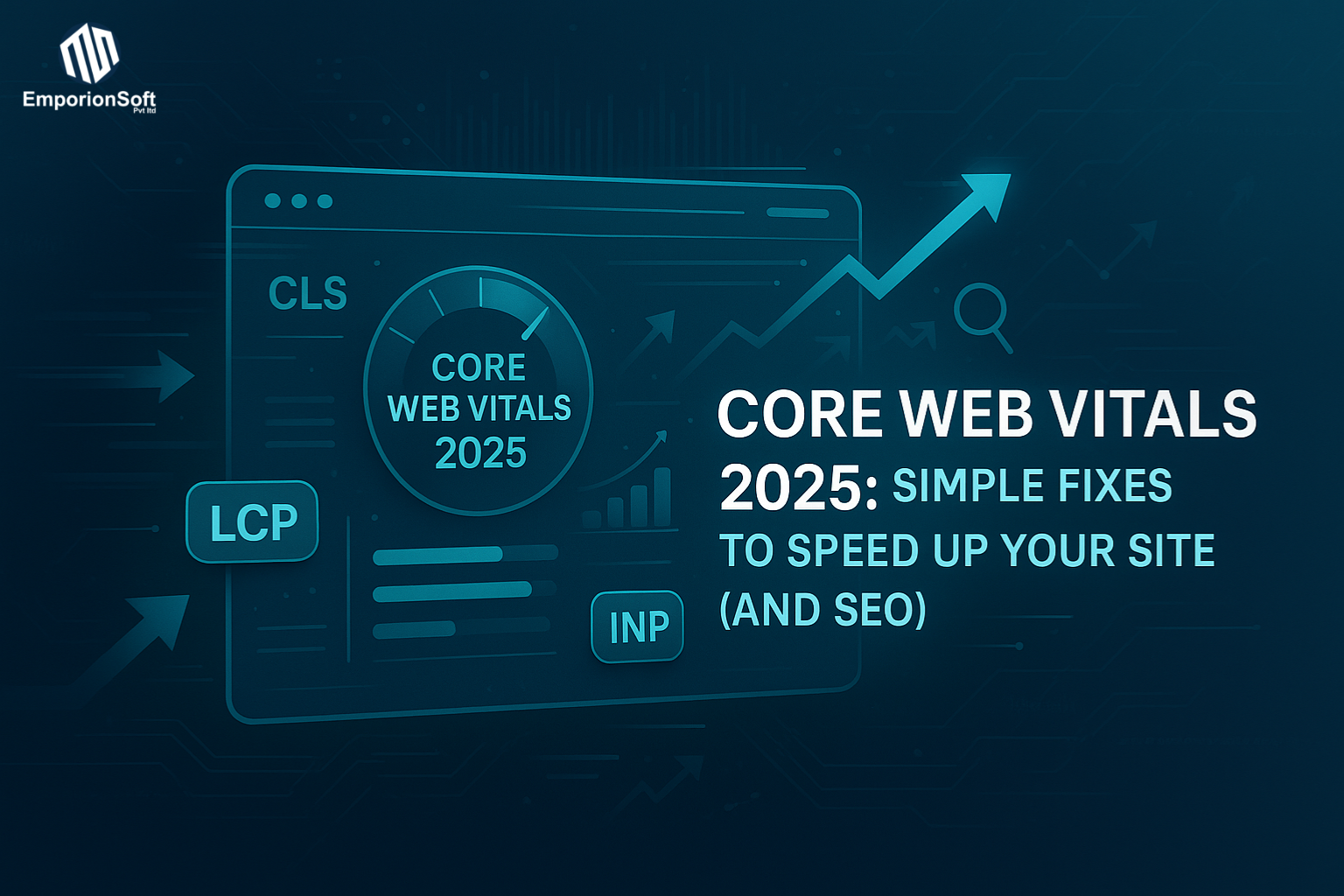

  • Core Web Vitals 2025: Simple Fixes to Speed Up Your Site (and SEO)

    Core Web Vitals 2025: Simple Fixes to Speed Up Your Site (and SEO)

    What Are Core Web Vitals 2025 (and Why They Still Matter for SEO)

    The internet has never been faster — yet users have never been less patient. In 2025, Google continues to reward websites that load instantly, feel smooth to interact with, and deliver an experience that just works. That’s where Core Web Vitals 2025 step in: Google’s evolving standard for measuring how “usable” your site really is. Whether you’re running an e-commerce platform, a SaaS dashboard, or a corporate website, these metrics determine how you rank, how users engage, and ultimately, how much you earn.


    Understanding Core Web Vitals 2025: The Foundation of Web Experience

    Core Web Vitals are Google’s key performance metrics that evaluate the speed, stability, and responsiveness of your website. They were first introduced in 2020, but the Core Web Vitals 2025 update refines how these metrics are tracked and weighted — making them even more crucial to your SEO strategy.

    Here’s a quick breakdown of what they measure:

    • Largest Contentful Paint (LCP) – how long it takes for your main content (like an image or heading) to appear. A fast LCP (under 2.5 seconds) signals that your site loads quickly and keeps users engaged.

    • First Input Delay (FID) – how long before the page responds when a user first interacts. While Google is phasing this metric out, it’s still relevant for older browsers.

    • Interaction to Next Paint (INP) – the new metric replacing FID in Core Web Vitals 2025, measuring overall responsiveness across all interactions. It’s a more realistic view of how users experience your site’s interactivity.

    • Cumulative Layout Shift (CLS) – measures visual stability. If elements jump around while your page loads, you’ll score poorly here.

    Together, these four pillars define the feel of your website — not just its technical speed. Google considers them essential signals for ranking and user satisfaction (Google Search Central).


    Why Core Web Vitals 2025 Are Critical for SEO

    In previous years, site speed was simply a technical goal. Now, it’s a business metric. Google’s ranking systems in 2025 interpret Core Web Vitals as an indicator of real-world quality. A site that loads slowly or shifts as users scroll doesn’t just frustrate visitors — it tells Google your content might not be delivering a great experience.

    A fast, stable site can reduce bounce rates, increase dwell time, and boost conversion rates. For example, improving your LCP and INP scores can directly enhance your visibility in search results and your SEO performance overall. Google has made it clear: if your competitors’ pages load faster and interact more smoothly, they’re likely to outrank you — even with similar content quality.


    EmporionSoft’s Perspective: Speed, Stability, and Strategy

    At EmporionSoft Pvt Ltd, performance isn’t an afterthought — it’s part of the development DNA. Our team ensures that every web and cloud project meets the latest Google standards for Core Web Vitals 2025, balancing design aesthetics with lightning-fast delivery. Whether it’s optimising image loads, refining frontend code, or integrating edge hosting, our solutions help you stay on top of every update.

    If you’re curious how modern infrastructure impacts these metrics, explore our guide on Cloud Providers Comparison 2025 to see how server performance shapes user experience and SEO success. For tailored performance audits and optimisations, check out our web development and SEO services.

    Core Web Vitals Update 2025 — What’s Changed Since 2023?

    If you’ve been tracking Google’s Core Web Vitals for the past few years, you’ll know the story well: speed, stability, and interactivity have been at the heart of every ranking update. But Core Web Vitals 2025 marks a pivotal shift — one that moves beyond just loading speed and into how users experience every click, tap, and scroll.

    In 2023, most websites were graded based on three metrics — Largest Contentful Paint (LCP), First Input Delay (FID), and Cumulative Layout Shift (CLS). These indicators focused on how fast your page appeared, how responsive it was to the first user interaction, and how visually stable it remained while loading. It was a strong framework, but Google knew it could be better. Enter the 2025 update, which replaces outdated signals and introduces smarter, experience-first standards.


    The Big Change: INP Replaces FID

    One of the most notable evolutions in the Core Web Vitals update 2025 is the replacement of FID (First Input Delay) with INP (Interaction to Next Paint).

    FID measured the delay of a user’s first interaction — like clicking a button or tapping a menu. The problem? It only looked at one event, ignoring what happened afterwards.

    INP, however, paints a more realistic picture. It tracks the entire journey of user interactions — clicks, taps, and keypresses — throughout the page session. Instead of focusing on the first moment of delay, INP calculates how consistent and smooth those interactions are overall.

    In short, INP evaluates “total responsiveness” rather than “first impression.” That’s a big leap forward for UX and SEO alike, as smoother user experiences correlate strongly with longer engagement and lower bounce rates.


    Core Web Vitals 2025 Calendar — The Rollout Timeline

    Google’s rollout of Core Web Vitals 2025 has followed a carefully staged calendar. Here’s a simplified view:

    Phase Timeline Key Focus
    Preview Announcement Late 2024 Google confirms INP will officially replace FID.
    Developer Rollout Q1 2025 New metrics integrated into PageSpeed Insights and Search Console.
    Global Launch Mid 2025 INP becomes an active ranking signal in Google’s algorithms.
    Performance Recalibration Q3–Q4 2025 Adjustments to thresholds and benchmarks for “Good,” “Needs Improvement,” and “Poor.”

    By now, most analytics tools and SEO dashboards have been updated to accommodate the Core Web Vitals 2025 standard, which means your development and SEO teams should already be optimising for it.


    A Snapshot: 2023 vs. 2025 Metrics

    Here’s a quick comparison to illustrate what’s changed:

    Metric 2023 Version 2025 Update
    LCP (Largest Contentful Paint) Measures how fast key content loads Still used, but stricter thresholds apply
    FID (First Input Delay) Time from first click to browser response Replaced by INP
    INP (Interaction to Next Paint) Not included New standard for responsiveness
    CLS (Cumulative Layout Shift) Layout stability metric Still key, with improved measurement accuracy
    TTFB (Time to First Byte) Optional diagnostic Now tracked more closely in reports

    This evolution signals a broader shift — from focusing purely on technical performance to optimising for real human experience.

    Google’s emphasis in 2025 is clear: if your site feels sluggish, jumpy, or inconsistent, it won’t perform well — no matter how beautiful it looks.


    The Developer Angle: Building for the New Web Standard

    For developers and tech teams, this update isn’t just about fixing metrics; it’s about rethinking web architecture. Modern frameworks, adaptive rendering, and asynchronous loading strategies are now essential tools for staying compliant with Core Web Vitals 2025.

    EmporionSoft’s team specialises in adaptive software development — a process that blends scalability, modularity, and responsiveness to ensure every interaction feels seamless. It’s a forward-thinking approach aligned with Google’s direction for long-term web performance.

    For a broader strategic view of how these changes fit into your digital roadmap, read The Software Developer’s Roadmap 2025 — an in-depth guide on where the web is heading next.


    Final Thoughts: The Experience Era of SEO

    According to Web.dev and Ahrefs Blog, Google’s ranking systems are now more experience-aware than ever. Core Web Vitals 2025 are not just numbers; they’re indicators of how your audience perceives your brand online.

    In this new SEO landscape, your site’s success depends less on keyword density and more on delivering a fast, frustration-free experience. Those who adapt now — and build their digital infrastructure accordingly — will lead the performance race well into 2026 and beyond.

    Core Web Vitals Explained — The Metrics Behind Performance

    In the modern web, user experience and SEO rankings are no longer separate conversations — they’re one and the same. Google’s latest update, Core Web Vitals 2025, solidifies that connection. The faster and smoother your site feels, the higher your chances of ranking well. Each metric within Core Web Vitals measures a key part of that experience, ensuring your website isn’t just visually appealing, but technically sound and user-friendly.

    Let’s break down the four major metrics — LCP, CLS, INP, and TTFB — and explore how they define web performance in 2025.


    Largest Contentful Paint (LCP) — The Speed Test That Matters Most

    Largest Contentful Paint (LCP) measures how long it takes for the main content of a page to load. This could be a large image, headline, or video banner — typically the first thing users see when they land on your site.

    • Good LCP: Under 2.5 seconds

    • Needs Improvement: Between 2.5 and 4 seconds

    • Poor: Above 4 seconds

    Think about a homepage where a massive hero image loads slowly. Users start scrolling before it fully appears, missing your headline entirely — that’s poor LCP in action.

    In Core Web Vitals 2025, Google tightened these thresholds to encourage faster rendering and better visual prioritisation. Sites optimised for LCP often use lazy loading, next-gen image formats (WebP/AVIF), and content delivery networks (CDNs) to ensure primary visuals appear almost instantly.

    At EmporionSoft, our Real-Time AI in Production solutions help automate these optimisations — dynamically adjusting content delivery for faster load times based on real user conditions.


    Cumulative Layout Shift (CLS) — Stability for a Frustration-Free Experience

    Cumulative Layout Shift (CLS) tracks how much elements move on the screen as the page loads. Imagine you’re about to tap a “Buy Now” button — and suddenly the layout shifts, causing you to hit “Cancel” instead. That’s CLS.

    • Good CLS: Below 0.1

    • Needs Improvement: Between 0.1 and 0.25

    • Poor: Above 0.25

    Google’s 2025 standards place heavier emphasis on visual stability — particularly for mobile users, where layout shifts are more disruptive. Developers now need to define explicit dimensions for images, ads, and embeds, ensuring the page structure remains consistent as assets load.

    At EmporionSoft, we view this as more than just a UX issue. A stable interface reflects a mature, data-driven development approach, where every pixel and component behaves predictably — a philosophy we extend across our Data-Driven Software Development practices.


    Interaction to Next Paint (INP) — Google’s New Gold Standard for Responsiveness

    Replacing First Input Delay (FID), the Interaction to Next Paint (INP) metric measures the delay between a user’s interaction (like clicking a button) and when the page visually responds.

    Instead of tracking a single click, INP evaluates all interactions during a session — giving a more accurate reflection of how responsive a page feels.

    • Good INP: Under 200ms

    • Needs Improvement: 200–500ms

    • Poor: Above 500ms

    If a user clicks a dropdown menu and it freezes for a moment before expanding, that’s poor INP. Optimising JavaScript execution, reducing main-thread work, and deferring non-critical scripts can dramatically improve responsiveness.

    The Core Web Vitals 2025 update makes INP a ranking signal, proving that smooth interactivity now carries the same weight as fast loading times.


    Time to First Byte (TTFB) — The Hidden Foundation of Speed

    While often overlooked, Time to First Byte (TTFB) measures how quickly a browser receives the first byte of data from your server. It’s a reflection of your backend efficiency, not just frontend code.

    Slow TTFB can stem from sluggish hosting, inefficient databases, or lack of caching. Improving it often means investing in better infrastructure — a conversation at the core of any enterprise-grade web strategy.

    EmporionSoft’s engineering teams optimise server responses using caching layers, edge computing, and scalable architectures — the kind that keep sites performing even under heavy global traffic.


    The 2025 Standard: Faster, Smoother, Smarter

    Google’s Core Web Vitals 2025 update raises the bar for web performance. It’s no longer enough to just load fast — your site must stay stable, react instantly, and feel effortless.

    According to insights from TheCodeV.co.uk, performance is now one of the strongest signals of digital credibility. Websites that master these metrics not only climb the rankings but build trust, reduce bounce rates, and convert more effectively.

    How to Measure and Audit Your Core Web Vitals (Free & Pro Tools)

    Understanding your Core Web Vitals 2025 scores is one thing — but knowing how to measure, interpret, and improve them is what truly separates a good website from a great one. Whether you’re a small business owner or managing enterprise-level infrastructure, regularly auditing these metrics is now essential for maintaining visibility and performance in Google Search.

    Thankfully, you don’t need to be a full-stack engineer to get started. With the right combination of free tools and professional analytics platforms, you can evaluate your Core Web Vitals and uncover exactly what’s slowing your site down.


    Step-by-Step: How to Check Your Core Web Vitals

    Let’s walk through the most reliable methods to measure and audit your site’s Core Web Vitals performance — from free browser tools to advanced enterprise platforms.

    1. Google PageSpeed Insights (Free)

    This is the most beginner-friendly tool, offering instant insights for any URL.

    Steps:

    1. Visit PageSpeed Insights.

    2. Enter your website URL and click Analyse.

    3. Review your Core Web Vitals report — LCP, CLS, and INP are listed at the top.

    4. Scroll down to “Opportunities” and “Diagnostics” for detailed improvement tips.

    Pro Tip: Focus on mobile scores first. In 2025, mobile-first indexing still dominates Google’s ranking systems.


    2. Google Lighthouse (Built into Chrome DevTools)

    Lighthouse gives a deeper look at frontend performance by simulating how real users experience your page.

    Steps:

    1. Open your website in Google Chrome.

    2. Right-click and select Inspect → Lighthouse tab.

    3. Choose “Performance” and run the audit.

    4. Review detailed timing breakdowns for LCP, INP, and CLS.

    Lighthouse is ideal for developers who want actionable debugging insights — for example, identifying which image or script is blocking the render path.


    3. Google Search Console (For Verified Domains)

    Once you verify your domain in Google Search Console, you gain access to the “Experience → Core Web Vitals” tab, showing real-user data collected from Chrome users across the globe.

    Steps:

    1. Go to Search Console.

    2. Click “Core Web Vitals.”

    3. Toggle between Mobile and Desktop to compare data.

    4. Identify URLs labelled “Poor” or “Needs Improvement.”

    Unlike Lighthouse or PageSpeed Insights (which use lab data), this tool reflects field data — the real-world performance your users experience every day.


    4. Third-Party Monitoring Tools (Free & Pro Options)

    If you need continuous, enterprise-grade visibility, consider pairing Google’s native tools with professional performance suites.

    Popular Choices:

    • GTmetrix (Free + Pro) – Great for visual reports and trend tracking.

    • Pingdom (Pro) – Ideal for uptime monitoring and global latency audits.

    • Semrush Site Audit (Pro) – Integrates SEO health with Core Web Vitals tracking.

    • Ahrefs Site Audit – Offers a performance dashboard aligned with Ahrefs Blog insights.

    • Web.dev Measure – Google’s own advanced benchmarking tool with developer-focused reports (Web.dev).

    These platforms provide detailed recommendations and allow ongoing tracking, which is essential for large or frequently updated websites.


    🧩 Core Web Vitals Audit Checklist

    Here’s a quick Core Web Vitals 2025 audit checklist you can follow each quarter:

    Analyse your site on PageSpeed Insights for both mobile and desktop.
    Run a Lighthouse audit to identify render-blocking scripts.
    Check Search Console’s Core Web Vitals tab for real-user data trends.
    Test your LCP, INP, CLS, and TTFB across multiple devices.
    Optimise heavy assets — compress images, minify CSS/JS, and enable lazy loading.
    Monitor continuously using GTmetrix or Ahrefs Site Audit.
    Re-test after every design or plugin update — even small changes can affect performance.


    Get Expert Help from EmporionSoft

    While free tools can highlight problems, fixing them often requires technical expertise — from optimising server response times to refactoring frontend code. At EmporionSoft Pvt Ltd, our engineers specialise in high-performance web development, helping businesses align their sites with Google’s Core Web Vitals 2025 standards.

    If you’d like tailored support, explore our Services for performance-focused solutions, or reach out directly via Contact Us to schedule an audit.

    Common Issues Slowing Down Your Core Web Vitals (and How to Fix Them)

    Even the most visually stunning website can fail if it loads slowly or feels unresponsive. In 2025, Core Web Vitals have become the digital equivalent of a customer satisfaction score — and Google’s algorithms take them just as seriously. Yet, many websites still struggle with performance bottlenecks caused by a handful of recurring technical issues.

    The good news? Most of them can be fixed with a mix of modern development techniques and a disciplined approach to optimisation — something EmporionSoft Pvt Ltd has perfected across its global projects.


    1. Unoptimised Images — The Silent Speed Killer

    Images remain one of the biggest contributors to slow Largest Contentful Paint (LCP) scores. High-resolution visuals look beautiful, but if they’re not compressed or properly formatted, they can stall the entire rendering process.

    The Fix:

    • Use next-gen formats such as WebP or AVIF, which retain quality at a fraction of the file size.

    • Implement lazy loading, so images load only when they appear in the viewport.

    • Use responsive images (srcset) to deliver smaller versions on mobile devices.

    At EmporionSoft, every web project includes automated image optimisation pipelines, ensuring that performance never takes a back seat to design.


    2. Render-Blocking Scripts — Delays That Users Notice

    Your CSS and JavaScript files can block the browser from displaying content until they’re fully loaded. This issue often leads to sluggish First Contentful Paint (FCP) and poor Interaction to Next Paint (INP) scores.

    The Fix:

    • Defer non-critical scripts using async or defer attributes.

    • Split large JavaScript bundles using code splitting.

    • Minify and combine smaller CSS/JS files.

    • Prioritise critical CSS inline to speed up initial render.

    These techniques align with EmporionSoft’s adaptive architecture principles, where we structure assets intelligently to reduce blocking and improve perceived performance.


    3. Poor Server Response Time — The TTFB Trap

    A slow backend can cripple your Time to First Byte (TTFB) — the time it takes for the first data to reach a user’s browser. This can stem from weak hosting, inefficient database queries, or unoptimised middleware.

    The Fix:

    • Choose high-performance hosting or use a Content Delivery Network (CDN) for global delivery.

    • Enable caching layers (server, browser, and CDN-level).

    • Optimise databases with indexing and query refinements.

    • Use lightweight frameworks and APIs for dynamic content.

    At EmporionSoft, backend optimisation is core to our engineering philosophy. You can explore examples in our Case Studies, which highlight how optimised infrastructure can improve Core Web Vitals by up to 40%.


    4. Layout Instability — The CLS Culprit

    Cumulative Layout Shift (CLS) measures how much content jumps around as your page loads. Common causes include ads, images without set dimensions, and late-loading fonts.

    The Fix:

    • Always specify width and height attributes for media elements.

    • Reserve fixed spaces for ads and embeds.

    • Use font-display: swap to prevent invisible text flashes.

    Google’s latest standards penalise unstable layouts more than ever, making this one of the easiest — yet most overlooked — fixes for improved user experience.


    5. Oversized Resources and Bloat

    Large files, unnecessary plugins, and unused code all add to page weight, dragging down LCP and INP scores.

    The Fix:

    • Audit your site using Lighthouse or Chrome DevTools to find unused CSS and JS.

    • Remove redundant frameworks or libraries.

    • Compress files with Gzip or Brotli.

    • Regularly review plugin usage — fewer is better.

    This principle ties directly to the insights from Technical Debt Explained — where EmporionSoft helps businesses eliminate code clutter that silently harms performance over time.


    Developer Best Practices from EmporionSoft

    At EmporionSoft Pvt Ltd, our development teams implement Core Web Vitals optimisation as part of the design-to-deployment lifecycle, not as an afterthought. Each project undergoes a rigorous performance review, automated testing, and version-controlled code audits to maintain top-tier speed and stability.

    By blending front-end refinement, backend tuning, and cloud scaling, EmporionSoft ensures every product meets the evolving Core Web Vitals 2025 standards — keeping clients ahead in both performance and SEO.

    For further technical guidance, explore Google’s recommendations on Search Central — the official resource outlining how site performance directly impacts visibility in search results.

    Core Web Vitals and SEO in 2025 — Why Speed = Rankings

    When it comes to Google’s search rankings in 2025, speed is no longer a luxury — it’s a necessity. Core Web Vitals sit at the heart of this transformation, blending technical performance with real-world user experience to decide which sites deserve the top spots. Google’s algorithms have evolved beyond just keyword density and backlinks; they now evaluate how fast your site loads, how stable it feels, and how smoothly it responds to interactions. In essence, user satisfaction has become the new SEO currency.


    The Link Between Core Web Vitals and Rankings

    Google’s mission has always been simple: provide users with the best possible experience. Over time, this philosophy has shaped the ranking algorithm into what it is today — a system that rewards websites delivering both relevance and responsiveness.

    In the Core Web Vitals 2025 framework, metrics like Largest Contentful Paint (LCP), Cumulative Layout Shift (CLS), and Interaction to Next Paint (INP) act as measurable proxies for user experience. If your page loads slowly, shifts unexpectedly, or lags when users interact, Google interprets it as a poor experience — even if your content is strong.

    The search engine now merges these technical indicators with behavioural signals such as:

    • Dwell time: how long users stay on your page.

    • Bounce rate: how quickly they leave after landing.

    • Engagement metrics: scroll depth, clicks, and on-page activity.

    Faster, more stable pages tend to keep users engaged longer — a positive signal that tells Google, “This content meets user intent.”


    How Speed Translates to Better SEO Performance

    Let’s imagine two websites offering similar content — one loads in 1.8 seconds, the other in 4.5 seconds. Users on the slower site are 32% more likely to abandon the page before it finishes loading. That small difference can have a huge compounding effect: lower engagement, higher bounce rates, and reduced conversions.

    Research from Ahrefs Blog shows that websites with optimised Core Web Vitals see measurable improvements in both organic rankings and click-through rates. Google’s algorithm prioritises the fastest, most stable experiences because they deliver what users expect — instant, frictionless access to information.

    The results speak for themselves:

    • E-commerce brands that improved LCP by just 1 second saw up to a 15% increase in conversion rates.

    • Media companies optimising for INP reduced bounce rates by 20–30%.

    • B2B service providers using caching and CDN optimisation achieved faster lead form submissions and higher search visibility.

    In short, speed equals satisfaction, and satisfaction equals rankings.


    User Experience Signals: The Real SEO Differentiator

    Google’s 2025 algorithm now treats Core Web Vitals as part of its Page Experience System — a holistic model that blends usability, security (HTTPS), and mobile-friendliness into one performance score.

    If your website frustrates users with slow responses or shifting layouts, they’ll leave — sending negative engagement signals to Google. Conversely, when users stay longer and interact more deeply, Google reads that as “proof” your content is worth promoting.

    This makes Core Web Vitals not just a technical metric, but a behavioural one too. The line between development and SEO has blurred; achieving top rankings now demands synergy between design, engineering, and content teams.

    At EmporionSoft Pvt Ltd, we understand this connection intimately. Our developers integrate performance audits into every project, ensuring that Core Web Vitals compliance supports long-term SEO growth rather than reacting to algorithm changes after the fact.


    Real-World Success Through Performance

    Brands that prioritised Core Web Vitals early have seen tangible gains. For instance, an online fashion retailer that implemented server-side rendering and optimised image loading achieved a 40% faster LCP — boosting both ranking positions and mobile conversions. Similarly, a tech publication using AI-driven content caching reported a 25% reduction in INP delays, resulting in higher engagement and time-on-site.

    EmporionSoft leverages similar innovations through its Future of Cloud Computing solutions, ensuring infrastructure can dynamically scale to maintain performance during peak traffic. Likewise, our AI Revolutionising Software Development approach empowers teams to automate code optimisation and detect performance regressions before they impact SEO.


    The Bottom Line: Speed Is Strategy

    In 2025, Core Web Vitals have become the ultimate intersection of technology and marketing. They reflect how well your site respects the user’s time — and Google’s algorithm rewards that respect. Fast, stable, and interactive pages don’t just attract visitors; they retain them, convert them, and build lasting trust.

    The Future of Core Web Vitals 2025 and Beyond — What Businesses Must Prepare For

    As the digital landscape continues to evolve, Core Web Vitals 2025 stand as more than just a ranking factor — they’ve become the pulse of user experience and a benchmark for digital excellence. Yet, the story doesn’t end here. Beyond 2025, we’re heading toward a future where AI-powered analytics, predictive optimisation, and sustainable web performance will redefine how businesses build and maintain their online presence.

    The core idea behind Google’s updates has always been the same: make the web faster, safer, and more user-centric. What’s changing now is how those goals are achieved — with automation, intelligent data, and a new layer of responsibility in design and engineering.


    AI-Powered Performance Analytics: The Next Frontier

    By 2026 and beyond, expect Core Web Vitals to evolve beyond static metrics into dynamic, AI-driven performance scoring systems. Artificial intelligence will analyse not only how quickly a site loads, but why it performs the way it does — automatically identifying trends, predicting bottlenecks, and suggesting precise optimisations.

    Imagine having a real-time system that adjusts your content delivery, image formats, and script priorities on the fly, based on user device, location, and behaviour. That’s where we’re heading — and it’s not far off.

    At EmporionSoft Pvt Ltd, our teams are already integrating intelligent monitoring frameworks that use AI to continuously assess performance metrics and automate improvements. This proactive approach ensures websites stay compliant with Core Web Vitals standards, even as those standards evolve.


    Merging UX, Security, and Sustainability

    Google’s long-term roadmap hints at a future where UX, security, and environmental sustainability converge into a single performance ecosystem. Speed and interactivity will remain crucial, but privacy, data protection, and carbon efficiency will increasingly influence rankings.

    • User Experience (UX): Beyond load times, metrics will expand to include emotional engagement and accessibility compliance — ensuring websites are inclusive for all users.

    • Security: Core Web Vitals will work hand-in-hand with HTTPS, data encryption, and safe browsing signals to prioritise trustworthy web environments.

    • Sustainability: As global concerns around digital energy usage grow, eco-friendly hosting and efficient code practices will play a larger role in search visibility.

    In essence, the next generation of web performance isn’t just about speed — it’s about responsibility. Businesses that design for accessibility, safety, and sustainability will not only perform better but earn greater trust from both users and search engines.


    Preparing for the Post-2025 Digital Era

    For business leaders and developers alike, the message is clear: Core Web Vitals are the foundation of every future SEO strategy. The companies that thrive in the coming years will be those that treat performance as a continuous discipline, not a one-time optimisation effort.

    To stay competitive, you’ll need to:

    • Integrate real-time performance monitoring using AI and automation.

    • Build with modular, adaptive architectures that scale globally.

    • Prioritise security and privacy as part of your performance score.

    • Embrace lightweight, sustainable development practices that align with modern web ethics.

    These are the very principles guiding our innovation at EmporionSoft Pvt Ltd, where we fuse technology, strategy, and performance into future-ready solutions for businesses worldwide.


    Let’s Build What’s Next

    The evolution of Core Web Vitals 2025 represents a shift in mindset — from viewing SEO as a marketing checklist to embracing it as a holistic user experience strategy. The web of tomorrow will reward brands that invest in meaningful, measurable improvements that make users’ lives easier, faster, and safer.

    If you’re ready to future-proof your website, now is the time to act. Partner with EmporionSoft Pvt Ltd to optimise your site’s performance, elevate your search visibility, and lead confidently into the next era of digital excellence.

    📩 Let’s start your optimisation journey today.
    Visit emporionsoft.com/contact-us or book your free consultation at emporionsoft.com/consultation.

  • WCAG 2.2 Accessibility Checklist: Make Your Website Usable for Everyone

    WCAG 2.2 Accessibility Checklist: Make Your Website Usable for Everyone

    WCAG 2.2 Accessibility Checklist: Why Inclusive Design Is No Longer Optional

    In today’s digital-first world, accessibility is not a luxury — it’s a legal, ethical, and competitive necessity. Governments across the UK, Europe, and beyond are enforcing strict digital accessibility laws, and major brands have faced public backlash and lawsuits for overlooking inclusive design. From e-commerce platforms to SaaS dashboards, the message is clear: if your website isn’t usable by everyone, it’s not truly complete.

    What Is WCAG and Why It Matters

    The Web Content Accessibility Guidelines (WCAG) are the globally recognised standards for creating accessible websites, applications, and digital content. Developed and maintained by the World Wide Web Consortium (W3C) — the same body that shapes core web technologies — these guidelines provide a structured approach to ensuring that people with disabilities can perceive, understand, navigate, and interact with the web effectively.

    WCAG was first introduced in 1999, evolving through several major versions to adapt to new technologies and user needs. The latest version, Web Content Accessibility Guidelines (WCAG) 2.2, builds upon WCAG 2.1, adding new success criteria focused on mobility, cognition, and input accessibility. In simpler terms, WCAG 2.2 ensures that every user, regardless of device, ability, or context, can experience the web without barriers.

    From 2.1 to 2.2: A Meaningful Evolution

    While WCAG 2.1 improved accessibility for mobile devices and low-vision users, WCAG 2.2 goes further. It introduces nine new success criteria designed to improve accessibility for users with cognitive disabilities and those relying on alternative input methods. Enhancements include guidelines for focus indicators, drag-and-drop functionality, and touch targets — small but vital changes that directly impact real-world usability.

    For developers and designers, understanding and applying these new principles through a structured WCAG 2.2 accessibility checklist is essential. This checklist acts as a roadmap to compliance, helping teams align their websites and apps with international accessibility standards.

    Why WCAG 2.2 AA Compliance Is Critical for Your Website

    Most organisations aim to meet WCAG 2.2 Level AA — the standard benchmark for accessibility compliance across industries. This level ensures that content is accessible to the majority of users without requiring highly specialised assistive technology.

    Beyond compliance, accessibility drives measurable business results:

    • Broader reach: Millions of users with visual, hearing, motor, or cognitive impairments gain access to your platform.

    • Improved SEO: Search engines reward accessible sites that follow structured, semantic content practices.

    • Enhanced reputation: Accessibility demonstrates corporate responsibility and inclusivity, building customer trust.

    Adhering to the WCAG Checklist 2.1 AA and 2.2 AA also reduces the risk of costly legal disputes and regulatory penalties — issues increasingly common in sectors like e-commerce, finance, and education.

    EmporionSoft’s Commitment to Inclusive Digital Experiences

    At EmporionSoft Pvt Ltd, we believe accessibility is fundamental to building ethical, future-ready digital solutions. Our team ensures every project — from enterprise applications to public-facing websites — adheres to the highest accessibility standards.

    By following the WCAG 2.2 accessibility checklist, our experts help clients create platforms that are not only compliant but also intuitive, inclusive, and user-centred. Whether you’re developing a new platform or retrofitting an existing one, accessibility should be part of your development strategy from the start — not an afterthought.

    For further guidance, consult the official W3C Web Accessibility Initiative (WAI) for detailed information on the evolving standards.

    Understanding WCAG 2.2: The Structure Behind an Accessible Web

    Creating an inclusive digital experience starts with understanding the foundation of accessibility itself — the Web Content Accessibility Guidelines (WCAG) 2.2. These guidelines, built on four fundamental principles, form the backbone of accessible web design and development. By adhering to these standards, businesses can ensure that their websites are not only compliant but genuinely usable by everyone.


    The Four Core Principles of WCAG 2.2 (POUR)

    At the heart of WCAG lies the POUR framework — an acronym representing the four key principles that guide accessible content creation. Each principle defines how users with varying abilities can effectively engage with online content.

    1. Perceivable — Information Must Be Presentable to All Senses

    Content should be perceivable by all users, regardless of their sensory abilities. This means providing text alternatives for non-text content, captions for multimedia, and ensuring colour contrast is sufficient for readability. If users can’t perceive your content, they can’t interact with it — making this the first pillar of accessibility.

    2. Operable — Functionality Must Be Usable by Everyone

    Every interactive element — from navigation menus to form inputs — must be operable by a range of input methods. For example, users should be able to navigate via keyboard alone, pause motion content, and easily identify which element currently has focus. WCAG 2.2 further strengthens this principle through success criteria such as Focus Not Obscured and Dragging Movements.

    3. Understandable — Information and Operation Must Be Clear

    Even the most accessible interface fails if users can’t understand how it works. Websites should maintain predictable layouts, clear instructions, and consistent navigation. Error messages should guide users to correct mistakes easily — particularly in forms or checkout processes.

    4. Robust — Content Must Be Compatible with Assistive Technologies

    A robust website can be interpreted reliably by screen readers, voice controls, and future assistive technologies. Proper HTML structure, ARIA labels, and consistent semantics ensure that assistive devices can read, interpret, and interact with content accurately.

    For developers, designers, and testers, the WebAIM’s WCAG 2 Checklist offers a simplified, practical reference for implementing each of these principles effectively.


    Understanding WCAG Conformance Levels (A, AA, AAA)

    The WCAG standards are divided into three conformance levels — each representing a deeper commitment to accessibility.

    • Level A: The most basic level, addressing critical barriers to access. Websites that fail Level A are generally unusable for many users with disabilities.

    • Level AA: The most widely adopted standard, balancing usability, compliance, and practicality. This level ensures accessibility for most users, including those with visual, auditory, and motor impairments.

    • Level AAA: The highest level, providing an exceptional accessibility experience. However, it’s not always feasible for all types of content or business models.

    Most organisations aim for WCAG 2.2 AA compliance, as it aligns with both legal requirements and user experience best practices. It strikes the right balance between comprehensive accessibility and sustainable implementation. For an overview, refer to “WCAG 2.2 AA: Summary and Checklist for Website Owners” — a valuable resource that simplifies complex requirements into actionable steps.


    What’s New in WCAG 2.2: Key Success Criteria

    Version 2.2 builds on WCAG 2.1 by introducing nine new success criteria, primarily focused on improving usability for people with cognitive and motor disabilities. Some of the most impactful include:

    • Dragging Movements (2.5.7): Ensures users can perform actions without complex drag gestures, allowing alternatives like simple clicks or taps.

    • Focus Not Obscured (2.4.11): Requires visible focus indicators that are never hidden by pop-ups or overlapping elements, improving keyboard navigation.

    • Target Size (Minimum) (2.5.8): Mandates adequate size and spacing for interactive elements, reducing accidental clicks on small or closely spaced buttons.

    • Accessible Authentication (3.3.7): Promotes login processes that don’t rely solely on cognitive tests like CAPTCHA or memory-based challenges.

    These refinements make WCAG 2.2 particularly valuable in modern digital contexts — especially as touch interfaces, AI-driven forms, and responsive designs become standard.


    Accessibility, Ethics, and Future-Ready Infrastructure

    Implementing accessibility is not just a compliance exercise — it’s an ethical commitment to fairness and inclusion. Businesses that embed these principles from the start reflect integrity and user empathy, values closely tied to ethical AI practices and future-ready digital infrastructure.

    Accessibility also aligns with the evolving landscape of cloud computing and modern software scalability — where inclusivity, security, and adaptability work hand in hand to shape sustainable growth.


    A Quick Reference for Implementation

    For teams seeking a concise guide on practical steps, “How to Meet WCAG (Quick Reference)” offers an excellent breakdown of each criterion, success level, and testing method. Combining this with internal design audits and professional consultation ensures that your digital products stay compliant — and more importantly, truly inclusive.

    The Business and Legal Case for Accessibility Compliance

    In an era where digital presence defines brand credibility, accessibility is no longer just an ethical consideration — it’s a business and legal imperative. The WCAG 2.2 accessibility checklist not only ensures inclusivity but also protects organisations from growing legal scrutiny while boosting overall digital performance. Forward-thinking companies now see accessibility as a strategic advantage — one that directly impacts revenue, SEO, and customer loyalty.


    Accessibility as a Legal Obligation

    Across the globe, digital accessibility is being codified into law. In the UK, the Equality Act 2010 mandates that businesses must ensure their online services are accessible to people with disabilities. Similarly, in the United States, the Americans with Disabilities Act (ADA) extends accessibility obligations to websites and mobile apps, treating them as public spaces.

    Non-compliance carries heavy risks. Numerous high-profile lawsuits have been filed against companies whose websites excluded users with disabilities. Retailers, educational institutions, and even government portals have faced financial penalties and reputational damage for failing to meet accessibility standards.

    By adopting the Web Accessibility Checklist, Based on WCAG 2.2 AA, businesses can proactively ensure compliance, avoiding legal exposure while strengthening trust among users and regulators alike.

    According to the UK Government Digital Service Accessibility Guidance, every public-facing website must meet WCAG 2.1 AA standards — a requirement expected to evolve to WCAG 2.2 in the near future. Staying ahead of compliance not only demonstrates responsibility but also positions brands as leaders in ethical digital practices.


    The SEO Advantage of Accessibility

    Accessibility and SEO go hand in hand. Search engines like Google reward websites that follow structured content principles — many of which overlap directly with WCAG guidelines.

    For example:

    • Providing alt text for images improves accessibility for screen readers and boosts image search rankings.

    • Using semantic HTML elements like <header>, <nav>, and <article> enhances both assistive technology compatibility and crawler understanding.

    • Ensuring mobile and keyboard accessibility leads to better Core Web Vitals performance, improving overall page experience scores.

    A site optimised through the WCAG Checklist – Free and simple guides to WCAG 2.2 inherently becomes more discoverable, faster, and user-friendly — leading to higher traffic and stronger engagement metrics.


    Accessibility Builds Retention and Brand Loyalty

    Beyond rankings and compliance, accessibility improves the experience for all users. Features like readable typography, predictable navigation, and clear contrast ratios make content easier to consume — whether you’re using assistive technology, browsing on a mobile device, or navigating in low light.

    Research supports this:

    The 2024 WebAIM Million Report found that over 96% of home pages still have detectable accessibility errors, leaving millions of users excluded from full participation in the digital world.

    This staggering figure highlights a market gap — and an opportunity. Companies that invest in accessible experiences can tap into a broader audience, improve customer satisfaction, and stand apart as champions of inclusion.

    By building with accessibility from day one, organisations reduce friction in user journeys, minimise bounce rates, and cultivate long-term loyalty.


    Cost Savings Through Early Accessibility Integration

    Fixing accessibility issues after launch can be costly. A reactive approach often leads to extended testing cycles, design overhauls, and patchwork fixes that disrupt scalability. In contrast, integrating accessibility during design and development ensures efficiency, lowers technical debt, and reduces rework.

    For digital transformation and software projects, accessibility aligns naturally with resilient development principles. For instance, in EmporionSoft’s guide on building resilient software and disaster recovery strategies, proactive planning is key — and the same applies to accessibility.

    Similarly, strong project management processes (as explored in EmporionSoft’s tools for tech companies) help embed accessibility milestones across sprints, ensuring accountability and measurable progress.


    A Competitive Advantage for the Modern Web

    Accessibility is no longer just a compliance checkbox — it’s a mark of innovation. Businesses that embrace the Web Accessibility Checklist, Based on WCAG 2.2 AA future-proof their platforms, reduce risk, and create a more inclusive online experience that aligns with user expectations and global ethical standards.

    In a world increasingly defined by trust and transparency, accessible design doesn’t just protect your business — it amplifies it.

    For detailed implementation advice, businesses can explore the UK Government Digital Service’s accessibility framework or use WebAIM’s resources to integrate accessibility testing seamlessly into their workflow.

    WCAG 2.2 AA Checklist: A Practical, Actionable Guide for Every Website

    Achieving accessibility doesn’t have to be overwhelming. The WCAG 2.2 accessibility checklist provides a clear roadmap that web designers, developers, and content creators can follow to ensure that digital experiences are inclusive and compliant. Below is a simplified, actionable breakdown — based on the WCAG Checklist: A Simplified Guide to WCAG 2.2 AA and insights from WebAIM’s WCAG 2 Checklist — covering the four foundational principles: Perceivable, Operable, Understandable, and Robust.

    Each section includes practical guidance and highlights what’s new in WCAG 2.2, helping you transform accessibility from a compliance task into a design standard.


    1. Perceivable — Make Content Visible and Understandable to All

    Your website’s information should be presented in ways that all users can perceive, regardless of visual, auditory, or cognitive ability.

    Actionable items:

    • Provide text alternatives (alt attributes) for all non-text content, including images, charts, and icons.

    • Add captions and transcripts for videos and audio files to support users with hearing impairments.

    • Ensure sufficient colour contrast between text and background (minimum ratio 4.5:1 for normal text).

    • Allow adaptable layouts, so users can resize text or use screen magnifiers without losing content or functionality.

    • Avoid using colour alone to convey information — always pair it with a label or symbol.

    New in WCAG 2.2:

    • Improved support for low-vision users by refining colour contrast and focus visibility criteria.

    • Expanded guidance for non-text alternatives, ensuring adaptable design for new device types and AR/VR contexts.

    Accessible, perceivable design is not just good practice — it’s good business. EmporionSoft integrates these principles in all web development and software design services to ensure that accessibility starts at the foundation.


    2. Operable — Ensure Functionality for Everyone

    Every user must be able to navigate and interact with your website using their preferred input method — whether that’s a keyboard, touchscreen, or assistive device.

    Actionable items:

    • Keyboard Accessibility: All functionality must be available via keyboard navigation without requiring a mouse.

    • Visible Focus Indicators: Ensure that links and buttons show a clear visual outline when selected.

    • Time Limits: Give users options to extend or disable time limits on forms or dynamic content.

    • Avoid Content That Triggers Seizures: Don’t use flashing content exceeding three flashes per second.

    • Provide Skip Links: Allow users to bypass repetitive navigation sections.

    New in WCAG 2.2:

    • Focus Not Obscured (2.4.11): The focused element must remain visible even when overlays or sticky headers are present.

    • Dragging Movements (2.5.7): Actions should have alternatives to dragging (e.g., tap or click).

    • Target Size (Minimum) (2.5.8): Interactive elements like buttons and icons must meet a minimum target size of 24×24 pixels for easier touch input.

    These updates enhance usability for mobile and touch users, improving accessibility and overall user experience.


    3. Understandable — Create Predictable, Readable, and Consistent Experiences

    A website should be easy to read, intuitive to navigate, and predictable in behaviour. This helps users of all literacy levels and cognitive abilities.

    Actionable items:

    • Readable Text: Use simple language and consistent terminology. Avoid unnecessary jargon.

    • Predictable Navigation: Keep menu structures and layouts consistent across all pages.

    • Clear Labels and Instructions: Ensure form fields, buttons, and links have descriptive names.

    • Error Prevention and Feedback: Provide clear error messages and suggestions for correction.

    • Avoid unexpected changes: Actions like submitting forms or opening new windows should not occur without user awareness.

    New in WCAG 2.2:

    • Accessible Authentication (3.3.7): Avoid login systems that rely solely on memory or cognitive tasks. Provide password managers, copy-paste support, or alternative authentication methods like biometric login.

    These practices not only make websites more accessible but also reduce user frustration — key to higher conversions and retention.


    4. Robust — Ensure Compatibility with Assistive Technologies

    Accessibility is incomplete without robust technical implementation. Websites must work consistently across different browsers, operating systems, and assistive tools like screen readers.

    Actionable items:

    • Use Semantic HTML: Elements such as <header>, <main>, and <footer> provide structure that assistive tools can interpret.

    • Implement ARIA Attributes Thoughtfully: Use ARIA labels, roles, and landmarks to improve screen reader compatibility.

    • Validate Code: Ensure HTML and ARIA syntax is valid to prevent misinterpretation.

    • Avoid Reliance on Specific Devices: Design with flexibility so content remains functional across platforms.

    • Test with Assistive Tools: Regularly test with screen readers (NVDA, JAWS, VoiceOver) and automated validators.

    What’s New in 2.2:
    While the robust principle remains largely unchanged, WCAG 2.2 strengthens interoperability with modern frameworks and emerging assistive technologies, promoting smoother integration with mobile and AI-driven interfaces.


    Implementing the Checklist: A Streamlined Approach

    To make this practical, the WCAG Checklist: A Simplified Guide to WCAG 2.2 AA divides accessibility testing into manageable phases:

    1. Design Phase: Incorporate inclusive UI patterns and readable content structure.

    2. Development Phase: Validate code, implement ARIA roles, and test focus order.

    3. QA Phase: Use tools such as WAVE, Axe, or Lighthouse to identify compliance gaps.

    4. Post-Launch: Gather feedback and perform periodic audits.

    At EmporionSoft Pvt Ltd, we apply this structured approach to ensure that accessibility is woven into every development milestone — from concept to deployment.

    For teams seeking expert guidance, WebAIM remains one of the most trusted authorities, offering free, detailed checklists and testing tools to help organisations stay compliant and user-centric.

    Tools and Techniques to Evaluate WCAG 2.2 Compliance

    Accessibility testing is no longer a one-time checkbox — it’s an ongoing commitment woven into the software development lifecycle. With the evolution of digital standards, tools now allow developers, QA teams, and designers to evaluate compliance efficiently, identify issues early, and maintain inclusive experiences at scale. Whether you’re following the WCAG Checklist 2.1 AA and 2.2 AA or referencing How to Meet WCAG (Quick Reference), a combination of automated and manual testing ensures accuracy, depth, and long-term compliance.


    Automated Accessibility Testing Tools

    Automated tools serve as the first line of defence in accessibility compliance. They rapidly scan pages, identify obvious violations, and generate reports aligned with the Web Content Accessibility Guidelines (WCAG) 2.2 framework. Here are some of the most widely used tools in modern web development:

    1. WAVE (Web Accessibility Evaluation Tool)

    Developed by WebAIM, WAVE provides a visual representation of accessibility issues directly on your web pages. It identifies missing alt text, colour contrast errors, heading structure issues, and ARIA implementation problems. WAVE’s browser extensions make it an ideal first step for developers and content managers testing live environments.

    2. axe DevTools

    Created by Deque Systems, axe DevTools is a professional-grade accessibility testing extension integrated into browser developer tools. It runs automated audits, categorises errors by severity, and provides step-by-step remediation guidance. Axe also offers premium enterprise integrations that fit seamlessly into developer workflows, ensuring continuous accessibility monitoring.

    3. Lighthouse Accessibility Audit

    Built into Google Chrome DevTools, Lighthouse audits pages against WCAG criteria and reports accessibility scores alongside SEO, performance, and best practices. Its accessibility audits are particularly useful for catching issues like insufficient contrast, missing form labels, or non-descriptive link text. When integrated into development environments, Lighthouse promotes a culture of accessible design from the start.

    4. Pa11y and Accessibility Insights

    For teams automating compliance testing, Pa11y provides a command-line interface to test large web projects, while Accessibility Insights by Microsoft offers guided manual and automated testing flows. Both tools help validate WCAG 2.1 AA and 2.2 AA conformance across complex applications.


    Manual Testing: The Human Perspective

    While automated tools are efficient, they typically catch only 30–40% of accessibility issues. Manual testing bridges that gap, providing real-world context and human validation.

    Best practices for manual evaluation include:

    • Keyboard-only navigation: Ensures all interactive elements (buttons, menus, forms) are fully operable without a mouse.

    • Screen reader testing: Use NVDA, JAWS, or VoiceOver to confirm that content is properly announced and navigable.

    • Visual inspection: Check focus indicators, colour contrast, and responsive behaviour across devices.

    • Cognitive usability testing: Involve users with disabilities to provide authentic feedback on real-world accessibility barriers.

    Deque University provides comprehensive training for professionals aiming to master both automated and manual testing, offering WCAG-aligned certifications and hands-on courses.


    Integrating Accessibility into CI/CD Pipelines

    To maintain compliance in fast-paced development environments, accessibility testing should be automated within Continuous Integration and Continuous Deployment (CI/CD) pipelines. This ensures that accessibility checks occur with every code commit, pull request, or deployment — preventing regressions before they reach production.

    Here’s how teams can integrate accessibility testing effectively:

    1. Embed automated testing tools (axe-core, Pa11y, Lighthouse CI) within build processes.

    2. Set accessibility thresholds — failing a build if critical WCAG errors exceed a defined limit.

    3. Automate reporting — export accessibility metrics to dashboards for continuous monitoring.

    4. Schedule manual audits — perform deeper checks at major release milestones.

    EmporionSoft’s experience in real-time AI-driven production systems demonstrates how automation and intelligence can co-exist to maintain performance and compliance simultaneously. Similarly, the principles of LLMOps for large-scale AI applications — monitoring, continuous evaluation, and optimisation — apply directly to accessibility assurance pipelines.


    A Hybrid Approach to Sustainable Accessibility

    The most effective strategy combines automation, manual testing, and AI-driven analysis to create a continuous feedback loop. By pairing automated tools like WAVE or axe DevTools with human insights and CI/CD integration, development teams can detect and resolve accessibility gaps early — ensuring alignment with both WCAG 2.1 AA and WCAG 2.2 AA standards.

    For ongoing reference, WebAIM’s WCAG 2 Checklist and How to Meet WCAG (Quick Reference) remain essential companions for maintaining compliance, quality, and inclusivity across projects.

    Designing Accessible Interfaces: Practical Strategies for Developers and UX Teams

    Creating a beautiful interface is one thing — making it usable for everyone is another. Accessibility-driven design bridges this gap, ensuring that every visitor, regardless of ability or device, can interact with your website seamlessly. The Web Content Accessibility Guidelines (WCAG) 2.2 provide a clear framework for achieving this balance through smart design and development practices.

    Whether you’re building an enterprise-grade platform or a mobile-first application, implementing the Web Accessibility Checklist, Based on WCAG 2.2 AA, helps create inclusive, future-ready digital experiences that align with both user needs and global standards.


    1. Colour Contrast and Visual Clarity

    One of the most common accessibility pitfalls in web design is insufficient colour contrast. Users with low vision or colour blindness often struggle to read text or distinguish interface elements.

    Best practices include:

    • Maintain a minimum contrast ratio of 4.5:1 for normal text and 3:1 for large text (18pt+).

    • Avoid relying on colour alone to convey information. Use labels, icons, or textures for reinforcement.

    • Test your design with tools like Contrast Checker or WebAIM’s simulator to ensure compliance.

    • Choose high-contrast, brand-aligned palettes that remain readable across devices and screen brightness levels.

    A visually clear design not only improves accessibility but also enhances overall readability and engagement.


    2. Logical Focus Order and Keyboard Navigation

    A website should be fully navigable using only a keyboard — essential for users with mobility impairments or those relying on assistive technology.

    To ensure smooth focus management:

    • Establish a logical focus order, following the natural reading flow (left to right, top to bottom).

    • Use visible focus indicators — such as outlines or highlights — to show where the user is on the page.

    • Avoid removing focus outlines in CSS; instead, customise them for brand consistency.

    • Include “Skip to Content” links to let users bypass repetitive menus and reach main content quickly.

    Following WCAG 2.2 AA: Summary and Checklist for Website Owners, focus management is now reinforced with new criteria like Focus Not Obscured — ensuring that focused elements remain visible even when modals or sticky headers are active.


    3. Alt Text and Descriptive Media

    Visual and multimedia content must be equally accessible to screen reader users. Every image, video, and infographic should have clear, contextual alternatives.

    Implementation tips:

    • Write meaningful alt text describing an image’s purpose, not just its appearance.

      • Example: “Chart showing revenue growth of 40% in 2024” is better than “bar chart.”

    • Use empty alt attributes for decorative images (alt="") to prevent distraction.

    • Provide captions and transcripts for video and audio content.

    • For complex diagrams, include long-form descriptions or data tables to support understanding.

    EmporionSoft’s adaptive software development approach ensures that accessibility principles like proper labelling and alternative text are embedded in the design system itself, not added later as fixes.


    4. ARIA Labels and Semantic HTML

    ARIA (Accessible Rich Internet Applications) attributes enhance the meaning of web elements for assistive technologies like screen readers — but they must be used carefully.

    Practical ARIA strategies:

    • Use ARIA roles only when native HTML elements don’t suffice. For instance, <button> is preferable to <div role="button">.

    • Add aria-label or aria-labelledby to clarify button or input purposes when visual text is absent.

    • Define landmarks (role="navigation", role="main", role="contentinfo") for structural clarity.

    • Avoid redundant ARIA — using it incorrectly can reduce accessibility.

    Combining ARIA with semantic HTML ensures your interface is both machine-readable and human-friendly.


    5. Forms, Validation, and Error Feedback

    Forms are often the most interactive — and problematic — parts of websites. Good form accessibility improves usability for everyone.

    WCAG-aligned tips for form design:

    • Associate labels with inputs using the for attribute.

    • Provide real-time error feedback with clear, descriptive messages (e.g., “Please enter a valid email address”).

    • Ensure all input fields are navigable via keyboard and screen reader.

    • Use ARIA live regions for dynamic updates or form validations.

    • Avoid relying solely on colour for errors; include icons or text cues.

    Accessible forms increase completion rates, reduce frustration, and build trust — especially for users relying on assistive devices.


    6. Responsive and Mobile Accessibility

    With mobile traffic dominating the web, accessibility must extend beyond desktop screens. The Web Content Accessibility Guidelines (WCAG) 2.2 introduces enhanced criteria for touch interactions, ensuring inclusive mobile experiences.

    Key recommendations:

    • Maintain a minimum target size of 24×24 pixels for clickable elements (as per Target Size (Minimum)).

    • Prevent drag-only interactions — include tap or button alternatives (Dragging Movements).

    • Use scalable layouts that respond gracefully to zooming or text enlargement.

    • Keep content structured with readable typography and adaptive breakpoints.

    EmporionSoft’s article on How AI is Revolutionizing Software Development explores how AI tools can now assist in automatically detecting accessibility flaws, further improving responsive and inclusive design workflows.


    7. Inclusive Interaction Design: Designing for All Users

    Inclusive design considers edge cases as standard, not exceptions. Accessibility is not just about disability — it’s about designing for real-world diversity.

    Best practices for inclusivity:

    • Offer multiple input methods (keyboard, touch, voice).

    • Support dark mode and high-contrast themes.

    • Keep animations subtle and allow users to disable motion effects.

    • Avoid auto-playing sound or video content.

    • Provide meaningful feedback for all user actions.

    An excellent reference is TheCodeV.co.uk — a software company known for its commitment to modern, accessible web design principles that blend creativity with compliance.


    Bringing It All Together

    The Web Accessibility Checklist, Based on WCAG 2.2 AA empowers teams to make accessibility part of their design DNA. By combining thoughtful colour choices, logical focus order, strong ARIA implementation, and responsive principles, developers can build interfaces that are not only compliant but genuinely user-centric.

    EmporionSoft continues to lead in delivering accessible digital experiences through adaptive, AI-driven, and ethically grounded development practices — ensuring that every line of code contributes to a more inclusive web.

    Maintaining Accessibility Over Time: A Continuous Compliance Strategy

    Accessibility isn’t a milestone — it’s a mindset. While many organisations approach the WCAG 2.2 accessibility checklist as a one-time task to meet compliance, true accessibility requires continuous monitoring, testing, and evolution. The digital landscape is constantly changing, and with it, the expectations of users, technologies, and regulatory standards. Businesses that adopt accessibility as an ongoing process not only remain compliant but also foster trust, inclusivity, and innovation.


    Accessibility as a Living Commitment

    The Web Content Accessibility Guidelines (WCAG) 2.2 are not static documents; they evolve to address new challenges in technology and user behaviour. For example, WCAG 2.2 introduced additional success criteria focusing on touch targets, focus visibility, and simplified authentication — reflecting how digital interaction patterns have shifted over time.

    To stay aligned with these ongoing developments, teams must treat accessibility as a core part of continuous improvement rather than a single deliverable. This means integrating accessibility reviews into every stage of the software lifecycle — from design to deployment, and from updates to maintenance.

    Key steps to maintain accessibility compliance include:

    • Regular Accessibility Audits: Schedule quarterly or biannual audits using both automated tools and manual testing.

    • User Feedback Loops: Encourage users, especially those with disabilities, to report issues and suggest improvements.

    • Accessibility Statements: Publicly outline your organisation’s commitment to accessibility, listing conformance levels (e.g., WCAG 2.2 AA) and contact options for users needing assistance.

    • Policy Integration: Make accessibility a recurring agenda item in internal training, development sprints, and QA processes.

    A living accessibility policy not only meets compliance expectations but signals transparency and care — two attributes that greatly enhance user trust and brand reputation.


    Adapting to Emerging Technologies: AI, VR, and Voice Interfaces

    As technology advances, so do accessibility challenges. The rapid rise of artificial intelligence (AI), virtual reality (VR), and voice-based interfaces introduces entirely new interaction models — each requiring fresh thinking around inclusivity.

    • AI-Powered Systems: AI tools can both help and hinder accessibility. While AI enables automated captioning, predictive text, and personalised UX, it can also create bias if not trained on inclusive datasets. EmporionSoft’s research on practical blockchain applications for startups highlights how transparent and ethical frameworks — similar to blockchain — can ensure fairer, more accountable AI-driven accessibility solutions.

    • Virtual and Augmented Reality (VR/AR): These immersive environments must consider spatial audio, haptic feedback, and intuitive controls for users with disabilities. Designing accessible VR experiences requires new approaches to sensory input and environmental feedback.

    • Voice Interfaces: With digital assistants becoming mainstream, ensuring that voice commands, pronunciation recognition, and language diversity are inclusive is now essential.

    The W3C WAI Updates regularly expand guidance for these emerging technologies, making it vital for businesses to revisit their accessibility strategy regularly to keep pace.


    Building Accessibility into the Future of Cloud and Scalable Software

    Modern software development increasingly depends on distributed, cloud-based architectures. Integrating accessibility into such systems ensures that inclusive experiences are consistent across devices, platforms, and environments.

    EmporionSoft’s insights in the future of cloud computing highlight how scalable, modular infrastructures can embed accessibility testing directly into continuous integration (CI/CD) workflows. For example, accessibility validators can be automated in build pipelines, and accessibility performance metrics can be monitored alongside uptime or latency.

    This convergence of accessibility and scalability ensures that inclusivity doesn’t degrade as systems evolve — it strengthens with every iteration.


    Continuous Improvement Through Data and Feedback

    Accessibility thrives on iteration. Gathering analytics on how users interact with digital content provides valuable insight into friction points, navigation barriers, and improvement opportunities.

    Best practices for continuous improvement include:

    • Tracking accessibility metrics alongside user engagement.

    • Using session replays or heatmaps (in compliance with privacy laws) to analyse how users interact with content.

    • Collecting structured feedback through accessibility surveys.

    • Benchmarking progress using frameworks like How to Meet WCAG (Quick Reference) to track compliance milestones.

    As technology evolves, the concept of accessibility extends beyond disability inclusion — it becomes a measure of quality, usability, and empathy.


    The Long-Term Benefits of Ongoing Accessibility

    Embedding accessibility as a continuous process yields long-term benefits:

    • Legal and Ethical Compliance: Staying ahead of evolving regulations protects your organisation from penalties and lawsuits.

    • Trust and Brand Loyalty: Users are more likely to engage with platforms that value inclusivity and transparency.

    • Innovation Enablement: Accessibility drives design creativity — leading to cleaner UI, better UX, and more efficient codebases.

    In the digital future, accessibility equals adaptability. Businesses that align with the WCAG 2.2 accessibility checklist and remain agile in adopting updates will be better positioned to innovate, scale, and serve diverse global audiences effectively.

    Building an Inclusive Digital Future with EmporionSoft

    In today’s connected world, accessibility is not just a compliance checkbox — it’s a reflection of a brand’s integrity, empathy, and innovation. As digital experiences become central to everyday life, ensuring that everyone can participate equally online has become a moral, legal, and business necessity. The WCAG 2.2 accessibility checklist empowers businesses to make this inclusion a reality, bridging the gap between technology and humanity.


    Why Accessibility Matters More Than Ever

    Accessibility drives impact on multiple fronts.

    • Ethically, it represents a commitment to equal opportunity — ensuring that no user is excluded from accessing your content or services.

    • Legally, it protects organisations under regulations like the UK Equality Act 2010 and the Americans with Disabilities Act (ADA), reducing litigation risks.

    • Commercially, it unlocks new markets, enhances SEO performance, and strengthens brand trust.

    By aligning with the Web Content Accessibility Guidelines (WCAG) 2.2, businesses future-proof their platforms, create better user experiences, and demonstrate social responsibility. Inclusive design isn’t about ticking boxes — it’s about building digital ecosystems that everyone can access, use, and enjoy without limitation.


    EmporionSoft: Your Partner in Inclusive Software Innovation

    At EmporionSoft Pvt Ltd, accessibility is embedded into every stage of development — from design thinking to deployment. As a UK-based software partner working with clients worldwide, EmporionSoft specialises in building inclusive, compliant, and future-ready digital solutions that meet both technical and human expectations.

    Whether you’re developing a website, mobile app, or enterprise software system, our team ensures full alignment with WCAG 2.2 AA standards, guided by empathy, precision, and technical excellence. Our accessibility-driven approach enhances usability for all users — while empowering your brand to lead with responsibility and trust.

    Explore how our development practices blend innovation with inclusion by visiting our Insights and Case Studies pages, showcasing real-world examples of businesses transforming through accessible technology.


    Start Your Accessibility Journey Today

    If your digital presence isn’t yet fully accessible, there’s no better time to begin. A single audit can uncover simple improvements that drastically expand your audience and compliance readiness. EmporionSoft offers free accessibility consultations and project reviews to help businesses identify gaps, align with WCAG 2.2 standards, and build inclusive platforms from the ground up.

    👉 Book your free consultation today:


    Shaping Tomorrow’s Inclusive Web

    The future of technology is inclusive — a space where design, code, and creativity unite to serve every human being. As AI, blockchain, and cloud computing evolve, accessibility will define the next frontier of ethical and scalable software development.

    By following the WCAG 2.2 accessibility checklist, we take one step closer to a web that welcomes everyone — regardless of ability, device, or circumstance. Together, through collaboration and responsibility, we can build a digital world that reflects the best of what technology can achieve.

  • Stop Landing in Spam: DMARC, SPF & DKIM Explained for Non-Tech Owners

    Stop Landing in Spam: DMARC, SPF & DKIM Explained for Non-Tech Owners

    Stop Landing in Spam: DMARC, SPF & DKIM Explained for Non-Tech Owners

    Why Do Your Legitimate Business Emails Keep Landing in Spam?

    If you’ve ever sent an important business email — a proposal, invoice, or client update — only to find it buried in your recipient’s spam or junk folder, you’re not alone. It’s a frustrating, invisible problem affecting thousands of business owners every day. You hit “Send” confidently, but your email never reaches its destination. The result? Lost leads, missed opportunities, and a damaged professional image.

    The truth is, spam filters have become extremely sophisticated. They don’t just scan for suspicious words anymore — they evaluate who you are, how your email is sent, and whether your domain can be trusted. Unfortunately, even genuine businesses often get caught in the crossfire of these automated checks.


    The Hidden Forces Behind the Spam Folder

    Email service providers like Gmail, Outlook, and Office 365 use complex filtering algorithms that assess millions of signals to decide whether to deliver or block an email. These include:

    • Sender Reputation: If your domain or IP address has a history of sending bulk or unsolicited emails — even unknowingly — your messages can be flagged as spam.

    • Authentication Gaps: When an email isn’t properly verified through technical protocols, spam filters assume it’s suspicious or forged.

    • Content Triggers: Overly promotional or poorly formatted messages can look like spam, even if they’re legitimate.

    Without proper authentication, your email could look identical to a phishing attempt — the kind used by scammers pretending to be banks, retailers, or even your own brand.

    According to Google Workspace Help, modern mail systems rely on domain authentication to confirm that a message truly comes from the sender it claims to represent (source). Without it, your email might be silently rejected or diverted into spam — with no warning to you.


    Why DMARC SPF DKIM Setup Matters for Every Business

    Here’s where DMARC, SPF, and DKIM come in — the trio of protocols that protect your emails from being misidentified as spam.

    Think of them as digital “passports” for your messages:

    • SPF (Sender Policy Framework) tells the receiving server which mail servers are authorised to send emails on behalf of your domain.

    • DKIM (DomainKeys Identified Mail) adds a cryptographic signature that proves the email wasn’t tampered with in transit.

    • DMARC (Domain-based Message Authentication, Reporting & Conformance) ties both SPF and DKIM together, instructing mail servers how to handle unauthenticated messages — whether to deliver, quarantine, or reject them.

    When properly configured, these protocols tell Gmail, Outlook, and other providers, “Yes, this email is genuinely from us — not a hacker.”

    That’s why a correct DMARC SPF DKIM setup is vital for any business, regardless of size or industry. Whether you’re sending newsletters, invoices, or automated system alerts, authenticated emails ensure they actually reach your customers’ inboxes.


    The Real-World Impact: Deliverability, Trust, and Brand Protection

    A single misconfiguration can mean thousands of your legitimate messages vanish into spam filters daily. Beyond deliverability, there’s also brand protection at stake. If your domain isn’t protected with DMARC, scammers can impersonate your business — sending fake messages that damage your credibility and put customers at risk.

    For example, without a DMARC setup, a fraudster could easily spoof your address — something your customers would never suspect until it’s too late. With proper authentication, however, their attempts would be automatically flagged and blocked.

    Tools like a SPF DKIM DMARC analyzer can help identify weaknesses in your current configuration. But achieving full compliance often requires careful setup and testing, especially for businesses using Gmail, Outlook, or Salesforce email systems. That’s why many turn to professional services like EmporionSoft’s technical team to handle secure implementation and monitoring.


    Taking Control of Your Inbox Future

    If your business relies on digital communication — and almost every business does — ignoring email authentication is no longer an option. Implementing a proper DMARC SPF DKIM setup (Gmail, Outlook, or Office) doesn’t just improve deliverability; it strengthens your cybersecurity posture and protects your brand from impersonation.

    You don’t need to be a tech expert to understand it — but you do need to prioritise it. At EmporionSoft, we help businesses take control of their email identity and ensure that every legitimate message lands exactly where it belongs — in the inbox, not the spam folder.

    Demystifying Email Authentication: What Are DMARC, DKIM, and SPF?

    If email were a physical letter, the journey from sender to recipient would be simple — stamp it, post it, and wait for delivery. But in the digital world, email delivery isn’t quite that straightforward. Messages pass through multiple checkpoints where mail servers verify whether they’re genuine or forged. To make that possible, three key technologies — SPF, DKIM, and DMARC — act as your email’s passport, signature, and law of the land.

    Understanding these tools doesn’t require a degree in IT. Let’s break them down in plain English so every business owner can protect their email identity and stop legitimate messages from landing in spam.


    What is SPF? — Your Email’s Passport

    SPF (Sender Policy Framework) is like an international passport for your email. It tells receiving servers, “This message is officially travelling from a trusted location.”

    When you set up SPF, you’re essentially creating a list of mail servers authorised to send emails on behalf of your domain. Think of it as a guest list at an event — only registered guests (servers) are allowed in.

    Here’s how it works:

    1. You publish an SPF record in your domain’s DNS (Domain Name System).

    2. When your email is sent, the recipient’s mail server checks this record.

    3. If your sending server is listed, the message passes authentication; if not, it’s treated with suspicion or marked as spam.

    This simple verification step helps prevent scammers from sending fake messages that appear to come from your domain. You can learn more about the mechanics of SPF in Microsoft’s official documentation on how Office 365 uses SPF for email validation.


    What is DKIM? — The Digital Signature of Trust

    If SPF is the passport, DKIM (DomainKeys Identified Mail) is your email’s digital signature. It assures the recipient that your message hasn’t been altered during its journey across the internet.

    Here’s a simple analogy: imagine you send a signed contract to a client. DKIM ensures that when they receive it, your signature is still there — untouched, authentic, and verifiable.

    When you enable DKIM, your outgoing emails are “signed” with a private cryptographic key. The receiving mail server then uses a public key (stored in your DNS) to verify that the email hasn’t been tampered with and truly originates from your domain.

    Setting up DKIM adds credibility to your brand communications. It shows email providers like Gmail, Outlook, and Yahoo that your domain can be trusted — which means your emails are far more likely to land in the inbox rather than the spam folder.


    What is DMARC? — The Law That Enforces Email Trust

    DMARC (Domain-based Message Authentication, Reporting, and Conformance) is like the law that governs SPF and DKIM. It’s the policy that says, “If an email fails these checks, here’s what to do.”

    DMARC doesn’t just authenticate — it gives you control. Once you set up a DMARC record, you can tell mail providers how to handle suspicious messages claiming to be from your domain. You can choose to:

    • Monitor (just receive reports),

    • Quarantine (send to spam), or

    • Reject (block unauthorised emails entirely).

    DMARC also provides detailed reports showing which servers are sending mail on your behalf. These insights can help detect unauthorised use of your domain and improve your overall deliverability.

    A Free SPF/DKIM/DMARC analyzer can be used to check whether your setup is correct and to identify gaps. These tools are invaluable for small businesses wanting to stay compliant without hiring a full-time IT team.


    How They Work Together

    When SPF, DKIM, and DMARC are correctly configured, they create a powerful trio of protection:

    • SPF verifies who can send emails from your domain.

    • DKIM verifies what was sent (ensuring message integrity).

    • DMARC decides how to treat emails that fail those checks.

    Together, they prevent hackers from impersonating your brand, ensure your messages reach customers safely, and build a foundation of trust between your domain and global email networks.

    At EmporionSoft, we believe understanding these essentials shouldn’t be intimidating. Our experts make the process seamless — from DNS configuration to ongoing monitoring. If you’re unsure where to begin, you can schedule a consultation with our team to assess your current setup and guide you through professional implementation.

    How SPF, DKIM & DMARC Work Together to Safeguard Your Business Email

    Imagine you run a company that sends dozens of emails every day — invoices, newsletters, proposals, and client updates. Now imagine a cybercriminal impersonates your domain, sending fake messages to your clients asking for payments or login credentials. That’s not a distant possibility — it happens every day through email spoofing and phishing.

    This is where SPF, DKIM, and DMARC come together as a united defence system. Each plays a different role, but together they form a complete authentication framework that prevents unauthorised senders from using your domain for malicious purposes.


    The Email Authentication Chain — A Step-by-Step Flow

    Think of email delivery like a security checkpoint system at an airport. Every message your company sends must pass through three layers of verification before it reaches your recipient’s inbox.

    1. SPF: The Gatekeeper

      • When your email leaves your mail server, SPF checks the “boarding pass.”

      • The recipient’s mail server compares the sending IP address to your authorised list (your SPF record).

      • If it matches, your email is allowed to move forward.

      • If not, the system flags it as suspicious.

      • That’s why it’s essential to set up SPF correctly in your domain’s DNS records.

    2. DKIM: The Signature Checkpoint

      • Once your message passes SPF, the next stop is DKIM — which acts like a signature verification booth.

      • Every email signed with a DKIM signature carries a hidden cryptographic key.

      • The receiving server uses your public key (stored in your DNS) to verify that the message wasn’t altered during transit.

      • If the signature is missing or invalid, the message may be marked as spam or fail authentication.

    3. DMARC: The Final Judge

      • After SPF and DKIM checks, DMARC evaluates the overall results.

      • It ensures alignment — confirming that the “From” domain matches the domains used in SPF and DKIM.

      • If an email fails these checks, your DMARC record instructs what to do: allow, quarantine, or reject it entirely.

      • This step is crucial for stopping spoofed or fraudulent messages.

    Visually, you can picture this process as a chain of verification:

    Email Sent → SPF Validation → DKIM Signature Verification → DMARC Policy Enforcement → Inbox or Spam Decision.

    Each layer strengthens the next, ensuring that only legitimate messages survive the journey.


    A Real-World Example — How Outlook and Gmail Use These Checks

    When you send a message via Microsoft Outlook or Office 365, the receiving platform (say Gmail) performs the same sequence of checks.

    • First, Gmail looks at your SPF record to confirm your server is allowed to send for your domain.

    • Then, it validates your DKIM signature to ensure your message hasn’t been tampered with.

    • Finally, it applies your DMARC policy — for example, if your record says “reject,” any unauthorised sender pretending to be you is blocked automatically.

    This process happens within milliseconds, completely invisible to users — but it determines whether your message lands in the inbox or disappears into spam. That’s why a professional DMARC setup in Outlook or Gmail is not just technical hygiene — it’s brand protection.

    According to DMARC.org, domains that correctly configure DMARC see a dramatic reduction in spoofing and phishing attempts. It’s now considered a global best practice for businesses that rely on email communication.


    Building a Secure Email Ecosystem

    Without authentication, your brand reputation is always at risk. Attackers can impersonate your domain, mislead your customers, and erode trust in minutes. By ensuring your SPF, DKIM, and DMARC are correctly configured and aligned, you create a security-first communication ecosystem.

    Each element plays its part:

    • SPF confirms who can send emails for your domain.

    • DKIM guarantees message integrity.

    • DMARC ensures both rules are followed and enforces your policy.

    The result? A reliable and trustworthy email system that prevents impersonation and keeps your communications professional.

    At EmporionSoft, we’ve implemented these authentication protocols for organisations worldwide, dramatically improving deliverability and protecting sensitive communications. Our expertise in Building Resilient Software ensures that your business doesn’t just send emails — it sends trust.

    Top Mistakes That Ruin Your DMARC SPF DKIM Setup

    Setting up DMARC, SPF, and DKIM is one of the most effective ways to keep your business emails secure and out of spam. However, while the intention is right, the implementation often goes wrong. Many organisations — even large enterprises — unknowingly misconfigure their DNS records or authentication settings, resulting in email deliverability issues, domain reputation damage, and frustrated teams wondering why their messages never arrive.

    The good news? Most of these issues are easy to fix once you know where to look. Let’s explore the most common mistakes businesses make during DMARC SPF DKIM setup, whether you’re using Gmail, Outlook, Office 365, or Salesforce.


    1. Incorrect or Incomplete DNS Entries

    One of the biggest culprits behind failed authentication is a simple typo or formatting error in DNS records. For example:

    • Missing quotation marks or extra spaces in the SPF record.

    • DKIM records published under the wrong selector name.

    • DMARC records missing policy parameters (like p=quarantine or p=reject).

    Each of these can break the validation process instantly. When setting up your DMARC SPF DKIM setup in Outlook or Office, remember that even one misplaced character can render your configuration useless.

    Tip: Use a Free SPF/DKIM/DMARC analyzer to validate your DNS entries. These tools instantly identify syntax issues, incorrect domain alignment, or expired keys — helping you catch errors before they affect your email reputation.


    2. Multiple SPF Records

    A surprisingly common error is publishing more than one SPF record for the same domain. The SPF standard only allows one record per domain, and having multiple entries confuses mail servers. Instead of authenticating, the server may reject your message altogether.

    For example:
    v=spf1 include:_spf.google.com ~all
    v=spf1 include:_spf.salesforce.com -all

    ✅ The correct approach is to merge them into a single record:
    v=spf1 include:_spf.google.com include:_spf.salesforce.com ~all

    This ensures that both Gmail and Salesforce servers are authorised to send emails on your behalf.


    3. Misaligned Domains

    DMARC depends on domain alignment — meaning the domain in the “From” header must match (or be closely related to) the domains used by SPF and DKIM. Many businesses fail this alignment check by using different sending domains or third-party services without configuring them correctly.

    For instance, if your emails are sent through Salesforce or Office 365, you must ensure that those platforms are listed in your SPF and DKIM records. If not, DMARC will flag those messages as suspicious and may reject them.

    Tip: When setting up your DMARC setup in Salesforce, always include their sending servers in your SPF record and enable DKIM within the Salesforce admin panel.


    4. Not Testing or Monitoring After Setup

    Implementing DMARC isn’t a “set it and forget it” process. Many companies publish records but never check whether they’re working correctly. Without ongoing monitoring, you might miss critical issues like expired DKIM keys, unauthorised senders, or misconfigured services.

    Solution: Use tools like Google Postmaster Tools, MXToolbox, or your chosen Free SPF/DKIM/DMARC analyzer to receive regular reports. These insights show who’s sending mail from your domain and whether your emails pass or fail authentication checks.

    Regular testing prevents costly errors — and ensures your domain remains trusted by major mail providers like Gmail, Outlook, and Yahoo.


    5. Overly Strict Policies Too Soon

    It’s tempting to jump straight to a p=reject DMARC policy, but doing so prematurely can block legitimate messages before you’ve verified full compliance. A better approach is to start with p=none (monitoring mode) and gradually move to stricter enforcement once you’ve confirmed that SPF and DKIM align correctly.

    This staged rollout ensures that no valid communication gets lost while you refine your setup.


    Avoiding These Pitfalls — and Getting Professional Help

    Each of these errors might seem small, but together they can cripple your email deliverability. Worse, they can create what developers call technical debt — hidden problems that accumulate over time until they disrupt your operations entirely. If you’re curious about how small misconfigurations can lead to larger issues, explore EmporionSoft’s article on Technical Debt Explained.

    When your business relies on platforms like Outlook, Office 365, or Salesforce, expert configuration and validation become even more critical. At EmporionSoft, we help companies implement robust, compliant authentication systems that scale securely across every email channel.

    If you’re unsure where your configuration stands or suspect a setup issue, get in touch with our team via the Contact Us page. We’ll perform a comprehensive analysis, fix your DNS entries, and optimise your authentication setup for maximum deliverability.

    For more best practices, you can also review the Mailchimp Email Deliverability Guide — an excellent external resource that complements professional consultation.

    How to Set Up SPF, DKIM, and DMARC — The Right Way

    Setting up SPF, DKIM, and DMARC might sound intimidating, but in reality, it’s a straightforward process — especially when broken down into simple, step-by-step instructions. Whether your business uses Gmail (Google Workspace), Outlook (Office 365), or Salesforce, you can complete the setup in under an hour with the right guidance.

    In this section, we’ll walk you through each step in plain English, helping you configure authentication correctly and avoid the common pitfalls that lead to spam issues.


    Step 1: Set Up SPF (Sender Policy Framework)

    SPF is the foundation of your email authentication setup. It tells mail servers which hosts or services are authorised to send emails on behalf of your domain.

    Here’s how to set it up:

    1. Access your DNS settings.

      • This is typically done through your domain registrar (like GoDaddy, Namecheap, or Cloudflare).

    2. Create a new TXT record.

      • In the DNS panel, add a TXT record with the name “@” (or your domain name).

    3. Add your SPF value.

      • For Gmail/Google Workspace:
        v=spf1 include:_spf.google.com ~all

      • For Office 365/Outlook:
        v=spf1 include:spf.protection.outlook.com -all

      • For Salesforce:
        v=spf1 include:_spf.salesforce.com ~all

    4. Save and test.

      • Use a Free SPF/DKIM/DMARC analyzer or Google Postmaster Tools to verify that your SPF record is valid and not duplicated.

    💡 Tip: Always keep just one SPF record per domain and merge multiple services into a single line if necessary.


    Step 2: Enable DKIM (DomainKeys Identified Mail)

    DKIM adds a digital signature to your outgoing emails, ensuring they haven’t been tampered with.

    How to set it up:

    For Gmail (Google Workspace):

    1. Go to the Google Admin Console → Apps → Google Workspace → Gmail → Authenticate email.

    2. Click Generate new record.

    3. Copy the DKIM TXT record that Google provides.

    4. Paste this record into your DNS host (like Cloudflare) as a new TXT record.

    5. Return to the Admin Console and click Start Authentication to activate it.

    For Office 365 (Outlook):

    1. Sign in to the Microsoft 365 Defender portal.

    2. Go to Email & Collaboration → Policies & Rules → Threat Policies.

    3. Under DKIM settings, click Add Domain and copy the two CNAME records Microsoft provides.

    4. Add these to your DNS provider and then enable DKIM signing.

    For Salesforce:

    1. Log in to Salesforce Setup → Email Administration → DKIM Keys.

    2. Generate a new DKIM key (usually 1024 or 2048 bits).

    3. Publish the public key in your domain’s DNS as instructed.

    4. Click Activate to start signing outgoing emails.

    💡 Tip: Use your email provider’s DKIM verification tool or Postmaster Tools to confirm that DKIM is signing messages properly.


    Step 3: Configure DMARC (Domain-Based Message Authentication, Reporting & Conformance)

    DMARC is your policy layer. It tells receiving mail servers how to handle emails that fail SPF or DKIM checks.

    Steps to set up DMARC:

    1. Create a new TXT record in your DNS.

    2. Add the following value:
      v=DMARC1; p=none; rua=mailto:dmarc-reports@yourdomain.com; fo=1

    3. Save your record.

    4. Monitor your reports.

      • DMARC will send daily reports to the email address you specify.

    5. Gradually tighten your policy:

      • Start with p=none (monitoring mode).

      • Move to p=quarantine after verifying your setup.

      • Finally, enforce p=reject to fully block spoofed emails.

    💡 Tip: You can use tools like Dmarcian or MXToolbox to visualise and interpret DMARC reports for easier monitoring.


    ✅ Quick Setup Checklist

    Step Task Status
    1 Add and validate SPF TXT record for all platforms (Gmail, Outlook, Salesforce)
    2 Generate and publish DKIM keys, then enable authentication
    3 Create and monitor DMARC record
    4 Test with Google Postmaster Tools or MXToolbox
    5 Move from monitoring (p=none) to protection (p=reject)

    Why Correct Setup Matters

    A misconfigured record can block genuine messages, damage your sender reputation, and make your brand vulnerable to spoofing. By taking time to implement authentication correctly, you’ll protect both your clients and your domain.

    At EmporionSoft, our specialists assist businesses worldwide in achieving full DMARC compliance, ensuring optimal deliverability across all major platforms — from Gmail to Salesforce. Our expertise in Real-Time AI in Production also enables us to integrate intelligent monitoring tools that proactively detect and resolve authentication issues before they affect your operations.

    The Best Free SPF/DKIM/DMARC Analyzers and Monitoring Tools

    Once you’ve configured your SPF, DKIM, and DMARC records, the real work begins — monitoring. Setting them up correctly is only half the battle; keeping them running effectively requires continuous oversight. Email authentication is not a “set it and forget it” process. Even small DNS changes, third-party integrations, or new mail servers can break authentication silently, causing your legitimate emails to land in spam without you realising it.

    Thankfully, several free and reliable tools make it easy to test, analyse, and monitor your setup. Whether you’re a small business owner or managing enterprise-level systems, these tools provide visibility into your domain’s health, helping you identify issues before they harm your email deliverability or brand reputation.


    MXToolbox – The All-in-One Free SPF/DKIM/DMARC Analyzer

    MXToolbox is one of the most popular and trusted platforms for checking email authentication. It acts like a “health scanner” for your domain, verifying SPF, DKIM, and DMARC records in seconds.

    How it helps:

    • Instantly checks for syntax errors in SPF, DKIM, and DMARC records.

    • Highlights missing fields, misalignments, or multiple SPF entries.

    • Provides real-time DNS propagation status.

    • Offers continuous monitoring alerts when something changes in your configuration.

    How to interpret results:
    When you run a domain check, MXToolbox will show a simple report with “Pass,” “Fail,” or “Warning” status indicators.

    • Pass: Your authentication setup is correct.

    • ⚠️ Warning: You might have alignment or policy configuration issues (for example, your SPF and DKIM don’t match).

    • Fail: There’s a missing or incorrect DNS record, and your messages may not be authenticating properly.

    Consistent DMARC setup monitoring with MXToolbox ensures you maintain high deliverability rates, especially if you’re sending large volumes through Gmail or Office 365.


    Dmarcian – Visualising DMARC Reports

    Dmarcian provides an intuitive dashboard for understanding DMARC reports — perfect for non-technical users. Instead of raw XML files, you get visual charts showing where your emails come from, which servers pass or fail authentication, and what threats to watch out for.

    Key features:

    • Converts DMARC XML data into human-readable dashboards.

    • Identifies unauthorised senders using your domain.

    • Helps fine-tune your policy from p=none (monitoring) to p=reject (enforcement).

    • Offers alerts and trend tracking for ongoing compliance.

    If you’re just starting with DMARC setup, Dmarcian can be an invaluable educational tool, showing you exactly how your domain is performing and where to improve.


    Agari – Enterprise-Grade Email Intelligence

    Agari offers a more advanced, enterprise-level email authentication solution that integrates AI-driven threat detection and domain intelligence. It’s ideal for businesses that want automated monitoring and proactive threat alerts.

    Why it matters:
    Agari uses machine learning to detect anomalies — such as sudden spikes in unauthorised sending sources or suspicious domain activity. It can help prevent targeted phishing and brand impersonation campaigns before they escalate.

    Although Agari’s full suite is paid, it provides limited free tools to test your SPF, DKIM, and DMARC setup, giving you an initial health overview before upgrading to a complete monitoring platform.


    Google’s Postmaster Tools – Trusted Insights for Gmail Deliverability

    Google Postmaster Tools is a must-have if your customers primarily use Gmail. It provides data straight from Google’s mail servers, showing how Gmail interprets your emails.

    You’ll get insights into:

    • Domain reputation scores.

    • Spam complaint rates.

    • Authentication pass/fail ratios.

    • Delivery errors and IP reputation trends.

    How to use it:

    1. Log in with your Google Workspace account.

    2. Verify your domain ownership by adding a TXT record to your DNS.

    3. Access detailed performance and authentication reports.

    By combining Gmail data with reports from tools like MXToolbox and Dmarcian, you get a full 360° view of your email health and sender trust level.


    ✅ Why Continuous Monitoring Matters

    Even a perfectly configured DMARC SPF DKIM setup can fail if left unchecked. DNS changes, expired DKIM keys, or newly added third-party mail services can easily cause authentication errors overnight. Regular monitoring ensures your records stay valid and aligned — preventing damage to your domain reputation and avoiding costly downtime in communication.

    At EmporionSoft, we understand the importance of data-driven email performance. Our team leverages analytical dashboards and AI-backed tools to automate deliverability monitoring. By combining secure infrastructure with intelligent systems, we help clients maintain robust, compliant, and high-performing communication channels.

    If you’re ready to take your automation even further, explore how our AI Chatbots Guide can enhance customer interaction while maintaining secure, authenticated communication.

    Case Studies: How DMARC SPF DKIM Setup Improved Deliverability

    Email remains the backbone of business communication — from sales proposals and invoices to newsletters and password resets. Yet, for many companies, the silent problem of deliverability failure undermines customer trust and engagement. Real-world data consistently shows that businesses that invest in proper DMARC, SPF, and DKIM setup experience not just improved inbox placement but stronger brand reputation and lower phishing risks.

    Let’s explore three real-world examples across SaaS, finance, and marketing sectors where authentication transformed communication reliability and customer trust.


    1. SaaS Platform: Restoring Customer Confidence through SPF Validation

    A mid-sized SaaS provider offering project management software began noticing that critical onboarding emails and password reset messages were not reaching customers. Complaints were mounting — especially from users using Gmail, where messages often went directly to the spam folder.

    Upon investigation, the company discovered multiple issues: they were using several third-party email providers (SendGrid for transactional messages and HubSpot for marketing) but hadn’t correctly configured their SPF validation. Both services were sending on behalf of their domain, yet their DNS only included Google’s servers.

    The Fix:

    • They consolidated all authorised senders into one SPF record:
      v=spf1 include:_spf.google.com include:sendgrid.net include:hubspotemail.net ~all

    • Implemented DKIM signing for both transactional and marketing messages.

    • Set up a DMARC record in monitoring mode (p=none) to collect reports and confirm that SPF and DKIM were working correctly.

    Within just two weeks, their Gmail inbox placement increased by over 95%, bounce rates dropped by half, and customers reported a smoother onboarding experience. Their support team saw a measurable reduction in “email not received” tickets.

    This case highlights the importance of proper DMARC setup in Gmail environments, especially when using multiple email vendors.


    2. Financial Institution: Stopping Spoofing and Strengthening Brand Integrity

    A regional financial institution faced a more severe issue — phishing. Fraudsters were spoofing their domain to send fake investment offers and password reset requests. This not only harmed customer trust but also risked legal and reputational fallout.

    Their IT team collaborated with external consultants to implement SPF, DKIM, and DMARC from the ground up.

    The Fix:

    • Created strict SPF validation rules allowing only their internal mail servers and customer relationship systems to send email.

    • Generated 2048-bit DKIM records for all outbound messages.

    • Deployed a DMARC policy with p=reject, ensuring that unauthenticated emails were blocked before reaching customers.

    • Used DMARC reports to monitor unauthorised sources and quickly identify spoofing attempts.

    According to internal data, phishing incidents impersonating the bank’s domain dropped by 98% within a month of implementation. Customer feedback surveys reflected a significant boost in trust, as clients began to see verified communication indicators (such as “mailed by” authentication in Gmail).

    As Cisco’s Talos Intelligence Blog notes, most targeted phishing campaigns exploit domains without proper DMARC enforcement — proving how vital authentication is in finance, where trust and credibility are everything.


    3. Marketing Agency: Boosting Campaign Performance with DKIM Authentication

    A digital marketing agency specialising in email campaigns struggled with inconsistent deliverability. Despite engaging content and verified opt-in lists, their open rates were below industry averages. Many clients used Outlook and Office 365, where authentication failures can heavily influence spam filtering.

    The Fix:

    • Enabled DKIM signing for all outbound campaigns to prove message integrity.

    • Added a valid DMARC record with p=quarantine, later upgraded to p=reject after full alignment.

    • Conducted ongoing DMARC setup monitoring using MXToolbox and Dmarcian to track authentication success rates.

    The result was immediate: open rates improved by 30%, and click-throughs increased by 18% within the first campaign cycle. By demonstrating verified sender authenticity, their messages consistently reached client inboxes — not the spam folder.

    This transformation not only improved campaign ROI but also elevated the agency’s reputation as a trusted email marketing partner.


    Building Trust Across Every Industry

    From SaaS to finance and marketing, these examples show one clear truth: authentication builds trust. Proper SPF validation, accurate DKIM records, and a well-enforced DMARC setup don’t just improve deliverability — they safeguard brand identity.

    At EmporionSoft, we’ve seen similar success stories among our global clients. By combining technical precision with intelligent automation, we help businesses strengthen their communication pipelines and reinforce brand credibility. Our expertise in Decentralized Identity and Authentication further enhances this approach, ensuring security and compliance across all digital channels.

    Stop Landing in Spam — Partner with Experts Who Understand Email Deliverability

    Email deliverability isn’t just a technical checkbox — it’s the lifeblood of digital communication and business trust. Whether you’re running a SaaS platform, a finance firm, or an eCommerce brand, every message you send represents your company’s credibility. Yet, without proper authentication through DMARC, SPF, and DKIM, even legitimate messages risk being filtered, quarantined, or rejected by mail providers like Gmail, Outlook, and Office 365.

    Throughout this guide, we’ve explored what these protocols do, how they work together, and the tangible benefits of setting them up correctly. Now, let’s bring it all together — and show why a professionally managed implementation can transform the way your business communicates.


    The Business Case for Email Authentication

    In today’s digital landscape, spam filters have evolved to be far more intelligent — and far less forgiving. They don’t just scan your message content; they scrutinise your identity as a sender. That’s where the DMARC SPF DKIM setup becomes your digital proof of legitimacy.

    A correctly configured authentication framework ensures that:

    • Your messages reach the inbox, not the spam folder.

    • 🧠 Your brand identity is protected, preventing phishing or spoofing.

    • 🔒 Your data and customers stay secure, strengthening compliance with data protection standards.

    • 📈 Your marketing and transactional emails perform better, improving engagement and ROI.

    For businesses sending emails through multiple channels — such as Gmail, Office 365, Salesforce, or automated CRMs — a robust authentication setup is no longer optional. It’s the backbone of modern communication security and brand trust.


    Why Professional Implementation Matters

    While free tools and analyzers can help detect issues, they rarely provide the full picture. Real-world configurations often involve multiple domains, subdomains, and third-party services. That’s where expert guidance becomes invaluable.

    At EmporionSoft Pvt Ltd, our specialists combine data-driven monitoring with hands-on technical expertise to deliver secure and scalable email authentication systems. We don’t just create DNS records — we design sustainable frameworks that evolve with your business growth.

    Our Services include:

    • Full DMARC, SPF, and DKIM setup across Gmail, Outlook, and Salesforce environments.

    • Continuous DMARC setup monitoring and deliverability reporting.

    • Integration with CRM and marketing systems to ensure alignment.

    • Ongoing analysis through AI-powered security insights.

    If you’re unsure whether your domain is properly protected or want to verify your setup, book a Consultation with our technical team. We’ll conduct a comprehensive audit, identify weak points, and help you optimise deliverability using best practices.


    Beyond Email: Building a Culture of Digital Trust

    At EmporionSoft, we believe authentication isn’t just about emails — it’s about building digital trust across all business communications. Our engineers and analysts design systems that ensure every message, app, and digital interaction your company delivers is secure, compliant, and authentic.

    We also collaborate with industry innovators like The CodeV, whose cutting-edge insights into cloud, AI, and software development inspire many of our technology-driven practices. By combining our expertise with such global knowledge resources, we help organisations modernise securely and intelligently.


    Ready to Secure Your Email Future?

    If your important business emails still get lost in spam folders or your domain remains unprotected, now is the time to act. A professional DMARC SPF DKIM setup will protect your brand, improve deliverability, and enhance every customer touchpoint.

    📩 Let’s make sure your next message lands where it should — in the inbox.
    Get started today by visiting our Contact Us page or scheduling a tailored Consultation. The EmporionSoft team is ready to help you implement a secure, compliant, and deliverability-optimised email system designed for long-term success.