Category: Informational

  • Islamic EdTech App Development for Quran Platforms

    Islamic EdTech App Development for Quran Platforms

    How to Build an Islamic EdTech App: Lessons from a Real Quran Learning Platform

    Islamic EdTech app development is the process of building a digital learning platform for Quran, Islamic studies, tafseer, memorisation, teacher led classes, and trusted Islamic Q&A. A serious platform needs more than content upload. It needs scholar reviewed material, Arabic script accuracy, multilingual access, student progress tracking, teacher workflows, and careful AI governance.

    The real opportunity behind Islamic EdTech app development

    The opportunity is not simply that Muslims use mobile apps. The deeper opportunity is that Islamic education has a global, multilingual, family centred, trust sensitive audience with learning needs that do not fit neatly into generic EdTech products.

    According to Pew Research Center research on Muslim population change, the global Muslim population grew from 1.7 billion to 2.0 billion between 2010 and 2020. That gives Islamic education products a large potential audience, but size alone does not create a viable product. The stronger signal is the spread of need across countries, languages, age groups, teaching models, and levels of religious literacy.

    A Quran learning app for a child in the UK, an adult revert in Canada, a hifz student in Pakistan, and an Arabic speaking learner in the Gulf may share the same religious foundation, but they do not share the same product journey. Their language, reading fluency, teacher expectations, parent involvement, payment preferences, and content sensitivity can differ sharply.

    That is why Islamic EdTech app development should start with learning journeys, not screens. A real platform usually needs to answer five product questions early:

    1. Is the app content led, teacher led, AI assisted, or a blend of all three?
    2. Does it support Quran reading only, or also tafseer, tajweed, memorisation, Islamic studies, and Q&A?
    3. Will scholars, teachers, admins, students, parents, and institutions all use the same system?
    4. How will content be reviewed across multiple sects, languages, and interpretations?
    5. What should AI answer, what should it refuse, and what should be routed to a human expert?

    This is where a company building for Islamic education needs different instincts from a team building a general language learning app. The product must protect religious trust while still feeling modern, fast, and usable.

    The Pakistan and UK angle matters here as well. Pakistan has deep Quran teaching capacity, a strong software talent base, and a growing AI product culture. For founders comparing development markets, EmporionSoft has already covered wider technology context in AI adoption in Pakistan and the Pakistan IT industry 2026. Islamic education is one of the few domains where that combination can serve both local and international users.

    A good Islamic EdTech product does not need to copy Duolingo, Udemy, or a generic tutoring marketplace. It should borrow selectively, then adapt. The core experience must respect how Islamic learning actually happens, through recitation, correction, repetition, memorisation, teacher guidance, source reference, and adab.

    That makes the opportunity narrower than generic EdTech, but also more defensible. A Quran learning platform that solves trust, teaching operations, Arabic support, and AI safety becomes difficult to imitate with a template app.

    Why most Quran learning apps fail before they scale

    Many Quran learning apps fail because they start as content libraries and only later discover that Islamic education is an operational system. Uploading Quran text, audio recitation, translations, and lessons can create an app, but it does not automatically create learning progress, teacher accountability, or user trust.

    The first failure pattern is weak learning design. A learner opens the app, sees lessons, reads for a few days, then drops off because the app does not guide them into a path. Quran learning needs sequencing. A beginner may need Noorani Qaida, letter recognition, pronunciation support, short surahs, tajweed rules, and teacher correction before they can benefit from advanced tafseer or memorisation plans.

    The second failure pattern is poor teacher student workflow. Many founders imagine a Quran app as a self service product. In practice, a large part of the market still values teacher led learning. Platforms such as Qutor’s online Quran teacher marketplace show the demand for teacher discovery, lesson booking, trial classes, and structured Quran courses. The lesson for founders is clear. Online Quran platform development often needs scheduling, teacher profiles, classroom tools, progress notes, payment logic, and parent visibility, not just video links.

    The third failure pattern is unclear trust positioning. Users want to know who reviewed the content, which sources are used, how tafseer is presented, and whether answers reflect a specific school of thought. A vague Islamic Q&A feature may look attractive in a demo, but it can damage trust if it gives confident answers without evidence or fails to recognise valid scholarly differences.

    The fourth failure pattern is treating Arabic as a normal text field. Quranic script, diacritics, right to left layout, search behaviour, font rendering, and verse alignment all affect the user experience. A broken Arabic display is not a minor interface issue. It signals that the product has not respected the core content.

    The fifth failure pattern is building too much too early. Founders often ask for live classes, AI chatbot, tafseer, memorisation, subscriptions, teacher marketplace, admin dashboard, certificates, donations, multilingual content, and social sharing in the first release. That scope can become expensive and unstable before the product has proven retention.

    A better approach starts with a narrow but complete learning loop. For example:

    1. A student chooses a goal.
    2. The app assigns a suitable path.
    3. A teacher or AI assistant supports the next step.
    4. The student practises with feedback.
    5. Progress is saved and visible.
    6. The next lesson is recommended.

    This loop matters more than the number of features in the menu.

    For mobile strategy, the broader principles in 5 benefits of mobile apps still apply, especially convenience, repeat use, and stronger user engagement. The difference is that Islamic learning apps also need spiritual trust, family confidence, and source integrity.

    Cost planning also needs realism. The article on mobile app development cost in Pakistan 2026 is useful background, but Quran learning app development cost depends heavily on the teaching model, content governance, AI controls, Arabic support, and whether the platform includes live teacher operations.

    The apps that scale usually begin with a clear learning promise. They know whether they are helping users read, memorise, understand, revise, ask, or connect with a teacher. Without that clarity, every feature competes for attention and the platform becomes difficult to maintain.

    What constraints make Islamic education app features different?

    Islamic education app features are different because the content is religiously sensitive, linguistically precise, and often interpreted through recognised scholarly traditions. A normal EdTech app can tolerate broad explanations and lightweight content workflows. A Quran or Islamic studies platform needs stronger review, careful wording, Arabic accuracy, and clear boundaries around guidance.

    The first constraint is source authority. A maths app can explain a problem using any correct method. An Islamic Q&A app must show where an answer comes from. Is it based on Quran, Hadith, a recognised tafseer, a fiqh position, a scholar reviewed article, or a platform policy? Without this clarity, the user cannot judge the answer.

    The second constraint is legitimate difference. Islamic content is not always a single answer problem. Multiple sects, schools of jurisprudence, and scholarly traditions may treat a question differently. A platform does not need to support every interpretation from day one, but it must avoid pretending that contested issues are simpler than they are.

    A sensible content model can separate:

    • Quran text and translations
    • Tafseer references
    • Hadith material
    • Fiqh guidance
    • Child friendly lessons
    • Teacher notes
    • Platform authored explanations
    • Scholar reviewed answers
    • AI generated support content

    The third constraint is Arabic script. The W3C Arabic and Persian layout requirements explain that Arabic script requires specific handling for layout and presentation in web technologies. For a Quran learning platform, this affects right to left interface design, line breaks, diacritic display, mixed Arabic and English text, and reading comfort.

    The fourth constraint is accessibility. Islamic education apps may serve children, older learners, visually impaired users, non native Arabic readers, and people using low cost phones. The W3C WCAG overview positions accessibility guidelines as international standards for making web content more accessible. For Islamic EdTech, that means readable fonts, keyboard support, audio alternatives, contrast, captions, clear navigation, and forgiving form design.

    EmporionSoft’s articles on accessibility first UX design and the WCAG 2.2 accessibility checklist are relevant here because a Quran learning app should not treat accessibility as a later polish item. It shapes the reading, listening, practising, and revision experience from the start.

    The fifth constraint is pedagogy. Islamic education app features should not be copied from generic course platforms without adaptation. Quran memorisation needs revision cycles. Tajweed needs listening and correction. Tafseer needs source context. Teacher led lessons need attendance, notes, homework, and parent communication.

    The sixth constraint is moderation. Any platform with public comments, teacher notes, student questions, AI Q&A, or user generated content needs a moderation system. This is not only a safety issue. It protects the learning environment and prevents religious misinformation from spreading through the product.

    A strong Islamic EdTech platform therefore needs three layers working together. The learning layer helps students progress. The trust layer governs content and answers. The technical layer keeps Arabic, audio, multilingual support, and user roles stable at scale.

    The trust risks of AI Quran learning apps

    AI Quran learning apps carry higher trust risk than normal AI education tools because users may treat answers as religious guidance. A generic AI chatbot can be wrong about a grammar rule and still cause limited harm. An Islamic Q&A assistant that misquotes Quran, misattributes Hadith, or collapses scholarly disagreement can damage user trust quickly.

    This does not mean AI should be avoided. It means AI should be designed with limits.

    Recent research supports this caution. IslamicMMLU research on evaluating Islamic knowledge in large language models introduced a benchmark across Quran, Hadith, and fiqh, with 10,013 multiple choice questions. The paper reports wide performance variation across models and includes tasks related to school of thought bias. The implication for product teams is direct. General model fluency is not enough evidence of Islamic reliability.

    Another study, Fanar Sadiq research on grounded Islamic QA, describes a bilingual Islamic assistant that routes different query types to specialised modules, including retrieval grounded fiqh answers, exact verse lookup, citation verification, and deterministic calculators for zakat and inheritance. This kind of architecture shows why Islamic AI should not be built as a single chatbot prompt sitting above a generic model.

    The core AI risks include:

    • Hallucinated verses, references, or rulings
    • Incorrect translation or tafseer framing
    • Ignoring sect or school context
    • Over answering questions that need a scholar
    • Giving emotional or legal advice beyond its role
    • Failing to say when evidence is insufficient
    • Mixing authentic sources with weak or unverified content

    A safer AI Quran learning app should define answer categories. For example, the app may allow AI to explain vocabulary, summarise a lesson, help a student revise, generate quiz questions, or guide app navigation. It may restrict AI from issuing fatwa style answers, resolving personal religious disputes, or making claims without approved sources.

    This is where AI governance for SMEs becomes practical rather than abstract. The governance model should define who approves source libraries, how model answers are logged, how users report errors, how scholars review sensitive content, and which questions trigger refusal or escalation.

    Ethical design also matters. EmporionSoft’s article on ethics in AI is relevant because Islamic AI systems handle faith, identity, children, family decisions, and learning authority. A product team should not measure AI success only by response speed or user engagement. It should also measure answer faithfulness, citation quality, user understanding, and safe refusal.

    A practical Islamic Q&A design can use four answer modes:

    AI answer mode Suitable use Required safeguard
    Learning support Vocabulary, revision, quiz creation Source bounded prompts and content review
    Quran reference Verse lookup and translation support Exact verse validation and approved translations
    Tafseer assistance Explaining scholar reviewed material Linked source and human reviewed summaries
    Sensitive guidance Fiqh, personal cases, disputes Scholar escalation or careful refusal

    For founders, the lesson is simple. AI should make Quran learning more accessible, not replace scholarly responsibility. The product must show users when AI is helping, when a source is being cited, and when a human expert is required.

    A practical product strategy for Quran teacher student platform development

    A Quran teacher student platform should be designed around the learning relationship, not only around content delivery. The strongest products connect students, teachers, parents, and administrators through a workflow that makes progress visible and repeatable.

    The first decision is the platform model. A founder can build a self paced app, a live teacher marketplace, an institution platform, or a hybrid product. Each model has different operational needs.

    Platform model Best for Main product requirements
    Self paced Quran app Individual learners Lessons, audio, progress, reminders, quizzes
    Teacher marketplace Students seeking tutors Teacher profiles, booking, trials, payments, reviews
    Institution platform Madrasahs, schools, NGOs Class groups, admin roles, reporting, attendance
    Hybrid Quran platform Long term scale Content paths, live teaching, AI support, analytics

    A real platform can grow into a hybrid model, but it should not begin with every model at once. The first release should prove one learning loop with a specific user group.

    For a teacher led platform, the core workflow usually starts with student onboarding. The app should collect age range, language, goal, current level, preferred teacher gender where relevant, availability, and learning objective. A child starting Qaida needs a different path from an adult improving tajweed or a hifz student managing revision.

    Teacher matching comes next. The system should allow filtering by language, course type, availability, experience, teaching style, and certification. If the platform is global, time zone handling becomes a product requirement, not an edge case.

    The class experience should be simple. Many founders overbuild virtual classrooms too early. A stable first version may integrate video, scheduling, attendance, teacher notes, lesson records, homework, and payment. Advanced whiteboards and recitation tools can follow once the basic operation is stable.

    Progress tracking is the heart of retention. For Quran memorisation app development, this can include memorised surahs, revision cycles, mistake logs, fluency, tajweed focus areas, and teacher comments. For Islamic studies, it can include completed lessons, quiz scores, reading logs, and certificates.

    Parents and institutions need dashboards that answer practical questions:

    • Did the student attend?
    • What did they study?
    • What should they revise?
    • Is payment current?
    • Is the teacher leaving notes consistently?
    • Is the student improving over time?

    The product strategy should also define monetisation early. Islamic EdTech can support subscriptions, class packages, teacher commissions, institutional licences, donations, sponsored seats, or NGO funded access. The right model depends on whether the buyer is a parent, learner, school, mosque, charity, or investor backed startup.

    EmporionSoft’s content on product led growth strategy is useful for thinking about activation and retention. For an Islamic learning platform, activation may mean completing the first lesson, booking a trial class, finishing the first memorisation review, or asking a safe Islamic Q&A question.

    The article on startup growth metrics also applies, but the metrics need an education lens. A serious Islamic EdTech startup should track learning continuity, teacher response time, attendance, lesson completion, parent satisfaction, subscription renewal, and support issues.

    A founder should not treat teacher operations as a back office detail. In Quran learning, teacher quality often becomes the product. The platform should make good teaching easier, poor follow through visible, and student progress measurable without creating unnecessary admin work.

    Architecture choices for a multilingual Quran platform development project

    Multilingual Quran platform development needs a technical architecture that protects content integrity while supporting mobile performance, teacher operations, AI services, and future growth. The platform should not be designed like a simple blog with login screens. It needs a reliable content, learning, communication, and governance backbone.

    The first architectural decision is the content model. Quran text, translations, tafseer notes, course lessons, quiz items, audio files, teacher notes, and AI source documents should not all live in one flat table. Each content type has different review needs, versioning rules, language variants, and permissions.

    A better model separates approved religious content from operational learning data. Quranic content should be read only for most users. Scholar reviewed explanations should have editorial workflow. Teacher notes can be private to a class or student. AI retrieval sources should be curated, indexed, and monitored separately.

    The second decision is Arabic and multilingual handling. Arabic support affects database storage, search, display, alignment, caching, and testing. Right to left layouts must work across mobile and web. Mixed Arabic and English content needs careful UI testing. Diacritics can affect search and matching. Audio based recitation features may need verse level timing and user recording storage.

    The third decision is user roles. A serious platform may include students, parents, teachers, scholars, content editors, support staff, finance admins, institution owners, and super admins. Each role needs different permissions. A teacher should not edit approved tafseer. A parent should not access another student’s records. An AI reviewer may need logs but not payment data.

    The fourth decision is AI architecture. A generic API call is not enough for Islamic Q&A. The platform should use retrieval from approved sources, answer policies, refusal rules, logging, review queues, and evaluation datasets. EmporionSoft’s guide to LLMOps for scaling and monitoring large language models in real world apps is relevant because answer quality needs monitoring after launch.

    The fifth decision is API design. Student progress, class schedules, payments, notifications, content delivery, teacher notes, and AI calls should be exposed through clean, versioned APIs. The principles discussed in scalable APIs for SaaS apply strongly because Quran platforms can grow from one app into multiple interfaces, including mobile apps, teacher dashboards, admin portals, and institution panels.

    The sixth decision is data privacy. Islamic education platforms often collect children’s data, parent contact details, payment history, class recordings, learning progress, and personal religious questions. Privacy needs depend on target markets, user ages, and operating model. Founders should confirm legal details with qualified professionals in their launch jurisdictions.

    The seventh decision is testing. Quranic text rendering, verse references, translation mapping, audio playback, booking flows, payments, notifications, and AI refusal rules all need dedicated test cases. Generic QA is not enough. A single verse alignment error can harm credibility more than a normal interface bug.

    A clean architecture does not make the product expensive by default. It reduces rework. It lets the founder start with a controlled release while keeping space for teacher operations, multilingual growth, AI safety, and institutional features.

    How much does Quran learning app development cost?

    Quran learning app development cost depends on scope, teaching model, content governance, AI requirements, platforms, and long term maintenance. A simple Quran reader costs far less than a teacher marketplace with live classes, payments, parent dashboards, multilingual content, scholar review, and AI assisted Islamic Q&A.

    The most useful way to estimate cost is to break the product into modules. Fixed prices without scope are usually misleading because two apps can both be called Quran learning platforms while having completely different complexity.

    Cost driver Lower complexity Higher complexity
    User model Student only Students, parents, teachers, scholars, admins
    Content Quran text and basic lessons Tafseer, translations, courses, review workflow
    Teaching Self paced Live classes, scheduling, trials, teacher payouts
    AI Lesson support chatbot Grounded Islamic Q&A with citations and review
    Language One language Arabic, English, Urdu, and other languages
    Progress Basic completion tracking Hifz cycles, mistake logs, teacher notes, reports
    Payments Simple subscription Packages, commissions, donations, institution billing
    Platforms One mobile app Mobile apps, web dashboard, admin portal

    A realistic MVP should choose one core value proposition. For example, a founder may launch with Quran teacher matching and progress tracking before adding AI Q&A. Another may start with Quran memorisation app development and later add live teacher review. An NGO may prioritise multilingual Islamic education content and sponsorship workflows instead of payments.

    EmporionSoft’s guide to custom software development cost in Pakistan can help founders understand wider cost logic, including scope, team size, architecture, integrations, and maintenance. For Islamic EdTech, the extra cost usually comes from religious content workflows, Arabic support, AI governance, and teacher operations.

    Maintenance also needs its own budget. The article on app maintenance costs is relevant because a Quran learning platform does not become finished at launch. It needs content updates, bug fixes, mobile operating system updates, hosting, analytics, support, payment maintenance, AI evaluation, and security patches.

    Founders should also plan for non development work. Scholar review, content translation, teacher onboarding, curriculum design, legal checks, customer support, and marketing may sit outside the software build, but they still affect launch success.

    A practical phased roadmap could look like this:

    1. Discovery and product strategy
      Define audience, learning model, religious content boundaries, user roles, and launch market.
    2. MVP design
      Design the student journey, teacher journey, content structure, and admin controls.
    3. Core platform build
      Build authentication, learning paths, content delivery, teacher workflows, payments, and dashboards.
    4. Trust and governance layer
      Add scholar review, source references, moderation, reporting, and AI guardrails where needed.
    5. Launch and measurement
      Release to a controlled user group, measure retention, learning progress, teacher response, and support patterns.
    6. Scale features
      Add more languages, AI support, institution tools, certificates, advanced analytics, or voice recognition after the core loop works.

    Voice recognition is worth special caution. It can be useful for pronunciation practice and recitation support, but Quran recitation assessment is sensitive. A weak model can frustrate learners or incorrectly judge pronunciation. This feature should be tested with qualified teachers and treated as assistive feedback, not as absolute religious evaluation.

    The right budget is the one that matches the learning promise. A narrow, well governed product can outperform a feature heavy platform that lacks trust, teaching quality, and content discipline.

    What IslamicLite teaches about building a long term Islamic EdTech platform

    A real Quran learning platform teaches one lesson quickly. Islamic EdTech is not only a software project. It is a trust system, a learning system, and an operations system wrapped in a digital product. The technology matters, but it cannot compensate for weak religious review, unclear pedagogy, or poor teacher workflows.

    The IslamicLite angle is valuable because it moves the discussion away from abstract product theory. A real platform forces practical decisions. Which features belong in the first version? Which answers can AI support? Which content needs scholar approval? Which languages matter first? Which user roles should be separated? How should students measure progress? How should parents or administrators trust the result?

    The first long term lesson is to build around credibility. Islamic users do not judge a Quran platform only by interface quality. They look for accuracy, respect, source clarity, teacher competence, and consistency. A beautiful product with unclear religious authority will struggle to earn confidence.

    The second lesson is to avoid making AI the centre of the brand before the trust layer is ready. AI can support learning, revision, navigation, summarisation, quiz generation, and structured Q&A. It should not be positioned as an independent religious authority. The product should show sources, set limits, and route sensitive questions carefully.

    The third lesson is to design for multiple learning speeds. Some learners want daily hifz revision. Some need a teacher twice a week. Some want tafseer in their own language. Some only need beginner reading support. A strong platform can support different journeys without turning the app into a confusing menu.

    The fourth lesson is to keep the admin system serious from the beginning. Content approval, teacher onboarding, lesson notes, payments, complaints, refunds, user reports, and AI logs all need operational visibility. Many founders underinvest in the admin panel because users do not see it. In reality, the admin system is what keeps the visible product reliable.

    The fifth lesson is to think beyond the first app store launch. Islamic EdTech startup funding, NGO partnerships, institutional sales, and international growth all require evidence. Founders need data about retention, learning outcomes, teacher performance, support load, and unit economics. Without that evidence, the product may look promising but remain difficult to scale.

    This is where a consultative build approach matters. EmporionSoft’s case studies page is relevant for teams that want proof of real delivery experience, while the consultation page is the natural next step for founders who need to shape scope, architecture, and launch priorities before committing budget.

    A mature Islamic EdTech roadmap can grow in layers:

    • First layer, a focused learning loop
    • Second layer, teacher and parent workflows
    • Third layer, content governance and multilingual expansion
    • Fourth layer, AI assisted learning with strong safeguards
    • Fifth layer, institutional dashboards and growth analytics

    This sequence protects the product from becoming too broad too early. It also gives investors, NGOs, and education leaders a clearer view of what is being built and why.

    The future of Islamic EdTech will likely belong to platforms that combine religious credibility with product discipline. Not every app needs advanced AI. Not every platform needs a teacher marketplace. Not every Quran product needs to support every language at launch. But every serious product needs trust, accuracy, usability, and a roadmap that matches how Islamic learning actually works.

    How do you build an Islamic EdTech app?
    Start by defining the learning model, audience, and religious content boundaries. Then design the core journey around Quran learning, teacher support, progress tracking, and content review. Build the MVP around one complete learning loop before adding AI, multilingual expansion, payments, or institution level features.

    What AI features work for Quran learning?
    Useful AI features include lesson revision, quiz generation, vocabulary help, guided search, progress prompts, and source based Islamic Q&A. Sensitive answers should use approved sources, citation checks, refusal rules, and scholar review. AI should support learning, not replace qualified Islamic guidance.

    How much does it cost to build a Quran learning app?
    Cost depends on scope. A basic self paced app is far simpler than a live teacher platform with payments, parent dashboards, tafseer, multilingual content, voice recognition, and AI governance. The safest estimate starts with modules, user roles, platforms, content workflow, and maintenance needs.

    What challenges exist with multi sect Islamic content?
    The main challenge is presenting religious differences accurately without confusing users or forcing one answer where recognised scholarship differs. The platform needs content policies, source labelling, scholar review, user expectation setting, and careful wording for fiqh, tafseer, and Islamic Q&A features.

    Can an Islamic EdTech platform scale internationally?
    Yes, but only if it is designed for language, trust, operations, and compliance from the start. International growth may require Arabic support, local payment methods, teacher availability across time zones, child data protection checks, multilingual content review, and market specific religious expectations.
  • Cloud Storage vs On-Prem NAS for SMEs: Cost, Security & Compliance

    Cloud Storage vs On-Prem NAS for SMEs: Cost, Security & Compliance

    Cloud Storage vs On-Prem NAS for SMEs: Cost, Security & Compliance

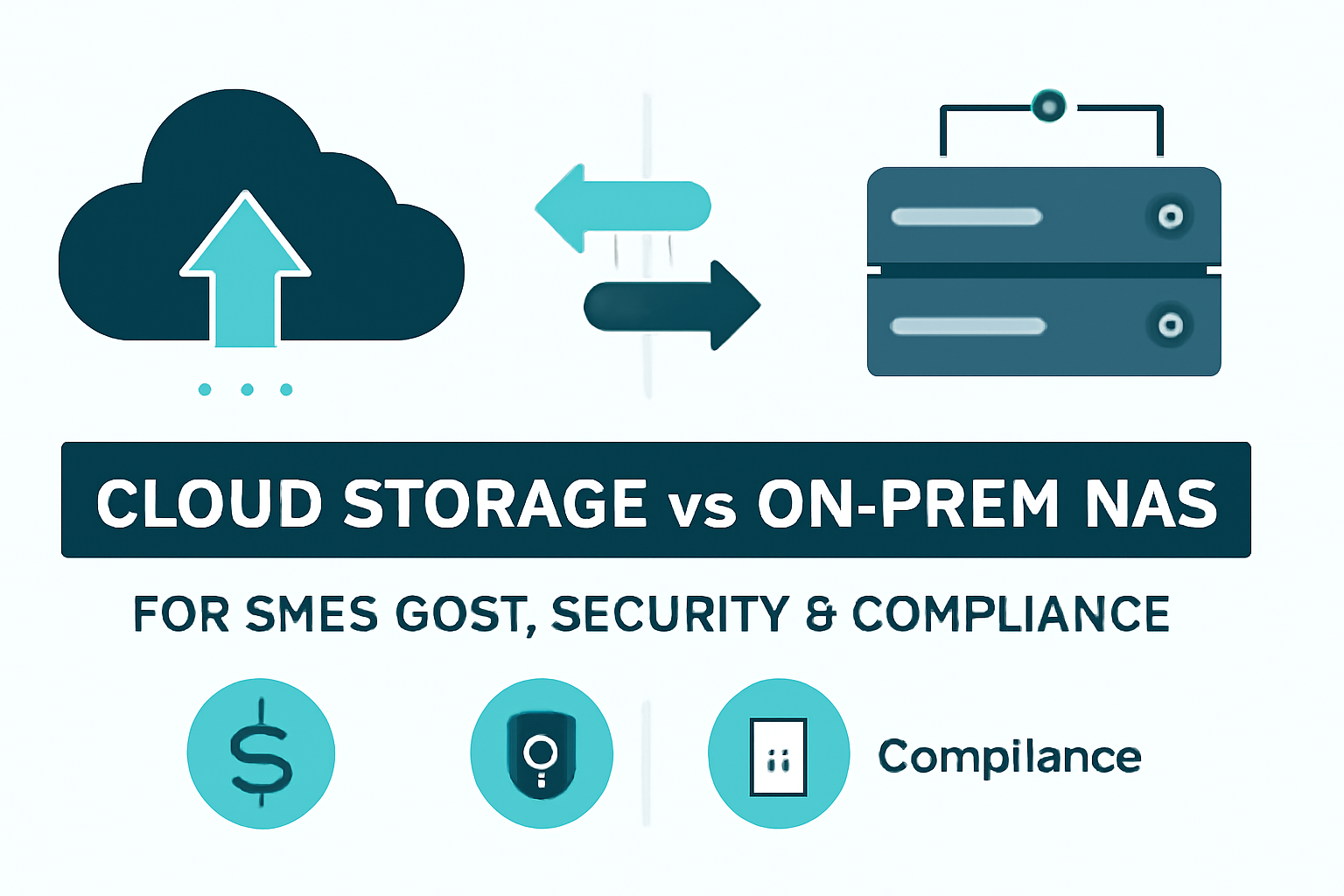
    Data storage is the backbone of every successful business in 2025. As small and medium enterprises (SMEs) grow and evolve in an increasingly digital world, choosing the right storage solution has never been more critical. With data being generated at an unprecedented rate, businesses are now tasked with selecting the best way to store, manage, and protect their valuable information. This decision often comes down to two main options: cloud storage vs NAS for small business.

    The growing trend of businesses migrating to the cloud is undeniable. Cloud storage offers flexibility, scalability, and a range of cost-effective benefits that have made it a popular choice for companies of all sizes. However, many SMEs still find on-premises NAS (Network-Attached Storage) solutions to be a reliable and secure option for storing their data locally. But how do you know which option is best suited for your business?

    In this article, we’ll compare cloud storage vs NAS in terms of cost, security, and compliance—three critical factors that every SME needs to consider when selecting a data storage solution. Whether you’re weighing the affordability and convenience of cloud services or the control and reliability of NAS for small business, we’ll guide you through the strengths and weaknesses of both solutions.

    As businesses continue to face increasing pressure to maintain secure, compliant, and cost-effective systems, understanding these differences is essential. We’ll explore how cloud storage can offer a seamless, flexible solution, while on-prem NAS may provide more control but at a higher upfront cost.

    If you’re unsure whether to make the leap to cloud storage or stick with NAS, EmporionSoft’s consultation services can help you make an informed decision tailored to your specific business needs.

    Cost Comparison: Cloud Storage vs NAS for Small Businesses

    When it comes to choosing a data storage solution for small businesses, cost is often the primary deciding factor. Both cloud storage and NAS (Network-Attached Storage) offer distinct advantages in terms of affordability, but understanding the upfront and ongoing costs is crucial to making the right choice for your business.

    Initial Setup and Equipment Costs

    One of the key differences between cloud storage vs network attached storage is the initial setup costs.

    Cloud Storage Costs:

    Cloud storage typically operates on a subscription-based model, which means businesses do not incur large upfront expenses. Instead, you pay a monthly or annual fee based on your storage needs. These fees generally scale according to the amount of data stored, with prices ranging from a few dollars per month for basic plans to more for businesses requiring large-scale storage. For example, Google Drive offers plans starting at £1.59 per month for 100GB, with larger options available as businesses grow.

    The key benefit of this approach is that there’s no need for significant upfront capital investment. Businesses can scale their storage needs easily without worrying about hardware purchases or server installations.

    NAS Setup Costs:

    In contrast, NAS for small business typically requires a larger initial investment in hardware. A NAS device consists of physical servers and storage drives, often bundled with software, and businesses must pay upfront for the unit and the storage capacity. Basic NAS devices for small businesses can start at around £200–£500, but this can increase significantly based on the required storage capacity and features. For example, a small office with a few terabytes of storage might spend upwards of £1,000 for a NAS system, including hard drives.

    Another consideration with NAS is the potential need for additional hardware, such as backup power supplies, network switches, and expansion units, which can increase the initial setup cost. The installation process may also require IT expertise, further increasing the cost.

    Ongoing Subscription and Maintenance Costs

    Once the initial setup is complete, ongoing costs will differ depending on the chosen storage solution.

    Cloud Storage Ongoing Costs:

    With cloud storage, ongoing costs are typically tied to subscription fees that vary based on your usage and the number of users. These fees increase as your storage needs grow, but this scalability is one of the main advantages of cloud storage. Businesses can start with a minimal plan and expand as their needs evolve, making it an affordable solution for growing companies.

    For example, businesses with a storage need of 1TB or more might opt for services like Amazon S3, which charges based on the storage used and the amount of data transferred. This can translate to around £20–£30 per month for businesses storing substantial amounts of data. The added benefit here is that cloud storage services typically include data redundancy, backups, and software updates, all included in the subscription price.

    However, businesses should also consider the hidden costs associated with cloud storage. For instance, if a business frequently transfers large amounts of data in and out of the cloud, they may face additional costs for data egress (i.e., the transfer of data out of the cloud). While the base storage fees may seem affordable, these additional charges can add up quickly if not managed carefully.

    NAS Ongoing Costs:

    On the other hand, NAS systems involve maintenance costs that vary depending on the hardware you purchase. While there are no subscription fees, businesses will need to cover the costs of electricity to run the servers, as well as any additional software or services used for backup, monitoring, or security.

    For small businesses, affordable NAS for small business models might incur around £100–£200 annually in maintenance costs, which include replacing hard drives or managing data security. Unlike cloud storage, the business also bears the responsibility for software updates, security patches, and troubleshooting. This could require either in-house IT expertise or outsourced technical support, leading to additional costs.

    Return on Investment (ROI)

    The long-term ROI of both cloud storage and NAS solutions can vary significantly based on business needs and usage patterns.

    Cloud Storage ROI:

    The primary advantage of cloud storage in terms of ROI is its scalability. For small businesses with fluctuating data storage needs, the ability to scale without significant investment in hardware is a major benefit. Moreover, businesses can avoid the hidden costs associated with maintaining and upgrading physical storage equipment. Cloud storage is ideal for businesses looking for low upfront costs and flexible payment models. However, businesses that expect to store large amounts of data over long periods might find the ongoing subscription fees to be higher than they anticipated.

    NAS ROI:

    For businesses that have a stable, predictable data storage requirement and are able to manage IT infrastructure internally, NAS systems can provide better long-term ROI. While the upfront investment is higher, the lack of ongoing subscription fees means that after the initial setup, businesses may see a more stable and predictable cost structure. Furthermore, businesses that prefer having full control over their data security and do not need constant internet connectivity may find NAS to be more cost-effective in the long run.

    For example, a business with substantial data needs that plans to keep its data on-site for the long term might find that a NAS system pays for itself after a few years, particularly when considering the savings on subscription fees. However, cloud storage vs NAS is a balancing act: businesses must weigh the initial investment in NAS with the ongoing subscription costs of cloud storage to determine which is the most financially sustainable option.

    Security Considerations: Cloud Storage vs NAS for Small Businesses

    When choosing between cloud storage and NAS (Network-Attached Storage), security is a top priority for small and medium enterprises (SMEs). Both storage solutions offer distinct approaches to securing business-critical data, but understanding their unique strengths and weaknesses is crucial for making an informed decision. In this section, we’ll compare cloud storage security vs NAS security, focusing on encryption, data backup, recovery options, and potential risks like ransomware and phishing attacks.

    Cloud Storage Security vs NAS Security: Perceptions and Key Differences

    The primary difference between cloud storage security vs NAS security lies in the location and management of data. Cloud storage providers typically store data in remote data centres, which means the service provider is responsible for securing the infrastructure, including physical and network security. On the other hand, self-hosted NAS devices are stored and managed on-site, giving businesses more control over their data security but also adding responsibility for maintenance and protection.

    Cloud Storage Security:

    Cloud storage services, such as Google Drive, Amazon S3, and Microsoft OneDrive, offer a range of built-in security features that help protect data. These include:

    • Encryption: Cloud providers use encryption both at rest (when data is stored) and in transit (when data is transmitted). For instance, Amazon S3 encrypts data with AES-256 encryption, ensuring that your data is protected from unauthorised access.

    • Access Control: Cloud storage solutions allow businesses to set detailed access controls, including user authentication, multi-factor authentication (MFA), and user roles. These features ensure that only authorised individuals can access sensitive information.

    • Backup and Recovery: Cloud storage services generally include automatic data backups and disaster recovery options. These solutions are designed to protect against data loss due to system failures, hardware malfunctions, or cyberattacks. Cloud providers often replicate data across multiple data centres to ensure availability even in the event of a disaster.

    • Compliance: Cloud storage providers often meet international compliance standards like GDPR, HIPAA, and SOC 2, making it easier for businesses to meet regulatory requirements. These certifications ensure that cloud storage services follow best practices for data security and privacy.

    However, cloud storage does come with potential vulnerabilities. The most significant risk is data breaches due to hacking or vulnerabilities in the cloud provider’s infrastructure. Although providers implement robust security measures, the sheer volume of data they handle makes them prime targets for cyberattacks. Additionally, businesses must rely on their cloud service provider’s security measures, meaning they have less control over how their data is protected.

    NAS Security:

    In contrast, NAS devices are typically housed on-premises, giving businesses more direct control over their data security. However, this also means the responsibility for securing the device and network falls solely on the business. NAS security measures include:

    • Encryption: Modern NAS systems support encryption for both data at rest and data in transit. For example, Synology NAS devices offer AES-256 encryption for data stored on the device, ensuring that sensitive files are protected. However, encryption is often an optional feature that businesses must enable, making it crucial for SMEs to actively manage their NAS security settings.

    • Access Control: NAS systems allow businesses to set access controls, including user authentication and network restrictions. Businesses can implement local firewalls, VPNs, and other security measures to limit access to the device. However, because NAS devices are often connected to the internet or corporate networks, they are vulnerable to external threats if not properly secured.

    • Backup and Recovery: While NAS devices often provide local backup and recovery options, such as RAID configurations for redundancy, they do not typically offer the same level of disaster recovery and off-site backup solutions as cloud services. Businesses must ensure their NAS is regularly backed up to external storage or a secondary off-site location to protect against data loss.

    • Physical Security: One of the key benefits of NAS security is that businesses have full control over the physical security of their storage devices. However, this also means that businesses must invest in protecting the physical devices from theft, fire, or other disasters. Without proper protection, NAS devices are susceptible to being compromised in the event of physical damage or unauthorized access.

    While self‑hosted NAS vs cloud service offers more control over security, it also introduces significant risks. Cybersecurity threats like ransomware and phishing can target NAS devices that are not adequately protected. If a hacker gains access to a NAS device through a compromised network or weak password, they can potentially exfiltrate or destroy critical business data. Additionally, NAS devices are vulnerable to physical theft or damage, which can lead to significant data loss if there are no backup measures in place.

    Risks and Benefits of Cloud Storage vs NAS Security

    Risks:

    • Cloud Storage: While cloud storage services are generally secure, they are not immune to risks. The primary concern is the risk of a data breach due to vulnerabilities in the cloud provider’s security protocols. Additionally, businesses are at the mercy of the provider’s security practices and may face challenges if the provider suffers an attack.

    • NAS: NAS systems, while offering more control, present risks related to network security and physical security. If not properly configured, NAS devices can be vulnerable to ransomware attacks, especially when connected to the internet. Furthermore, businesses must manage their own security updates, which can result in vulnerabilities if not regularly patched.

    Benefits:

    • Cloud Storage: Cloud providers offer enterprise-level security features, including encryption, compliance certifications, and multi-factor authentication. They also provide automatic updates and patches, reducing the burden on businesses. Moreover, cloud services are backed by off-site redundancy, ensuring data availability even in the case of hardware failure.

    • NAS: NAS provides businesses with full control over security measures and access settings. It allows for local control and customized encryption settings. Furthermore, businesses that operate in isolated environments with no internet access can use NAS as a secure, self-contained storage solution.

    Compliance & Legal Considerations: Cloud Storage vs NAS for Small Businesses

    Compliance and legal requirements are critical when choosing between cloud storage and NAS (Network-Attached Storage) for small and medium enterprises (SMEs). Data protection laws such as GDPR, HIPAA, and local data protection laws can be complex and vary depending on the industry and location of the business. The decision between on‑premises storage vs cloud storage can significantly impact how businesses ensure compliance with these regulations.

    On-Premises Storage vs Cloud Storage: Compliance Challenges for SMEs

    On-premises storage (NAS) and cloud storage both present unique challenges in terms of compliance, particularly when it comes to meeting the stringent requirements for data protection. The choice between cloud and NAS often depends on how businesses manage their data and the resources they have to handle compliance effectively.

    Cloud Storage Compliance:

    Cloud storage providers like AWS, Google Cloud, and Microsoft Azure are well-equipped to meet various global compliance standards, making them an attractive option for SMEs. These providers invest heavily in security measures and maintain strict compliance with laws and regulations, including:

    • General Data Protection Regulation (GDPR): Cloud providers are required to comply with GDPR if they process data from EU citizens. They implement measures such as data encryption, right to access, and data erasure to align with GDPR standards. They also offer features like data residency to ensure data is stored within specific geographical locations.

    • Health Insurance Portability and Accountability Act (HIPAA): For businesses in the healthcare sector, cloud providers can offer HIPAA-compliant services, ensuring that patient data is securely stored and handled in compliance with medical privacy regulations.

    • SOC 2, SOC 3, and ISO 27001: These certifications are offered by cloud providers to demonstrate their commitment to securing data and ensuring compliance with industry standards. These certifications ensure that cloud storage providers are regularly audited for compliance with best practices for data security, privacy, and availability.

    Cloud providers typically take the responsibility of managing compliance with international regulations, making them an attractive option for businesses that do not have dedicated legal or compliance teams. However, businesses must still ensure that they use these services in a compliant manner and understand the shared responsibility model.

    NAS Compliance:

    In contrast, NAS systems are self-managed and hosted on-premises. This gives businesses full control over their data storage but also places the responsibility of ensuring compliance squarely on their shoulders. Unlike cloud storage providers, businesses that use NAS systems must implement their own security measures and compliance practices, which can be resource-intensive.

    For SMEs using NAS, the key compliance challenges are:

    • Data Residency and Sovereignty: Unlike cloud storage, which can provide clear geographic boundaries for where data is stored, NAS systems are physically located in the business’s premises. This raises questions about data residency and sovereignty—where the data is stored and which laws apply to it. Depending on the jurisdiction, certain data protection laws may require that data be stored in specific countries or regions, complicating things for businesses using NAS.

    • Data Protection: With NAS, businesses must take on the responsibility of encrypting data, controlling access, ensuring backups, and securing the physical device from unauthorized access. In some cases, businesses might need to invest in additional software solutions for encryption and backup to ensure compliance with data protection laws like GDPR and HIPAA.

    The burden of managing compliance and data protection measures internally can be challenging, especially for small businesses that lack the necessary resources or expertise. Therefore, self‑hosted NAS vs cloud service may be a more difficult choice when compliance is a priority.

    Key Compliance Considerations for SMEs

    When deciding between cloud storage vs NAS for compliance, SMEs should consider the following factors:

    • Data Residency and Sovereignty: Cloud services often allow businesses to choose the location where their data is stored, which can help comply with data residency laws. With NAS, businesses must manage data residency themselves.

    • Encryption and Data Protection: Both cloud storage and NAS need robust encryption mechanisms, but cloud providers generally include this as part of their service, while businesses using NAS must implement and manage it themselves.

    • Third-Party Compliance: Cloud storage providers are subject to audits and certifications like SOC 2 and ISO 27001, which provide assurance of compliance. NAS systems require businesses to perform their own audits or hire third-party providers to ensure compliance.

    • Backup and Disaster Recovery: Cloud storage typically includes built-in backup and disaster recovery options, ensuring compliance with data protection laws. With NAS, businesses must establish their own backup systems to comply with regulations.

    Best Practices for SMEs

    To ensure compliance, whether using cloud storage or NAS, SMEs should implement the following best practices:

    • Cloud Storage:

      • Use a cloud provider with clear data residency options and compliance certifications (e.g., GDPR, HIPAA).

      • Implement multi-factor authentication (MFA) for access control.

      • Regularly audit and monitor access logs and data movements to ensure compliance with privacy laws.

      • Leverage cloud backups and disaster recovery features for compliance with regulations.

    • NAS:

      • Ensure data is encrypted both at rest and in transit to meet data protection requirements.

      • Regularly update and patch NAS systems to protect against vulnerabilities.

      • Implement an off-site backup solution to ensure data recovery in case of physical damage to NAS devices.

      • Develop a comprehensive data protection policy to manage compliance with GDPR, HIPAA, and other relevant laws.

    Backup & Data Recovery: Cloud Storage vs NAS for Small Businesses

    When it comes to ensuring business continuity and protecting against data loss, backup and data recovery are critical components of any data storage strategy. Both cloud storage and NAS (Network-Attached Storage) offer distinct advantages for businesses looking to safeguard their data, but they come with different approaches to backup and recovery. In this section, we’ll compare cloud backup vs local backup NAS, focusing on reliability, speed, and ease of recovery, as well as the key features of each solution. We’ll also highlight potential challenges like downtime or data corruption.

    Cloud Backup: The Advantages and Flexibility

    Cloud backup solutions, offered by providers like Amazon S3, Google Cloud, and Microsoft Azure, provide several features that make them an appealing choice for small businesses looking for scalable, reliable backup solutions.

    Key Features of Cloud Backup:

    • Multi-Region Redundancy: Cloud storage providers often replicate data across multiple geographical locations, ensuring that your data is safe even if one data centre experiences an outage. For example, Amazon S3’s Cross-Region Replication (CRR) automatically copies data across AWS regions, which helps businesses maintain high availability and reduces the risk of data loss due to hardware failure or regional disasters.

    • Automatic Backups: Most cloud storage providers offer automated backup features, meaning that businesses don’t need to worry about manually backing up their data. Services like Google Drive and Dropbox automatically sync files, ensuring that backups are performed in real-time.

    • Scalability: Cloud backup services are highly scalable, allowing businesses to adjust their storage needs based on changing data volumes. This is particularly beneficial for businesses with fluctuating data requirements, as they only pay for the storage they need.

    Reliability and Speed:

    Cloud backups are typically reliable, with strong encryption protocols and built-in failovers to ensure data integrity. However, the speed of recovery can be impacted by factors like internet connection speed and the amount of data being restored. For example, a small business trying to restore a large volume of data may experience delays depending on their bandwidth.

    While cloud storage benefits for small business are clear in terms of accessibility and redundancy, restore times can be slower compared to local storage solutions due to the dependency on internet bandwidth and cloud service performance.

    Challenges:

    • Downtime: Although cloud services offer excellent uptime guarantees (e.g., 99.9% availability), businesses may still face downtime in the event of outages, maintenance windows, or internet connectivity issues.

    • Data Corruption: While rare, cloud providers are not immune to data corruption, particularly if there are sync errors or data inconsistencies during backups.

    NAS Backup: Control and Reliability for Local Data Storage

    NAS backup systems provide businesses with local control over their data, offering a different set of features designed for those who prefer to manage their backup solutions in-house.

    Key Features of NAS Backup:

    • RAID Configurations: One of the most important features of NAS devices is the ability to implement RAID (Redundant Array of Independent Disks) configurations, such as RAID 1 (mirroring) and RAID 5 (striping with parity). RAID offers redundancy and ensures that data is mirrored across multiple drives, so if one drive fails, the data remains accessible from another drive. This provides local backup without relying on an external service or internet connection.

    • Local Backups: NAS devices allow businesses to create scheduled local backups to external drives or another NAS unit. This provides rapid access to backups, with minimal downtime during recovery.

    • Flexibility: Businesses can manage their own backup schedules, frequency, and retention policies. This gives them complete control over how often data is backed up and where it is stored.

    Reliability and Speed:

    The reliability of NAS backups is generally high, provided the system is properly configured and maintained. Since NAS devices are physically located within the business’s premises, speed of recovery is typically faster than cloud solutions. Recovering data from a local NAS device only requires access to the network, making it significantly quicker for businesses to restore data compared to downloading it from the cloud.

    For example, a business that experiences a hard drive failure can restore its data from a RAID array or external backup on the same day, as long as the NAS is functioning properly.

    Challenges:

    • Data Corruption: Like any storage solution, NAS is susceptible to data corruption if proper safeguards (e.g., RAID or regular checks) aren’t in place. Additionally, NAS devices are still vulnerable to local disasters like fires, floods, or theft, which can result in permanent data loss.

    • Limited Remote Accessibility: While NAS systems can be accessed remotely with the proper setup, they are not as flexible as cloud storage, especially for businesses with distributed teams. Setting up secure access for remote employees may require additional configuration and can complicate the backup and recovery process.

    Cloud vs NAS: Pros and Cons for Backup and Recovery

    Cloud Storage Benefits for Small Business:

    • Pros:

      • Off-site redundancy ensures data protection from physical threats like fire or theft.

      • Scalable and cost-efficient for businesses that need flexible storage options.

      • Easy access from anywhere, ideal for businesses with remote employees.

      • Automatic backups reduce the risk of human error.

    • Cons:

      • Slower recovery speeds compared to local backups, especially with large datasets.

      • Dependency on internet bandwidth and cloud provider uptime.

      • Potential risks of data corruption or service outages.

    NAS Backup:

    • Pros:

      • Faster recovery times due to local access.

      • Full control over backup and recovery processes.

      • RAID configurations offer redundancy and data protection.

      • No ongoing subscription fees; fixed upfront costs for hardware.

    • Cons:

      • Requires on-site physical security to protect against theft, fire, or other disasters.

      • Limited remote access for businesses with distributed teams.

      • Maintenance and updates are the responsibility of the business.

    Real-World Example: Cloud vs NAS Backup Solutions

    A small law firm, for example, may choose cloud storage for its ability to back up client files and records automatically and securely off-site, ensuring compliance with GDPR regulations. However, the firm might also implement a NAS system to back up local data from office computers for faster recovery during daily operations.

    In contrast, a manufacturing business with sensitive designs and proprietary processes might prefer NAS backup for its faster restore times and local control over data security. In this case, the business may set up a secondary off-site NAS device as part of a disaster recovery strategy, ensuring that even in the event of a local disaster, critical data remains safe.

    Cloud Scalability vs NAS Expansion: Performance and Growth for Small Businesses

    As small and medium enterprises (SMEs) grow, so do their data storage needs. A key consideration in choosing between cloud storage and NAS (Network-Attached Storage) is how each option scales with business growth. In this section, we’ll explore how each solution performs in terms of scalability, flexibility, and overall performance, helping businesses choose the right solution as their data storage needs evolve.

    Cloud Storage Scalability: Flexibility for Growing Businesses

    Cloud storage is widely regarded for its flexibility and scalability, making it an ideal choice for businesses that need to adapt quickly to changing demands. With cloud services like Amazon S3, Google Cloud, and Microsoft OneDrive, businesses can scale up or down without the need for additional hardware or significant upfront investment.

    Key Benefits of Cloud Scalability:

    • No Hardware Limits: One of the greatest advantages of cloud storage is that businesses don’t have to worry about running out of space or investing in new hardware. As storage needs grow, cloud services automatically allocate additional resources, allowing businesses to scale seamlessly.

    • Pay-as-you-go Pricing: Cloud services offer pay-as-you-go pricing models, meaning businesses only pay for the storage they use. This allows SMEs to keep costs manageable while benefiting from infinite scalability.

    • Automatic Backups and Updates: Cloud storage services also handle backups and software updates automatically, ensuring businesses don’t need to invest in additional IT resources to maintain system performance or security.

    Performance and Reliability:

    Cloud storage offers excellent upload/download speeds and high system reliability. Leading providers like AWS and Google Cloud have robust infrastructures and multiple data centres across regions, ensuring high availability and low latency for global businesses. As your business grows and demands increase, cloud storage can maintain high levels of performance, with the flexibility to scale your storage and computing power based on current needs.

    However, while cloud storage is incredibly scalable, businesses should be mindful of potential data transfer costs and bandwidth limitations. For businesses with high-volume data transfer or frequent data access, these costs can add up quickly.

    Limitations of Cloud Storage:

    The primary limitation of cloud storage is that businesses are reliant on an external provider for their storage and data management. Downtime or service interruptions can occasionally affect access to data, although most providers offer 99.9% uptime guarantees.

    NAS Systems: Local Control with Hardware Expansion

    While NAS for small business offers more control over data storage and security, its ability to scale is more hardware-dependent. NAS systems are ideal for businesses that prefer to manage their own storage infrastructure but face limitations as their storage needs grow.

    Key Benefits of NAS Expansion:

    • Full Control: NAS provides businesses with the flexibility to choose the exact storage configuration they need, and it allows for customization based on specific business requirements. For example, businesses can choose from different RAID configurations for redundancy or configure advanced backup systems to fit their needs.

    • Cost-Effective for Stable Needs: For businesses with relatively predictable data requirements, NAS for small business can be a cost-effective solution that doesn’t require ongoing payments. Once set up, the cost remains fixed, with no additional subscription fees.

    Limitations of NAS Expansion:

    As businesses grow, NAS systems require additional hardware investments to meet increasing storage demands. While you can add additional hard drives to most NAS devices, you’ll eventually reach a point where the system requires more space, advanced configurations, or even entirely new devices to manage data at scale.

    • Storage Capacity: As the business’s data grows, businesses may need to purchase new drives, expand their RAID array, or even upgrade to a larger NAS system. These expansions can lead to upfront costs and require additional IT management to ensure proper configurations.

    • Performance Challenges: As more users or devices access the NAS system, the network and storage performance may degrade if the system isn’t configured properly. Businesses may need to upgrade their network infrastructure (e.g., switches, routers) to maintain speed and reduce latency during peak usage times.

    Performance and Reliability:

    NAS systems offer high performance for local data storage, especially when using RAID arrays for redundancy. The upload/download speeds are fast, particularly when accessing local network resources, and the system’s performance is reliable as long as it is properly maintained.

    However, businesses may experience challenges when scaling up the NAS system. For example, increasing the number of users or the volume of stored data can impact performance if the system is not adequately upgraded. Additionally, NAS devices are susceptible to local issues like network failures, power outages, or hardware malfunctions that can affect availability.

    Cloud vs NAS: Pros and Cons for Scalability

    Cloud Storage:

    • Pros:

      • Unlimited scalability without hardware constraints.

      • Flexible pricing based on usage, making it ideal for businesses with fluctuating storage needs.

      • Global accessibility for remote workforces, ensuring data can be accessed from anywhere.

      • Automatic backups and updates, reducing the burden on IT staff.

    • Cons:

      • Data transfer costs for high-volume businesses.

      • Dependency on internet connectivity for access.

      • Limited control over infrastructure, as businesses rely on external providers.

    NAS Systems:

    • Pros:

      • Full control over your data and security.

      • No ongoing subscription fees after the initial hardware investment.

      • Local storage allows for high-speed data access and minimal latency for internal users.

    • Cons:

      • Scalability is limited by hardware, requiring additional investments as the business grows.

      • Upfront costs for new hardware or upgrades as storage needs increase.

      • IT management required for system updates, expansions, and performance monitoring.

    Cloud Storage vs NAS: Pros and Cons for SMEs

    Choosing the right data storage solution is critical for small and medium-sized enterprises (SMEs). Both cloud storage and NAS (Network-Attached Storage) offer unique benefits and challenges. In this section, we’ll quickly summarize the cloud vs NAS pros cons, focusing on key factors like cost, security, compliance, scalability, and ease of use to help SMEs make an informed decision.

    Cloud Storage: Pros and Cons

    Pros:

    • Scalability: Cloud storage is highly scalable, allowing businesses to easily increase or decrease their storage capacity as their needs evolve. This makes it ideal for SMEs with fluctuating data needs or those anticipating growth.

    • Cost-Effective: Cloud storage follows a pay-as-you-go model, meaning businesses only pay for the storage they use. This can be more affordable for SMEs than purchasing and maintaining hardware.

    • Ease of Use: Setting up cloud storage is quick and easy, with no need for additional hardware. Cloud services offer intuitive interfaces that require minimal IT expertise to manage.

    • Automatic Backups and Updates: Cloud services typically include automatic backups and software updates, reducing the burden on businesses to manually manage data protection and system maintenance.

    • Remote Access: Cloud storage allows businesses to access their data from anywhere with an internet connection, making it ideal for remote teams or businesses with multiple locations.

    • Security and Compliance: Leading cloud providers, such as AWS and Google Cloud, invest heavily in security features like encryption, multi-factor authentication, and regulatory compliance (e.g., GDPR, HIPAA). These built-in security measures help SMEs stay compliant with data protection laws.

    Cons:

    • Ongoing Costs: While cloud storage can be cost-effective for small businesses, costs can escalate over time, especially as data volumes increase or if businesses need to retrieve large amounts of data.

    • Internet Dependency: Cloud storage requires a reliable internet connection. Any disruption in internet access can prevent employees from accessing data.

    • Data Transfer Costs: Data egress (transferring data out of the cloud) can incur additional costs, especially for businesses with high-volume data transfer needs.

    • Less Control: Businesses using cloud storage must rely on third-party providers for data management and security, which can limit control over data residency and internal security protocols.

    NAS: Pros and Cons

    Pros:

    • Local Control: NAS systems are hosted on-site, giving businesses full control over their data, security protocols, and backup practices. This is particularly beneficial for companies that require granular control over their data.

    • Cost-Effective for Stable Needs: Once set up, NAS systems do not involve ongoing subscription fees, making them cost-effective for businesses with predictable, stable data storage needs. The upfront cost is higher, but it can be more affordable in the long run.

    • Performance: Local access to data typically results in faster upload/download speeds and lower latency for businesses that need quick access to large datasets or high-performance applications.

    • No Ongoing Subscription Fees: With NAS, there are no ongoing costs for data storage. After the initial investment in hardware, businesses are free from subscription or storage fees, making it an appealing choice for companies on a tight budget.

    Cons:

    • Limited Scalability: Scaling a NAS system can be challenging. As data needs grow, businesses may need to invest in additional hardware or even entirely new systems to keep up with growing data volumes. Expanding a NAS system is more hardware-dependent than cloud storage, requiring upfront investments in additional drives or servers.

    • Maintenance and Upkeep: NAS systems require ongoing maintenance, including software updates, hardware replacements, and physical security measures. This can add to the operational overhead, especially for businesses without dedicated IT resources.

    • Risk of Physical Damage or Theft: Because NAS devices are located on-site, they are vulnerable to physical risks such as fire, theft, or natural disasters. While RAID configurations offer redundancy, businesses still need off-site backups to protect against catastrophic data loss.

    • Limited Remote Access: While it is possible to set up remote access for NAS systems, this often requires additional configuration and can be more complex than cloud storage solutions. Businesses with distributed teams may find this challenging.

    Quick Guide: Cloud vs NAS Pros and Cons

    Factor Cloud Storage NAS
    Cost Pay-as-you-go model; potential ongoing fees Upfront cost for hardware; no ongoing fees
    Scalability Unlimited scalability without hardware Limited by hardware; requires upgrades
    Security Built-in security features; encryption and compliance Local control over security; requires manual updates
    Compliance Meets regulatory standards (e.g., GDPR, HIPAA) Requires manual management of compliance
    Ease of Use Easy setup; no hardware required Requires IT expertise for setup and maintenance
    Performance Slower recovery times; dependent on internet speed Faster local access; better for large files
    Backup & Recovery Automatic backups; multi-region redundancy RAID backup; local recovery
    Access Remote access from anywhere Limited remote access; on-site only

    How to Choose the Best Storage Solution for Your Business

    When deciding between cloud storage and NAS, SMEs should consider their specific needs:

    • Cloud storage is ideal for businesses that require scalability, remote access, and automated backups. It is best suited for businesses with dynamic data storage needs and remote teams. The low upfront cost and ease of management make it a flexible choice for growing companies.

    • NAS is perfect for businesses that prioritize local control, faster access speeds, and no ongoing fees. It is best suited for SMEs with stable data requirements and those that can manage the maintenance and security of their systems in-house.

    For businesses looking for more tailored advice on choosing between cloud storage and NAS, visit EmporionSoft’s home page or explore our services page to learn how we can help your SME make the right choice.

    Making the Right Choice Between Cloud Storage and NAS for Your Small Business

    As we’ve explored throughout this article, both cloud storage and NAS (Network-Attached Storage) offer unique advantages for small and medium enterprises (SMEs). Deciding which solution is right for your business depends on a variety of factors, including your business size, growth potential, and specific data storage needs.

    Key Takeaways

    • Cloud Storage is an excellent choice for businesses looking for scalability, flexibility, and remote access. With the ability to scale up or down based on storage needs and a pay-as-you-go pricing model, cloud storage is ideal for businesses with fluctuating or growing data requirements. It’s perfect for teams that need global accessibility and businesses that want to avoid the complexities of managing hardware. The built-in automatic backups, encryption, and compliance with global data protection laws (such as GDPR and HIPAA) make cloud storage a secure and cost-efficient option for most SMEs.

    • NAS systems, on the other hand, are more suitable for businesses that prioritize local control, high performance, and low ongoing costs. NAS is ideal for businesses with stable data requirements and those who prefer to manage their own storage infrastructure. The ability to implement RAID configurations for redundancy and faster data access makes NAS an excellent choice for businesses that need high-performance storage solutions. However, the scalability of NAS is limited by hardware, meaning businesses must plan ahead and invest in additional hardware as their data needs grow.

    Which Solution is Right for You?

    1. Cost-Sensitive Businesses: If keeping costs low is a primary concern, cloud storage may be your best option, as it requires no upfront investment in hardware. The pay-as-you-go model also ensures you only pay for what you use. This is especially useful for businesses with fluctuating data needs or those just starting out, as it allows for easy scaling without additional capital investment. Cloud storage is also ideal for businesses that want to avoid the long-term costs of maintaining on-site infrastructure.

    2. Performance-Critical Businesses: If your business handles large volumes of data or requires fast local access to files, NAS may be the preferred choice. With RAID configurations and faster local speeds, NAS offers superior performance for businesses that require high-performance storage. However, it comes with the added responsibility of managing hardware and expanding the system as your needs grow. NAS is best suited for businesses with predictable, stable data requirements and the ability to manage IT resources effectively.

    3. Growing Businesses: For businesses that anticipate growth and need a scalable solution, cloud storage provides the flexibility to increase storage capacity without the need for additional hardware investments. As your business grows, you can adjust your cloud storage plan to accommodate new data requirements, while enjoying automatic backups and security features built into the cloud platform.

    4. Businesses with Compliance Needs: Both cloud storage and NAS can meet the compliance requirements of SMEs, but cloud storage has the advantage of built-in compliance with global standards like GDPR and HIPAA. Cloud providers are responsible for keeping up-to-date with regulatory changes and ensuring your data is secure. If compliance with international standards is critical for your business, cloud storage provides a hassle-free solution. NAS systems, however, require businesses to manage their own compliance efforts and may involve additional complexity, especially with local data protection laws.

    Take the Next Step with EmporionSoft

    Choosing between cloud storage and NAS can be a complex decision, but it’s an essential one for your business’s long-term success. Whether you need a scalable, cost-effective solution or a high-performance, on-site storage system, understanding your unique needs is key to making the right choice.

    At EmporionSoft, we offer tailored consultation services to help you select the best data storage solution for your business. Our team of experts can guide you through the options, ensuring your choice aligns with your business goals, security requirements, and growth potential.

    Contact EmporionSoft today to streamline your data storage and ensure your business is compliant, secure, and ready for growth. Our expert consultants are here to help you make the best decision for your unique needs and ensure your data remains safe and accessible as your business grows.

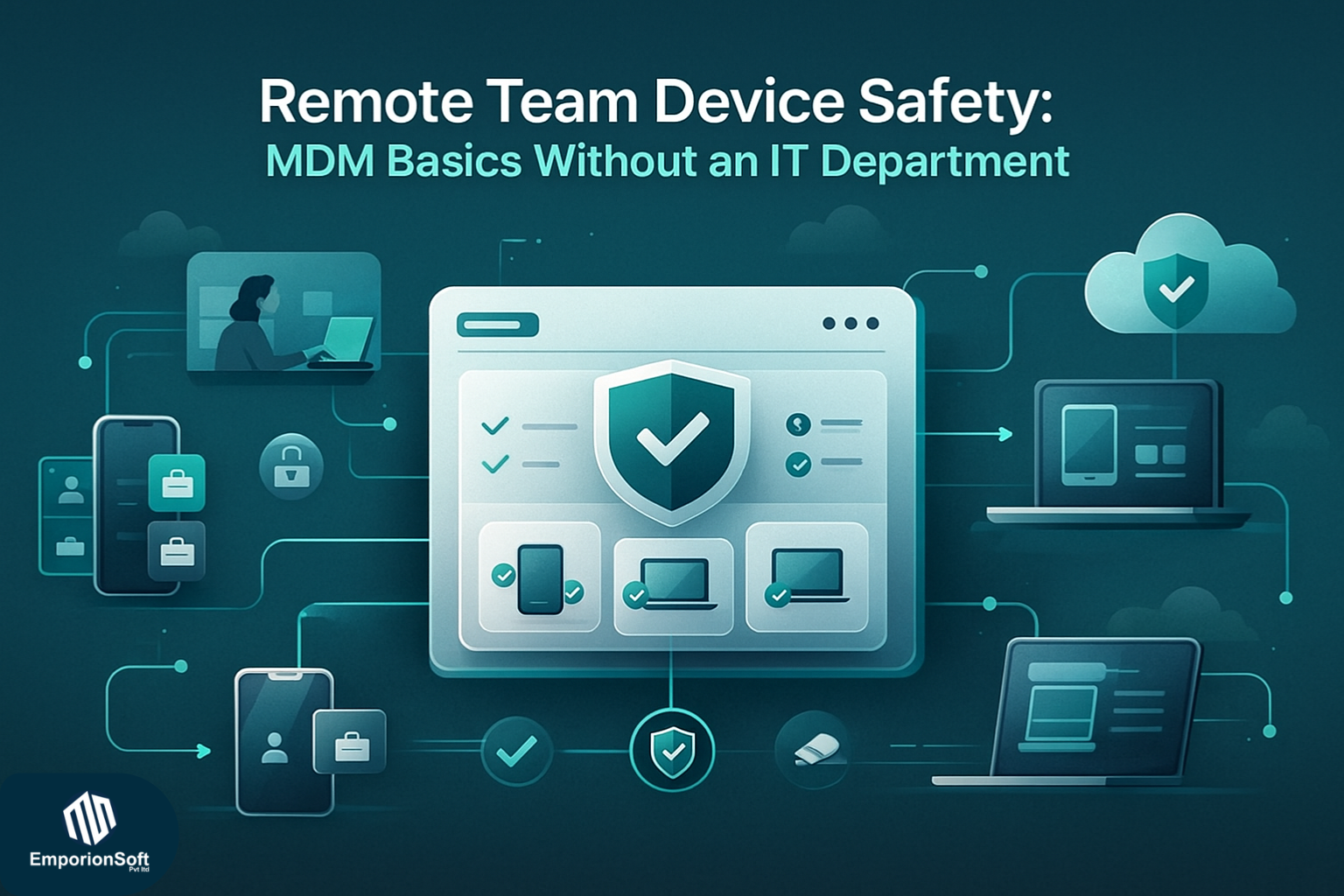
  • Remote Team Device Safety: Mobile Device Management for Small Business (MDM Guide 2025)

    Remote Team Device Safety: Mobile Device Management for Small Business (MDM Guide 2025)

    The shift towards remote and hybrid work has reshaped how small businesses operate, but it has also exposed a critical weakness: unmanaged devices becoming unintentional gateways for cyber-risks. When staff work from home, co-working spaces, or even while travelling, they often rely on personal phones, tablets, and laptops to get things done. That flexibility is great for productivity—but without proper oversight, it opens the door to data leaks, compromised credentials, and compliance failures that can cost a business far more than the price of prevention.

    Remote teams today rely heavily on mobile devices, yet many small companies still assume that security tools are only necessary for large enterprises. In reality, mobile device management for small business is no longer optional. It has become one of the most practical and affordable ways to secure distributed teams, especially when there is no dedicated IT department to handle device oversight.

    The rise of remote work and unmanaged devices

    Unmanaged devices were once considered a convenience issue—now they represent a legitimate security gap. Employees routinely mix personal and professional apps, connect to unsecured Wi-Fi networks, and store sensitive files in places that lack encryption. The UK’s National Cyber Security Centre has repeatedly highlighted the increased risk remote work introduces, particularly when companies fail to implement device-level controls (source: https://thecodev.co.uk).

    For small businesses, the impact is amplified. A single leaked client file or compromised email account can disrupt operations, damage trust, and result in financial penalties. This is why small businesses need MDM more urgently than ever. It provides visibility, consistency, and a safety net that protects both staff and company assets without slowing anyone down.

    Why MDM matters even without an IT department

    Many founders believe MDM is too technical or too expensive. Modern tools, however, are built for accessibility, automation, and small-team use. They centralise essential controls—such as enforcing screen locks, managing app permissions, and enabling remote wipe—into one simple dashboard. With this approach, even non-technical business owners can set up strong defences in under an hour.

    This makes mobile device management for small businesses a practical solution for companies that lack full-time IT support. Instead of manually checking every employee device, the system handles enforcement automatically. It ensures every phone or laptop that accesses work data follows the same security rules, reducing human error and minimising risk.

    For businesses scaling quickly or operating across different countries, remote configuration becomes invaluable. Devices can be set up, updated, and monitored from anywhere. It’s a seamless way to build consistency across a distributed workforce—something traditional office setups took for granted.

    The security risks small companies can’t ignore

    Cyber-attacks increasingly target smaller organisations because attackers know they often lack structured defences. Phishing, credential theft, ransomware, and device loss or theft can all lead to major disruptions. Strong mobile device security for small business provides the foundation needed to prevent or mitigate these threats.

    Without MDM, lost devices remain unprotected. Unpatched software continues to expose vulnerabilities. Employees might install unsafe apps without realising the risk. This lack of visibility and control is exactly why failing to secure mobile devices is one of the most common sources of avoidable breaches in small organisations today.

    The business case for early adoption

    Investing in mobile device management for small companies is far more cost-effective than dealing with the aftermath of a breach. It also reassures clients and partners that their data is being handled responsibly. In competitive industries, demonstrating strong security practices can even become a differentiator for winning new contracts or entering regulated markets.

    Modern MDM platforms are specifically designed to remove complexity. They offer scalable pricing that suits growing teams and provide automation that reduces manual work. This makes security achievable even for teams juggling tight budgets and limited technical expertise.

    To understand how technology can strengthen your organisation’s resilience and support remote teams, you can explore EmporionSoft’s broader approach to secure, scalable solutions at
    https://blogs.emporionsoft.com/services/ and https://blogs.emporionsoft.com/about/.

    What Mobile Device Management Really Means for Modern Small Businesses

    At its core, mobile device management for small business is a simple idea: giving companies the ability to secure, monitor, and manage the phones, tablets, and laptops their teams use for work. It sounds technical, but the principle is straightforward. MDM creates a central, unified way to protect business data—no matter where employees are, what device they use, or how technically skilled the team may be.

    For small organisations operating without an internal IT department, MDM provides structure, visibility, and control over devices that would otherwise remain unmonitored. Instead of relying on trust alone, businesses can enforce baseline security automatically and consistently.

    What MDM Actually Does (In Plain English)

    MDM is a software-based system that allows a business to:

    • Set rules for devices handling company information

    • Enforce those rules remotely

    • Track compliance without manual inspections

    It removes guesswork and replaces it with predictable, automated protection. That’s why MDM for small business has become one of the most effective, affordable security tools available today.

    Monitoring and Visibility Without an IT Team

    Device monitoring doesn’t mean spying on employees. Instead, MDM checks whether devices follow essential security requirements—such as whether they have a passcode, use the latest operating system, or run secure apps.

    For remote teams, this visibility is invaluable. If someone’s device becomes risky due to outdated software or unsafe apps, the system alerts the business owner immediately. The UK’s National Cyber Security Centre (NCSC) highlights monitoring as a foundational practice for securing mobile devices (source: https://www.ncsc.gov.uk).

    MDM makes this possible with minimal manual effort.

    Remote Lock and Wipe for Emergencies

    One of the most powerful features of MDM is the ability to lock or wipe a device remotely. If an employee loses their phone or it gets stolen while travelling, business data doesn’t need to be exposed.

    Instead of panicking, a manager can:

    • Immediately lock the device

    • Remove business apps

    • Wipe sensitive files

    This ability alone makes mobile device management for SMBs a crucial defence against data breaches—especially when employees work from various locations or use personal devices.

    Ensuring Compliance and Security Standards

    Small businesses often underestimate how easily compliance issues arise. Simple things like using unencrypted storage or connecting to unsecured Wi-Fi can break internal policies or client requirements.

    MDM enforces compliance by:

    • Requiring strong passwords

    • Enforcing encryption

    • Blocking unsafe apps

    • Requiring updates

    It also ensures consistency—something that becomes harder as remote teams grow. Resources like IBM’s security reports consistently highlight outdated devices and lax controls as leading causes of breaches (source: https://www.ibm.com).

    App Management and Controlled Access

    Modern MDM tools allow businesses to manage which apps employees can install or access for work. This prevents unsafe software from entering the workplace ecosystem and ensures all devices use approved, secure tools.

    Features typically include:

    • Installing work apps remotely

    • Blocking harmful apps

    • Creating separate work profiles

    • Restricting data sharing between apps

    For companies where staff use multiple devices, this keeps workflows smooth and reduces risk.

    BYOD: Managing Personal Devices Without Overreach

    Many small organisations allow employees to use personal devices for work. This is where mobile device management for small business BYOD becomes essential. It creates a clean separation between personal and work data.

    MDM can:

    • Protect only business apps

    • Avoid touching personal photos or messages

    • Remove work data without affecting personal files

    BYOD offers flexibility, while MDM protects the business side of the device.

    Real Use Cases for Small Teams Without IT Support

    MDM is particularly valuable for companies without in-house technical staff. Some common scenarios include:

    • A remote employee loses their phone containing client information

    • A staff member installs a risky app without realising the dangers

    • A laptop used for business remains unsecured with no password

    • A team member accesses private business data using public Wi-Fi

    • A growing team uses different devices, making consistency difficult

    MDM resolves all of these challenges through automation, remote actions, and policy enforcement.

    To explore secure technology solutions tailored for growing teams, you can learn more about EmporionSoft’s capabilities at https://blogs.emporionsoft.com/services/ and https://blogs.emporionsoft.com/about/.

    The Features That Make MDM Essential When You Don’t Have an IT Team

    Small businesses rarely have the luxury of a full-time IT department, which is exactly why the built-in features of modern MDM platforms matter so much. When a founder or operations manager becomes the “accidental IT lead”, systems need to be simple, automated, and secure by default. This is where mobile device management for small business transforms from a nice-to-have into a practical everyday tool. It delivers structure and protection without requiring deep technical expertise.

    Modern platforms combine automation, oversight, and smart security features designed specifically for lean teams. They reduce risk, save time, and help maintain consistent standards across all devices accessing company data.

    Remote Configuration: Setting Up Devices from Anywhere

    Remote teams depend on predictable, secure device setups. Remote configuration allows businesses to push security rules, apps, and network settings to employee devices instantly, no matter where the team is located.

    This is one of the biggest MDM small business benefits because it saves hours of manual setup. If a new employee joins, their device can be configured with pre-approved settings within minutes. If someone changes role or responsibility, access levels update automatically.

    For small businesses scaling quickly, remote configuration eliminates onboarding bottlenecks and ensures consistency across iOS, Android, Windows, and macOS devices.

    Geofencing for Added Security and Control

    Geofencing enables businesses to define virtual boundaries around specific locations and trigger automated actions when a device enters or leaves those zones.

    Use cases include:

    • Restricting sensitive data access outside the office

    • Monitoring devices travelling internationally

    • Automatically applying additional security when devices leave safe locations

    For companies dealing with client information or compliance requirements, this feature adds a protective layer that operates silently in the background.

    App Management: Approvals, Blocks, and Work Profiles

    One of the most impactful features in small business MDM software is app management. Instead of relying on employees to install the correct tools, MDM platforms allow the business to:

    • Push essential apps remotely

    • Block high-risk applications

    • Manage updates automatically

    • Separate personal and work apps on BYOD devices

    This improves productivity and reduces the risk of malware or unapproved tools causing problems. App controls also ensure every device uses the same secure versions of business applications.

    Encryption Enforcement: Keeping Data Safe Everywhere

    Even if employees forget to encrypt their devices, MDM ensures that this protection is automatically enforced. Encryption prevents unauthorised access if a device is lost or stolen, making it one of the most important remote device management small business features.

    With enforced encryption, sensitive files, emails, passwords, and client data remain secure—even when the device itself cannot be recovered.

    Audit Readiness and Compliance Support

    Small businesses handling client contracts, financial records, or regulated data must demonstrate good security hygiene. MDM helps generate audit-ready reports showing:

    • Device compliance

    • Encryption status

    • Installed apps

    • Operating system versions

    • Policy adherence

    This reduces stress during audits or client onboarding processes and demonstrates professionalism to partners. Reports can be exported quickly, removing manual documentation work.

    External experts consistently emphasise device-level compliance as a core element of cybersecurity frameworks (NCSC guidance: https://www.ncsc.gov.uk).

    Dashboards and Alerts That Simplify Device Oversight

    MDM dashboards give small business owners a clear, real-time view of every device connected to company systems. Instead of guessing whether staff are following security rules, the dashboard shows compliance at a glance.

    Alerts notify the business when:

    • A device becomes non-compliant

    • An update is overdue

    • A risky app appears

    • A device travels outside designated regions

    • Unusual behaviour is detected

    These insights empower small teams to react quickly without needing specialised technical knowledge.

    For businesses exploring secure, scalable digital transformations, EmporionSoft provides guidance and tailored solutions. Learn more about their approach at https://blogs.emporionsoft.com/services/ or explore the company’s mission and culture at https://blogs.emporionsoft.com/about/.

    Managing BYOD in a Small Business World Where Personal Devices Are the New Workplace

    Picture a typical day in a growing small business: an employee responds to client messages from their personal phone, another joins a video call from their tablet, and someone else stores project files on a laptop they bought years ago. This blend of personal and professional use is now the norm—especially in hybrid and remote environments. It’s convenient, fast, and cost-effective. But without structure, it can quickly become a security liability. This is where mobile device management for small business becomes essential, creating order in a workspace that increasingly relies on Bring Your Own Device (BYOD).

    Modern small businesses thrive on flexibility, yet that same flexibility increases the challenge of keeping sensitive information safe. MDM provides the balance: enabling freedom for employees while safeguarding company data.

    Why BYOD Matters for Small Teams

    BYOD is not just a trend—it’s a financial and operational advantage. Instead of purchasing hardware for every new hire, small businesses allow employees to work on familiar devices. This reduces onboarding friction, speeds up productivity, and removes a significant upfront cost.

    But the convenience comes with risks. Personal devices:

    • Often lack encryption

    • May use outdated operating systems

    • Can store both personal and business data together

    • Connect to insecure Wi-Fi networks

    • Frequently install unknown apps

    These weak spots increase exposure to malware, data leakage, and accidental file sharing. That’s why MDM plays such a critical role in MDM and BYOD for small business environments.

    How MDM Protects Personal Devices Without Overstepping

    A common worry for employees is that MDM will give a business too much visibility into their personal information. In reality, modern MDM platforms focus exclusively on the work side of the device. Personal photos, messages, videos, and browsing remain untouched.

    MDM enables a business to:

    • Create separate work profiles

    • Secure only business apps and documents

    • Enforce encryption on work-related folders

    • Wipe company data without affecting personal content

    This balance allows companies to protect what matters while respecting employee privacy. It’s a fair and transparent approach to mobile device management for small business BYOD setups.

    Key Components of a Strong BYOD Policy

    Every successful BYOD approach begins with a clear, practical small business device management policy. It doesn’t need to be overly technical, but it must outline responsibilities and expectations for both the business and employees.

    A strong BYOD policy typically includes:

    • Approved devices and operating systems to ensure compatibility

    • Required security controls, such as passcodes and encryption

    • Network access rules, including secure Wi-Fi usage

    • A list of permitted and restricted apps

    • Data ownership statements, clarifying what the business can manage

    • Procedures for lost or stolen devices

    • Employee obligations for reporting security concerns

    A policy should be easy to read, regularly updated, and introduced during onboarding so everyone understands the boundaries.

    How MDM Strengthens BYOD Policies in Practice

    Once the policy is established, MDM brings it to life by enforcing rules automatically. This includes pushing security requirements, managing approved apps, and ensuring that work data stays in controlled environments.

    MDM helps businesses avoid manual monitoring and allows non-technical teams to maintain professional security standards. For example, if a device becomes non-compliant, the system can send alerts or limit access until it meets expected security levels.

    The UK’s National Cyber Security Centre strongly recommends implementing device-level controls for businesses adopting BYOD, stressing how unmanaged personal devices increase exposure to cyberthreats (source: https://www.ncsc.gov.uk).

    Making BYOD Work Smoothly in Hybrid Workplaces

    Hybrid work settings blend home, office, and on-the-go environments, making consistent security more challenging. MDM provides stability across these shifting contexts. It ensures that no matter where employees work, devices accessing business data follow the same protections.

    To explore how secure digital solutions support BYOD and hybrid work setups, you can learn more about EmporionSoft’s approach at https://blogs.emporionsoft.com/services/ and https://blogs.emporionsoft.com/about/.

    Affordable, Cloud-Based MDM: Making Enterprise-Level Security Accessible to Small Businesses

    For many small businesses, the idea of adopting device security tools often feels out of reach—too expensive, too complex, or too resource-heavy. But the shift toward cloud-first solutions has changed everything. Today, mobile device management for small business can be deployed with minimal cost, zero infrastructure, and no specialised technical staff. Modern SaaS platforms are designed to scale with a company’s needs, making them ideal for lean teams that must stay secure without breaking their budget.

    Affordable, cloud-based tools are levelling the playing field. Small companies can now access the same protections once available only to large enterprises, all through simple subscriptions and automated dashboards.

    Why Cloud-Based MDM Works Best for Small Teams

    Traditional on-premise MDM systems required servers, installation, maintenance, and IT personnel to manage them. That model simply doesn’t work for modern SMBs. Cloud-first tools solve this problem by offering instant deployment, predictable pricing, and ongoing updates handled entirely by the provider.

    Key benefits of cloud-based MDM for small business include:

    • No hardware or server investment

    • Easy onboarding for remote teams

    • Automatic software updates

    • Centralised dashboards accessible from anywhere

    • Subscription pricing that scales with growth

    This approach makes affordable mobile device management for small business not just possible, but practical.

    SaaS-Based MDM: Designed for Non-Technical Users

    SaaS (Software as a Service) MDM systems are built for simplicity. Small companies can manage security policies, app installations, and compliance rules without technical training. Everything is accessible through user-friendly dashboards designed for quick action.

    Typical SaaS MDM features include:

    • Automated security policy enforcement

    • App approvals and remote installation

    • Device health monitoring

    • Lost/stolen device protection

    • Secure work profile separation for BYOD users

    Because the provider manages updates and infrastructure, SMBs stay secure without constantly worrying about maintenance.

    Industry experts consistently highlight SaaS tools as the most efficient and scalable option for small businesses adopting new security technologies (source: Gartner – https://www.gartner.com).

    Real-World Use Cases That Show the Value of Cloud-Based MDM

    Cloud-first MDM systems shine in everyday scenarios small businesses encounter regularly. For example:

    A small marketing agency with freelancers across multiple cities
    The team uses personal devices for client work. MDM allows the agency to enforce encryption, protect files, and remove access when contracts end—without touching personal data.

    A growing e-commerce company onboarding new staff monthly
    Remote configuration lets them push apps, email profiles, and password policies instantly. Devices remain compliant without manual setup.

    A consultancy firm travelling internationally for client meetings
    Geofencing rules and remote lock features ensure sensitive data remains protected if a laptop or phone goes missing abroad.

    A startup where founders manage everything themselves
    MDM tools simplify security so non-technical leaders can maintain professional standards effortlessly. Dashboards provide clarity without requiring IT experience.

    These examples demonstrate why MDM solutions for small teams are becoming essential operational tools—not just cybersecurity add-ons.

    Predictable Pricing That Supports Growth

    Cloud-based solutions align perfectly with small business budgets. Subscription models allow companies to pay only for the devices they manage. There’s no need for upfront investment or surprise maintenance fees.

    This predictability is especially valuable for early-stage companies or those scaling quickly, where every expense has to justify itself. By choosing SaaS-based MDM, small businesses gain enterprise-grade protection for a fraction of the traditional cost.

    Bringing Security and Scalability Together

    Cloud-first MDM empowers small businesses to grow confidently. It removes complexity, reduces the burden on non-technical staff, and makes remote work safer and more consistent. For organisations exploring broader digital transformation or strengthening remote collaboration, EmporionSoft provides guidance and tailored software solutions at https://blogs.emporionsoft.com/services/ and insights into their mission at https://blogs.emporionsoft.com/about/.

    A Practical, Start-Today Approach to Implementing MDM in a Small Business

    Getting started with mobile device management for small business doesn’t need to be complicated. Even without an IT department, business owners can introduce strong device security in a structured and manageable way. The process becomes far easier when broken into clear, actionable steps. Here’s exactly how to implement MDM in small business environments using a method that works for remote, hybrid, and distributed teams.


    Step 1: Assess Your Current Device Landscape

    Before choosing any tools, map out how your team actually uses devices.
    Key questions include:

    • Which devices access business data?

    • How many are personal vs company-owned?

    • What apps or systems hold sensitive information?

    • Are any devices currently unsecured or outdated?

    This assessment helps business owners understand their level of exposure and what controls they need.


    Step 2: Select a Cloud-Based, Scalable MDM Platform

    For most small teams, cloud-first MDM tools offer the ideal balance of affordability and usability. They require no hardware, deploy instantly, and automate essential protections.

    When evaluating options, consider:

    • Ease of setup

    • Support for BYOD

    • Cost per device

    • Automation capabilities

    • Reporting and compliance features

    Industry experts emphasise that cloud-based tools are now the most efficient choice for smaller organisations (source: https://www.gartner.com).

    For guidance on secure software approaches, review EmporionSoft’s services at:
    https://blogs.emporionsoft.com/services/ and learn about the company at https://blogs.emporionsoft.com/about/.


    Step 3: Enrol Devices and Establish Ownership Rules

    Once you have selected your platform, begin adding devices—both personal and company-issued.
    During enrolment, define:

    • What the business controls

    • What remains personal

    • Which apps and permissions are required

    This transparency builds trust and ensures employees understand how mobile device management for business owners protects data without invading privacy.


    Step 4: Create Security Rules for All Devices

    MDM allows you to enforce essential protections automatically. Recommended baseline rules include:

    • Mandatory passcodes

    • Encryption enabled

    • Blocked installation of high-risk apps

    • Automatic OS updates

    • Secure Wi-Fi requirements

    These standards are crucial for remote device management small business setups where workers operate across locations.


    Step 5: Automate as Much as Possible

    Automation reduces the manual workload dramatically. Configure:

    • Automated alerts for non-compliance

    • App updates pushed remotely

    • Device profile templates for new hires

    • Geofencing rules for high-risk locations

    This ensures consistency even as the team grows.


    Step 6: Provide Clear Onboarding and Training

    Employees need to understand why the system exists and how it protects them as well as the business.

    Training should cover:

    • What MDM monitors (and what it does not)

    • How to report lost devices

    • Approved work apps

    • Minimum security practices

    Well-informed staff reduce errors and boost compliance naturally.


    Step 7: Monitor, Review, and Improve

    MDM is not a “set it and forget it” process. Use dashboards and reports to:

    • Check compliance levels

    • Track devices needing updates

    • Respond to alerts

    • Update app permissions over time

    This creates a living, adaptable security ecosystem aligned with real business needs.


    SECTION 7 — MDM Comparison Guide for 2025

    Choosing the Right MDM Tool Can Feel Overwhelming — Here’s a Clear Breakdown

    Small business owners exploring mobile device management for small business often face an immediate challenge: there are simply too many tools promising to be “the best”. With budgets tight and teams stretched thin, selecting the right platform becomes a decision that can either strengthen productivity or create unnecessary complexity.

    To help cut through the noise, the following comparison focuses specifically on MDM tools that cater to the needs of small teams, non-technical founders, and organisations without IT departments.


    What Small Businesses Should Look For in an MDM Tool

    The right platform should balance usability, security, and affordability. Consider these key decision areas:

    1. Pricing and Scalability

    SaaS subscriptions are the most predictable, with per-device pricing ideal for small teams. Avoid systems with heavy upfront costs.

    2. Ease of Onboarding

    Look for platforms offering:

    • Guided setup

    • Automated enrolment

    • Pre-built compliance templates

    These reduce friction during early adoption.

    3. Security Capabilities

    Core features should include:

    • Encryption enforcement

    • Lost/stolen device wipe

    • App control

    • Risk alerts

    These are non-negotiable for protecting data.

    4. Automation and Reporting

    Automation simplifies management, while reporting supports audits and client expectations.


    Mini Comparison Table (Text Format)

    Feature Category Ideal for Small Teams What to Look For
    Pricing Start-ups, remote teams Low per-device fee, no hardware needed
    Setup Difficulty Non-technical founders Cloud-based enrolment, quick start guides
    Security Level Businesses handling sensitive data Encryption, lock/wipe controls, policy automation
    Automation Lean teams Auto-updates, compliance alerts, app push
    BYOD Support Hybrid companies Work profiles, privacy separation

    Understanding the Differences Between Providers

    Some tools prioritise enterprise-grade customisation, while others focus on simplicity. For smaller organisations, ease of use often outweighs advanced configuration.

    Enterprise-Focused Tools

    Pros: Deep controls, wide integrations
    Cons: Higher cost, harder setup

    SMB-Focused Tools

    Pros: Simple dashboards, fast setup, affordable
    Cons: Fewer niche features

    This perspective aligns with external recommendations from the National Cyber Security Centre, which stresses usability and consistent policy enforcement for SMBs adopting mobile security (source: https://www.ncsc.gov.uk).


    Matching Solutions to Business Needs

    When comparing best mobile device management for small business, consider your operational realities:

    • Remote workforce? Prioritise cloud-first enrolment.

    • BYOD-heavy team? Choose strong privacy control features.

    • Fast growth ahead? Look for scalable licensing.

    • No IT staff? Favour automation and user-friendly dashboards.

    Different tools excel in different contexts, so clarity on your workflow is essential.


    Bringing It Together: The Small Business MDM Comparison Mindset

    Think of MDM as a long-term partner in security, productivity, and operational consistency. The right tool should reduce strain, protect data without friction, and evolve alongside the business. For an overview of secure digital transformation approaches, visit:
    https://blogs.emporionsoft.com/services/
    and
    https://blogs.emporionsoft.com/about/.

    Choosing the Right MDM Tool in 2025: A Clear Comparison for Small Business Owners

    For many founders, selecting the right platform for mobile device management for small business can feel overwhelming. With dozens of tools promising effortless control, airtight security, and seamless onboarding, it’s not always obvious which one genuinely fits the realities of small teams. Most small businesses don’t have an IT department to guide them, making clarity essential when comparing solutions. The goal isn’t to choose the most advanced platform—but the one that provides dependable protection without unnecessary complexity.

    A practical small business MDM comparison focuses on the features that actually matter for lean organisations: affordability, setup time, automation, usability, and long-term scalability.


    How Small Businesses Should Evaluate MDM Tools

    A good MDM platform should strike a balance between strong protection and ease of operation. Here are the most important categories to weigh when comparing tools.

    Pricing and Affordability

    Small businesses should prioritise SaaS-based pricing. Subscription models offer predictable monthly or annual costs, often with per-device billing. This prevents unnecessary upfront investment and supports steady team growth. The best mobile device management for small business offerings typically include tiers designed for teams of 5–100 users—making them accessible even for new startups.

    Ease of Onboarding for Non-Technical Users

    Onboarding is often where SMBs face the most friction. A suitable MDM tool should provide:

    • Streamlined setup

    • Automated or QR-based device enrolment

    • Clear step-by-step guidance

    • Pre-built security templates

    The easier the first-hour experience, the more likely teams will adopt the platform fully.

    Security and Compliance Features

    Strong device protection is at the heart of every MDM solution. Even lightweight systems should include:

    • Remote lock and wipe

    • Mandatory encryption

    • Password policy enforcement

    • OS and patch update monitoring

    • Risk alert notifications

    External guidance from the UK’s National Cyber Security Centre reinforces the importance of these foundational controls for SMB digital safety (source: https://www.ncsc.gov.uk).

    Automation and Scalability

    For busy founders, automation is essential. Leading tools provide automated:

    • OS and app updates

    • Compliance checks

    • Alerts for non-compliant devices

    • Role-based configurations

    Automation helps teams maintain high standards without time-consuming manual oversight.

    App and Access Management

    Effective mobile device management small business solutions offer intuitive app controls, helping businesses restrict risky software and roll out essential tools remotely. Platforms with strong BYOD support should also offer separate work profiles for privacy and data protection.


    Mini Comparison Table for Small Business MDM (Text Format)

    Evaluation Area Ideal for Small Teams What to Look For
    Pricing Start-ups, hybrid teams Per-device pricing, flexible tiers
    Onboarding Non-technical founders Guided setup, fast enrolment
    Security Level Businesses handling client data Encryption, remote wipe, compliance alerts
    Automation Busy, lean teams Auto-updates, risk alerts, policy templates
    App Management BYOD and remote teams Work profiles, app allow/block lists
    Scalability Growing companies Easy licence expansion, cloud-based dashboards

    This comparison highlights the practical factors that influence daily operations—not just technical specs.


    Matching the Right Tool to Your Business Environment

    Different types of small businesses have different needs. For example:

    • A consulting firm handling sensitive client data might prioritise advanced encryption and compliance reports.

    • A retail or service business with frontline workers may need rapid enrolment and strong BYOD privacy controls.

    • A remote-first startup will benefit most from cloud dashboards and automation.

    • A growing agency or tech firm may want scalable licensing and app management features.

    The key is choosing an MDM tool that aligns with your workflow, not the other way around.

    For further insights into secure software solutions, teams can explore additional resources at:
    https://blogs.emporionsoft.com/services/
    and
    https://blogs.emporionsoft.com/about/.

    Building a Secure, Remote-Ready Future: Why MDM Matters for Every Small Business in 2025

    In 2025, digital work has become more distributed, more mobile, and more interconnected than ever. This shift brings incredible opportunities for small businesses—faster communication, flexible hiring, and easier collaboration—but it also introduces new risks that can’t be ignored. This is why mobile device management for small business is no longer a luxury or an enterprise-only tool. It’s a practical, essential layer of protection that ensures every device accessing business data remains secure, compliant, and under control.

    Across this article, we explored how MDM acts as the backbone of secure remote operations. From understanding the basics to comparing modern tools, it’s clear that strong device management is central to building safe, scalable workflows in small enterprises. Whether teams use their own devices, work across borders, or operate without dedicated IT support, MDM provides structure and security where small businesses need it most.


    Why MDM Has Become a Strategic Priority in 2025

    The rise of hybrid work and widespread BYOD adoption has pushed mobile device security for small business to the forefront of operational planning. Cyber-attacks increasingly target small organisations because attackers know these teams often lack formal security systems. Lost devices, unpatched apps, and unsecured networks all create vulnerabilities that MDM can instantly mitigate.

    By enforcing encryption, managing updates, restricting unsafe apps, and providing remote lock or wipe controls, MDM acts as a safety net that works quietly in the background. For leaders balancing multiple responsibilities, these automatic protections allow them to maintain strong security without constant manual oversight.

    Authoritative bodies such as the National Cyber Security Centre stress the importance of device-level controls in preventing breaches—recommendations that align directly with modern MDM practices (source: https://www.ncsc.gov.uk).


    Bringing All the Pieces Together

    Throughout the earlier sections, we explored several key pillars:

    • Remote work challenges: Unmanaged devices and unsecured networks create avoidable risks.

    • Clear explanations: MDM simplifies the complex, offering non-technical owners easy-to-use controls.

    • Features that matter: Remote configuration, automation, dashboards, app management, and compliance reporting.

    • BYOD realities: MDM protects business data without invading personal privacy.

    • Cloud-based accessibility: Affordable, scalable tools make MDM possible for even the smallest teams.

    • Implementation roadmap: A step-by-step guide helps organisations deploy MDM effectively.

    • Comparison insights: Knowing what to evaluate helps avoid costly mistakes.

    Together, these elements show why MDM for small business is more than a security tool—it’s a foundation for modern, confident digital operations.


    Empowering Small Enterprises to Work Securely and Efficiently

    For mobile device management for small enterprises, the goal is simple: protect data while enabling teams to work freely. With the right platform, even non-technical founders can create strong, scalable security structures that support both daily operations and long-term growth.

    MDM gives businesses the confidence to embrace remote work, hire globally, and use flexible device policies without compromising security. It supports professionalism, compliance, and client trust—critical qualities for any organisation navigating competitive markets.

    If your business is exploring secure digital transformation or preparing to scale, EmporionSoft offers specialised guidance and tailored solutions. Learn more about their expertise and development approach at:
    https://blogs.emporionsoft.com/services/
    and
    https://blogs.emporionsoft.com/contact-us/.


    A Human, Friendly Invitation to Move Forward Confidently

    The path to stronger device security doesn’t have to be overwhelming. If you’re ready to protect your remote team, standardise your workflows, and reduce risk—EmporionSoft is here to support you. Their team can help you choose the right MDM platform, implement it smoothly, and align it with your daily operations.

    Get in touch today and let EmporionSoft help you build a safer, smarter, and more resilient digital future.


  • Website Trust Signals Checklist 2026: 25 Elements That Increase Conversions

    Website Trust Signals Checklist 2026: 25 Elements That Increase Conversions

    Why Trust Signals Matter More Than Ever for Pakistani Businesses

    Pakistani users have become far more informed and cautious. They look for clear indicators that your website is legitimate and safe. If your website doesn’t follow website HTTPS Pakistan standards, doesn’t show a secure connection, or feels visually outdated, trust collapses immediately.

    This is why modern customers respond better to proof rather than promises. Trust indicators like SSL certificates, verified payment icons, clean design, professional branding, and authentic testimonials give instant reassurance. They communicate silently but effectively that your business values user safety and transparency.

    Global studies reinforce this behaviour. According to the Baymard Institute, around 17% of shoppers abandon online carts because they simply don’t trust the website with their payment details. This insight matters even more in Pakistan, where online fraud awareness is increasing every year.


    Trust Signals as the Silent Drivers of User Behaviour

    Trust doesn’t operate on the surface; it shapes every interaction behind the scenes. Strong trust signals influence:

    • whether users stay or leave

    • whether they explore more pages

    • whether they fill out forms

    • whether they purchase

    • whether they recommend your brand

    A structured website trust signals checklist ensures you consistently hit all the psychological triggers needed to make users feel safe. Even if they don’t consciously notice each element, the overall sense of safety helps them move naturally from curiosity to confidence.


    Why Technical Trust Signals Matter Immediately

    Security and performance play a major role in building trust. A user doesn’t need technical knowledge to recognise when something feels unsafe. A missing padlock icon, a browser warning, or a slow-loading page instantly creates doubt.

    This is why implementing secure checkout website Pakistan standards and maintaining a strong SSL certificate is foundational. A fast-loading, technically stable website tells users that the business behind it is organised, reliable, and trustworthy.

    Google Search Central also highlights that speed, security, and mobile responsiveness influence search visibility — which further proves their role in long-term digital credibility. (Source: Google Search Central)


    The Role of First Impressions in Trust Building

    A visitor’s journey begins the moment your site loads. Clean layouts, readable text, balanced spacing, and consistent design all work together to create a sense of professionalism. These visual cues help users relax, explore your content, and trust your intentions.

    To see how high-performing companies build digital credibility, Pakistani businesses can explore the insights shared on EmporionSoft’s resources such as their Services page (https://blogs.emporionsoft.com/services) and their Our Insights hub (https://blogs.emporionsoft.com/our-insights). These examples show how a well-designed experience reinforces trust from the very first click.

    External research from TheCodeV (https://thecodev.co.uk) and global UX studies also highlights the same pattern — trust follows clarity, security, and strong UX foundations.

    Security, Stability & Technical Trust Signals

    If a website feels unsafe for even a moment, users leave without hesitation. Security and technical performance sit at the core of every reliable digital experience, and they are often the strongest indicators in any website trust signals checklist. In Pakistan’s growing digital landscape—where online fraud awareness is rising—users expect visible, verifiable proof that your website prioritises their safety.


    Why Technical Trust Matters from the First Click

    Digital trust begins before the homepage even loads. When visitors see a padlock icon, a fast-loading page, or a clean interface that adjusts instantly to their device, they feel reassured. These small signals shape a user’s perception long before they read your content or explore your services.

    Modern Pakistani users have become increasingly sceptical of websites that lack proper security or feel outdated. A missing SSL, a browser security warning, or a slow-loading screen is all it takes for visitors to abandon the page.

    This is why businesses must prioritise core technical signals like SSL certificate for Pakistani websites, strong server reliability, and optimised front-end performance.


    Security as the Foundation of User Confidence

    SSL Certificates & Encrypted Connections

    Your users expect encryption. Without it, even the most beautifully designed website appears unsafe. Implementing a valid SSL certificate ensures encrypted communication and displays the trusted padlock icon.

    A website using website HTTPS Pakistan standards instantly tells visitors that their data is protected. It also reassures them that your brand follows global best practices—whether you’re running an online store, service platform, NGO, or corporate website.

    Google Chrome, Safari, and Firefox also mark non-secure sites with warnings, which drastically reduces conversions. According to Google Developers, encrypted HTTPS pages improve user trust and are a recommended baseline for all websites. (Source: Google Developers)


    Secure Checkout Experiences for E-Commerce

    For online stores, trust must be even more visible. Payment areas should highlight encryption, verified payment gateways, and recognisable security badges.

    A properly configured secure checkout website Pakistan standard includes:

    • HTTPS enforced on all checkout pages

    • Third-party audit badges (Visa Secure, Mastercard Identity Check, SSL badges)

    • Clear privacy statements

    • Trusted payment providers like Stripe, PayFast, or Easypaisa

    These small but powerful signals directly influence whether a user feels safe enough to complete a purchase.


    Speed, Stability & Reliability as Trust Indicators

    Fast Load Times & Smart Optimisation

    A slow website erodes trust as quickly as an insecure one. Users assume that if a site loads slowly, the business behind it is equally unstructured or unreliable. This is why website speed optimisation Pakistan is a critical competitive advantage.

    Fast websites achieve higher engagement, lower bounce rates, and better sales. They also benefit from stronger Google ranking trust factors Pakistan, since load speed is a known ranking signal.

    CDN Usage for Global & Local Traffic

    Content Delivery Networks (CDNs) help distribute your content across worldwide servers. This reduces latency, protects your site from traffic spikes, and ensures consistent uptime.

    For Pakistani sites serving global clients, a CDN adds another layer of stability. It also enhances trust by ensuring that users—whether in Lahore, Dubai, or London—experience the same fast-loading performance.

    Cloudflare, in particular, recommends CDN caching as a primary best practice for improving reliability and reducing server strain.


    Mobile-First Performance as a Trust Signal

    Why Mobile Trust Matters in Pakistan

    More than 85% of Pakistani users browse on mobile devices. If your website fails to adapt quickly and cleanly, users assume the business behind it is outdated. A mobile-friendly website Pakistan standard means:

    • Responsive layouts

    • Finger-friendly buttons

    • Clear spacing

    • Fast mobile loading

    • Compressed images

    • Efficient scripts

    Google’s own mobile-first indexing means that your search visibility depends heavily on your mobile performance—another key trust factor.


    Building Technical Trust Through Professional Web Development

    A stable, secure, and optimised website requires thoughtful planning and expert execution. EmporionSoft’s own Services page (https://blogs.emporionsoft.com/services) outlines how well-structured web development influences trust. Their About page (https://blogs.emporionsoft.com/about) further demonstrates how technical excellence reflects a company’s values and reliability.

    For deeper insight into how tech architecture influences trust, businesses can also learn from the real-world examples highlighted in the Case Studies section (https://blogs.emporionsoft.com/case-studies).

    Business Identity, Local Presence & Transparency Signals

    A website can be perfectly designed and highly secure, yet still struggle to earn trust if visitors cannot clearly see who you are, where you operate, and how to reach you. In Pakistan’s digital landscape—where users already approach online businesses with caution—your identity and transparency signals play an equally important role as your technical setup. People trust businesses that feel real, local, and reachable.


    Why Local Identity Matters in a Digital-First Pakistan

    When visitors land on your website, they instinctively look for clues that confirm your legitimacy: a physical address, a working phone number, a real team, and a clear story behind the business. These elements form a psychological foundation that tells the user, “Yes, this business exists and I can contact them if anything goes wrong.”

    This is why adding comprehensive contact information for Pakistani businesses website layouts is essential. Whether you operate in Karachi, Lahore, Islamabad, or any smaller city, users expect to see the fundamentals displayed clearly and consistently across all pages.

    For service-based companies, the importance increases even more. If your website appears anonymous or vague, users hesitate to request quotes, book calls, or submit details through a form.


    Establishing Trust Through Verified Business Details

    The Power of NAP Consistency

    NAP stands for Name, Address, and Phone Number — three pieces of information that play a massive role in how users and search engines evaluate your credibility. Whether consciously or subconsciously, people look for NAP data to confirm you’re a legitimate organisation.

    For Pakistan-based businesses, displaying your business address on website Pakistan pages helps verify that you operate from a real location. It also reduces user anxiety by letting them know they can physically reach you if needed.

    NAP consistency matters because:

    • Users trust businesses with transparent contact details

    • Google uses NAP alignment in ranking local results

    • Discrepancies across online listings weaken authority

    • Email-only websites appear suspicious

    According to the UK Government Digital Service, transparency in contact information is one of the strongest indicators of trustworthiness for public-facing websites. This standard applies just as strongly to Pakistani businesses. (Source: gov.uk – Government Digital Service)


    Showcasing Authenticity Through a Strong About Page

    One of the most visited sections on any website is the about us page for Pakistani companies. It acts as a digital handshake — a way for users to understand your mission, experience, leadership, and values. A weak, generic About page signals a lack of identity, while a strong one builds instant confidence.

    A compelling About page should include:

    • A clear company story

    • Real team photos

    • Leadership details

    • Mission and values

    • Years of experience

    • Milestones or impact

    To see examples of how a well-shaped identity builds trust, businesses can explore the About page at EmporionSoft (https://blogs.emporionsoft.com/about), which demonstrates how transparency supports long-term credibility.


    Local Presence as a Competitive Trust Advantage

    Strengthening Trust Through Local Visibility

    Local presence signals are essential for both service-focused and e-commerce companies. Users feel more comfortable dealing with brands that display transparency rather than hiding behind vague statements or “contact form only” pages.

    Key local business website trust signals Pakistan companies should prioritise include:

    • A clearly visible address across contact pages

    • Province or city-based phone numbers

    • Map embeds for store or office locations

    • Locally relevant service descriptions

    • Mention of real-world partners or institutions

    These cues reassure visitors that your business is active, legitimate, and integrated into Pakistan’s commercial environment.

    EmporionSoft’s Contact Us page (https://blogs.emporionsoft.com/contact-us) is a good example of how direct communication channels reinforce professionalism and accessibility. Similarly, real-world examples in their Case Studies section (https://blogs.emporionsoft.com/case-studies) show how transparent communication supports smoother collaborations.


    Subheading Requirement: website trust signals checklist

    Local identity, transparency, and consistent business information form the backbone of any effective website trust signals checklist, helping users feel confident that they are interacting with a real, established business rather than a faceless online entity.

    UX, Design Quality & Plain-Language Trust Signals

    A website can have perfect security, fast loading pages, and strong business details, yet still fail to earn user trust if the design feels cluttered, confusing, or difficult to navigate. Modern users judge credibility through visual clarity, flow, readability, and ease of use. This is why UX and design play a critical role in any effective website trust signals checklist — they shape how comfortable visitors feel from the moment they arrive.


    First Impressions Are Built Through Clean, Confident Design

    When users land on your homepage, they instantly scan the page for structure. They expect the layout to guide them naturally toward information rather than forcing them to search for it. A cluttered or outdated website creates friction, while a clean, organised interface builds trust without saying a word.

    A clean website design Pakistan standard focuses on simplicity, balance, and intuitive visuals. These elements help signal professionalism and make it easier for users to absorb information quickly. If the design feels chaotic, trust collapses even before the user reads your content.

    Research from the Nielsen Norman Group (NNGroup) confirms that visual hierarchy and layout directly influence user perceptions of trust and quality. Users feel safer when a website looks organised, modern, and intentional.


    Professional Design as a Trust-Building Asset

    Why Visual Quality Matters

    A professional website design Pakistan approach adds credibility because it signals that the business invests in its brand. People trust brands that look polished, reliable, and consistent across pages. Font choices, spacing, colour balance, and icon usage all play subtle but powerful roles in creating a trustworthy environment.

    Visitors subconsciously evaluate:

    • whether the design looks up to date

    • whether colours and typography match the brand’s identity

    • whether content is visually grouped correctly

    • whether the interface feels calm rather than overwhelming

    These design cues reduce anxiety and make users far more likely to explore deeper into the website.

    A polished digital presence, such as the one seen on EmporionSoft’s Services page (https://blogs.emporionsoft.com/services), shows how professional design reinforces credibility and communicates expertise instantly.


    Navigation as a Core Trust Signal

    Clear Pathways Shape User Confidence

    Many Pakistani websites lose trust simply because visitors cannot find what they’re looking for. Confusing menus, too many dropdowns, or inconsistent labels push users away.

    A strong website navigation checklist for Pakistani websites focuses on:

    • a simple, readable top menu

    • no more than 6–7 primary menu items

    • predictable categorisation

    • breadcrumbs for deeper sections

    • logical grouping of content

    • clear calls for action in the right places (but not overwhelming)

    Good navigation reduces frustration and helps users feel in control. When people don’t feel lost, they stay longer, read more, and trust what they see.

    The Our Insights section at EmporionSoft (https://blogs.emporionsoft.com/our-insights) demonstrates how structured organisation helps users move comfortably through different types of content.


    Plain-Language Writing Builds Immediate Trust

    Simple Words Make Users Stay Longer

    Trust begins with clarity. Plain-language writing—short sentences, clear instructions, and everyday vocabulary—shows users that your business respects their time. Overly technical language creates confusion and increases bounce rates.

    Clear content helps users:

    • understand your offer instantly

    • skim through sections quickly

    • make decisions without hesitation

    • feel that the business communicates honestly

    According to the Baymard Institute, simplifying on-page content is one of the most effective ways to reduce cart abandonment and improve conversions.


    The Power of Authentic Visual Storytelling

    Custom Photos Strengthen Brand Credibility

    Stock photos often feel generic or misleading. In contrast, custom photography for Pakistani business website pages creates authenticity and transparency. When users see your real office, team, products, or work environment, they feel more connected.

    Custom imagery:

    • proves your business exists

    • highlights professionalism

    • increases engagement

    • supports storytelling

    • enhances brand recall

    High-quality custom visuals paired with a clean aesthetic reinforce trust, helping your brand stand out in a competitive digital landscape.


    The Role of Structured UX in Reducing Bounce Rates

    A strong website UX checklist Pakistan standard includes:

    • clear headings

    • generous spacing

    • consistent iconography

    • scannable content blocks

    • mobile-friendly layouts

    • accessible colours and typography

    These UX fundamentals help users feel comfortable and engaged. The smoother the experience, the more likely they are to stay, read, and interact.

    Social Proof, Reviews & Testimonials That Strengthen Trust

    Nothing builds confidence faster than seeing real people advocate for your brand. In a world where users hesitate before making online decisions, social proof becomes one of the most powerful elements in any website trust signals checklist. For Pakistani businesses especially, where scepticism is higher due to online fraud concerns, authentic reviews, ratings, and testimonials often determine whether a visitor stays, explores, and ultimately converts.


    Why Social Proof Matters More Than Ever in Pakistan

    Before users trust your business, they want to see who else has trusted you. This behaviour is deeply psychological — people rely on the experiences of others to reduce uncertainty. When a website lacks social validation, users are left wondering whether the business is real, reliable, or experienced.

    Displaying customer reviews website Pakistan signals transparency and gives visitors a point of reference. Whether you sell products, services, or digital solutions, showcasing credible feedback immediately reassures potential customers.

    According to Nielsen Research, 70% of people trust consumer reviews more than traditional advertising, making social proof one of the strongest trust-building mechanisms available. (Source: Nielsen Research)


    The Power of Reviews & Ratings in Building Credibility

    Why Online Reviews Influence User Decisions

    For e-commerce brands and service companies in Pakistan, visible ratings act as reassurance that others have tested and approved your offerings. People naturally gravitate toward businesses that have a proven track record.

    Strong review practices include:

    • displaying star ratings

    • showcasing written feedback

    • verifying reviewer identities

    • updating reviews regularly

    • highlighting recent positive experiences

    When businesses display reviews on website Pakistan consistently, users perceive them as more open, accountable, and confident in their services.

    EmporionSoft demonstrates this effectively by presenting successful collaborations and outcomes on their Case Studies page (https://blogs.emporionsoft.com/case-studies), reinforcing their credibility through real-world examples.


    Testimonials as Trust Anchors

    Humanising Your Brand Through Real Stories

    A testimonial is more than just an opinion — it is a story that humanises your brand. Visitors respond well to testimonials because they offer relatable experiences from real people, not marketing copy.

    For retail and e-commerce, testimonials for Pakistani e-commerce website pages should highlight:

    • trustworthiness

    • delivery reliability

    • product quality

    • customer support

    • repeat purchase behaviour

    For service-focused companies, testimonials should emphasise professionalism, communication, and problem-solving.

    Your About page (https://blogs.emporionsoft.com/about) is an ideal place to feature a narrative-driven testimonial that reflects your company’s values and approach. It helps new visitors form an emotional connection before they even explore your services.


    Client Logos as Instant Trust Builders

    Why Recognisable Brands Boost Credibility

    Adding client logos on website Pakistan pages is one of the fastest ways to build trust. Logos act as visual proof that reputable companies have worked with you, reducing any uncertainty a visitor may have.

    Effective logo usage includes:

    • grouping them in a clean, horizontal section

    • placing them near key conversion areas

    • linking them to relevant case studies

    • updating the logo list regularly

    Logo sections work especially well on homepages, services pages, and pricing pages. They create social validation at first glance and encourage users to explore deeper.

    EmporionSoft highlights this trust factor through its structured presentation of successful projects within the Services section (https://blogs.emporionsoft.com/services), reinforcing credibility through consistent, professional displays of their portfolio.


    Social Proof for Online Stores & Local Businesses

    Boosting Sales Through Real-World Validation

    When running an online store, social proof for Pakistan online store pages becomes critical. Users want reassurance that other shoppers received their products on time and as described. This is particularly important for high-ticket items, where hesitation is higher.

    Strong e-commerce social proof includes:

    • verified buyer tags

    • photo reviews

    • video testimonials

    • delivery proof

    • number of customers served

    • categories like “Top Rated” or “Best Seller”

    These signals reduce perceived risk and help buyers make confident decisions quickly.


    Ethical Ways Pakistani Businesses Can Gather Reviews

    Collecting feedback should always be transparent, respectful, and authentic. Effective, ethical methods include:

    • sending follow-up emails after a purchase

    • offering optional review forms without pressure

    • inviting satisfied clients to share their experience

    • sharing review links on WhatsApp or SMS

    • gathering ratings after service completion

    • using third-party platforms like Trustpilot or G2 for added authenticity

    Ethical reviews feel more genuine, and users can immediately sense the difference.

    Policies, Transparency & Legal Pages That Build Real Trust

    Most users won’t read every detail on your legal pages, but they always notice when those pages are missing. Nothing raises suspicion faster than a website that hides its policies, avoids transparency, or fails to explain how customer data is handled. Clear legal documentation, fair refund guarantees, and openly communicated terms are essential pillars of any modern website trust signals checklist — especially for Pakistani businesses aiming to build long-term credibility.


    Why Legal Transparency Matters for Pakistani Websites

    Visitors expect clarity. They want to know how their data will be used, what their rights are, and whether the business follows recognised standards. When these details are missing, people hesitate to engage, buy, or even submit a simple form.

    A clearly written privacy policy page Pakistan website is no longer an optional footer link. It is a legal requirement in many jurisdictions — and a trust requirement everywhere. Even if your business doesn’t collect sensitive information, explaining what you do with cookies, analytics, and contact form submissions helps users feel safer and more respected.

    Pakistani exporters, software agencies, and service providers working with clients in the UK, EU, or Middle East must pay extra attention. International clients expect formal compliance, and missing policies often lead to lost deals or delayed procurement decisions.


    Privacy Policies & Data Protection as Trust Builders

    Why Privacy Clarity Matters

    A well-written privacy policy outlines:

    • what data you collect

    • why you collect it

    • where you store it

    • who you share it with

    • how users can request deletion

    • how long data is retained

    For businesses serving European or British clients, GDPR relevance becomes critical. Even though Pakistan is not under GDPR jurisdiction, Pakistani exporters and IT service providers must still follow GDPR principles when handling international client data.

    Resources like GDPR.eu provide guidance on transparency and user rights, reinforcing why these policies matter beyond compliance. (Source: GDPR.eu)

    EmporionSoft demonstrates this commitment with a detailed Privacy Policy page (https://blogs.emporionsoft.com/privacy-policy), showing how transparency strengthens client confidence.


    Terms, Conditions & Fair Usage Guidelines

    The Role of Terms in Reducing Uncertainty

    A structured terms of service page Pakistan website sets clear expectations for both parties. It defines acceptable use, payment terms, liability limits, warranties, and dispute procedures. Without this clarity, users feel uncertain about what may happen if something goes wrong.

    Strong terms and conditions:

    • protect your business

    • guide user behaviour

    • create clear boundaries

    • reduce customer confusion

    • prevent legal disputes

    For IT and software agencies, terms also communicate professionalism. They show clients that the business operates formally and legally, not informally.

    Visitors can review EmporionSoft’s detailed Terms & Conditions (https://blogs.emporionsoft.com/terms-conditions) to see how structured legal language reinforces a serious, established business identity.


    Transparent Pricing & Refund Guarantees

    Why Honest Pricing Builds Trust

    Pricing is one of the biggest trust factors for Pakistani users. Hidden charges, vague fees, or inconsistent pricing reduce confidence instantly.

    A strong transparent pricing page Pakistan standard includes:

    • clearly itemised pricing

    • optional add-ons

    • scope limits

    • fair usage rules

    • VAT or tax notes (if applicable)

    • payment methods

    • price validity duration

    For online stores, a clear refund and returns policy Pakistan website page helps customers feel protected. People buy more confidently when they know there is a fair return process. Even a simple “7-day return guarantee” can dramatically improve conversion rates.

    Transparency demonstrates fairness — and fairness always builds trust.


    Cookie Notices, Consent & Compliance Expectations

    Why Cookie Policies Matter Even in Pakistan

    Even if local regulations aren’t as strict, global best practices demand basic cookie disclosures. Many Pakistani websites use tools like Google Analytics, Facebook Pixel, Hotjar, or third-party scripts without informing users. This creates trust gaps and may violate certain international standards.

    Cookie policies help users:

    • understand what is being tracked

    • decide whether to accept cookies

    • trust your organisation’s intentions

    Following international norms helps companies remain compliant when serving global clients — a major advantage for software houses, exporters, and BPO companies.


    How Structured Data Enhances Website Trust Signals

    Structured data (schema markup) communicates details to search engines in a formal, machine-readable format. When used correctly, it strengthens SEO trust signals for Pakistani website pages and boosts visibility in search results.

    Key schema types that enhance trust include:

    • Local Business schema

    • Review schema

    • FAQ schema

    • Product schema

    • Breadcrumb schema

    • Service schema

    These elements help Google understand your content better and display richer, more trustworthy information in search results.

    Companies can visit EmporionSoft’s Contact Us page (https://blogs.emporionsoft.com/contact-us) to see how structured, clean communication reinforces accessibility and legitimacy.

    SEO Trust Factors: Authority, Age, Backlinks & E-E-A-T

    A website can look beautiful, load fast, and feature clear policies — but if search engines don’t view it as trustworthy, you miss out on organic traffic, qualified leads, and long-term growth. Search engines, like users, are constantly assessing your credibility. This is where SEO authority factors become powerful contributors to any modern website trust signals checklist, especially for businesses competing in Pakistan’s increasingly digital economy.


    Why Search Engines Care About Trust

    Google doesn’t rely on guesswork. Its ranking systems use thousands of signals to determine which websites deserve visibility. In Pakistan’s competitive online landscape, where many sites still lack proper optimisation, strong SEO trust signals act as your long-term competitive edge.

    If users consistently trust your site — and Google sees proof of that trust — you rise in rankings, gain more organic exposure, and build authority within your industry. These signals are essential for brands wanting to learn how to build trust for Pakistani website users and search engines simultaneously.


    Domain Age & Historical Stability as Trust Indicators

    Why Older Domains Often Rank Better

    Domain age is not a direct ranking factor, but it’s a strong indicator of stability. Websites with established histories tend to accumulate backlinks, mentions, content, and brand recognition — all of which search engines interpret as signals of trust.

    For local brands, a domain age trust Pakistan website advantage means:

    • search engines see consistent activity

    • fewer red flags typically associated with new sites

    • better eligibility for competitive keywords

    • stronger industry positioning

    Older domains also tend to have a more refined digital footprint, which increases both user and search-engine confidence.

    EmporionSoft’s long-term commitment to publishing high-quality content on their Our Insights page (https://blogs.emporionsoft.com/our-insights) demonstrates how consistent activity strengthens perceived authority over time.


    Backlink Quality & External Validation

    Backlinks as Digital Votes of Confidence

    A backlink is not just a link — it’s a trust endorsement. When well-established websites link to yours, search engines assume you’re publishing credible, valuable information. This makes backlinks and trust for Pakistani website pages essential for long-term search performance.

    High-quality backlinks help:

    • improve domain authority

    • strengthen credibility signals

    • enhance your brand reputation

    • increase Google ranking stability

    • support competitive keyword performance

    Poor-quality backlinks, however, have the opposite effect. Spammy links can harm trust, lower rankings, and damage domain health.

    According to Moz, backlinks remain one of the strongest authority indicators used by search engines when determining ranking positions. (Source: Moz)

    EmporionSoft’s project highlights in their Case Studies section (https://blogs.emporionsoft.com/case-studies) naturally attract high-value backlinks because of their real-world success stories.


    E-E-A-T Signals: The Core of Google’s Reliability Standards

    Experience, Expertise, Authoritativeness & Trustworthiness

    E-E-A-T is one of the most important frameworks for building credibility. Google evaluates content based on:

    • real-world experience

    • industry expertise

    • authority of the author or organisation

    • overall trust signals on the site

    Businesses wanting stronger Google ranking trust factors Pakistan should invest in content that demonstrates deep understanding, not surface-level summaries.

    Strong E-E-A-T foundations include:

    • publishing expert-written articles

    • showcasing credentials and achievements

    • providing detailed service explanations

    • citing authoritative sources

    • using case studies to prove results

    This is exactly why service-driven brands benefit from the structured content available on EmporionSoft’s Services page (https://blogs.emporionsoft.com/services), which demonstrates expertise through clarity and depth.


    Content Freshness & Consistency as Long-Term Trust Signals

    Why Updating Content Matters

    Search engines reward websites that stay active and relevant. Publishing fresh content signals that you invest in your digital presence and continue to add value. This improves ranking stability, user trust, and industry relevance.

    Content freshness helps:

    • maintain ranking positions

    • attract regular search-engine crawls

    • strengthen domain authority

    • encourage repeat visits

    • increase user engagement

    For Pakistani businesses, updating blogs, guides, service descriptions, and FAQs ensures you stay ahead of competitors who still rely on outdated or static websites.

    EmporionSoft demonstrates this through regular updates on Our Insights, ensuring their site communicates expertise, relevance, and consistency.


    Structured SEO Elements That Strengthen Trust

    Beyond content and backlinks, technical SEO factors also contribute to trust:

    • schema markup for rich results

    • optimised metadata

    • consistent internal linking

    • fast-loading pages

    • stable uptime

    • secure hosting

    Together, these create a holistic SEO environment that reinforces credibility from all angles.

    Bringing It All Together: Your Complete Website Trust Signals Checklist

    Throughout this guide, one truth has remained clear: trust isn’t created by a single feature or page — it is earned through a combination of clear, visible, and meaningful signals that reassure your visitors at every step. A strong website trust signals checklist brings together security, design, identity, social proof, transparent policies, and SEO authority to create an experience users genuinely feel safe engaging with.

    Pakistani businesses today operate in a digital environment where customers compare brands not just locally, but globally. That means your website must meet high expectations for professionalism, clarity, and reliability. Whether you run a service-based company, a tech startup, or an online store, building credibility online requires a strategic approach that touches every corner of your digital presence.


    Why Trust Is Now the Deciding Factor for Pakistani Websites

    Visitors make decisions quickly. Your website has seconds to persuade someone that your brand is real, secure, and worth exploring. That is why following a structured website trust signal checklist for Pakistan businesses isn’t a technical exercise — it’s a core business strategy.

    In earlier sections, we explored:

    • Security & Stability: HTTPS, SSL, speed optimisation, mobile performance

    • Local Identity & Transparency: real addresses, contact details, clear business information

    • Design & UX: easy navigation, clean layouts, simple language

    • Social Proof: testimonials, reviews, ratings, client logos

    • Policies & Legal Pages: privacy, terms, return policies, compliance visibility

    • SEO Authority: domain age, backlinks, fresh content, structured data

    Each of these elements strengthens trust in its own way, but their real power comes from how they work together.


    How All Trust Elements Combine to Influence Conversions

    Security + Design = Comfort

    People stay longer on websites that load fast, feel modern, and show visible security markers like Pakistani online store trust badges. These reassure users that their data and payments are safe.

    Identity + Transparency = Credibility

    When your business shows a real address, team, story, and policies, users know they’re not dealing with a faceless entity. A detailed About page and consistent NAP information make a significant difference.

    Social Proof + Legal Policies = Reduced Anxiety

    Positive reviews, testimonials, and transparent return policies calm user concerns. Shoppers feel more confident when they see others have had reliable experiences.

    SEO Authority + Content Freshness = Long-Term Trust

    A website that ranks well, publishes regularly, and earns credible backlinks signals reliability to both users and search engines. It demonstrates that your business is active and committed.

    Together, these layers form the best practices for Pakistani e-commerce website trust and service-focused digital credibility.


    The Role of Professional Expertise in Building a Trusted Website

    Trust doesn’t happen by accident — it is designed with intention. Every page, layout, security setting, review, and piece of content should contribute to a cohesive story of reliability.

    EmporionSoft demonstrates how professional web development and strategic thinking can elevate trust through detailed project showcases on their Case Studies page (https://blogs.emporionsoft.com/case-studies). Their structured approach to design, branding, and system architecture is highlighted across their Services section (https://blogs.emporionsoft.com/services), and their commitment to quality is reflected throughout their Homepage (https://blogs.emporionsoft.com).

    For businesses wanting clarity, guidance, or technical support, the team also offers personalised sessions through their Consultation page (https://blogs.emporionsoft.com/consultation). And if you’re ready to formalise collaborations, the Contact Us page (https://blogs.emporionsoft.com/contact-us) is always open for direct communication.


    Move Forward With Confidence — Build a Website Your Customers Trust

    A trusted website is more than a polished interface. It’s a digital promise that your business is reliable, secure, transparent, and committed to serving its audience. Pakistani consumers are smarter than ever, and they reward businesses that earn their confidence.

    That’s where EmporionSoft Pvt Ltd can help. With deep expertise in secure development, UX engineering, digital strategy, and high-performance design, the team is uniquely positioned to help you build a website that customers instinctively trust. Whether you need to enhance your security, refine your user experience, strengthen your credibility, or modernise your entire digital presence, EmporionSoft ensures every trust signal is executed with precision.

    If you’re ready to upgrade your website into a trustworthy, conversion-driven digital asset, reach out to EmporionSoft today — and let’s build a future your customers can believe in.

  • Customer Journey Mapping for Small Business: A Simple 2025 Guide for Non-Marketers

    Customer Journey Mapping for Small Business: A Simple 2025 Guide for Non-Marketers

    Understanding Customer Journey Mapping for Small Business – A Clear, Non-Marketer’s Introduction

    If you run a small business, you’ve probably wondered why some customers buy instantly while others disappear without a trace. This is exactly where customer journey mapping for small business becomes a practical, everyday tool rather than a marketing buzzword. It helps you see what your customers actually experience—from the moment they notice your brand to the point they choose to stay loyal or leave for a competitor.

    Customer journey mapping isn’t just for big companies with large marketing teams. It’s a simple, visual way for any business owner to understand how customers think, feel, and behave across different stages of their relationship with your brand. When you see your business through your customer’s eyes, everything becomes clearer: the bottlenecks, the pain points, the missed opportunities, and the moments where your service shines.

    What Exactly Is Customer Journey Mapping?

    At its heart, customer journey mapping is a visual diagram showing each step a customer takes before, during, and after working with you. It highlights the emotions, questions, and decisions that guide their actions. You can think of it as a story of your customer’s experience—told from their perspective, not yours.

    These maps help you spot common customer journey problems in small business, such as confusing website navigation, slow replies on WhatsApp, unclear pricing, or long delivery times. Most business owners feel these issues but don’t always know where they occur. Journey mapping makes the invisible visible.

    This approach is backed by solid research. Organisations like the Nielsen Norman Group emphasise journey mapping as a powerful tool for understanding customer behaviour and improving overall experience (https://www.nngroup.com/articles/customer-journey-mapping/). The method is simple, visual, and highly effective—making it a perfect fit for small businesses with limited resources.

    Why Customer Journey Mapping Matters for Non-Marketers

    Small business owners often operate on instinct. You know your customers, their preferences, and their buying habits—but you may not see the entire picture. Customer journey mapping pulls everything into one place, revealing patterns that are easy to understand.

    There are several reasons why customer journey mapping is important for small business owners who don’t have a marketing background:

    • It helps you understand what customers expect at each stage.

    • It highlights friction that slows down sales.

    • It shows where customers feel confused or frustrated.

    • It reveals opportunities to create better experiences.

    • It gives you clarity without needing advanced marketing knowledge.

    Rather than guessing, you begin making informed decisions. This leads directly to the benefits of customer journey mapping for small business, including higher conversion rates, fewer complaints, improved retention, and more consistent revenue.

    The Real-World Benefits for Small Businesses

    One of the biggest advantages of journey mapping is how quickly it exposes weak points that drain your sales. Maybe people visit your website but don’t contact you. Maybe shoppers add products to their cart but never check out. Or perhaps customers love your service but struggle with after-sales support.

    These problems aren’t random—they are symptoms of gaps in the journey.

    By mapping each stage, you can:

    • Pinpoint where customers drop off.

    • Improve communication at key moments.

    • Strengthen trust and reduce uncertainty.

    • Deliver smoother, more enjoyable experiences.

    • Increase repeat business and referrals.

    Most importantly, journey mapping gives you a structured way to fix issues that previously felt overwhelming or unclear.

    A Simple Tool That Helps You Grow Smarter

    You don’t need to be a marketer to use customer journey maps. The process is accessible, visual, and intuitive. Many small businesses start with a simple diagram on paper or use a free online tool. What matters most is the shift in mindset: viewing your business from the customer’s perspective.

    If you’re exploring how this can integrate with your digital strategy, you can learn more about the team behind these approaches on the EmporionSoft About page: https://blogs.emporionsoft.com/about/. Small businesses using structured processes—like those explained in EmporionSoft’s Services section: https://blogs.emporionsoft.com/services/—tend to improve customer satisfaction and reduce service inconsistencies much faster.

    Customer journey mapping gives you clarity. And clarity leads to confidence, better decisions, and stronger growth—especially for small businesses navigating today’s competitive market.

    The Five Essential Customer Journey Stages for Small Business Marketing

    Understanding the customer journey stages for small business marketing helps you see how people move from discovering your brand to becoming loyal advocates. Every customer follows these steps, even if the path isn’t perfectly linear. By knowing what happens at each stage, small business owners can identify gaps, optimise touchpoints, and build smoother, more profitable experiences.

    Below is a clear and practical breakdown of the five core stages, using everyday examples drawn from a UK bakery, an online shop, and a service-based business. These illustrations make the concept accessible and form a strong customer journey map example for small business teams who want clarity without marketing jargon.


    1. Awareness — The First Moment They Discover You

    Awareness is where it all begins. A customer realises you exist. This moment can happen anywhere: a TikTok video, a Google search, a passing glance at your shop sign, or a friend’s recommendation.

    Imagine a local bakery in Manchester posting photos of fresh sourdough every morning. A busy commuter scrolling Instagram spots the post, pauses, and thinks, “That looks good.” They now know the bakery exists. The journey has started.

    For an online clothing shop, awareness might occur through a Google search like “affordable hoodies UK,” where your product page appears. For a home-cleaning service, it may start with a neighbour recommending you in a community WhatsApp group.

    This stage is where small businesses should focus on visibility, clarity, and first impressions. It sets the tone for the rest of the small business customer experience mapping process.


    2. Consideration — When Customers Compare and Evaluate

    Once people know you exist, they enter the consideration stage. Here, they evaluate whether you’re the right choice. They compare your products, pricing, reviews, delivery times, or response speed with competitors.

    In the bakery example, the commuter may check your Google reviews or browse your Instagram Highlights for flavour options and prices. They might even compare you to another bakery nearby.

    For an online shop selling phone cases, customers often check return policies, delivery timelines, and material quality on your website. If you sell services, such as home repairs or tutoring, potential clients might read testimonials or request quotes.

    This stage is shaped heavily by information, trust, and reassurance. The more transparent and thoughtful you are, the easier it is for customers to move forward.

    A helpful external resource like ThinkWithGoogle highlights how customer research behaviour has become more detailed and intentional before purchase (https://www.thinkwithgoogle.com/). This applies strongly to small businesses, where every bit of trust counts.


    3. Purchase — The Decision Moment

    Purchase is where customers commit. But the moment of purchase is not only about the transaction—it’s about how effortless the process is.

    At the bakery, this is the point where the commuter finally walks in and buys a loaf. Small things matter: friendly staff, clear pricing, neat presentation.

    For an online shop, this is where checkout flow decides success or failure. Too many fields, hidden fees, or slow loading pages can cause people to abandon their cart.

    Service-based businesses face their own challenges. If booking an appointment involves long waits or unclear instructions, customers drop off.

    This stage reveals operational strengths and weaknesses. Many small businesses lose sales not because of poor offerings, but because the buying experience isn’t seamless.


    4. Experience — The Real Moment of Truth

    Experience covers everything the customer feels once they’ve bought from you. This stage plays a huge role in shaping long-term opinions.

    At the bakery, experience includes taste, freshness, packaging, and the warmth of the interaction.

    An online shop experience might focus on delivery speed, product quality, and after-sales communication.

    For a service provider, it could be punctuality, professionalism, transparency about pricing, and overall service quality.

    This stage offers rich insights for small business customer experience mapping, showing where the brand either delights or disappoints. Businesses that collect feedback here gain enormous advantages.

    To see how real companies use customer experience to evolve, you can explore EmporionSoft’s Case Studies page: https://blogs.emporionsoft.com/case-studies/.


    5. Loyalty — Returning, Recommending, and Trusting You

    The final stage is loyalty—the point where customers return regularly, recommend you to others, and become part of your long-term success.

    For the bakery, loyalty means customers dropping by every week or ordering custom cakes.
    For an online store, it’s repeat purchases and positive reviews.
    For service providers, loyalty shows up in referrals and long-term relationships.

    Loyalty doesn’t happen by accident. It’s built through consistent, positive experiences across all previous stages. Businesses that nurture loyalty spend less on marketing and gain more predictable revenue.

    To explore how technology and modern practices reinforce loyalty across digital products, the EmporionSoft Our Insights page offers valuable examples: https://blogs.emporionsoft.com/our-insights/.

    Step-by-Step Guide: How to Map the Customer Journey for Small Business

    Learning how to map customer journey for small business doesn’t require a marketing background or expensive tools. With the right structure, any small business owner can create a clear, useful, and actionable journey map that reveals how customers actually interact with their brand. This section walks you through a simple, supportive, and practical step-by-step approach that feels accessible even if you’ve never done anything like this before.

    A journey map helps you understand your customers’ thoughts, emotions, behaviours, and challenges at each stage of their experience. By following the right customer journey mapping steps for small business, you’ll gain insights you can put into action immediately.

    Below is a complete process for building a DIY customer journey map for small business owners—from scratch, without jargon or complexity.


    Step 1 — Identify Your Customer Persona

    Every journey map begins with knowing exactly who you’re mapping the journey for. A persona represents your ideal customer or a typical customer group.

    Think of real people who already buy from you. What motivates them? What problems are they trying to solve? What frustrates them? What delights them?

    Keeping one persona in mind makes the mapping process more focused and more accurate.


    Step 2 — Define the Stages of the Journey

    Break the customer journey into clear phases. These typically include:

    • Awareness

    • Consideration

    • Purchase

    • Experience

    • Loyalty

    These stages help you see where customers might hesitate, drop off, or feel engaged. You can adjust the names to fit your business style, but they should always show progression from first contact to long-term relationship.


    Step 3 — List All Customer Touchpoints

    Touchpoints are any moments where customers interact with your business. These can be online or offline, direct or indirect.

    Examples include:

    • Social media posts

    • Google search results

    • WhatsApp messages

    • Website pages

    • Phone calls

    • In-store conversations

    • Delivery experiences

    List everything you can think of. Even small touchpoints matter because they shape how customers feel.


    Step 4 — Capture Customer Thoughts, Questions, and Emotions

    This is where your journey map becomes powerful. For every stage and touchpoint, write down:

    • What the customer is thinking

    • What the customer is feeling

    • What questions they have

    • What motivates them

    • What frustrates them

    This part helps you understand customers more deeply. Small businesses often discover surprising gaps here—things that seemed minor but actually have a huge impact on customer satisfaction.

    A helpful reference for understanding customer behaviour can be found in Harvard Business Review, which regularly publishes research on human decision-making and service experience (https://hbr.org/).


    Step 5 — Document Pain Points and Opportunities

    Look across the entire map and highlight where customers face friction. These pain points might include:

    • Long response times

    • Unclear pricing

    • Complicated checkout experience

    • Poor after-sales communication

    • Difficult navigation on your website

    Next, identify opportunities to improve these areas. Many small businesses realise that fixing just one or two obstacles can significantly increase sales and customer satisfaction.


    Step 6 — Align Internal Actions With Customer Needs

    Your journey map is not just an observation tool—it’s a guide for change.

    For each pain point, assign clear internal actions. This may involve simplifying a form, improving social media communication, updating product details, or adjusting your service process.

    If you need structured support for implementing these improvements, the EmporionSoft Services page provides examples of how experts can support your digital transformation: https://blogs.emporionsoft.com/services/.


    Step 7 — Create the Visual Journey Map

    Now that you have all the information, it’s time to turn it into a visual map. This can be simple: a diagram, a timeline, or even a table. You can use paper, digital tools, or free templates.

    Your visual should include:

    • Stages

    • Touchpoints

    • Thoughts and feelings

    • Pain points

    • Opportunities for improvement

    This organised layout makes it easier to share with team members and refer to regularly.


    Step 8 — Review, Improve, and Update Regularly

    Customer behaviour changes. Trends change. Expectations change. Your journey map should evolve too.

    Review it every few months and update it based on real customer feedback, new tools, or updated business processes.

    If you want expert guidance on reviewing your journey map or digital strategy, the EmporionSoft Consultation page offers a clear and supportive starting point: https://blogs.emporionsoft.com/consultation/.


    Your Full Step-by-Step Checklist

    Below is a simple, practical summary of the actions you need to take:

    • Identify your customer persona

    • Define journey stages

    • List all customer touchpoints

    • Capture customer thoughts and emotions

    • Document pain points and opportunities

    • Align internal actions to customer needs

    • Create the visual journey map

    • Review and update regularly

    Templates & Tools: The Easiest Way to Build a Customer Journey Map for Small Business

    Creating a journey map doesn’t have to be complicated or time-consuming. Many small businesses rely on simple templates, drag-and-drop editors, and ready-made PDFs to build their first map. The goal is clarity—not perfection. With the right customer journey mapping template small business teams can quickly visualise customer pain points, behaviours, and opportunities without needing graphic design skills or specialist software.

    This section highlights the most accessible and affordable journey mapping tools for small business, including Miro, FigJam, Lucidchart, HubSpot, and downloadable templates. Whether you’re a local bakery, an online store, or a service-based company, these options make the journey-mapping process straightforward.


    Why Tools Matter for Non-Marketers

    Great tools save time, reduce confusion, and provide structure. Many small business owners struggle with visualising the journey because they’re not used to mapping workflows. Templates simplify that process by giving you a starting point you can customise.

    If you’re exploring how these tools can complement your wider digital strategy, the EmporionSoft Services page offers insights into implementation support: https://blogs.emporionsoft.com/services/.


    Top Templates & Tools for Customer Journey Mapping

    Below is a clean breakdown of the most useful platforms for creating an accessible and professional journey map. These are all beginner-friendly and suitable for small teams.


    Miro — Visual, Collaborative, and Beginner Friendly

    Miro is one of the most popular tools for journey mapping. It offers ready-made templates, sticky notes, flowcharts, and limitless collaboration. Small business owners appreciate how simple it is to drag and drop elements.

    Miro also provides educational guides, frameworks, and a vast template library: https://miro.com/templates/customer-journey-map/.
    Its structured layouts make it perfect customer journey mapping software for small business teams working remotely or across multiple locations.


    FigJam — Simple, Fast, and Perfect for Brainstorming

    FigJam is ideal for business owners who want something light, friendly, and intuitive. You can sketch customer actions, feelings, and touchpoints using stamps, sticky notes, and arrows. It’s especially useful when you’re mapping journeys with your team in a workshop setting.

    FigJam’s templates are clean, playful, and easy to adjust even if you’re not a designer.


    Lucidchart — A Structured and Professional Mapping Tool

    Lucidchart shines for business owners who prefer structure. It offers clean flowcharts, diagrams, and professional-grade maps. It’s perfect if you want a more traditional visual layout or if your journey involves multiple steps and decision points.

    Lucidchart also offers official journey-mapping templates here: https://lucidchart.com.

    Its professional diagrams are ideal for creating detailed customer journey map pdf for small business operations, especially when presenting to stakeholders or team members.


    HubSpot — Free Templates and CRM-Integrated Tools

    HubSpot provides a free collection of journey-mapping templates that work well for small businesses experimenting with their first map. The templates are editable, simple, and guide you through common stages such as Awareness, Consideration, and Decision.

    These templates integrate well with HubSpot CRM, making it easier to align your customer journey with marketing and sales data.

    HubSpot’s templates are helpful for small business owners who want to map and analyse customer behaviour without learning a new tool.


    Printable PDFs & Free Downloads — The Simplest Starting Point

    Sometimes, the easiest solution is also the most effective. Many small businesses begin their journey mapping process with free PDFs, editable sheets, and printable worksheets. These “print-and-map” templates offer a low-barrier approach to sketching customer stages and pain points.

    Free templates allow you to:

    • Map journeys without internet access

    • Host team workshops

    • Experiment without learning new software

    • Build your own customised style

    These PDFs are ideal for small businesses that want a straightforward process with minimal setup.


    Comparison of Popular Journey Mapping Tools

    Here is a simple comparison to help you choose the right tool for your needs:

    Tool Best For Pricing Difficulty Level Key Benefits
    Miro Collaboration, visual workshops Free + paid plans Easy Great templates, team-friendly
    FigJam Quick brainstorming, simple layouts Free + paid Very easy Fun interface, highly intuitive
    Lucidchart Detailed maps and diagrams Free + paid Moderate Professional-looking diagrams
    HubSpot Templates Marketing-aligned journey maps Free Very easy CRM-friendly templates
    Free PDFs Paper-style mapping Free Very easy Low-tech, perfect for beginners

    If you want tailored help choosing or integrating one of these tools into your small business workflow, the EmporionSoft Contact Us page offers a direct way to start the conversation: https://blogs.emporionsoft.com/contact-us/.

    With the right tools, journey mapping becomes less of a challenge and more of a clear, structured process that any small business can manage confidently.

    Customer Touchpoints: The Hidden Moments That Shape Small Business Success

    Every interaction your customer has with your business—no matter how small—helps shape their final decision. This collection of moments is what we call customer journey touchpoints for small business, and understanding them is at the heart of effective journey mapping. Whether you run a retail store, service-based company, or online shop, these touchpoints can make or break the customer experience.

    A clear small business customer touchpoints map helps you identify where customers feel confident, confused, supported, or frustrated. When you break these into digital, offline, and post-purchase interactions, you start seeing a pattern that reveals what people truly experience—not just what you assume they experience.

    This is where customer journey analysis for small business becomes crucial. Each touchpoint offers insight into what customers expect, how they behave, and what drives them to stay or drift away. Platforms like ThinkWithGoogle highlight how micro-moments influence decision-making and how customers rely on personalised, fast, and relevant touchpoints (https://www.thinkwithgoogle.com/).

    Below is a simple, structured breakdown of these touchpoints, with relatable examples across retail, service, and online businesses.


    Digital Touchpoints

    Digital touchpoints occur when customers interact with your brand online. These moments often shape first impressions and influence trust long before the purchase stage.

    Examples in different industries:

    Retail:
    A customer searches for “handmade candles UK.” They land on your website, browse product photos, read reviews, and check delivery times. Social media posts featuring behind-the-scenes videos also become key touchpoints that build trust.

    Service business:
    A customer needing air-conditioning repair finds your Google Business Profile, reads testimonials, and fills out a quick online form. Your website’s contact page, FAQ section, and WhatsApp messaging are essential touchpoints.

    Online store:
    For e-commerce brands, digital touchpoints include product listings, cart reminders, email sequences, ads, review pages, and even packaging photos on Instagram.

    Digital touchpoints give you valuable data. If you’re interested in how data can improve customer understanding, EmporionSoft covers this extensively in their article on Data Lakes: https://blogs.emporionsoft.com/harnessing-the-power-of-data-lakes-for-scalable-data-driven-software-development/.


    Offline Touchpoints

    Offline touchpoints happen in the physical world—where customers form emotional impressions based on service, environment, and face-to-face interactions.

    Examples across business types:

    Retail:
    In a local clothing shop, touchpoints include the store layout, lighting, music, cleanliness, packaging, and how store staff greet customers. Even small things like clear pricing labels matter.

    Service business:
    For industries such as plumbing, beauty services, or tutoring, offline touchpoints include the first meeting, punctuality, politeness, clarity in communication, and the overall professionalism of the interaction.

    Online business (with physical components):
    Even online-only brands have offline touchpoints—delivery experience, packaging, handwritten thank-you notes, and unboxing moments.

    Offline interactions are powerful because they create emotional connections that digital channels cannot always replicate.


    Post-Purchase Touchpoints

    This stage reflects how customers feel, respond, and interact with your business after buying your product or service. It strongly influences loyalty and repeat purchases.

    Retail example:
    A bakery sends a follow-up message asking whether the customer enjoyed their custom cake. It may also provide a discount on their next purchase.

    Service business example:
    A home-cleaning company sends an automated message to confirm satisfaction, followed by a simple survey. If something was missed, they proactively offer to fix it.

    Online business example:
    After buying from an e-commerce shop, customers receive order updates, tracking notifications, and follow-up emails. Clear return instructions and friendly support determine whether they feel confident and valued or frustrated and ignored.

    These touchpoints reveal how customers perceive reliability, service quality, and long-term brand trust. If you want to refine your operations behind these touchpoints, EmporionSoft also shares insights on workflow optimisation and tooling here: https://blogs.emporionsoft.com/project-management-tools-for-tech-companies/.


    How Touchpoints Shape the Full Customer Experience

    In the full customer experience journey small business, touchpoints build upon each other. Strong digital presence brings customers in. Smoother offline interactions convert them. Thoughtful post-purchase interactions keep them loyal.

    By identifying and improving each touchpoint, you build a more predictable, trustworthy experience that naturally encourages repeat business. When you connect the dots across all three categories, the customer journey becomes clearer, more impactful, and aligned with what customers genuinely want.

    A well-structured touchpoints map becomes one of the most powerful tools for understanding behaviour, reducing friction, and guiding long-term improvements in small businesses of all types.

    Customer Journey Optimisation: How Small Businesses Can Reduce Drop-Offs and Boost Conversions

    Once you’ve visualised your customer journey, the real value comes from improving it. Journey maps reveal hidden friction, confusing touchpoints, and missed opportunities that directly affect sales and retention. This is why customer journey optimisation for small business matters so deeply—because every improvement you make at each step of the journey can increase conversions, strengthen trust, and streamline your entire marketing strategy.

    Most small businesses face similar obstacles: slow responses, unclear pricing, weak follow-up, or overly complex checkout flows. These are common customer journey problems in small business, but they’re also some of the easiest issues to fix once you can see where the journey breaks down. Below are practical, actionable techniques any small business owner can use to optimise their journey map and achieve measurable results.


    1. Identify Where Customers Drop Off—and Why

    The first step is analysing each stage of your journey map to find points where customers hesitate or leave. This could be:

    • Visitors leaving your website without exploring other pages

    • Customers abandoning their cart

    • People asking questions but not making a purchase

    • Clients showing interest but not booking appointments

    Tools like heatmaps, Google Analytics, and customer feedback surveys highlight where the experience becomes unclear or frustrating.

    An insightful report by PwC reveals that 32% of customers would stop doing business with a brand they love after just one bad experience (https://www.pwc.com/). This shows how critical friction points are—even small ones.


    2. Fix Confusing or High-Effort Touchpoints

    Look for areas where customers have to work too hard:

    • Too many form fields

    • Complicated booking pages

    • Long payment processes

    • Unclear instructions

    • Slow mobile performance

    Simplifying these touchpoints often increases conversion rates immediately.

    For example:

    Retail:
    Switch bulky checkout screens with “Buy Now” buttons or one-click payments.

    Service business:
    Make booking forms shorter and clarify pricing upfront.

    Online store:
    Enable guest checkout and streamline product descriptions.


    3. Strengthen Communication at Critical Moments

    One of the most powerful ways to improve small business marketing with customer journey map insights is by enhancing communication. Many drop-offs happen when customers feel unsure, uninformed, or disconnected.

    You can optimise communication by:

    • Sending welcome emails after sign-ups

    • Offering WhatsApp or live chat support

    • Adding FAQs at consideration stages

    • Providing reminders for upcoming appointments

    • Setting up abandoned-cart messages

    • Sending delivery or service updates proactively

    Small improvements in communication can dramatically shift how confident customers feel.

    To see how modern technology underpins better communication flows, explore EmporionSoft’s insight on Real-Time AI in Production: https://blogs.emporionsoft.com/real-time-ai-in-production/.


    4. Personalise the Experience Using Customer Data

    Customer data helps you personalise the journey—showing customers what they need, when they need it, without overwhelming them.

    Examples of personalisation:

    • Retargeting customers with relevant offers

    • Showing product recommendations based on browsing history

    • Tailoring service follow-up messages to customer segments

    • Offering loyalty discounts to repeat buyers

    This approach helps your brand feel attentive rather than generic.

    EmporionSoft also explores how AI-driven systems reshape personalisation in their article How AI Is Revolutionising Software Development: https://blogs.emporionsoft.com/how-ai-is-revolutionizing-software-development/.


    5. Strengthen Trust Through Transparency

    Trust is one of the biggest conversion drivers.

    Optimise trust-building touchpoints by:

    • Adding real reviews and testimonials

    • Including before-and-after examples for services

    • Displaying delivery timelines clearly

    • Showing pricing breakdowns

    • Highlighting guarantees or refund policies

    • Adding social proof like customer photos or case studies

    When customers understand what to expect, they commit faster and feel more secure.


    H3: 6. Improve the Post-Purchase Experience to Encourage Loyalty

    Your journey map should highlight follow-up stages, as these are essential for long-term retention.

    Improve post-purchase touchpoints by:

    • Sending personalised thank-you messages

    • Asking for feedback in a friendly way

    • Following up with recommendations or care tips

    • Offering rewards or loyalty incentives

    • Providing easy access to support channels

    Many small businesses overlook this stage, yet it plays a huge role in repeat sales and referrals.


    7. Test, Measure, and Refine Continuously

    Customer behaviour evolves, so your journey optimisation should also evolve. Test different layouts, messages, workflows, and service sequences to see what works best.

    Simple A/B tests can reveal:

    • Which landing pages drive most conversions

    • Which call-to-actions work better

    • Whether shorter forms increase submissions

    • Which email style earns more responses

    This ongoing refinement process ensures your journey map stays alive, relevant, and aligned with changing customer expectations.

    Using Customer Journey Mapping to Strengthen Small Business Marketing & Digital Growth

    Once a journey map is in place, it becomes one of the most powerful tools for shaping smarter marketing decisions. Journey maps highlight what people truly care about, where they hesitate, and what finally convinces them to act. This insight is invaluable for customer journey mapping for small business marketing, because it bridges the gap between what business owners think customers want and what they actually respond to.

    Whether you’re running a local retail shop, a service-based company, or an online storefront, mapping the journey gives you a clear advantage. It shows the exact moments where content, ads, and experience improvements can produce the biggest results. For startups and small businesses, these insights can be the difference between wasted budget and predictable growth.

    An external study from Statista highlights how customer experience has become one of the strongest differentiators for modern consumers—making journey-driven marketing a competitive must-have (https://www.statista.com/).

    Below, we’ll explore how journey maps shape marketing strategy across three practical areas: content planning, personalisation, and automation.


    Content Strategy — Creating the Right Message at the Right Stage

    A strong content strategy depends on knowing what customers need at each stage of their journey. This is where a journey map becomes your creative roadmap.

    For retail small business customer journey mapping, content can be shaped to answer key questions like:

    • “What does this product look like?”

    • “Why is it better than alternatives?”

    • “How quickly can I receive it?”

    Examples include posting product demos, customer reviews, unboxing videos, and behind-the-scenes content to support awareness and consideration.

    For online small businesses, the journey map identifies content gaps. If customers frequently abandon the cart, content such as FAQs, trust badges, return policy videos, or comparison charts can bridge hesitation.

    Service providers can use journey insights to build content like pricing explanation pages, testimonials, project walkthroughs, and educational blog posts.

    Journey maps show you:

    • Which questions customers ask at each stage

    • Where confusion slows the journey

    • What content converts better at each point

    This allows you to create a structured, stage-aligned content strategy that feels natural and helpful instead of random.


    Personalisation & Segmentation — Making Your Marketing Feel Human

    A journey map reveals behavioural patterns that help you segment customers more intelligently. This powers personalised messaging that feels relevant rather than generic.

    For startups and small businesses, segmentation may include:

    • Visitors browsing but not buying

    • Customers who abandoned the cart

    • Repeat buyers

    • Local walk-in customers

    • Customers who viewed specific services

    With this insight, you can send personalised offers, product recommendations, reminders, or educational content tailored to each group.

    In a physical retail store, segmentation may look like offering loyalty rewards to frequent shoppers or customised promotions based on shopping history.

    In a digital context, an online small business customer journey map can highlight which touchpoints trigger action—such as a product category, an email sequence, or a referral message.

    If you’re exploring how AI can enhance personalisation, EmporionSoft explains modern approaches in their article on AI Chatbots in Mobile Apps:
    https://blogs.emporionsoft.com/ai-chatbots-into-your-mobile-app/.

    Journey maps make personalisation feel natural, timely, and grounded in real behaviour.


    Marketing Automation — Scaling Consistency and Efficiency

    Marketing automation becomes significantly more effective when guided by a customer journey map. Instead of randomly sending messages, you automate communication that aligns with each stage of the journey.

    Examples include:

    • Auto-sending welcome emails to new visitors

    • Triggering retargeting ads after cart abandonment

    • Scheduling reminders for unused discount codes

    • Sending follow-up surveys after service appointments

    • Offering loyalty bonuses after the third purchase

    For retail small businesses, automation ensures customers receive consistent experiences even during busy periods.

    For online stores, journey-driven automation can dramatically increase conversions by following up at key decision points.

    Service-based businesses can automate appointment reminders, readiness checklists, feedback requests, and follow-up offers—creating a polished, reliable experience.

    If you’re interested in tools and AI-driven workflow improvements, EmporionSoft’s insight on Cursor AI and productivity provides deeper guidance:
    https://blogs.emporionsoft.com/boost-developer-productivity-with-cursor-ai/.

    With a clear journey map, automation becomes smarter, more precise, and genuinely valuable to customers rather than intrusive.

    Bringing It All Together: Why Customer Journey Mapping Matters for Long-Term Small Business Growth

    After exploring each stage, tool, and benefit in detail, it becomes clear that customer journey mapping for small business is far more than a marketing exercise. It’s a long-term growth framework that helps you understand people—their motivations, their fears, their expectations, and what truly shapes their decisions. For small businesses, where every customer counts and every moment matters, journey mapping becomes a competitive advantage that compounds over time.

    It reveals the small improvements that lead to big results. It uncovers the emotional triggers that influence buying behaviour. It highlights friction you may never have noticed. And it turns scattered touchpoints into a coherent, purposeful experience that builds trust and momentum. Whether you’re a startup founder, a retail shop owner, or an online business operator, journey mapping gives you the clarity to act with confidence rather than guesswork.

    Insights from platforms like Campaign UK reinforce the value of customer-centric decision-making, showing that businesses with strong experience strategies consistently outperform competitors in retention and growth (https://www.campaignlive.co.uk/).


    Journey Mapping as a Foundation for Smarter Decisions

    Throughout this guide, we’ve explored how journey maps expose hidden challenges—slow responses, confusing checkout flows, weak content, inconsistent service, or missed post-purchase touchpoints. These are common customer journey problems in small business, yet they become solvable once visualised clearly.

    By revisiting your journey regularly, you build a culture of continuous improvement. Each refinement—no matter how small—strengthens the overall experience, reduces drop-offs, and increases conversions. Over time, the changes compound into long-term benefits:

    • Higher customer satisfaction

    • Stronger marketing alignment

    • Increased lifetime value

    • Better operational efficiency

    • More predictable growth

    This forms the backbone of a modern customer experience journey small business approach—simple, structured, and deeply effective.


    Long-Term Value: Sales, Loyalty, and Digital Transformation

    The impact of journey mapping stretches across your entire business ecosystem.

    For sales, it reveals where customers hesitate and how to reduce friction.
    For loyalty, it highlights moments where trust is built—or lost.
    For digital transformation, it helps you decide which tools, automations, and technologies you should prioritise.

    A well-designed journey map supports everything from content strategy to personalised communication, from operational improvements to marketing automation. It’s the missing link between knowing what your customers do and understanding why they do it.

    As small businesses embrace digital tools and smarter processes, journey mapping becomes even more essential. Whether you want to introduce AI-driven interactions, upgrade your website, redesign your service flow, or optimise your marketing funnels, the journey map acts as your blueprint.

    If you’re ready to take a more structured approach to digital optimisation, EmporionSoft’s Services page offers a clear overview of how expert guidance can support your transformation:
    https://blogs.emporionsoft.com/services/


    Transforming Insight into Action with EmporionSoft

    If you’ve reached this point, you already understand the power of journey mapping. Now imagine applying it with a dedicated team by your side—specialists who build digital systems, analyse customer behaviour, and design strategies that actually move the needle.

    EmporionSoft helps small businesses transform their journey insights into real, measurable improvements. Whether you need a refined customer journey strategy, a full digital transformation roadmap, new automations, or a complete overhaul of your customer experience, our team works with you every step of the way.

    If you’re ready to elevate your customer journey, improve conversions, and build smarter, more human-centred experiences, reach out through our Contact Us page today:
    https://blogs.emporionsoft.com/contact-us/


    A Human-Centred Closing Thought

    At the heart of every journey map is a simple truth: people want to feel understood. They want clarity, ease, reassurance, and connection. When small businesses embrace this mindset—backed by structured mapping and thoughtful optimisation—they don’t just improve processes. They create experiences that feel meaningful, memorable, and trustworthy.

    And when you design your business around people, growth follows naturally.

  • Marketing Automation Open Source: 7 Budget-Friendly Tools Pakistan SMEs Should Try

    Marketing Automation Open Source: 7 Budget-Friendly Tools Pakistan SMEs Should Try

    Why Open-Source Marketing Automation Is Becoming a Lifeline for Budget-Conscious Teams

    Rising marketing costs are forcing businesses to rethink how they work. Whether you’re running a lean team in Lahore or managing campaigns for a mid-sized company in Manchester, the pressure to deliver more with less has never been stronger. That’s exactly why marketing automation open source solutions have surged in popularity—they offer real results without the financial strain of premium subscription tools.

    Across Pakistan and the UK, teams are actively searching for smarter, self-hosted automation platforms. Queries like marketing automation open source Pakistan and open source marketing automation tools Pakistan have seen steady growth on Google Trends this year. The pattern is clear: companies want more control, more flexibility, and lower recurring costs.

    Open-source automation has quietly become the “secret weapon” of teams that need enterprise-grade features without enterprise-level budgets. And as more SMEs adopt digital-first operations, the appeal is only getting stronger.


    What “Marketing Automation Open Source” Really Means

    Despite how technical it sounds, the idea behind marketing automation open source is simple.

    These are tools that automate repetitive marketing tasks—emails, workflows, lead scoring, segmentation, CRM actions, customer journeys—while giving you full access to the underlying codebase. In other words, you get the power of a premium automation suite, but you’re not tied to expensive licences or restricted feature tiers.

    With open-source platforms, you can:

    • Customise workflows to suit your team

    • Host your own data securely

    • Integrate with existing systems

    • Scale features when your marketing matures

    • Avoid monthly per-user fees

    • Build long-term processes without vendor lock-in

    According to research by HubSpot and industry reports from Gartner, the use of open-source and hybrid automation systems has grown significantly among SMEs looking to modernise without overspending. These findings echo what we see on the ground in South Asia too—more teams want control over their marketing infrastructure.


    Why Interest Is Rising Across Pakistan and the UK

    Search volumes tell a compelling story. Pakistan, in particular, has seen a sharp increase in queries around open source marketing automation tools Pakistan and related search terms. According to Ahrefs, most variations of “open-source marketing automation” have low keyword difficulty and rising year-on-year search volumes. This suggests a market that is both curious and underserved.

    The reasons behind this shift are easy to understand:

    • Budgets are tighter. SMEs and new digital businesses want automation without steep retainers or SaaS fees.

    • Data control matters. Teams want more ownership of customer data, especially in industries where compliance is becoming stricter.

    • Tech talent is growing. Many Pakistani businesses now have in-house developers who can customise open-source platforms.

    • Scaling is easier. Companies don’t want to hit restrictions on contacts, users, or email volume as they grow.

    As more businesses embrace automation, the demand for flexible, developer-friendly systems continues to rise. This is precisely where open-source shines.


    Why This Topic Matters for Businesses Today

    Marketing automation isn’t a luxury anymore—it’s the backbone of modern digital growth. But top-tier SaaS tools often cost hundreds or thousands of pounds a year, making them inaccessible for many smaller teams. With open-source options, businesses gain access to powerful automation engines without the financial burden.

    For organisations exploring automation for the first time, or for those looking to reduce SaaS dependency, the open-source route offers a compelling middle ground. And if you’re planning to integrate automation into your wider digital ecosystem, EmporionSoft’s insights can help you build a more scalable foundation. Explore more on our services page or dive deeper into related topics on our insights.

    Open-source automation isn’t just a technical choice—it’s a strategic one. This shift is setting the stage for how businesses in 2025 and beyond will manage cost-effective, intelligent, and highly adaptable marketing systems.

    Why SMEs Are Turning to Open-Source Marketing Automation for Smarter, Leaner Growth

    Small and mid-sized businesses are under more pressure than ever to stretch their marketing budgets while still delivering meaningful results. This is exactly why open source marketing automation software Pakistan is becoming the go-to choice for SMEs—not just locally, but across global markets as well. Teams want tools that are fast, flexible, affordable, and free from the restrictions that often accompany commercial platforms.

    Open-source automation has quietly shifted from a niche alternative into a mainstream solution, especially for businesses that want to scale without absorbing heavy subscription fees. And for digital-focused SMEs in Pakistan, it offers unmatched value.


    The Financial Reality—Open Source Cuts Costs Without Cutting Capabilities

    Budget constraints remain one of the biggest challenges for SMEs. Traditional paid marketing tools typically charge based on contacts, email volume, or user seats. These small costs stack up quickly, turning basic automation into a steep monthly expense.

    Open-source alternatives, however, eliminate these recurring charges altogether.

    SMEs benefit from:

    • Zero licensing fees

    • Unlimited contacts and automation flows

    • Lower deployment and maintenance costs

    • Freedom to scale without hitting artificial limits

    For SMEs operating in competitive markets such as Karachi, Lahore, Dubai, or London, these cost savings allow teams to reinvest in content, paid ads, or customer experience instead of software subscriptions.

    Industry reports from Statista highlight that marketing budgets globally have been shrinking as a percentage of revenue, which directly fuels the adoption of cost-effective solutions. With businesses allocating less to tools and more to outcomes, open source becomes an obvious winner.


    Flexibility That Paid Tools Simply Cannot Match

    Paid tools often operate within fixed boundaries. You get the features the vendor decides to give you. Open source flips that model entirely.

    With open source marketing automation for SMEs Pakistan, businesses gain:

    • Full control over functionality

    • Custom workflows that mirror real processes

    • The ability to extend features using plugins or in-house development

    • Freedom to integrate with any CRM, ERP, or analytics platform

    For companies with unique marketing cycles—such as property firms, e-commerce brands, logistics platforms, or service-based agencies—this flexibility is indispensable.

    Open-source workflows can be adapted to match local buying behaviours, seasonal trends, and niche campaign goals, something third-party SaaS platforms often struggle to support.


    Seamless Integrations That Fit Your Tech Stack

    As more SMEs embrace modern digital ecosystems—headless CMS setups, custom-built CRMs, or AI-assisted lead-scoring systems—the need for adaptable marketing automation grows stronger.

    Pakistan open source marketing automation solutions integrate easily with:

    • Internal CRMs

    • Payment systems

    • WhatsApp or SMS gateways

    • AI-enabled personalisation engines

    • Data lakes or business intelligence dashboards

    Without worrying about API limits or steep integration fees, SMEs can build sophisticated automation ecosystems on a budget.

    For companies evolving through agile digital transformation, EmporionSoft’s resources—such as Adaptive Software Development and How AI Is Revolutionising Software Development—provide deeper insight into how technology stacks can evolve alongside business needs.


    Data Privacy and Control Matter More Than Ever

    Paid tools typically store customer data on third-party servers, sometimes outside your region. For industries handling personal or sensitive information, this becomes a serious concern.

    Open-source platforms enable SMEs to:

    • Host data on their own secure servers

    • Maintain compliance with local regulations

    • Protect customer information from third-party access

    • Build trust through transparent data handling

    This level of control is not just a technical advantage—it’s a strategic one. Research from the Harvard Business Review notes that customer trust directly impacts conversion rates and long-term brand loyalty. When your marketing foundation respects privacy, customers are more willing to engage.


    Open Source Gives SMEs the Freedom to Grow on Their Own Terms

    The biggest advantage isn’t just cost or flexibility—it’s independence. SMEs using open source marketing workflow automation Pakistan aren’t tied to restrictive plans, forced upgrades, or features they don’t need. They build only what matters, scale only when necessary, and maintain complete ownership of their marketing processes.

    Tool #1 — Mautic: The Open-Source Powerhouse Transforming SME Marketing in Pakistan

    Mautic has become the go-to open source marketing automation platform Pakistan for one simple reason: it delivers enterprise-level automation without the enterprise-level cost. Over the past few years, Google Trends has shown a noticeable rise in searches for “Mautic Pakistan” and “open source marketing automation Pakistan,” especially among SMEs looking to modernise their digital operations without relying on expensive SaaS ecosystems.

    It’s flexible, fully customisable, and built for businesses that want control, scalability, and freedom. And unlike many automation platforms, Mautic evolves with your marketing—not the other way around.


    When a Karachi SME Turns to Mautic — A Realistic Scenario

    Picture a small Karachi-based SME struggling to keep up with manual email blasts, scattered leads, and inconsistent customer follow-ups. The team knows automation could solve these problems, but their budget can’t absorb recurring subscription fees that grow with every new contact.

    They install Mautic on their own server.

    Within days, their marketing transforms:

    • Automated welcome emails start sending instantly

    • Lead scoring kicks in, helping the sales team prioritise follow-ups

    • Segmentation creates personalised content streams

    • Lifecycle campaigns nurture cold leads into active customers

    This shift—easy, efficient, and fully under their control—is exactly why Mautic has carved such a strong foothold in Pakistan’s SME ecosystem.


    Full Email Campaign Automation Without Limits

    Email remains at the heart of every marketing strategy, and Mautic excels here. Teams can build:

    • Drip campaigns

    • Behaviour-triggered emails

    • A/B-tested newsletters

    • Personalised messaging flows

    Unlike many paid tools that limit email volume or charge per contact, Mautic offers unlimited flexibility. You decide how many campaigns you run—and who receives them—without watching your costs climb.

    The official documentation from Mautic.org (an Apache Foundation project) provides clear guidance for teams of all sizes, making onboarding smooth and predictable.


    Lifecycle Automation That Mirrors Real Customer Journeys

    One of Mautic’s biggest strengths is its ability to model your customer lifecycle instead of forcing you into pre-built templates.

    Marketers can design each touchpoint:

    • Lead acquisition

    • Warm-up sequences

    • Conversion triggers

    • Post-purchase nurturing

    • Re-engagement campaigns

    This flexibility is crucial for SMEs working in diverse industries across Pakistan, where buying patterns vary widely between B2B services, retail e-commerce, and local marketplaces.

    With lifecycle automation, your marketing becomes proactive—not reactive.


    Advanced Segmentation and CRM-Like Workflows

    Segmentation can make or break a marketing strategy. Mautic allows businesses to build highly targeted audiences based on:

    • Behaviour

    • Demographics

    • Engagement levels

    • Past purchases

    • Lead scores

    From there, CRM-like workflows let teams automate tasks such as assigning leads, notifying sales reps, and updating customer records in real time.

    It’s not a full CRM, but many SMEs use it as one—especially when integrated with lightweight CRMs or custom databases.


    Integrations That Fit Pakistan’s Growing Digital Ecosystem

    Mautic plays smoothly with modern tech stacks, allowing SMEs to integrate:

    • CRMs

    • Payment gateways

    • Customer support systems

    • SMS and WhatsApp messaging tools

    • AI-driven analytics

    • E-commerce platforms

    Because Mautic is fully open source, teams can customise integrations without API rate limits or paid add-ons. This makes it a practical choice for growing companies that want a marketing engine tailored to their business, not restricted by someone else’s roadmap.

    For organisations navigating digital transformation at scale, EmporionSoft’s services and in-depth case studies highlight how automation platforms like Mautic can be implemented within broader systems.


    A Platform Built for Scalability and Local Needs

    Pakistan’s SME landscape is evolving rapidly. Businesses want tools they can host locally, customise freely, and scale as their marketing matures. Mautic hits all these marks perfectly.

    It’s cost-effective.
    It’s powerful.
    And it gives teams the freedom to design automation strategies that genuinely reflect how their customers think, behave, and buy.

    In a market where every decision must balance cost and performance, Mautic stands out as the open-source tool that helps SMEs punch well above their weight.

    Tool #2 — SuiteCRM: The Open-Source CRM That Brings Automation and Customer Nurturing Together

    Some SMEs reach a point where simple email automation isn’t enough—they need a central system that understands customers, tracks conversations, and automates workflows across the entire buyer journey. This is where SuiteCRM steps in, and why so many growing companies consider it the backbone of their marketing and sales ecosystem. For businesses searching for the best open source marketing automation Pakistan, SuiteCRM delivers a rare combination: full CRM capabilities and powerful marketing automation in a single, cost-effective platform.

    SuiteCRM doesn’t just automate campaigns; it helps teams build relationships at scale.


    Why SMEs Choose SuiteCRM for Deep Customer Nurturing

    SMEs across Pakistan and beyond often struggle with scattered customer data. Leads live in spreadsheets, conversations hide in personal inboxes, and follow-ups depend on memory rather than structure. SuiteCRM solves this chaos by bringing every touchpoint into a single, centralised platform.

    This is especially important for businesses in industries such as real estate, finance, healthcare, automotive, and services—where long nurturing cycles and personalised communication matter.

    SuiteCRM gives SMEs:

    • A complete customer history

    • Conversation tracking across teams

    • Automated reminders and follow-ups

    • Lead scoring

    • Task assignments

    • Multi-channel campaign tracking

    In short, it helps businesses stop losing leads and start nurturing them with consistency.

    According to research by Gartner, organisations with unified CRM + automation systems see significantly higher conversion rates because their operations no longer rely on guesswork or manual tracking.


    SuiteCRM as a Digital Marketing Automation Engine

    While SuiteCRM is known primarily as a CRM, its automation features are surprisingly sophisticated. For SMEs aiming to adopt open source digital marketing automation Pakistan, the platform offers everything needed to build structured, data-driven marketing journeys.

    Its automation engine supports:

    • Email workflows triggered by customer actions

    • Lead assignment rules

    • Behavioural segmentation

    • Deal stage automation

    • Multi-step nurturing sequences

    • Alerts for inactive or high-value leads

    • Campaign analytics and reporting

    Because it’s open source, teams can customise these automations endlessly—something paid tools rarely allow without costly add-ons.

    TechRadar and the Linux Foundation note that SuiteCRM continues to gain traction globally because of its adaptability and long-term sustainability, making it a compelling alternative to proprietary CRM suites.


    Why SuiteCRM Is Ideal for Pakistani SMEs Moving Toward Automation

    Automation isn’t just a desire for SMEs in Pakistan; it’s becoming a requirement. As digital competition increases, businesses need structured pipelines, automated follow-ups, and data-backed insights to stay ahead. SuiteCRM addresses these needs without adding recurring subscription costs.

    It supports key use cases such as:

    • Automated onboarding for service businesses

    • Lead routing for sales teams

    • Multi-branch or multi-location customer tracking

    • Segmented email nurturing for e-commerce

    • Custom workflows for B2B service providers

    • Multi-level approval processes for corporate clients

    This adaptability makes SuiteCRM one of the best open source marketing automation Pakistan options on the market today.

    For teams looking to streamline their operations, resources like EmporionSoft’s Project Management Tools for Tech Companies and insights on the Future of Cloud Computing provide strong context for building scalable digital ecosystems around SuiteCRM.


    Customisation and Implementation Freedom

    One of SuiteCRM’s biggest advantages is how well it adapts to local business workflows. SMEs in Pakistan often have unique approval chains, sales cycles, or regional processes that generic SaaS tools struggle to replicate. With SuiteCRM, everything can be customised—from modules and fields to workflows and dashboards.

    This is why it remains a top choice for open source marketing automation implementation Pakistan:

    • It integrates smoothly with ERP systems

    • It supports WhatsApp, SMS, and local communication channels

    • It can run on-premise for organisations with strict privacy needs

    • It offers extensive API capabilities

    • It scales from 5 users to 500 without licensing changes

    With this level of flexibility, SMEs can evolve their marketing and sales systems at their own pace.


    SuiteCRM Brings Structure, Automation, and Intelligence Into One Platform

    SuiteCRM is more than a CRM—it’s a full marketing and sales automation engine that gives SMEs the tools they need to nurture customers, personalise communication, and optimise performance over time. It bridges the gap between manual processes and modern automated workflows, giving teams the structure they need to grow sustainably.

    For SMEs looking to unify their pipelines, automate marketing, and build long-term customer relationships, SuiteCRM stands out as one of the most powerful open-source platforms available today.

    Tool #3 — Odoo Marketing Automation: A Modular, Scalable Engine for Growing SMEs

    Odoo has quietly become one of the most trusted open-source marketing automation tools Pakistan offers to SMEs. With its modular design, seamless integrations, and enterprise-grade automation features, it gives businesses a complete marketing ecosystem without the recurring costs of premium SaaS platforms. What sets Odoo apart is its ability to serve as both a CRM and a marketing engine—building automated customer journeys across email, SMS, pipelines, and multiple communication channels. As a result, it’s now one of the most widely adopted platforms in Pakistan’s SME sector.


    Email Automation That Works Exactly the Way You Need

    Odoo’s email marketing module is powerful yet simple. Teams can design beautiful campaigns using drag-and-drop templates, automate multi-step sequences, and personalise content based on customer segments. It supports everything from onboarding emails and event reminders to abandoned-cart sequences and targeted promotions.

    What makes Odoo particularly effective is how deeply connected email flows are to the rest of the platform. Leads and customers progress through automated actions based on behaviours—such as opens, clicks, purchases, or inactivity—helping nurture them through the pipeline naturally.

    Unlike many paid tools that limit email volume or contact lists, Odoo allows SMEs to scale without worrying about hitting costly thresholds. For teams looking for an affordable alternative to commercial automation suites, Odoo provides enterprise capability with full data ownership.

    The official Odoo documentation confirms the platform’s capabilities across automation, segmentation, and behavioural triggers, making it one of the strongest open-source options available today.


    SMS Automation for Local Markets and Real-Time Engagement

    For Pakistani SMEs, SMS remains a critical communication channel—especially in industries like retail, logistics, education, and service businesses. Odoo supports SMS automation out of the box, allowing teams to:

    • Send alerts

    • Trigger reminders

    • Follow up on leads

    • Notify customers about updates

    • Deliver time-sensitive promotions

    Because SMS is tightly integrated with other modules, messages can be triggered by pipeline stages, website forms, or customer actions. This makes it a practical and highly effective component of open source marketing workflow automation Pakistan, especially for businesses that rely on fast, high-engagement touchpoints.

    Local partners and Odoo implementers in Pakistan also make SMS gateway integrations more accessible, a key factor behind rising adoption in recent years.


    Pipeline Nurturing That Feels Natural and Fully Automated

    Odoo’s CRM pipeline is one of its most valuable features, particularly for SMEs that want a structured, automated approach to lead management. Each stage of the pipeline can trigger workflows—sending emails, allocating leads, assigning tasks, or notifying sales teams.

    Pipeline nurturing helps SMEs:

    • Maintain consistent follow-ups

    • Prevent lead leakage

    • Score leads based on behaviour

    • Prioritise high-value opportunities

    • Streamline communication between marketing and sales

    Because everything is linked—emails, SMS, tasks, deals, invoices—Odoo becomes a single source of truth for customer journeys. This is crucial for businesses evolving through modern digital transformation.

    For teams exploring deeper integrations or AI-powered workflows, EmporionSoft’s insights on LLMOps provide a useful perspective on how automation ecosystems can scale intelligently.


    Multi-Channel Marketing Built for Real Customer Journeys

    Today’s customers don’t stick to one platform. Odoo supports multi-channel marketing across email, SMS, push notifications, social media, and landing pages, allowing SMEs to build cohesive and consistent customer journeys.

    Marketing teams can run:

    • Targeted email campaigns

    • Retargeting sequences

    • SMS-based reminders

    • Social promotions

    • Lead forms and landing pages

    • Website pop-ups

    • Automated event workflows

    This unified approach ensures that all channels work together rather than operating in silos.

    For SMEs wanting to build open source marketing workflow automation Pakistan strategies, Odoo becomes the ideal command centre.


    Why Pakistani SMEs Are Adopting Odoo Faster Than Ever

    Odoo’s growing popularity in Pakistan is driven by two major factors: cost efficiency and a thriving ecosystem of local implementation partners.

    SMEs now have access to:

    • Affordable implementation

    • On-premise hosting

    • Locally connected payment and SMS gateways

    • Regional language support

    • Industry-specific customisations

    • Training and long-term maintenance

    This makes Odoo far more accessible than many proprietary systems.

    For businesses considering automation, EmporionSoft even provides guidance through tailored consultation services to help teams design the right automation stack.

    With strong adoption trends and increasing local support, Odoo remains one of the most flexible and scalable marketing automation open source options available today.

    Tools #4–#5 — Lightweight Open-Source Automation That Punches Above Their Weight

    Not every SME needs a full-scale enterprise automation suite. Many startups and growing teams simply want tools that are fast, lightweight, and efficient without the overhead of complex systems. This is where Listmonk and n8n shine. Both platforms offer high-impact functionality while remaining easy to deploy, cost-friendly, and incredibly flexible—making them strong choices among Pakistan open source marketing automation solutions for businesses that want automation without the bloat.

    These tools prove that open-source doesn’t have to mean complicated. When implemented well, they can streamline communication, workflows, and customer engagement with surprising power.


    Listmonk — High-Performance Email Automation Without the Heavy Price Tag

    Listmonk has become a favourite among SMEs that prioritise speed, simplicity, and control over their email marketing stack. Built for performance, Listmonk is capable of sending millions of emails quickly while staying easy to host on a modest server. This makes it ideal for Pakistani businesses with high-volume communication needs, such as e-commerce stores, online education platforms, logistics companies, or growing SaaS products.

    Why Listmonk Works for SMEs

    At its core, Listmonk provides:

    • Email automation flows

    • Newsletter campaigns

    • Audience segmentation

    • A clean, fast UI

    • High deliverability rates

    Since it’s self-hosted, businesses retain complete control over subscriber data—an increasingly important priority as data privacy expectations evolve.

    Because Listmonk supports API-based triggers, SMEs can integrate automated emails into their apps, websites, or internal workflows without needing additional plugins or paid add-ons.

    Listmonk in the Pakistani SME Context

    For companies exploring open source digital marketing automation Pakistan, Listmonk offers several advantages:

    • No monthly SaaS fees

    • Unlimited subscribers

    • Local hosting to meet compliance requirements

    • Integration with local SMTP providers

    • Ability to scale email volume on demand

    The platform’s simple deployment makes it attractive to small teams or early-stage startups with limited technical resources.

    For developers and technical leads, the Listmonk GitHub repository provides clear documentation and a thriving open-source community, making adoption smooth and well-supported.

    To see how automation fits into broader production workflows, EmporionSoft’s insight on Real-Time AI in Production shows how lightweight tools like Listmonk can complement more advanced systems.


    n8n — The Open-Source Workflow Engine for Flexible, No-Code Automation

    If Listmonk is perfect for communication automation, n8n is the ideal choice for workflow and process automation. As a node-based automation platform, n8n allows SMEs to connect apps, trigger events, sync data, and automate tasks without writing any code. It’s one of the most versatile Pakistan open source marketing automation solutions, especially for teams that need automated operations across multiple platforms.

    Why n8n Is a Game-Changer for Startups

    n8n makes it possible to create workflows that:

    • Sync leads between CRM systems

    • Trigger email or SMS sequences

    • Connect WhatsApp or messaging tools

    • Send webhook-based notifications

    • Collect and process form submissions

    • Automate social media posting

    • Clean and enrich customer data

    • Integrate AI models and LLM-based workflows

    The platform is built around modular “nodes,” so teams can create complex automations by simply connecting blocks in a visual editor.

    The Power of Webhooks and CRM Syncs

    Many Pakistani SMEs rely on multiple tools—local CRMs, WhatsApp business APIs, custom websites, or small ERP systems. n8n bridges them together effortlessly.

    By using webhook triggers, n8n can instantly react to:

    • New signups

    • Purchases

    • Support tickets

    • Abandoned carts

    • Lead submissions

    • User behaviour

    This is particularly useful for businesses aiming for open source digital marketing automation Pakistan, where speed and responsiveness matter.

    The official n8n documentation confirms that the platform supports hundreds of integrations and can extend to thousands with APIs.

    A Perfect Fit for Modern Digital Ecosystems

    As Pakistani companies adopt AI-driven features and more modern cloud infrastructures, n8n becomes an essential connector. It can orchestrate AI tasks, sync machine learning outputs, and automate backend processes—helping SMEs move toward intelligent automation without paying enterprise automation fees.

    To explore how these future-facing workflows might evolve, EmporionSoft’s article on The Future of Natural Language Processing provides useful insight into how automation and AI converge.

    Tools #6–#7 — Open-Source Platforms for Smarter Engagement and Customer Journey Automation

    SMEs in Pakistan and the UK face a common challenge: engaging customers consistently across multiple touchpoints while keeping operational costs manageable. As both markets become more digitally mature, businesses are turning to open source marketing automation software Pakistan and globally recognised open-source platforms that offer powerful automation without expensive licensing fees. Two tools that stand out—EspoCRM and ERPNext’s Marketing Module—give SMEs the structure, intelligence, and automation they need to nurture leads and build meaningful customer relationships.


    Tool 6 — EspoCRM: Streamlined Lead Management and Automation Workflows

    EspoCRM has earned a loyal following among SMEs because it brings clarity to lead pipelines and automates a wide range of customer-facing activities. It’s lightweight, intuitive, and designed to help teams take control of their sales and marketing processes without relying on complicated enterprise systems.

    Lead Management Built for SMEs

    For SMEs in Pakistan and the UK, lead management often becomes messy—scattered emails, untracked follow-ups, and inconsistent communication. EspoCRM solves this by giving teams a structured pipeline that captures:

    • Lead source

    • Engagement level

    • Communication history

    • Assigned team members

    • Probability of conversion

    This centralised visibility ensures that no lead goes cold due to human error.

    Automation Workflows for Real Customer Journeys

    EspoCRM offers a surprisingly powerful workflow automation engine. SMEs can map out automated actions that trigger when leads take specific steps, such as:

    • Filling out a form

    • Responding to an email

    • Entering a new pipeline stage

    • Becoming inactive

    • Completing a purchase

    These workflow automations simplify what would otherwise require manual coordination, reducing labour and improving customer engagement. This is especially valuable for growing businesses exploring open source marketing automation implementation Pakistan, where internal teams want to modernise without dependence on costly automation suites.

    Campaign Tracking to Improve Performance

    Beyond workflow automation, EspoCRM includes built-in campaign tracking tools. Teams can monitor:

    • Email campaign performance

    • Conversion metrics

    • Open and click rates

    • Lead attribution

    • Stage-to-stage progress

    This empowers SMEs to refine their strategy using real insights. According to Forrester, businesses using integrated campaign tracking see up to 25% higher conversion rates due to better audience targeting and behaviour analysis.

    EspoCRM’s flexibility makes it ideal for diverse industries—real estate, education, healthcare, logistics, and B2B services—across both Pakistan and the UK, where long nurturing cycles and repeat engagement matter.

    To explore how emerging technologies influence such tools, EmporionSoft’s articles on Blockchain Beyond Crypto and The Software Developer’s Roadmap 2025 offer deeper context into the evolving digital ecosystem.


    Tool 7 — ERPNext Marketing Module: Customer Journeys Built Into Your Business System

    ERPNext has quickly become one of the most adopted business management platforms among Pakistani SMEs, largely because it offers an all-in-one system covering finance, inventory, HR, CRM, and marketing. Its marketing module, in particular, is a powerful option for small teams wanting cost-effective automation embedded directly into their operational infrastructure.

    Email Campaigns That Connect With the Right Audience

    ERPNext allows SMEs to launch targeted email campaigns using prebuilt templates, dynamic contact lists, and behavioural triggers. This makes it possible to send:

    • Welcome sequences

    • Promotional emails

    • Event reminders

    • Re-engagement drips

    • Cross-sell and upsell messages

    For SMEs working with tight budgets, ERPNext eliminates the need to integrate external email services while still offering robust automation capabilities.

    Scheduling and Timed Marketing Actions

    ERPNext also supports timed campaigns and scheduled activities. Teams can automate:

    • Follow-up reminders

    • Lead assignment

    • Cold lead recovery workflows

    • Social media posting (via integrations)

    • Campaign calendar planning

    This ensures that weekly and monthly marketing activities stay consistent, even for small teams with limited bandwidth.

    Customer Journeys That Align With Real Buyer Behaviour

    Pakistan and UK SMEs often face similar customer behaviour trends—multi-stage buying cycles, comparison-based decision-making, and the need for frequent touchpoints. ERPNext’s customer journey builder lets teams design sequences that reflect these realities.

    Journeys can incorporate:

    • Email flow triggers

    • SMS updates (via integrations)

    • Website interactions

    • Pipeline progression

    • Support conversations

    For SMEs trying to scale responsibly, ERPNext becomes both a CRM and an automation layer.


    Why EspoCRM and ERPNext Stand Out in the Open-Source Landscape

    Both platforms address the unique challenges faced by SMEs:

    • They avoid vendor lock-in

    • They reduce long-term cost pressures

    • They offer full data ownership

    • They integrate seamlessly with local systems

    • They evolve with the business instead of forcing new workflows

    With these capabilities, EspoCRM and ERPNext solidify their position as two of the most practical solutions for SMEs exploring open source marketing automation software Pakistan and scalable automation across global markets.

    Final Thoughts — Choosing the Right Open-Source Marketing Automation Stack for Your Business

    Selecting the right automation stack is no longer just a technical decision—it’s a strategic one. With more SMEs in Pakistan and the UK navigating tighter budgets, multi-channel marketing demands, and rising customer expectations, the shift toward marketing automation open source solutions has become both practical and forward-thinking. But with so many powerful platforms available, choosing the right one requires a clear understanding of your business needs, workflows, and long-term growth plans.

    Open-source tools offer incredible flexibility, but the best results come from selecting a stack that fits your unique operations—not the other way around.


    Matching Your Automation Stack to Budget and Team Size

    Your budget and team capacity shape the foundation of your automation strategy. If you’re a small SME or startup with lean resources, lightweight tools like Listmonk or n8n may be the perfect entry point. They offer meaningful automation without the infrastructure demands or licensing fees of larger systems. For mid-sized businesses or those with established marketing teams, platforms like Mautic, SuiteCRM, or ERPNext provide deeper automation, CRM integration, and pipeline management.

    Paid tools might appear simpler at first glance, but they often scale costs aggressively—charging per user, per contact, or based on email volume. In contrast, marketing automation open source platforms allow you to grow freely without subscription bottlenecks. According to studies from McKinsey, organisations that adopt modular, cost-efficient automation systems improve operational performance while maintaining financial sustainability—exactly what open-source tools enable.


    Workflow Complexity and Integration Requirements

    Every SME operates differently. Some need simple lead nurturing; others manage multi-stage customer journeys with CRM handoffs, SMS notifications, and sales workflows. Understanding the complexity of your processes helps determine which platform aligns best.

    For example:

    • Odoo and ERPNext are ideal for SMEs needing automation tightly integrated with finance, CRM, and operations.

    • SuiteCRM and EspoCRM fit teams that prioritise deep sales pipelines and structured follow-ups.

    • Mautic excels for marketing teams heavily reliant on email campaigns and segmentation.

    • n8n is perfect for connecting multiple apps through automation nodes and webhooks.

    This is where planning becomes crucial. Open-source tools allow custom integrations, API-based workflows, and tailored user journeys—something paid tools often restrict or monetise. Businesses exploring open source marketing automation implementation Pakistan benefit enormously from being able to mould these systems around their own operations.

    EmporionSoft’s past projects—outlined in our case studies—highlight how tailored integration is often the most important factor in successful automation adoption.


    Open-Source vs Paid Tools — What Today’s SMEs Need to Know

    Paid marketing platforms undeniably offer polished interfaces and quick onboarding. But the long-term drawbacks are hard to ignore: rising subscription fees, limited control over data, and a fixed roadmap that may not align with your business needs.

    Open-source platforms, on the other hand, deliver:

    • Full data ownership

    • No recurring licensing fees

    • Customisable workflows

    • Flexible integrations

    • Scalable architecture

    • Community-driven improvements

    Gartner continues to highlight the shift toward hybrid and open-source models because they reduce vendor dependency and empower businesses to control their digital foundation. This is particularly relevant for SMEs balancing aggressive growth targets with tight financial constraints.

    For companies exploring open source marketing automation software Pakistan, the open-source route ensures long-term adaptability and cost efficiency—two things every scalable business needs.


    Partnering With Experts to Build a Future-Ready Automation System

    As powerful as these platforms are, selecting the right stack—and implementing it correctly—requires technical clarity, workflow mapping, and strategic alignment. This is where experienced partners become invaluable.

    EmporionSoft works closely with SMEs and enterprises to deploy modern, open-source automation systems, aligning technology with marketing goals, sales pipelines, and customer experience strategies. Our services cover everything from CRM integration and workflow automation to multi-channel marketing architecture and post-deployment optimisation.

    If you’re unsure which combination of tools—Mautic, SuiteCRM, ERPNext, Listmonk, n8n, EspoCRM, or Odoo—best fits your business, our team can help assess your goals and recommend a tailored roadmap based on real-world experience. And with many Pakistani and UK SMEs already shifting toward open-source solutions, now is the ideal time to future-proof your marketing stack.


    Ready to Build an Automation System That Truly Works?

    If you’re exploring automation to reduce manual work, scale your marketing, and improve customer touchpoints, EmporionSoft can guide you every step of the way. Visit our contact page to start a personalised consultation and let our experts help you implement the right open-source marketing automation stack for your business.

  • 3-2-1 Backup Strategy for Startups & SMEs | Secure Data, Zero Downtime

    3-2-1 Backup Strategy for Startups & SMEs | Secure Data, Zero Downtime

    Why Startups & SMEs Can’t Ignore the 3-2-1 Backup Strategy

    Data loss doesn’t knock politely. It hits without warning—one wrong click, one misconfigured cloud bucket, one ransomware link—and suddenly an entire business grinds to a halt. This is exactly why the 3-2-1 backup strategy has become a lifeline for startups and SMEs. In a world where digital operations move fast and margins are tight, losing even a single day of data can cause a chain reaction that is hard to recover from.

    For growing companies—especially those without large IT teams—the risk is real. Many founders assume their systems are “safe enough” because they rely on a single external hard drive or a basic cloud backup. But traditional backups fail more often than people realise. Drives corrupt. Laptops get stolen. Misconfigured cloud folders accidentally share or erase files. And when ransomware hits, attackers don’t just lock your device—they often encrypt your backups too.

    Pakistan’s business environment is moving through a significant digital transformation. From Karachi’s e-commerce startups to Lahore’s software houses to Islamabad’s consulting firms, companies are generating more data than ever before. Yet data protection remains one of the most overlooked aspects of business planning. In fact, studies from NIST show that most breaches succeed because organisations underestimate their backup vulnerabilities. This makes data loss prevention Pakistan 3-2-1 backup strategies more essential than ever.

    What makes the situation even more challenging is how quickly threats evolve. Ransomware attacks have surged globally, and Pakistan is no exception. Cybercriminals know that SMEs are less equipped to defend themselves, and they exploit that weakness. With each year, the cost of an attack rises—not just the financial damage but the reputation hit, lost client trust, and endless recovery effort that follows.

    Even accidental deletions remain one of the top causes of data loss worldwide. A single team member mistakenly removing a shared folder can wipe away months of work. Cloud misconfiguration is another silent killer. Many Pakistani SMEs rely on platforms like Google Drive or OneDrive without understanding that cloud sync is not the same as a Pakistani company backup strategy 3-2-1. When a file is deleted locally, syncing services often delete it everywhere else too. That’s not backup—it’s duplication with risk.

    This is where the 3-2-1 rule steps in as the globally accepted gold standard. It’s simple, flexible, and designed for real-world failure scenarios. And unlike traditional single-location backups, the 3-2-1 backup strategy Pakistan model ensures your business has multiple layers of protection:

    Three copies of your data.
    Two different types of storage media.
    One off-site location.

    This framework works because it acknowledges that things go wrong at every level: devices fail, users make mistakes, networks crash, and bad actors find their way in. By spreading backup copies across different places and formats, you build a resilience system that mirrors how modern businesses operate.

    For startups and SMEs in Pakistan, this approach also fits naturally with existing workflows. A company can keep one copy on local machines, another on an external drive or NAS, and a third off-site using a cloud provider. No complex infrastructure needed. No enterprise-level systems required. Just a structured approach to staying safe.

    And when a business wants to scale or automate this setup, digital service partners like EmporionSoft—trusted for delivering future-ready solutions—can provide guidance on cloud integration, secure storage, and customised backup workflows. You can explore more about their expertise on the Services page or learn about the team behind these solutions on About EmporionSoft.

    The bottom line is simple: modern businesses cannot afford fragile data systems. Whether it’s ransomware, accidental deletion, misconfiguration, or hardware failure, the threat landscape keeps expanding—and the only long-term defence is adopting a structured, reliable backup rule that doesn’t break when you need it most.

    What the 3-2-1 Backup Strategy Really Means

    The beauty of the 3-2-1 backup strategy lies in its simplicity. It breaks down the complex world of data protection into a practical, easy-to-follow structure that any business—from a two-person startup to a growing SME—can implement. Whether you’re running a digital agency, an e-commerce brand, or a SaaS platform, the logic behind the 3-2-1 backup rule Pakistan applies universally. It gives founders a safety net that actually works in real life, not just in theory.

    At its core, the strategy is built around three copies of your data. The first copy is the live data your team uses every day. The second is a local backup stored on a different device, such as an external hard drive or a NAS system. And the third copy sits separately—ideally far away—acting as your ultimate line of defence. The idea isn’t to complicate your workflow but to prevent a single point of failure from wiping everything out.

    These three copies ensure that even if something unexpected happens—a corrupt SSD, ransomware, a laptop crash, or a staff error—there’s always a fallback. Think of it as digital redundancy that mirrors how mission-critical systems operate worldwide.

    The next part of the rule focuses on two different media types. This is where many businesses, especially in Pakistan, unintentionally weaken their protection. If all your backups sit on the same type of device, using the same storage method, you’re exposed to the same type of failure. For example, keeping everything on two USB drives sounds convenient, but both are vulnerable to corruption, theft, or physical damage.

    Using varied backup media types Pakistan 3-2-1 rule—such as pairing a NAS with an encrypted cloud storage platform—reduces that risk significantly. It also helps guard against hardware-specific failures that can happen without warning.

    Finally, the “1” stands for one off-site copy. This is arguably the most important part of the entire off-site backup Pakistan 3-2-1 strategy. If your business only stores backups in one physical location—say, in your office or store—then a single incident can destroy everything at once. Fire, flooding, theft, or even a power surge can take all local copies with it. An off-site or cloud copy ensures your data survives even when your physical environment does not.

    Cloud services have made this step even easier. Most major providers offer encrypted, automated backups that run quietly in the background. Platforms like Google Cloud—which highlights best practices in its own Backup and DR documentation (Google Cloud Docs)—show why businesses globally depend on the 3-2-1 model for resilience.

    The rule’s global success comes from real-world reliability. It doesn’t rely on a specific platform, toolset, or vendor. It’s adaptable for small budgets, scalable as companies grow, and practical for organisations that don’t have full-time IT teams. This is why giants like IBM, emerging startups, and local SMEs all use the same framework: it works everywhere, for everyone.

    In Pakistan’s startup ecosystem, this reliability is even more crucial. Many SMEs operate in fast-paced environments with limited infrastructure. Internet outages, unstable power conditions, and rapid scaling can expose businesses to risks they weren’t anticipating. A new Lahore-based SaaS team, for example, might store live client data on laptops, keep a backup on a shared NAS in the office, and store the third copy in a secure cloud vault. If ransomware hits the local network, the cloud copy keeps operations running. If hardware fails, the NAS copy gets the team back on track in minutes.

    Hybrid backups—blending cloud storage with local drives—offer the sweet spot for Pakistani businesses. They allow fast access through local copies, cost-efficient long-term retention in the cloud, and peace of mind knowing you’re not relying on a single method.

    For companies exploring scalable data design or systems that work in real time, EmporionSoft’s insights in Real-Time AI in Production demonstrate how robust infrastructure underpins growth. You can also explore practical outcomes through real projects in the Case Studies section to see how resilient systems help businesses stay competitive.


    Why the 3-2-1 Rule Is Still Relevant in 2025

    The 3-2-1 framework continues to dominate best-practice recommendations because technology might evolve, but failure points haven’t disappeared. Hardware dies. Software glitches. Misconfigurations slip through. And cyber threats grow sharper every year. For startups and SMEs navigating Pakistan’s digital shift, a structure as consistent and adaptable as this rule remains the most dependable shield against unexpected loss.

    H2: Why the 3-2-1 Backup Model Is Perfect for Pakistani Startups & SMEs

    For growing companies, the 3-2-1 backup strategy isn’t just a technical recommendation—it’s a business survival tool. Pakistan’s startup scene is expanding rapidly, with digital-first ventures, service agencies, SaaS products, and e-commerce brands depending on constant access to business-critical data. Yet many of these organisations operate with lean teams, limited budgets, and minimal IT oversight. That’s exactly where the small business backup strategy Pakistan 3-2-1 becomes invaluable.

    The model offers a structure that saves money, reduces risk, and strengthens operational resilience without requiring specialised technical expertise. For startups juggling client deadlines or SMEs managing day-to-day operations with thin margins, a system that is simple, predictable, and cost-effective is often the difference between a minor hiccup and a business-ending disaster.

    One of the biggest advantages for Pakistani companies is how the strategy sidesteps the costs of traditional enterprise backup systems. Instead of investing heavily in proprietary hardware or subscription-based software, the 3-2-1 backup plan for Pakistani businesses lets them combine affordable local storage with cloud solutions that scale as they grow. A small design agency in Rawalpindi, for example, can keep live project files on office PCs, store a copy on a low-cost NAS device, and maintain the third backup using a secure cloud provider. The entire setup remains budget-friendly while offering enterprise-grade security.

    Another major benefit is speed. When a business loses data, time becomes the enemy. The longer the recovery window, the bigger the financial impact. With the 3-2-1 structure, recovery becomes dramatically faster. The second local copy—usually stored on a drive or NAS—enables rapid restoration. Instead of waiting hours or days for cloud downloads, teams can get back to work immediately. For small businesses that can’t afford long downtime, this immediate recovery is critical.

    Ransomware remains one of the most dangerous threats facing organisations worldwide. In Pakistan, attacks are becoming increasingly frequent, targeting SMEs that lack robust cybersecurity layers. The layered design of the data backup strategy Pakistan 3-2-1 ensures that even if a ransomware attack encrypts primary and secondary systems, the off-site copy stays protected. Many attacks target connected drives, but cloud-stored backups—especially those with versioning—remain safe. It’s this separation that often determines whether a business recovers in hours or collapses entirely.

    Operational downtime doesn’t just cost money; it erodes trust. Startups delivering software updates, agencies handling client documents, and retailers processing orders can’t afford long interruptions. The 3-2-1 model reduces downtime by ensuring a clean, accessible copy exists at all times. For example, an Islamabad-based SaaS company relying on a single cloud storage provider may face a temporary outage, but the 3-2-1 rule ensures that a local copy and an off-site version keep the organisation running smoothly until the issue is resolved.

    Compliance is another hidden benefit. Whether a company deals with customer records, financial data, or sensitive business documents, clients increasingly expect strong data protection standards. The 3-2-1 rule aligns with best practices recommended by global frameworks such as the NIST Cybersecurity Framework, helping Pakistani companies maintain a stronger compliance posture even without formal audits.

    What makes this model especially accessible is its simplicity. Non-technical founders don’t need to understand complex storage architectures. The logic is straightforward: keep three copies, use two different storage types, and maintain one off-site. A retail shop in Multan, a travel agency in Lahore, or an EdTech startup in Karachi can all adopt it without specialised IT staff. And as data grows, the system evolves easily—local drives can be upgraded, cloud storage can expand, and automation can be added over time.

    For companies looking to build deeper resilience or scale their infrastructure intelligently, resources like EmporionSoft’s insights on Data Lakes for Scalable Software Development or guidance on Managing Technical Debt offer valuable next steps.


    Practical Business Benefits You Can See Immediately

    The advantages of the 3-2-1 approach appear quickly. Reduced costs, faster recovery, ransomware protection, and less downtime all translate into operational confidence for Pakistani SMEs. It’s one of the rare strategies that supports growth, safeguards client trust, and empowers even non-technical business owners to secure their digital assets without complexity.

    How to Implement the 3-2-1 Backup Strategy in Pakistan

    Putting the 3-2-1 backup strategy into practice doesn’t require an enterprise-sized budget or a full IT department. In fact, the framework is designed to be simple enough for any organisation to apply, whether you’re a new startup in Karachi or an established SME in Lahore. The key is understanding how to select the right storage methods, how often to back up, and how to maintain a system that keeps running even when things go wrong. If you’ve ever wondered how to implement 3-2-1 backup strategy in Pakistan, this section walks you through every step in a practical, business-friendly way.

    The first stage is selecting your backup media. You need a combination that supports the “3” and “2” components of the rule. Many Pakistani companies begin by using their daily working files stored on local machines or a shared office server. For the second copy, an external hard drive (HDD), solid-state drive (SSD), or a NAS device is ideal. HDDs offer large storage at low cost, SSDs provide faster performance and durability, while NAS systems act as mini-servers that multiple team members can access. Each business can choose based on budget and data size.

    The third copy should sit off-site—and this is where cloud solutions shine. Services like Google Cloud, iCloud, OneDrive, or S3-compatible platforms have made the cloud backup Pakistan 3-2-1 rule far easier to follow. Even small companies can store encrypted backups in the cloud with automated schedules. This becomes your ultimate safety net if your office environment is ever compromised due to theft, fire, hardware failure, or a cyberattack.


    Step-by-Step Breakdown for Startups & SMEs

    1. Pick Your Storage Combination

    A practical starter setup for Pakistani SMEs might look like this:

    • Copy 1 (Primary): Your live working files stored on laptops or a shared office server.

    • Copy 2 (Secondary Local Copy): A weekly or daily backup stored on an SSD or NAS device.

    • Copy 3 (Off-Site Copy): A cloud backup synced automatically on a secure account.

    This hybrid setup fits the hybrid backup solutions Pakistan 3-2-1 approach—fast recovery locally, long-term safety in the cloud.

    2. Automate Your Backups

    Manual backups are risky because someone inevitably forgets. Automation is essential. Most NAS systems come with built-in scheduling tools, and cloud platforms allow automated syncs at set intervals. Even external drives can use lightweight backup software to run daily or weekly jobs without relying on human memory. The goal is to ensure consistency and minimise room for error.

    3. Decide Your Backup Frequency

    Different businesses need different rhythms. A design agency might back up once a day, while a SaaS startup handling rapid code changes might do it hourly. Retail or trading companies may only need daily backups of sales and inventory records. The general rule is simple: back up as frequently as you can without interrupting operations.

    For growing organisations with increasing data volumes, automation helps keep the process smooth and hands-free.

    4. Make Off-Site Storage Mandatory

    Local backups are convenient, but off-site storage protects you from disasters. Cloud storage is the easiest method, but some companies may store removable encrypted drives at a separate office location. The point is redundancy—keeping at least one copy well away from the physical environment of your business.

    5. Test Backup Integrity Regularly

    Many SMEs make the mistake of backing up everything but never checking if those backups actually work. At least once a month, restore a few files to verify integrity. Recovering is just as important as storing. Without testing, you only have a false sense of security.

    6. Start Small if Your Budget Is Limited

    You don’t need enterprise-grade infrastructure on day one. A Lahore-based small business can begin with a simple SSD for local backups and a basic cloud plan. As data grows, the system can scale—bigger drives, more advanced NAS setups, or automated cloud versioning.

    7. Bring in Specialists When Needed

    When data grows too complex or when a business relies heavily on digital operations, involving a professional partner becomes wise. EmporionSoft can help organisations design secure, scalable backup workflows that avoid common pitfalls and align with long-term digital strategy. Explore more on the Services page or request guidance through Consultation.

    A structured implementation ensures that the 3-2-1 rule becomes second nature—a dependable part of how your business operates every day.

    Costs, Tools, and Budgeting for the 3-2-1 Backup Strategy

    Budgeting for the 3-2-1 backup strategy doesn’t need to feel overwhelming. One reason this model is so widely adopted is its flexibility—it scales for small startups in Lahore just as well as for mid-sized enterprises in Karachi or Islamabad. You can begin with low-cost tools, expand gradually, or invest in enterprise-grade storage depending on your business needs. Understanding the true costs—from hardware to cloud subscriptions—helps you build a resilient data system without overspending.

    The first component of the model usually involves local storage. HDDs remain the most budget-friendly option for Pakistani businesses, with 1TB drives costing anywhere between PKR 9,000–12,000. SSDs—while faster and more durable—cost more, typically PKR 15,000–22,000 for similar capacity. NAS devices, which allow multiple users to back up data simultaneously, range from PKR 35,000 for basic two-bay units to over PKR 120,000 for higher-end systems. For many SMEs, combining an SSD for quick recovery and a NAS for centralised storage strikes the right balance between price and performance.

    The second cost layer comes from cloud solutions. Cloud pricing varies depending on the provider and the storage tier. In Pakistan, access to major players like Google Cloud, AWS, and Azure is straightforward, and prices are generally quoted in USD. Google Cloud charges around $0.020–$0.026 per GB per month for standard storage. AWS S3 falls in a similar range, with their official pricing page offering granular cost breakdowns based on usage tiers. Microsoft Azure’s calculator also shows pricing between $0.018–$0.025 per GB, making all three providers fairly comparable. Many SMEs find cloud storage affordable because they only pay for what they use, and they can scale at any pace.

    For companies searching for free or low-cost tools, open-source options are attractive. Solutions like Duplicati, UrBackup, and Restic offer encrypted backups, automation, and cross-platform compatibility at zero licensing cost. When used with a NAS or an inexpensive cloud provider, they form a strong foundation for a Pakistani company backup strategy 3-2-1 without significant investment.

    However, cost isn’t only about hardware or cloud subscriptions. Businesses often overlook the hidden expenses: the time spent setting up backup workflows, the cost of migrating data from old machines, and the ongoing need to test backups. Neglecting testing can turn even the best-planned system into a false safety net. Monthly integrity checks and occasional restoration drills should be part of your operational planning, even if they require a little extra time or staff training.

    Another factor to consider is the hardware-versus-software trade-off. Local hardware offers quick recovery times and low long-term costs but requires physical maintenance and occasional upgrades. Cloud software removes physical handling, ensures geographic redundancy, and automates much of the process, but it introduces recurring subscription fees. Most Pakistani SMEs opt for a hybrid approach, using hardware for speed and convenience, and software-based cloud storage for long-term off-site protection.

    Cities like Lahore, Karachi, and Islamabad present varying cost landscapes. Urban SMEs often face higher operational expenses, so cloud-first strategies may be more appealing for their predictability. Smaller businesses or those in developing areas may prioritise local storage to avoid reliance on inconsistent connectivity. On average, most SMEs in major cities spend between PKR 3,000–15,000 monthly on cloud services and PKR 20,000–80,000 upfront for hardware, depending on the scale of their data.

    For companies researching which cloud option suits them best, EmporionSoft’s guides on the Future of Cloud Computing and the Cloud Providers Comparison 2025 offer detailed insights into pricing structures, performance, and strategic fit. These resources help organisations match their backup budgets with long-term operational plans.

    In the end, understanding the 3-2-1 backup strategy cost Pakistan landscape isn’t about hitting an exact number—it’s about building a system that fits your needs, balances cost and protection, and evolves as your data grows. Whether you use enterprise solutions or a mix of affordable tools and cloud tiers, the data backup strategy Pakistan 3-2-1 principle remains the most reliable, budget-conscious way to secure business continuity.

    Common Backup Mistakes Pakistani SMEs Make

    Despite growing awareness, many small and medium-sized businesses still struggle with effective data protection. Even when owners have heard of the 3-2-1 backup strategy, they often misunderstand how to apply it. These missteps usually don’t seem dangerous—until a crisis hits and everything unravels at once. The result is preventable downtime, lost revenue, and damaged client trust. Understanding where businesses commonly go wrong is the first step toward stronger resilience.

    One of the most frequent oversights is relying on a single local backup, usually stored on the same machine or in the same office. A shop in Lahore might keep customer ledgers on a laptop and store a backup on an external USB drive in the same drawer. When that laptop gets infected with malware, or when the shop faces a power surge, both copies can become corrupted instantly. This is exactly why the layered design of 3-2-1 data backup Pakistan is so essential.

    Another recurring problem is misconfiguration—especially when cloud services are involved. Many founders assume that because their files sync to Google Drive or OneDrive, they are automatically protected. But cloud sync is not the same as a backup. If someone accidentally deletes a critical project folder or overwrites an important document, the cloud service often syncs that deletion across every device. The entire file history disappears unless versioning is manually enabled. This misunderstanding leaves many businesses believing they are safe when they are actually exposed to major risk.

    A related issue is assuming cloud providers automatically manage everything. Misplaced settings, weak passwords, disabled 2FA, and unrestricted access permissions can create vulnerabilities that allow ransomware or insider errors to spread quickly. Without the structured layers defined in the 3-2-1 backup methodology Pakistan, even cloud-centric businesses can fall victim to complete data loss.

    Testing is another major blind spot. Many SMEs perform backups but never verify whether those backups actually work. Without regular testing, corrupt files and incomplete syncs remain unnoticed until a real emergency occurs—and by then, it is too late. Proper testing is a core element of a mature disaster recovery backup Pakistan 3-2-1 strategy, but it’s also one of the most ignored.

    Malware can also wipe out poorly structured backups. If a company relies only on a plug-in external drive, sophisticated ransomware can target that device as well. Many attacks are designed to destroy or encrypt every storage medium connected to the infected system. Without an off-site or cloud-based copy, recovery becomes nearly impossible.

    These issues aren’t theoretical—they reflect real experiences from businesses across Pakistan. And for organisations wanting to strengthen resilience further, EmporionSoft’s insights on Disaster Recovery & Business Continuity provide deeper strategic guidance.


    Real Situations Where the 3-2-1 Rule Could Have Saved the Day

    Real-world examples show how quickly a small mistake can snowball into a significant operational crisis.

    Consider a small digital marketing agency in Islamabad. Their designers stored branding assets on a shared PC and backed them up weekly to a portable drive. One evening, the office was hit by ransomware. The malware encrypted not only the main machine but also the USB drive plugged into it. With no off-site copy, months of client work vanished instantly. A simple implementation of the 3-2-1 backup strategy—with at least one cloud copy—would have preserved everything.

    Another example involves a Karachi-based online store. Their product database lived on a local server, with a secondary copy synced to Google Drive. When a new team member mistakenly deleted a master folder, Google Drive treated the deletion as an instruction and synced the removal everywhere. No version history was enabled. Had they followed the 3-2-1 data backup Pakistan approach and kept an isolated third copy on a cloud backup platform, the loss would have been trivial instead of devastating.

    A textile business in Faisalabad faced a different issue. Their NAS device was configured incorrectly, causing backups to fail silently for nearly six months. No one noticed until a hardware crash highlighted the problem. Regular testing—part of a healthy disaster recovery backup Pakistan 3-2-1 strategy—would have exposed the issue early and prevented panic.

    Another common situation involves theft. Many SMEs keep storage drives in the same office where laptops, desktops, and POS systems operate. When a Lahore-based retail outlet experienced a break-in, thieves stole both the primary systems and the local backup drives. Only an insured, off-site cloud copy would have protected their financial records and inventory data.

    These situations highlight why the 3-2-1 backup methodology Pakistan works across industries. The model ensures at least one copy stays out of harm’s way—away from theft, malware, misconfiguration, and accidental deletion.

    For organisations seeking personalised guidance on designing a safer backup structure, EmporionSoft can be reached through Contact Us for tailored support.

    The 3-2-1 Backup Strategy: Your Blueprint for a Stress-Free Future

    In the fast-moving world of modern business, unpredictability is the only constant. Devices fail, ransomware evolves, human error slips through, and cloud platforms misbehave when you least expect it. That’s exactly why the 3-2-1 backup strategy stands as one of the most reliable long-term shields for both Pakistani SMEs and international startups. It isn’t just a technical framework—it’s business insurance, operational confidence, and peace of mind wrapped into a simple, structured approach.

    Over the course of this guide, you’ve seen how this rule offers protection from every angle. Three copies ensure redundancy. Two different media types minimise risk from single-point failures. One off-site copy safeguards your organisation against disasters—natural or digital. Whether you operate in Lahore, Karachi, Islamabad, or serve clients around the world, the resilience of your business depends on how well your data is protected. For companies exploring 3-2-1 backup strategy cost Pakistan considerations, the core value isn’t just in saving money—it’s in preserving continuity and avoiding catastrophic downtime.

    The importance of this model becomes even clearer when looking at global research. Gartner’s studies on cyber-resilience highlight that most breaches escalate not because organisations lack tools, but because they lack structured, multi-layered backup systems. That’s exactly where the 3-2-1 model excels. It’s simple enough for non-technical teams, but powerful enough to meet international standards for security and disaster recovery.

    Throughout this article, we’ve explored how implementation works in real life—choosing the right media types, combining local and cloud storage, automating backups, and testing data integrity regularly. Hybrid setups show particular strength, blending fast local recovery with the safety of off-site or cloud-based protection. For tech-forward businesses or fast-scaling startups, hybrid backups are the easiest way to future-proof operations while keeping systems agile.

    We’ve also looked at common mistakes—misconfigurations, relying solely on Google Drive sync, storing all backups in one location, skipping testing, or using outdated hardware. These are pitfalls many SMEs encounter unintentionally, especially when operating without dedicated IT teams. The structured nature of the data backup strategy Pakistan 3-2-1 approach eliminates these vulnerabilities with clear, practical safeguards that stay consistent over time.

    Above all, the 3-2-1 method works because it adapts to your scale. Whether you’re running a three-person agency, a SaaS startup, an e-commerce brand, a retail shop, or a production house—the core rule stays the same. You don’t need enterprise budgets or complex data centres. You simply need discipline, consistency, and a smart combination of local, cloud, and off-site storage.


    Ready to Protect Your Business? EmporionSoft Can Help.

    Data resilience isn’t something to postpone until “next quarter” or “after the next release cycle.” Every business—big or small—has moments when one unexpected event can disrupt everything. The real question isn’t whether something will go wrong; it’s whether your business will be ready when it does.

    EmporionSoft helps companies across Pakistan and around the world turn the 3-2-1 rule into a customised, automated, and future-proof system. Whether you need help designing a hybrid setup, integrating cloud services, automating backups, improving recovery time, or aligning with global best practices, our experts are here to guide you step by step.

    If you’re considering a modern Pakistani company backup strategy 3-2-1 or want to strengthen your disaster-recovery posture, now is the perfect moment to act. Your data deserves more than a single USB drive or a cloud sync folder—you need a structure that stands strong through hardware failures, cyberattacks, accidental deletions, and operational growth.

    Take the first step toward complete peace of mind:

    👉 Discuss your needs with us:
    https://blogs.emporionsoft.com/contact-us/

    👉 Book a consultation for a tailored backup assessment:
    https://blogs.emporionsoft.com/consultation/

    👉 Explore our full suite of services:
    https://blogs.emporionsoft.com/services/

    Your data is the engine of your business. Protect it with a strategy built to last—and a team that understands how to safeguard your success.

  • Zero-Trust, Zero Drama: A Simple Starter Guide for SMEs — Zero Trust Security for Small Business

    Zero-Trust, Zero Drama: A Simple Starter Guide for SMEs — Zero Trust Security for Small Business

    A cyber-attack doesn’t always begin with a dramatic breach. Sometimes it starts quietly — a single reused password, an outdated laptop, or an employee clicking an innocent-looking link. For many SMEs in Pakistan, this silent entry point becomes the moment everything unravels. That’s exactly why zero trust security for small business is no longer optional; it’s becoming the new baseline for staying safe, operational, and competitive in a digital-first market.

    Traditional security assumed that anyone inside your network could be trusted. But today’s attackers don’t care about your size, industry, or budget. They care about the easiest target. And small businesses often become the most attractive ones. With rising threats, compliance expectations, and hybrid working models, SMEs need an approach that reduces risk without introducing unnecessary technical drama — and that’s where Zero Trust steps in.


    What Is Zero Trust Security for Small Business?

    Zero Trust is built on one simple rule: never trust, always verify. Instead of assuming users, devices, or applications are safe because they’re inside the network, Zero Trust forces every request to be authenticated, validated, and continuously monitored. This shift makes zero trust security for small business a powerful foundation in today’s threat landscape — especially for organisations with limited security resources.

    For SMEs trying to understand what is zero trust security for SMBs in Pakistan, think of it as placing digital locks on every door instead of keeping just one big lock at the front. Even if one part of your system is compromised, attackers cannot freely move through the rest.

    As zero trust security Pakistan gains traction across finance, retail, logistics, manufacturing, and tech sectors, more businesses are adopting it to protect sensitive data without building overly complicated IT systems. It aligns perfectly with the needs of SMEs that want a practical, scalable way to strengthen small business cybersecurity Pakistan without relying on large teams or expensive infrastructure.

    If you want to explore how modern software teams approach secure systems, the EmporionSoft Services page offers insights into robust engineering and implementation strategies
    🔗 https://blogs.emporionsoft.com/services/
    You can also learn more about our mission, expertise, and global footprint here:
    🔗 https://blogs.emporionsoft.com/about/

    According to external guidance from NIST’s Zero Trust Framework, organisations that adopt Zero Trust drastically reduce lateral movement risks and improve their overall cyber resilience — a benefit especially critical for small businesses that cannot afford prolonged downtime or data loss.


    Why Traditional Perimeter Security Fails Pakistani SMEs

    For years, SMEs relied on perimeter-based security — firewalls, antivirus tools, and VPNs — assuming these layers would keep threats out. But today’s attackers don’t always come “from outside.” They might enter through a compromised email account, a stolen device, or a cloud login reused across multiple apps.

    Small businesses also face rising insider threats, third-party access risks, cloud misconfigurations, and remote work vulnerabilities. This exposes the core weakness of perimeter security: it trusts too easily and checks too little.

    In contrast, zero trust cybersecurity Pakistan focuses on granular controls, identity-based access, and continuous monitoring. It doesn’t care where the user is logging in from — Lahore, Karachi, Islamabad, or abroad — it simply ensures they are authenticated, authorised, and legitimate at every step.

    As Pakistani SMEs continue embracing digital tools, cloud platforms, and remote workflows, the need for zero trust security for small business becomes even more pressing. This shift isn’t about fear. It’s about building confidence, stability, and operational continuity in an increasingly complex digital world.

    Cyber attackers don’t break in through the front door anymore — they slip in through forgotten accounts, weak passwords, and unsecured devices. That’s why SMEs across Pakistan are rapidly shifting towards a zero trust architecture small business Pakistan approach, building security that’s proactive rather than reactive.

    Zero Trust isn’t a single product. It’s a mindset, a structure, and a long-term plan. For many SMEs, it offers a practical blueprint for reducing risk without creating unnecessary complexity. And as remote work, cloud adoption, and third-party integrations grow in Pakistan’s business ecosystem, the zero trust model for SMBs Pakistan is emerging as the strongest defence against modern cyber-attacks.


    Core Building Blocks of Zero Trust Architecture

    At its heart, Zero Trust assumes every user, device, and service could be compromised — so nothing is trusted by default. This model is especially relevant for small businesses that rely on hybrid teams, cloud storage, and distributed workflows.

    A properly implemented zero trust framework Pakistan is built on a few essential components:

    1. Strong Identity and Access Management (IAM)
    Identity is the new perimeter. Passwords alone are no longer enough. Multi-factor authentication (MFA), strict verification, and role-based access are crucial. Tools that support identity and access management Pakistan help ensure that every login attempt is authenticated, authorised, and context-aware.

    2. Device Verification and Monitoring
    Every laptop, phone, or tablet accessing business data must be identified and checked. This prevents compromised devices from becoming entry points for attackers.

    3. Least Privilege Enforcement
    No employee should have more access than necessary. This limits damage in case of compromised accounts and stops threats from moving laterally through the network.

    4. Micro-Segmentation
    Instead of having one large network, Zero Trust divides your systems into smaller, isolated segments. If one part is breached, attackers can’t move freely to others.

    5. Continuous Monitoring and Analytics
    Zero Trust relies on ongoing evaluation, not one-off checks. Behavioural analytics, anomaly detection, and threat intelligence help spot suspicious activity early.

    If your organisation uses AI-driven systems, EmporionSoft’s insights on secure and scalable ML operations may help deepen your understanding:
    🔗 https://blogs.emporionsoft.com/llmops-scaling-monitoring-and-optimising-large-language-models-in-real-world-apps/
    For real-time system behaviour and secure execution pipelines, this resource offers further clarity:
    🔗 https://blogs.emporionsoft.com/real-time-ai-in-production/

    According to guidance from NCSC UK, identity and access verification are the strongest defences against credential-based attacks. Cisco also highlights Zero Trust as a leading strategy for minimising lateral movement across organisational networks.

    As Pakistani SMEs adopt more cloud-based tools, the need for a flexible yet robust security foundation becomes more important than ever. A well-designed Zero Trust system ensures every user, device, and service is treated with healthy suspicion — a crucial step in implementing zero trust security for small business effectively.


    Identity, Devices, and Continuous Verification

    Identity, device posture, and constant validation form the backbone of Zero Trust. If an employee logs into a company system from Lahore in the morning and from Dubai an hour later, something is clearly wrong. Zero Trust immediately flags this behaviour.

    Identity controls authenticate users based on login behaviour, role, device type, and additional verification layers.
    Device controls ensure each device meets security standards before accessing sensitive data.
    Continuous verification checks every interaction, every session, and every data request — regardless of whether the user is inside or outside the network.

    This three-layer system keeps small businesses safer without overwhelming teams with complex security setups. It also aligns perfectly with how the zero trust model for SMBs Pakistan operates in real-world environments.

    As Zero Trust adoption grows, these components will become essential to how SMEs in Pakistan protect customer data, internal processes, and long-term business continuity.

    A small retail business in Lahore recently discovered that a former employee’s email credentials were still active months after they’d left the company. The account was later used in a phishing-based intrusion attempt that nearly compromised customer payment information. Situations like this highlight a critical truth: without strong identity and access management Pakistan, even the smallest oversight can open the door to serious security incidents. This is exactly why modern cybersecurity begins — and succeeds — with identity.

    For SMEs embracing zero trust security for small business, the goal is simple: trust no one by default, and verify everyone continuously. That starts with knowing who is accessing your systems, how, and why — every single time.


    Identity at the Heart of Zero Trust

    Zero Trust shifts the security perimeter away from networks and firewalls and places it directly around the user. Identity becomes the core barrier protecting your business, whether an employee logs in from Karachi, Islamabad, or a remote village where internet speeds are patchy.

    Strong identity controls help establish a zero trust policy Pakistan that ensures only legitimate users gain access to sensitive systems. This becomes even more important as SMEs adopt cloud platforms, shared SaaS tools, and remote workforce models.

    A modern IAM setup for Pakistani businesses generally includes:

    1. Multi-Factor Authentication (MFA)
    Passwords alone aren’t enough. MFA adds layers of protection by verifying identity through OTPs, biometrics, or authenticator apps.

    2. Single Sign-On (SSO)
    Simplifies user access while maintaining strict security standards. Reduces password fatigue and lowers the risk of credential reuse.

    3. Role-Based Access Control (RBAC)
    Users only receive access relevant to their role, significantly limiting exposure in case of a breach.

    4. Continuous Monitoring & Behaviour Analysis
    IAM tools track login patterns, geolocation behaviour, and device types to detect anomalies in real time.

    To understand modern identity systems deeply, EmporionSoft’s guide on decentralized identity solutions offers valuable insight into how organisations can move toward more secure digital identity models:
    🔗 https://blogs.emporionsoft.com/decentralized-identity-and-authentication/

    Additionally, identity oversights often turn into hidden technical debt. This resource helps teams understand how to eliminate such risks before they escalate:
    🔗 https://blogs.emporionsoft.com/technical-debt-explained-identify-manage-eliminate/

    According to Microsoft’s Zero Trust principles, identity is the foundation of all modern cyber defence strategies — especially for small businesses handling sensitive data or customer records.


    Building a Least Privilege Culture in Pakistani SMEs

    If identity is the front door of Zero Trust, then least privilege is the rulebook that keeps everyone in their proper room. The idea is straightforward: every user receives only the minimum required access to perform their job. Nothing more.

    For many small businesses, this mindset shift is transformative. When properly implemented, least privilege access small business Pakistan reduces the chances of internal misuse — whether intentional or accidental — and prevents attackers from moving freely if they compromise a single user account.

    Here’s how SMEs can build a strong least privilege culture:

    1. Audit Access Regularly
    Remove outdated user accounts. Reduce redundant privileges. Ensure only authorised employees retain access to sensitive systems.

    2. Enforce Just-in-Time Access
    Grant temporary access for tasks that require elevated privileges. Revoke them immediately after the work is completed.

    3. Restrict Lateral Movement
    Segment systems so that employees can’t move freely between departments. If an HR user is compromised, the attacker shouldn’t gain access to finance or inventory systems.

    4. Educate Staff on Access Hygiene
    Training helps teams understand why access rights matter and how improper use exposes the business to risk.

    This structured approach forms the backbone of an effective zero trust policy Pakistan, helping SMEs minimise damage even when breaches occur. IBM’s research reinforces that least privilege strategies can reduce insider-related security risks by up to 50%, making it an essential pillar of zero trust security for small business.

    By combining strong identity controls with disciplined access management, SMEs can build a resilient Zero Trust foundation that significantly reduces their exposure to everyday cyber threats

    Cyber threats rarely announce themselves with loud alarms — they slip quietly from one system to another, moving laterally until they find something valuable. This is where SMEs often face their biggest vulnerability. Without internal barriers, attackers can travel freely once they gain entry. That’s why micro-segmentation small business Pakistan has become a crucial layer in modern Zero Trust strategies, creating controlled zones inside your network to limit movement and damage.

    For many SMEs, segmentation sounds technical or complex. In reality, it’s one of the simplest and most effective upgrades that fit naturally within a zero trust framework Pakistan, especially for organisations handling customer data, payments, inventory systems, or sensitive internal workflows.


    Micro-Segmentation: The Most Underrated Security Shield for SMEs

    Think of micro-segmentation as placing fire doors throughout your digital workspace. Even if one area is compromised, the threat cannot spread unchecked. This internal partitioning is what makes Zero Trust more reliable than traditional perimeter models.

    For Pakistani SMEs, benefits include:

    1. Blocking Lateral Movement
    Attackers can’t jump from your HR systems to finance or from inventory tools to customer databases.

    2. Protecting Sensitive Workflows
    Critical systems, such as billing, payroll, and customer identity data, stay isolated.

    3. Reducing Breach Impact
    A compromised device or user account cannot escalate into a full-network disaster.

    4. Enabling Granular Policy Enforcement
    Every segment can have its own access rules based on user role, department, or sensitivity level.

    As businesses adopt cloud tools and digital processes, micro-segmentation becomes even more valuable. Teams using cloud storage, remote work apps, SaaS platforms, or AI-driven systems quickly realise that robust internal boundaries are essential in scaling securely. To understand how SMEs are modernising their data management, EmporionSoft’s insights on cloud-scale data architectures are a useful read:
    🔗 https://blogs.emporionsoft.com/harnessing-the-power-of-data-lakes-for-scalable-data-driven-software-development/

    Additionally, larger internal systems and project workflows can become fragmented over time, making segmentation even more important. This guide on improved process visibility may help SMEs manage complex internal ecosystems more securely:
    🔗 https://blogs.emporionsoft.com/project-management-tools-for-tech-companies/

    CISA highlights micro-segmentation as a top defence strategy for limiting attacker movement inside networks, especially for small organisations that cannot afford extended disruptions or data exposure. This aligns perfectly with the rising interest in zero trust solutions for SMEs Pakistan, where cybersecurity maturity levels vary significantly across industries.


    Enforcing ZTNA in Pakistani Business Environments

    While micro-segmentation shapes internal boundaries, zero trust network access Pakistan (ZTNA) controls who can enter those boundaries — and under what conditions. ZTNA replaces traditional VPNs by offering secure, identity-based access to specific systems rather than the entire network.

    Here’s why ZTNA matters for SMEs:

    1. Users Access Only What They Need
    Employees don’t receive blanket access. Instead, they are allowed into specific applications or segments based on role and verification.

    2. Stronger Remote Work Protection
    Remote devices, personal laptops, and off-site teams connect securely with real-time identity validation.

    3. Continuous Verification
    ZTNA checks every request, every session, every change in device state — ensuring users remain trustworthy throughout the interaction.

    4. Cloud-Native Security
    ZTNA integrates naturally with SaaS platforms, public cloud tools, and hybrid environments used by modern SMEs.

    When implemented together, micro-segmentation and ZTNA form the backbone of a resilient zero trust framework Pakistan. They ensure that even if an attacker breaches your system, their movement is restricted, monitored, and eventually blocked.

    Google Cloud’s Zero Trust guidelines reinforce this layered approach, emphasising segmentation plus identity-driven access as the two most effective ways to secure modern distributed environments.

    For Pakistani SMEs navigating a growing digital economy, these combined strategies offer a practical pathway to strengthen internal defences without overhauling their entire IT infrastructure

    The rise of hybrid work in Pakistan has transformed how small businesses operate. Teams now collaborate across cities, devices, and networks — often from homes, cafés, co-working spaces, or even in transit. But with this flexibility comes real risk. A single unsecured Wi-Fi network or outdated laptop can expose an entire organisation to attack. This is where Zero Trust becomes a lifeline for remote work security Pakistan small business, ensuring teams stay protected no matter where they log in from.

    Hybrid working isn’t going away. SMEs adopting cloud platforms, shared SaaS tools, and distributed teams need stronger verification, smarter access policies, and tighter control over devices. Zero Trust delivers exactly that — without adding friction to the employee experience.


    Zero Trust for Remote Teams: No Trust, No Problem

    Zero Trust fundamentally changes how remote access works. Instead of relying on traditional VPNs that open the entire network to verified users, Zero Trust limits access based on identity, device posture, and continuous monitoring. This approach is reshaping cybersecurity for small business Pakistan, especially as remote work becomes normal for sales teams, customer support units, and IT staff.

    Here’s why the zero trust network access (ZTNA) for small business Pakistan model is becoming the new standard:

    1. Identity-Based Access Instead of Location-Based Access
    No matter where a user logs in from — Rawalpindi, Multan, or Dubai — zero trust requires them to prove who they are, how they’re connecting, and whether they should access a specific resource.

    2. No Broad Network Exposure
    Unlike VPNs, ZTNA doesn’t put users “inside” the network. It grants secure, isolated access only to the exact applications they need.

    3. Real-Time Context Awareness
    ZTNA evaluates session risk on the fly. If a device suddenly appears compromised or behaves unusually, access can be reduced or blocked immediately.

    4. Strong Protection for Cloud-First Teams
    SMEs adopting cloud storage, collaboration tools, and SaaS solutions benefit directly from ZTNA’s application-level security.

    Remote-first SMEs exploring modern infrastructure strategies may find these resources useful:
    🔗 https://blogs.emporionsoft.com/future-of-cloud-computing/
    🔗 https://blogs.emporionsoft.com/cloud-providers-comparison-2025/

    According to Gartner’s Zero Trust Access Report, ZTNA adoption has seen double-digit annual growth globally as organisations replace VPNs with more agile, identity-centric access strategies — a trend rapidly extending to Pakistani SMEs.


    Device Verification & Secure Remote Access

    A remote employee’s laptop is often the weakest link in a distributed environment. It may be running outdated software, missing security patches, or connected to unsecured networks. That’s why Zero Trust puts equal emphasis on identity & device verification small business Pakistan zero trust, ensuring both the user and the device are legitimate before granting access.

    Device verification helps SMEs enforce:

    1. Compliance with Security Standards
    Devices must meet baseline requirements — updated OS, active antivirus, encrypted storage — before connecting to sensitive data.

    2. Continuous Posture Monitoring
    If a device falls out of compliance mid-session, Zero Trust can instantly block or limit access.

    3. Segmented Access Based on Device Risk
    High-risk devices receive reduced access, protecting critical systems like finance dashboards or customer databases.

    4. Zero Trust Enforcement Across All Devices
    Whether employees use company-issued systems or personal devices, Zero Trust verifies each endpoint, preventing attackers from exploiting compromised hardware.

    This multilayered approach offers the strongest foundation for cybersecurity for small business Pakistan, allowing teams to work freely while keeping security airtight.

    By combining identity checks, device posture evaluation, micro-segmentation, and ZTNA, Pakistani SMEs can confidently embrace remote and hybrid work models — without increasing their exposure to modern cyber threats.

    Implementing Zero Trust can feel overwhelming at first glance, but most Pakistani SMEs already have the foundations they need — identity controls, basic network policies, and cloud-based tools. The real challenge isn’t technology; it’s creating a structured plan that gradually strengthens every layer of access, verification, and monitoring. For organisations exploring how to implement zero trust security for small business in Pakistan, the roadmap below offers a simple, scalable path forward.

    Zero Trust isn’t a one-time deployment. It’s a journey built on continuous improvement and layered defences. With the right sequence, SMEs can strengthen protection without disrupting daily operations or overloading small IT teams. This framework also supports long-term digital transformation goals as businesses shift to cloud-first and distributed environments.


    A Simple 7-Step Zero Trust Kickstart Plan

    The following step-by-step roadmap helps Pakistani SMEs adopt Zero Trust in a controlled, achievable manner:

    1. Map Users, Devices, and Critical Assets
    Identify key business systems — finance, inventory, HR, CRM, customer data.
    List all users and classify their access requirements.
    This becomes your baseline for prioritising risks and access controls.

    2. Strengthen Identity Verification
    Implement MFA, strong password policies, and role-based access.
    Tools aligned with NIST 800-207 recommendations emphasise identity as the core component of Zero Trust.

    3. Deploy Least Privilege Access Policies
    Give users access only to what they need.
    Revoke legacy or dormant accounts.
    This step dramatically reduces breach impact.

    4. Implement Device Trust & Continuous Monitoring
    Ensure all devices meet security standards: updated OS, antivirus, encryption.
    Real-time checks help flag risky devices before they connect.

    5. Introduce Micro-Segmentation & Application Isolation
    Break networks into smaller zones.
    Critical systems (finance, payroll, customer records) should be separated.
    This limits lateral movement inside the system.

    6. Move Toward ZTNA for Secure Remote Access
    Replace traditional VPNs with Zero Trust Network Access.
    Grant application-level access based on identity and device posture.

    7. Establish Ongoing Monitoring & Policy Refinement
    Zero Trust evolves over time.
    Continuously analyse logs, alert patterns, and access behaviours.
    NIST emphasises the importance of adaptive policies based on real-time context.

    SMEs working on IT modernisation or system-wide upgrades can explore how adaptive development aligns with Zero Trust principles:
    🔗 https://blogs.emporionsoft.com/adaptive-software-development/

    Additionally, organisations exploring distributed identity models or secure decentralised architecture will find relevant insights here:
    🔗 https://blogs.emporionsoft.com/practical-blockchain-applications-for-startups/

    According to NIST’s Zero Trust Reference Architecture (800-207), these layers collectively create a dynamic security posture where every login, device, and request is continuously validated.


    Budgeting & Cost Expectations for Pakistani SMEs

    When planning a Zero Trust rollout, many SME owners immediately ask about the zero trust architecture cost for small business Pakistan. The good news is that Zero Trust is highly modular — meaning SMEs can start small, prioritise high-risk areas, and expand gradually.

    Here’s how Pakistani SMEs typically approach budgeting:

    1. Start with Low-Cost, High-Impact Changes
    MFA, passwordless authentication, and basic IAM policies often require minimal financial investment.
    Many cloud platforms already include built-in Zero Trust features.

    2. Avoid Large Upfront Infrastructure Costs
    Zero Trust is more operational than hardware-driven. Businesses rarely need new servers or complex on-prem systems.

    3. Evaluate Cloud-Native Security Tools
    Modern SaaS tools offer scalable subscriptions based on user count.
    This allows businesses to pay only for what they need.

    4. Consider Phased Micro-Segmentation
    Segmentation can begin with critical systems before expanding.
    This approach aligns with the zero trust strategy adoption for Pakistan SMEs, allowing manageable growth.

    5. Allocate Budget for Staff Training
    Awareness and compliance remain core to the model’s success.
    Training reduces accidental risks and enhances long-term adoption.

    6. Invest in Monitoring & Analytics
    Visibility into user behaviour helps refine policies, detect anomalies, and stay ahead of emerging threats.

    7. Plan for Future Scalability
    As businesses expand operations, hire remote teams, or introduce cloud services, Zero Trust controls can be extended without major restructuring.

    According to global guidance from NIST and cybersecurity leaders, phased adoption offers the best value-to-security ratio for small businesses, particularly those with limited in-house IT personnel.

    By following this structured roadmap, Pakistani SMEs can build a strong Zero Trust foundation that enhances cybersecurity, supports digital transformation, and protects their most valuable assets — without excessive complexity or cost.

    Many SMEs in Pakistan still view cybersecurity as a cost rather than an investment. But the organisations that adopt Zero Trust quickly realise something different: strong security becomes a growth driver, a trust signal for customers, and a shield against operational disruption. The benefits of zero trust model for Pakistani small business extend far beyond protection — it stabilises operations, strengthens brand reputation, and enables digital transformation without unnecessary risk.

    As SMEs move towards cloud adoption, hybrid teams, and AI-driven tools, Zero Trust helps them stay competitive in an increasingly digital landscape. It aligns with modern infrastructure, ensures compliance readiness, and provides a resilient foundation for long-term scaling.


    Why Zero Trust Pays Off for Small Businesses

    Zero Trust isn’t a luxury designed for large enterprises. It’s a necessity for SMEs that handle customer data, payments, or confidential records — which includes retailers, service providers, healthcare clinics, distributors, and local manufacturing firms across Pakistan.

    Here’s why Zero Trust becomes an ROI-positive investment:

    1. Reduced Attack Surface
    Zero Trust minimises the number of entry points attackers can exploit. Combining identity controls with segmentation ensures threats face barriers at every step.

    2. Lower Incident Response Costs
    Breaches are expensive. Downtime, data loss, and recovery efforts can cost weeks of productivity. Zero Trust dramatically reduces the financial impact of incidents.

    3. Stronger Customer Trust
    Clients feel safer working with SMEs that follow cybersecurity best practices for small business Pakistan zero trust. This credibility can directly influence customer retention and business partnerships.

    4. Better Alignment with Cloud Modernisation
    Cloud-based workflows and SaaS platforms pair naturally with Zero Trust principles. SMEs embracing digital operations benefit from stronger compliance and reduced risk.

    5. Enhanced Team Productivity
    By enforcing structured access policies, SMEs prevent unnecessary interruptions, credential mismanagement, and unauthorised access attempts.

    6. Support for AI and Automation Adoption
    Modern AI-driven systems rely on secure architectures. Businesses exploring AI integration may find this helpful:
    🔗 https://blogs.emporionsoft.com/how-ai-is-revolutionizing-software-development/

    Accenture’s cybersecurity insights show that organisations adopting Zero Trust frameworks can reduce breach impact by up to 50% and improve time-to-containment significantly — a critical advantage for small businesses with limited IT resources.

    For SMEs in Pakistan, this isn’t just about technology. It’s about staying operational, competitive, and trustworthy in a rapidly evolving digital marketplace.


    Reducing Breaches, Downtime, and Financial Losses

    One of the biggest micro-segmentation benefits for small business Pakistan security is the dramatic reduction in lateral attack movement. Even if attackers breach one system — perhaps through phishing or a compromised login — they cannot move freely across the network. This isolation restricts damage and buys time for detection and response.

    Zero Trust supports sustained operational continuity in several ways:

    1. Limiting Lateral Movement
    Micro-segmentation ensures each business function remains insulated. A problem in HR systems won’t automatically spread to accounts, sales, or inventory.

    2. Faster Detection and Containment
    Continuous monitoring helps identify unusual behaviour early, preventing full-scale breaches.

    3. Reduced Downtime Costs
    SMEs often lack the budget for multi-day recovery efforts. Zero Trust ensures incidents remain smaller and easier to manage.

    4. Compliance and Audit Readiness
    As regulations increase globally, Pakistani SMEs with solid security structures stand ahead of competitors in tenders, certifications, and client evaluations.

    5. Stable Digital Transformation Path
    Whether a business is adopting cloud storage, remote workflows, or AI-driven tools, Zero Trust creates a stable security base to build upon.

    Firms looking for real-world results and proof of performance can explore EmporionSoft’s portfolio of successful software and security-driven transformations:
    🔗 https://blogs.emporionsoft.com/case-studies/

    According to McKinsey’s cybersecurity research, organisations that adopt Zero Trust improve resilience, reduce breach recovery times, and significantly lower long-term security management costs.

    For Pakistani SMEs, these combined advantages translate into more predictable operations, stronger competitive positioning, and the confidence to grow in new digital markets.

    The shift toward digital transformation is accelerating across Pakistan, and with it comes a growing need for stronger, smarter defences. The principles we’ve explored — identity-first protection, micro-segmentation, continuous verification, and secure remote access — all point to one clear truth: zero trust security for small business is no longer a theoretical best practice. It’s a practical necessity. SMEs that embrace Zero Trust not only strengthen their defences but also gain operational stability, customer confidence, and long-term resilience.

    From identity controls and least privilege to ZTNA and segmentation, the strategy empowers organisations to stay ahead of modern threats while keeping their teams productive. As the digital economy expands and cybercriminals grow more sophisticated, zero trust solutions for SMEs Pakistan offer the clearest pathway to safeguarding systems without adding unnecessary complexity or cost.


    The Future of SME Cybersecurity in Pakistan

    The cybersecurity landscape in Pakistan is evolving quickly. Small and medium-sized enterprises now face the same level of threat as large corporations — sometimes even more, due to limited IT resources. Zero Trust levels the playing field. It offers a structured, scalable defence that grows with your business, reduces attack surfaces, and protects digital operations across remote teams, cloud systems, and on-premise environments.

    Industry research, including insights from Accenture, continues to show that organisations adopting Zero Trust dramatically reduce breach impact and strengthen long-term resilience. For SMEs, this is more than security — it’s a competitive advantage.

    With the right implementation partner, Zero Trust becomes achievable, affordable, and aligned with the way modern Pakistani businesses operate.


    Ready to Build a Zero Trust Strategy? EmporionSoft Can Help

    If you’re ready to protect your business with a smarter, future-proof approach, EmporionSoft is here to guide you every step of the way. Our team specialises in secure software architecture, identity management, and cloud-native infrastructure — helping SMEs implement Zero Trust in a way that’s practical, cost-effective, and tailored to real operational needs.

    Whether you want a full assessment of your current systems, a phased implementation roadmap, or ongoing support, we’re ready to help you transform your security posture with confidence.

    Start by reaching out to our team today:
    🔗 https://blogs.emporionsoft.com/contact-us/

    Or schedule a personalised consultation to explore the best Zero Trust strategy for your organisation:
    🔗 https://blogs.emporionsoft.com/consultation/

    Your business deserves security that doesn’t just protect — but empowers.
    Let EmporionSoft help you build a safer, stronger, and more resilient future with Zero Trust as your foundation.

  • WhatsApp Business API Chatbot Guide: Automate Customer Communication for Service Brands

    WhatsApp Business API Chatbot Guide: Automate Customer Communication for Service Brands

    The Rise of WhatsApp Business Communication in 2025: Why Every Service Brand Needs It

    In today’s digital-first world, customer engagement happens where conversations naturally occur — and for billions of users, that’s WhatsApp. This WhatsApp Business API chatbot guide explores how service brands are using automation and messaging technology to revolutionise their customer experience. Whether you’re a growing startup or an established enterprise in Pakistan, understanding the WhatsApp Business API is now essential to staying competitive in the age of instant, intelligent communication.

    Why WhatsApp Matters for Modern Businesses

    With over 2.7 billion active users globally and more than 40 million businesses already using WhatsApp Business tools, the platform has become more than just a chat app — it’s a customer engagement engine. In Pakistan alone, the demand for WhatsApp Business API Pakistan integrations has surged as companies shift from traditional email or call centres to automated conversational experiences.

    From appointment reminders to order confirmations and real-time support, WhatsApp business messaging bridges the gap between brands and customers with a level of convenience unmatched by other channels. Unlike social media ads or SMS campaigns, WhatsApp conversations feel personal — they’re trusted, fast, and encrypted.

    The Evolution from Chat App to Business Platform

    The introduction of the WhatsApp Business API marked a pivotal evolution in how brands communicate. It allows businesses to integrate their systems directly into WhatsApp, enabling automated responses, CRM connections, and even payment integrations. This isn’t just messaging — it’s full-scale WhatsApp integration that lets companies automate everything from lead generation to post-sale support.

    Service providers such as banks, healthcare startups, logistics companies, and hospitality brands now rely on WhatsApp’s automation to offer 24/7 service without expanding human teams. This has been particularly impactful in Pakistan, where digital adoption is accelerating and consumers prefer WhatsApp as their go-to communication tool for both personal and professional use.

    How the API Shapes Customer Experience

    The WhatsApp Business API supports secure, high-volume conversations, making it ideal for brands managing thousands of queries daily. Automated chatbots handle FAQs or onboarding, while human agents can seamlessly step in when needed — creating a perfect hybrid of efficiency and empathy.

    A recent report by TechCrunch highlighted how global companies like OYO and Booking.com use WhatsApp APIs to simplify user interactions and cut customer wait times by over 40% (source: TechCrunch).

    For Pakistani service brands aiming to scale quickly without sacrificing customer satisfaction, leveraging WhatsApp automation isn’t just a trend — it’s a long-term strategy that builds trust and responsiveness at scale.

    What Is the WhatsApp Business API? Features, Benefits, and Use-Cases

    As businesses grow, so do their customer engagement needs. While the WhatsApp Business App suits small teams or individual entrepreneurs, scaling brands soon discover its limitations. That’s where the WhatsApp Business API comes in — a robust, developer-friendly platform designed to power automation, large-scale communication, and advanced integrations. In this section of our WhatsApp Business API chatbot guide, we’ll break down exactly how it works, who can use it, and what makes it the backbone of enterprise-level customer communication in Pakistan and beyond.


    Understanding How the WhatsApp Business API Works

    The WhatsApp Business API provides companies with programmatic access to WhatsApp’s messaging capabilities. Instead of managing messages manually through a mobile app, brands connect their backend systems — CRMs, ERP tools, or AI chatbots — directly to WhatsApp. This seamless WhatsApp Business integration allows them to automate communication, send notifications, and manage customer conversations from one central dashboard.

    Businesses in Pakistan are rapidly adopting the API due to the country’s mobile-first economy and WhatsApp’s dominance as the preferred channel for customers. Through verified accounts and approved message templates, companies can send order updates, appointment reminders, or marketing campaigns — all within WhatsApp’s trusted ecosystem.

    For developers and technical teams, Meta’s official documentation offers detailed steps on server setup, webhook configuration, and security best practices. However, for business owners or marketers, partnering with a tech firm experienced in WhatsApp bot setup guide implementation — like EmporionSoft — can make the process far simpler.


    Who Can Use the WhatsApp Business API?

    The API is built for medium to large businesses that handle a high message volume or need multi-agent support. Typical use-cases include:

    • E-commerce platforms automating order confirmations and delivery alerts.

    • Banks and fintech companies offering secure two-way communication.

    • Healthcare providers sending appointment schedules or prescription reminders.

    • Customer support teams using chatbots to reduce human workload and response time.

    Unlike the standard Business App, which runs on a single device, the API supports multiple agents, advanced analytics, and third-party tool integrations — making it ideal for professional service brands scaling across multiple cities or countries.


    Business App vs. Business API: Key Differences

    Feature WhatsApp Business App WhatsApp Business API
    Target Users Small businesses, freelancers Medium to large enterprises
    Access Type Mobile-only (manual messaging) Server-based (automated and scalable)
    Message Volume Limited High-volume, automated
    Multi-Agent Access ❌ Not supported ✅ Fully supported
    Integrations Basic only Advanced (CRM, AI chatbots, ERP)
    Verification Optional Verified business profile
    Automation Manual replies only Complete chatbot automation
    Analytics Basic Detailed metrics & dashboards

    This comparison clearly shows why the WhatsApp Business API Pakistan adoption rate is accelerating — it transforms WhatsApp from a simple messaging tool into a scalable, intelligent communication channel.


    The Benefits That Drive Business Growth

    1. Scalability: Handle thousands of simultaneous conversations with no downtime.

    2. Verified Messaging: Build credibility through a green checkmark, assuring customers they’re engaging with a legitimate business.

    3. Automation & Integration: Connect to CRM, AI chatbots, and backend systems through WhatsApp Business integration to automate repetitive tasks.

    4. Customer Insight: Gain analytics on message delivery, open rates, and engagement patterns to optimise campaigns.


    Looking Ahead: The Power of Chatbots

    Now that you understand what makes the WhatsApp Business API such a game-changer, the next step is exploring how chatbots transform automation into intelligent conversation. In the upcoming section, we’ll dive deep into chatbot technology — what it is, how it works with WhatsApp, and how service brands can use it to offer smarter, faster, and more human-like support experiences.

    Chatbots Explained: The Backbone of Modern WhatsApp Automation

    If the WhatsApp Business API is the engine that powers customer communication, then chatbots are the skilled drivers steering every interaction. In this part of our WhatsApp Business API chatbot guide, we’ll explore what chatbots are, how they work within the WhatsApp ecosystem, and why they’ve become indispensable for modern service brands.


    What Are Chatbots and How Do They Work?

    A chatbot is an automated program designed to simulate human conversation using text or voice. Within the WhatsApp Business API, these bots connect directly to your business systems — CRMs, appointment schedulers, or help desks — to automate communication and execute actions based on user input.

    They use Artificial Intelligence (AI), Natural Language Processing (NLP), and predefined logic flows to understand intent, interpret messages, and deliver precise responses. For example, when a customer types “I need a plumber today”, a trained bot can instantly suggest available slots, confirm the booking, and issue a receipt — all without human intervention.

    This seamless experience is the essence of WhatsApp chatbot for business — providing round-the-clock assistance with accuracy and personality.


    The Role of AI Logic and NLP in WhatsApp Chatbots

    Modern chatbots are not just rule-based; they’re powered by machine learning and language models that continuously improve from user interactions.

    1. AI Logic helps the system decide what to do next based on previous context — whether to respond, escalate, or trigger an automated workflow.

    2. NLP (Natural Language Processing) enables bots to interpret slang, spelling errors, and varied sentence structures, ensuring every query feels understood.

    3. Integration Layer connects the bot to the WhatsApp Business API, allowing real-time messaging and data synchronisation across tools.

    According to Gartner, more than 70% of customer interactions in 2025 will involve AI-driven chatbots. This statistic underscores the direction modern service brands are heading — where automation complements, not replaces, human support.


    Why Chatbots Are a Game-Changer for Service Brands

    1. They Reduce Workload and Operational Costs

    Instead of hiring larger customer support teams, service brands can deploy bots to manage FAQs, appointments, or repetitive inquiries. This significantly lowers overheads while maintaining consistency in tone and response quality.

    2. They Enhance Response Time and Availability

    Chatbots don’t sleep. Customers can get instant replies at any hour, improving satisfaction and trust. A HubSpot study found that 90% of consumers expect immediate responses from brands — something only automation can guarantee.

    3. They Drive Conversions and Sales

    By automating reminders, promotions, and lead follow-ups, bots support WhatsApp marketing automation campaigns that nurture leads and convert interest into revenue. For example, a salon in Lahore could send automated “15% off” messages to past clients, boosting repeat bookings with minimal effort.

    4. They Scale Personalisation

    Through WhatsApp bot setup guide frameworks, chatbots can access customer data to tailor responses — greeting users by name, remembering preferences, and even suggesting products or services they previously viewed.


    Integrating Chatbots into WhatsApp: A Step Closer to Automation

    Chatbots alone are powerful, but when connected to the WhatsApp Business API, they become unstoppable — enabling complete automation from message delivery to transaction confirmation.

    In the next section, we’ll walk through the step-by-step process of integrating your chatbot into the WhatsApp Business API, including setup, configuration, and best practices for seamless automation.

    How to Integrate a WhatsApp Business API Chatbot: Step-by-Step Beginner’s Guide

    Now that we’ve explored how chatbots enhance automation, it’s time to put the theory into practice. This section of our WhatsApp Business API chatbot guide will walk you through the exact steps to set up, integrate, and test your own WhatsApp chatbot — whether you’re a local service provider in Pakistan or managing customer operations across multiple countries.

    Implementing WhatsApp Business integration might sound technical, but with the right approach, it’s completely manageable — especially when supported by experienced partners or verified Meta providers. Let’s break it down.


    Step 1 – Register with a Meta Business Solution Provider

    To access the WhatsApp Business API, you’ll need to register through a Meta-approved Business Solution Provider (BSP) such as Twilio, 360Dialog, or WATI. These platforms serve as intermediaries between Meta’s systems and your business backend.

    Visit your preferred BSP’s website and sign up for a WhatsApp Business API account. You’ll need a valid Facebook Business Manager account, a verified phone number, and administrative access.

    If you’re unsure which provider suits your use case, EmporionSoft offers consultation services to help service brands choose the most cost-effective and scalable API option.

    External Reference:
    For more technical guidance, see the 360Dialog WhatsApp API setup guide or Twilio’s WhatsApp API documentation.


    Step 2 – Verify Your Business with Meta

    Once registered, you’ll need to verify your business through the Facebook Business Manager dashboard. This process ensures you’re a legitimate company eligible to use the WhatsApp API.

    Verification involves:

    • Providing legal business documents (registration certificate, tax ID, etc.)

    • Confirming your company name and address

    • Linking your verified business phone number

    Once approved, your business name appears on WhatsApp with a green tick, signalling authenticity and trust.


    Step 3 – Connect Your System for WhatsApp Business Integration

    Now it’s time to connect your internal tools — CRM, ERP, or helpdesk — with the WhatsApp API. BSPs provide a RESTful API endpoint, allowing you to automate communication flows directly.

    If you’re using platforms like Twilio or 360Dialog, you can integrate these endpoints into your backend using your existing technology stack (Node.js, Python, PHP, etc.).

    At this stage, many businesses collaborate with IT partners like EmporionSoft for complete WhatsApp Business integration, ensuring chatbots and automation tools sync smoothly with customer databases and existing workflows.


    Step 4 – Configure Your Chatbot and Message Templates

    Here’s where the WhatsApp bot setup guide really begins. Most BSP dashboards allow you to design your chatbot’s conversational flow, either through drag-and-drop builders or code-based configurations.

    Key setup elements include:

    • Message templates: Pre-approved notifications for customer updates (bookings, delivery, invoices, etc.)

    • Quick replies and logic triggers: Define how your bot responds to user inputs

    • AI integration: Use NLP or external chatbot engines to improve message understanding

    By combining automation and human handover options, you can create a flexible system that ensures both responsiveness and empathy.


    Step 5 – Test Your Chatbot

    Testing is crucial before you go live. Use sandbox environments (provided by Twilio, 360Dialog, or others) to send trial messages, test workflows, and refine your logic.

    Validate:

    • Message delivery and read receipts

    • Response times and fallback conditions

    • Proper escalation to human agents when required

    When satisfied, submit your templates for final approval from Meta. Once approved, your WhatsApp chatbot is ready to serve real customers.


    Step 6 – Launch, Monitor, and Optimise

    After deployment, use analytics dashboards provided by your BSP or third-party tools to monitor performance. Track metrics such as open rates, response time, and message volume.

    The beauty of the WhatsApp Business API is that it’s not a static product — you can continuously refine chatbot flows, add features, and integrate AI-driven analytics for smarter engagement.


    Your Journey to Automation Starts Here

    By following these steps, you’ll move from concept to execution, transforming WhatsApp into a fully automated service channel that saves time and boosts conversions.

    In the next section, we’ll explore the top WhatsApp automation tools and use-cases that empower service companies to deliver seamless customer experiences at scale.

    Top WhatsApp Automation Tools and Use-Cases for Service Companies

    As customer expectations rise, service brands need tools that can respond instantly, automate repetitive tasks, and personalise interactions at scale. That’s where WhatsApp automation tools come in — platforms that transform WhatsApp from a simple chat app into a fully-fledged business communication hub.

    In this section of our WhatsApp Business API chatbot guide, we’ll explore the leading automation tools, their integrations, and how they help service companies streamline operations, nurture leads, and deliver world-class customer experiences.


    Leading WhatsApp Automation Tools You Should Know

    Modern businesses rely on third-party solutions built around the WhatsApp Business API to simplify implementation and automation. Here are three top tools trusted globally by service brands:

    1. WATI (WhatsApp Team Inbox & Automation)

    WATI is one of the most popular WhatsApp marketing automation platforms. It provides a shared team inbox, drag-and-drop chatbot builder, and easy integration with CRMs like HubSpot and Zoho.

    • Ideal for: Small to medium-sized service companies

    • Features: Auto-replies, customer segmentation, broadcast messaging, template management

    • Integrations: HubSpot, Google Sheets, Shopify

    2. Twilio

    Twilio’s WhatsApp Business messaging API gives developers complete control to integrate chat workflows into their systems. It’s ideal for enterprises that require scalability and customisation.

    • Ideal for: Enterprises with in-house technical teams

    • Features: Programmable messaging, template approval API, multi-channel support

    • Integrations: Salesforce, Zendesk, Microsoft Dynamics

    3. Zoko

    Zoko offers an all-in-one interface for sales, marketing, and support automation through WhatsApp. It’s particularly effective for e-commerce and service-based companies that depend on high message volumes.

    • Ideal for: E-commerce and service marketplaces

    • Features: Multi-agent dashboard, checkout reminders, payment links, campaign analytics

    • Integrations: Shopify, WooCommerce, Zapier

    Pro Tip 💡:
    Choose your WhatsApp automation platform based on your existing infrastructure. If your business runs on CRM systems like Salesforce or HubSpot, Twilio or WATI are strong choices due to their seamless API connectivity. For fast campaign execution with less technical overhead, Zoko offers quick setup and excellent marketing automation tools.


    How WhatsApp Automation Tools Integrate with Business Systems

    One of the biggest strengths of modern WhatsApp automation tools is their ability to connect seamlessly with your CRM and ERP systems. This ensures all customer data — from contact details to service history — stays synchronised across platforms.

    • CRM Integration: Automate follow-ups, reminders, and lead tracking directly from WhatsApp messages.

    • ERP Integration: Manage order confirmations, delivery status, and billing updates without switching tools.

    • AI Integration: Combine chatbots and automation with predictive insights using AI models trained on real-time data.

    EmporionSoft’s expertise in Real-Time AI in Production and Building Resilient Software demonstrates how robust backend architecture ensures these integrations remain reliable, secure, and scalable.


    Real-Life Use Cases of WhatsApp Automation

    These platforms unlock endless automation opportunities for service brands. Below are some of the most common examples:

    • Booking Confirmations: Automatically confirm appointments or reservations with clients.

    • Instant FAQs: Deploy chatbots to answer common queries about pricing, service hours, or procedures.

    • Lead Nurturing: Follow up on form submissions or consultations automatically with pre-defined message sequences.

    • Customer Feedback: Send post-service surveys or satisfaction ratings to improve retention.

    • Order Updates: Notify customers about dispatch, delivery, or billing status in real time.

    Pro Tip 🧠:
    Use message templates for critical updates like order status or invoice confirmations. This ensures compliance with WhatsApp’s policy and guarantees higher message deliverability rates.


    Why Automation Is No Longer Optional

    In the era of instant communication, manual customer engagement is both time-consuming and error-prone. WhatsApp automation bridges that gap — combining personalisation with efficiency.

    According to a G2 industry report, businesses that implement messaging automation see a 35% increase in customer retention and up to 60% faster response times. For service brands, that translates directly into higher trust and stronger client relationships.


    Coming Up Next: Pricing and Localisation

    While automation tools are essential, cost and compliance vary across regions — especially in emerging markets like Pakistan. In the next section, we’ll explore WhatsApp Business API pricing, local integration partners, and how to choose the right plan for your service brand’s needs.

    WhatsApp Business API Pricing & Local Integration in Pakistan

    For many service brands, the decision to adopt the WhatsApp Business API often comes down to one critical factor — pricing. Understanding how the WhatsApp API pricing in Pakistan works, what partner providers offer, and what compliance standards apply is key before investing in automation. In this part of our WhatsApp Business API chatbot guide, we’ll unpack the cost structure, template system, and trusted providers helping Pakistani businesses streamline their communication strategy.


    Understanding WhatsApp Business API Pricing

    Unlike the free WhatsApp Business App, the WhatsApp Business API Pakistan follows a conversation-based pricing model. Instead of paying per message, businesses are charged per conversation window — typically a 24-hour session initiated by either the customer or the business.

    Meta categorises conversations into two types:

    • User-initiated: When a customer messages first.

    • Business-initiated: When your company sends a message template to start a conversation.

    Each carries a small fee determined by Meta and your Business Solution Provider (BSP). Pricing varies slightly across providers but generally remains competitive for the Pakistani market.


    WhatsApp API Pricing Table for Pakistan (Estimated)

    Provider Monthly Fee Conversation Cost (Avg.) Notable Features
    360Dialog $15–25 $0.02–$0.05 per conversation Low setup cost, easy API access
    Twilio $20–30 $0.03–$0.06 per conversation Developer-friendly API, multi-channel support
    WATI $40–60 $0.02–$0.05 per conversation Built-in chatbot builder, CRM integration

    Note: Prices fluctuate based on exchange rates and Meta’s regional adjustments. For current figures, refer to Meta’s official WhatsApp Business API pricing documentation.

    These providers handle hosting, message routing, and maintenance, so your business only needs to focus on chatbot logic and customer experience.


    Message Templates and Approval Process

    All outbound business-initiated conversations must use pre-approved templates. These ensure compliance and prevent spam-like messaging. Templates can cover:

    • Order confirmations

    • Payment receipts

    • Appointment reminders

    • Feedback requests

    Templates are submitted through your BSP dashboard for Meta’s review and typically approved within 24–48 hours. Each approved template is reusable across your campaigns — ideal for consistent WhatsApp Business integration.

    Pro Tip 💡:
    Keep your message templates clear, professional, and personalised. Meta’s system flags overly promotional or misleading templates, which can delay approval.


    Compliance and Data Privacy Considerations

    Businesses operating in Pakistan must comply with Meta’s global data handling policies and local data protection laws. This includes:

    • Storing user data securely

    • Providing opt-in/opt-out options for users

    • Ensuring all messages adhere to Meta’s Commerce and Business Policies

    Using verified BSPs such as Twilio, 360Dialog, or WATI ensures you remain compliant while maintaining reliable uptime. These partners handle encryption, message delivery, and API hosting in secure environments approved by Meta.

    EmporionSoft’s team specialises in secure WhatsApp Business integration, ensuring your communication systems meet compliance standards and integrate seamlessly with CRM or ERP systems.


    Why Pricing Transparency Matters

    Choosing the right BSP is more than a financial decision — it’s about scalability and trust. Transparent billing helps you forecast communication costs while scaling operations without worrying about hidden charges.

    If you’re unsure which pricing model fits your brand, you can always discuss custom integration options through EmporionSoft’s Contact Us page.


    Next Up: Global Success Stories

    Now that we’ve broken down the pricing and compliance aspects of the WhatsApp Business API Pakistan, it’s time to see how real companies worldwide are using this technology to drive engagement and revenue. In the next section, we’ll explore global success stories — from logistics to healthcare — and how automation has transformed customer communication at scale.

    Real-World Examples of WhatsApp API Chatbots Driving Business Success

    Nothing illustrates the power of automation better than real-world success. Across industries — from e-commerce to healthcare and logistics — brands are using WhatsApp Business API chatbots to simplify operations, personalise communication, and boost customer satisfaction. These stories prove that intelligent messaging isn’t just convenient; it’s transformative.

    In this section of our WhatsApp Business API chatbot guide, we’ll examine real WhatsApp API chatbot examples that demonstrate how service-focused organisations across Pakistan and beyond have achieved measurable growth through automation.


    1. E-Commerce: Instant Customer Support and Conversions

    E-commerce brands were among the first to embrace WhatsApp chatbot for business because it bridges the gap between browsing and buying. By integrating chatbots with product catalogues and CRMs, online retailers now deliver personalised experiences 24/7.

    Example:
    A Lahore-based fashion retailer integrated its Shopify store with the WhatsApp Business API via WATI. The chatbot handled FAQs, tracked orders, and recommended related products.

    Results:

    • 📈 35% increase in conversion rate from chat-based sales.

    • Response times reduced from 15 minutes to under 30 seconds.

    • 💬 Customer satisfaction rose by 40% according to post-purchase surveys.

    Internationally, Forbes reported that L’Oréal achieved similar gains by using WhatsApp chatbots for product consultations, driving faster decision-making and higher engagement (source: Forbes).


    2. Healthcare: Appointment Scheduling and Patient Engagement

    Healthcare providers use the WhatsApp Business API to make communication more human — and more efficient. From appointment reminders to post-consultation care, chatbots reduce administrative load while maintaining privacy and empathy.

    Example:
    A Pakistani telehealth startup implemented the WhatsApp Business API through Twilio to automate appointment scheduling, reminders, and prescription follow-ups.

    Results:

    • 60% faster appointment booking with zero manual handling.

    • 🧠 Automated prescription alerts improved medication adherence by 25%.

    • 🤝 90% of patients rated WhatsApp as their preferred communication channel.

    Globally, Meta Success Stories featured Apollo Hospitals (India), where WhatsApp bots now manage patient onboarding and COVID-19 updates for millions, cutting call-centre costs dramatically (Meta Success Stories).


    3. Logistics & On-Demand Services: Real-Time Tracking and Notifications

    In the logistics and on-demand sector, timing and transparency define customer loyalty. Chatbots built with the WhatsApp Business API automate notifications for shipping, delivery, and driver coordination.

    Example:
    A Karachi-based courier network partnered with 360Dialog to enable real-time parcel tracking via WhatsApp. Customers could simply enter their tracking ID and receive instant updates, eliminating the need for support calls.

    Results:

    • 🚚 50% reduction in support queries related to delivery status.

    • 🔄 Improved operational efficiency by 30% through automated updates.

    • 📦 Increased repeat customer retention by 20%.

    Internationally, DHL Express uses WhatsApp chatbots globally to manage shipping notifications and customs alerts — providing proactive communication that improves delivery satisfaction rates by over 45% (source: Business Insider).


    Key Takeaways from Global Adoption

    Across industries, the outcomes are clear:

    • Speed: Instant messaging dramatically improves customer response times.

    • Efficiency: AI-driven workflows reduce team workload and costs.

    • Personalisation: Contextual recommendations and order-based messages enhance customer loyalty.

    EmporionSoft’s own Case Studies showcase similar transformations in software and service projects — from automated CRM integrations to conversational AI deployment. For more detailed insights, explore Our Insights to see how emerging automation trends are reshaping digital engagement.


    Next Up: The Future of WhatsApp Automation

    These WhatsApp API chatbot examples prove that automation is no longer a luxury — it’s a necessity for modern customer experience. In the final section, we’ll explore the future of WhatsApp automation, uncovering how AI advancements, predictive analytics, and generative chat models will continue to redefine business communication — and why now is the perfect time to act.

    The Future of WhatsApp Automation & Why Service Brands Should Act Now

    As we’ve explored throughout this WhatsApp Business API chatbot guide, the future of customer communication lies in intelligent automation. From the early foundations of API-based messaging to powerful chatbot capabilities, localised pricing, and real-world success stories, one thing is clear — WhatsApp has evolved from a simple chat app into a full-scale business operations platform.

    Businesses that embrace WhatsApp Business integration early are already enjoying measurable results: faster response times, reduced support costs, and stronger customer loyalty. In Pakistan and across global markets, service brands that leverage WhatsApp marketing automation are transforming how they engage clients — building trust through immediacy, personalisation, and proactive communication.


    Why Acting Now Gives You the Advantage

    The shift to automated customer engagement isn’t just a trend; it’s a long-term transformation. Service companies that adopt these systems early gain a competitive edge through:

    • Scalability: Managing thousands of client interactions without growing team size.

    • Efficiency: Automating booking confirmations, FAQs, and support across multiple channels.

    • Data Intelligence: Using chat analytics to refine customer journeys and identify growth opportunities.

    Every message becomes an opportunity — not just to respond, but to build meaningful relationships. And with Meta’s ecosystem expanding rapidly, the WhatsApp Business API will continue to evolve, integrating deeper with AI tools, CRMs, and payment systems.


    Partner with Experts Who Understand the Ecosystem

    At EmporionSoft Pvt Ltd, we specialise in AI chatbot development, automation architecture, and API integration that align perfectly with your brand’s goals. Whether you’re a service startup in Lahore or a global SaaS provider, our team designs scalable, secure, and user-centric WhatsApp automation systems that deliver measurable ROI.

    Our experience spans industries — e-commerce, healthcare, logistics, and fintech — where WhatsApp-powered solutions have become indispensable. If you’re ready to modernise your communication and unlock the next level of customer engagement, it starts here:


    Innovation Beyond Borders

    EmporionSoft also collaborates with innovation partners such as TheCodeV UK — extending our reach into advanced product engineering, AI research, and enterprise software development. Together, we deliver solutions that connect businesses to customers more intelligently than ever before.


    Final Thoughts

    The path to success in digital communication is paved with automation, personalisation, and intelligent design. WhatsApp isn’t just a messaging platform anymore — it’s your brand’s direct bridge to customers, powered by data and empathy.

    By adopting tailored WhatsApp Business API chatbot solutions, you’re not just upgrading your technology stack; you’re redefining how your business listens, responds, and grows.
    Now is the time to build that connection — and EmporionSoft is ready to help you make it happen.

  • Local SEO Basics 2025: GBP, Reviews, and Schema You Can Implement Today | EmporionSoft

    Local SEO Basics 2025: GBP, Reviews, and Schema You Can Implement Today | EmporionSoft

    Local SEO Basics 2025: Why Local Visibility Defines Business Success

    In 2025, the competition for digital visibility has never been fiercer — and for local businesses, the battleground is their own neighbourhood. Whether you run a café in Lahore, a boutique in Karachi, or a consultancy in Islamabad, your potential customers are searching right now on Google Maps, mobile voice assistants, and location-based search engines. That’s where Local SEO (Search Engine Optimisation) steps in — ensuring your business appears exactly when and where people are looking.

    Local SEO is no longer a “nice to have.” It’s a critical growth strategy. Understanding the local SEO basics 2025 is what separates thriving small and medium businesses from those fading in the background of Google’s search results.


    What Is Local SEO and Why It Matters in 2025

    Local SEO focuses on optimising your business’s online presence to attract more customers from relevant local searches. When someone types “best coffee near me” or asks their smart speaker “where’s the nearest phone repair shop?”, Google’s algorithm determines which local businesses deserve visibility.

    In 2025, this landscape has evolved dramatically. Google now leverages AI-driven algorithms, real-time engagement signals, and hyperlocal intent mapping to rank results more precisely. Businesses that rely on outdated methods — like basic keyword stuffing or incomplete Google Business Profiles — risk being buried beneath competitors who embrace the best practices for local SEO 2025.

    Local SEO in Pakistan has become even more essential as mobile penetration and digital payment adoption rise. From Karachi to Faisalabad, customers are relying on local search to make instant decisions about where to spend their time and money.


    The Evolution of Local SEO: From Keywords to Intelligence

    Back in the early days, local SEO was mostly about having the right keywords and business listings. Fast-forward to 2025, and it’s all about contextual intelligence. Google now understands user intent, proximity, behavioural data, and trust signals like reviews and local backlinks.

    Moreover, the surge in voice search has redefined how people discover local businesses. Phrases like “near me” or “open now” dominate mobile searches. Adapting to voice-driven local SEO strategy Pakistan involves structuring content to sound conversational and answer real user questions quickly.

    Add to that the AI-powered Local Search Updates Google continues to roll out — including predictive suggestions and dynamic rankings — and it’s clear: mastering the local SEO basics 2025 is non-negotiable for staying competitive.


    How to Do Local SEO in Pakistan 2025: Key Starting Points

    For Pakistani businesses aiming to build strong local presence:

    • Optimise your Google Business Profile (GBP): Ensure your name, address, and phone number (NAP) are consistent everywhere.

    • Collect and respond to customer reviews: Google favours trustworthy businesses with active engagement.

    • Leverage local schema markup: Help search engines understand your business details more effectively.

    • Focus on mobile-first content: Over 80% of local searches in Pakistan happen on smartphones.

    • Create locally relevant backlinks: Collaborate with trusted local directories and chambers of commerce.

    Local SEO isn’t just about being found — it’s about being chosen. By implementing a thoughtful, data-driven strategy, even small businesses can outrank large corporations in local search results.


    EmporionSoft: Your Partner for Modern Local SEO Strategies

    At EmporionSoft, we help businesses navigate the fast-changing world of local SEO through data intelligence, automation, and strategy. Our services are designed to build local authority, while our case studies showcase real-world transformations powered by digital precision.

    For an in-depth understanding of local ranking updates, you can explore Google’s own guide on improving local visibility — a trusted resource that aligns with the evolving standards shaping local SEO basics 2025


    Optimising Your Google Business Profile for 2025

    In today’s hyperlocal search landscape, Google Business Profile (GBP) has become the beating heart of local SEO visibility. For businesses across Pakistan — from tech agencies in Karachi to cafés in Lahore and service providers in Islamabad — your GBP listing often determines whether a potential customer clicks, calls, or keeps scrolling.

    As we step into 2025, Google has refined its local ranking signals to prioritise accuracy, engagement, and authority. This means a fully optimised GBP is not just a listing — it’s a dynamic storefront that influences trust, conversions, and visibility. In short, mastering Google Business Profile optimisation in Pakistan is now essential for any company aiming to stand out in local search.


    Why Google Business Profile Is the Cornerstone of Local SEO

    When customers search for “best digital agency near me” or “top SEO company in Lahore,” Google uses the local ranking factors 2025 — including proximity, relevance, and prominence — to decide which businesses appear in the Local 3-Pack (the top three local results displayed on Google Maps).

    An optimised GBP acts as your digital handshake with potential customers. It shows vital information such as:

    • Business name, address, and phone number (NAP)

    • Operating hours and directions

    • Customer reviews and ratings

    • Photos and updates

    • Direct call or message options

    In Pakistan, where mobile-first users dominate search behaviour, GBP listings often replace websites as the first touchpoint between customers and brands. Therefore, ensuring every field is updated and consistent is crucial to avoid confusion and ranking loss.


    Key Elements of a Winning GBP Strategy in Pakistan

    Building a high-performing Google Business Profile requires strategic attention to detail. Below are the foundational elements every business should implement in 2025:

    🧭 1. NAP Consistency and Accuracy

    Your Name, Address, and Phone number must be identical across every online platform — your website, directories, and social media. Even minor discrepancies can weaken Google’s trust in your business. These NAP consistency tips 2025 help boost visibility and maintain credibility.

    📸 2. Add High-Quality Visuals

    Images drive engagement. Upload real photos of your storefront, team, services, and interior spaces. Businesses in Karachi and Lahore with vibrant, high-quality visuals are statistically 35% more likely to receive customer clicks than those without images (BrightLocal, 2024).

    🏷️ 3. Choose Accurate Categories and Attributes

    Selecting the right business category directly impacts your local rankings. Be specific — for instance, “Digital Marketing Agency” instead of “Marketing Consultant.” Use attributes such as “Women-Led,” “Online Appointments,” or “24/7 Support” to enhance discoverability.

    💬 4. Engage with Q&A and Customer Reviews

    Actively responding to customer questions and reviews signals reliability. Google rewards profiles that maintain consistent engagement. Encourage satisfied clients to leave detailed, keyword-rich feedback mentioning your service area (e.g., “best SEO services in Islamabad”).

    🗓️ 5. Keep Your Posts and Offers Fresh

    Regular GBP posts — such as updates, events, or offers — show Google that your business is active. Posting weekly, especially for retail or service industries in Faisalabad and Rawalpindi, can improve visibility in the “recent activity” ranking factor.


    GBP Optimisation: A Local Competitive Advantage

    In Pakistan’s fast-evolving digital ecosystem, a polished GBP is a competitive advantage. Whether you operate in Karachi’s corporate hubs or Lahore’s creative districts, your business’s Google listing acts as your digital storefront, open 24/7 to local audiences.

    If your business profile isn’t yet optimised or verified, it’s time to take action. You can connect with our team through the Contact page or book a free consultation to audit your profile and implement the latest optimisation practices.

    For further insights, BrightLocal’s 2024 Local Search Study highlights that 87% of users trust Google Business listings as much as personal recommendations — proving that a well-maintained profile builds both visibility and reputation.

    The Power of Online Reviews & Local Citations in 2025

    In 2025, trust is currency, and for businesses aiming to dominate local search, social proof is their most valuable asset. Google’s algorithm has become increasingly sophisticated — it doesn’t just crawl your content; it measures how real people interact with and talk about your brand. Reviews, ratings, and local citations have evolved from being optional extras into core ranking factors that define credibility, visibility, and customer engagement.

    Today, your online reputation directly affects how Google perceives your business authority. Positive customer feedback and consistent citations signal reliability and legitimacy — two qualities Google rewards when determining local SEO ranking factors in Pakistan.


    Why Reviews Matter More Than Ever in 2025

    Online reviews are the new word-of-mouth, and in 2025, they carry even more influence than before. According to recent studies, over 93% of customers read online reviews before making a purchase decision, and nearly 70% say positive reviews make them trust a business more.

    Google now uses review data as an active ranking signal. This means both the quantity and quality of reviews contribute to your local visibility. For example, a business in Lahore with 200 high-rated, recent reviews is far more likely to appear in the Google Local 3-Pack than one with outdated or inconsistent feedback.

    Best Practices for Review Optimisation

    • Encourage Authentic Feedback: Ask satisfied customers to leave detailed reviews mentioning services and locations (e.g., “Best SEO agency in Islamabad with excellent support”).

    • Respond to Every Review: Google values active engagement. Responding promptly — even to negative reviews — shows accountability.

    • Diversify Review Platforms: Besides Google Maps, build credibility through Yelp, Trustpilot, and Facebook Business Pages to maintain a healthy review ecosystem.

    • Use Keywords Naturally: Reviews mentioning local services and city names strengthen topical authority and help improve local SEO rankings in 2025.

    Building an authentic review strategy aligns with how Google’s AI interprets user sentiment and trust metrics. The higher your engagement rate, the better your brand reputation — both with customers and algorithms.

    For more advanced review management insights, see Neil Patel’s blog on review optimisation — a valuable resource for understanding how reputation directly boosts rankings.


    Building High-Quality Local Citations in Pakistan

    While reviews build trust, citations build authority. A local citation is any online mention of your business’s name, address, and phone number (NAP) on directories, business listings, or social media platforms. Consistent citations help Google verify that your business is legitimate and active.

    Key Citation Channels in Pakistan

    • Google Maps: The foundation of all local searches — keep your data accurate and updated.

    • Yelp & Facebook Business: Both platforms contribute significantly to local citations in Pakistan and user engagement signals.

    • Local Directories: Sites like PakBiz, Lookup.pk, and BusinessList.pk can provide credible local backlinks when optimised correctly.

    Citations also work hand in hand with NAP consistency. If your phone number or address differs across listings, Google may treat them as separate entities, reducing visibility. Following structured citation-building strategies ensures your brand stays cohesive across every channel.

    Tips for Better Citation Management

    • Audit your listings quarterly to fix outdated or duplicate entries.

    • Use a single contact number and business name format across all platforms.

    • Optimise descriptions with local keywords and service categories.


    Reputation and Citations: The Trust Signals That Drive Growth

    In essence, reviews and citations are Google’s way of verifying community trust. The more consistent your presence and positive your reputation, the higher your business appears on maps and local results. For Pakistani businesses, this combination of review optimisation and citation accuracy is key to winning both search visibility and customer loyalty.

    To learn more about improving brand trust and local performance, visit Our Insights or explore EmporionSoft’s SEO services, where we specialise in building data-driven local strategies tailored for Karachi, Lahore, Islamabad, and beyond.

    Schema Markup for Local SEO: Turning Data into Visibility Gold

    In 2025, one of the fastest ways to skyrocket your local search visibility is by helping Google truly understand your business. That’s where schema markup — a type of structured data — becomes a game-changer. By embedding schema within your website, you’re effectively giving search engines a roadmap of your business, allowing them to display enhanced listings (known as rich results) that grab attention and boost click-through rates.

    When implemented correctly, schema markup for local SEO transforms your ordinary business listing into a powerful, data-rich result — showcasing star ratings, operating hours, reviews, and even directions directly in search results. For businesses across Pakistan, especially in competitive cities like Karachi, Lahore, and Islamabad, schema offers a clear edge in visibility and trust.


    Understanding Schema Markup for Local SEO

    At its core, schema markup is a piece of code that tells Google what your web content means, not just what it says. For local businesses, the most relevant type is the LocalBusiness schema, which helps Google connect your website, Google Business Profile, and citations seamlessly.

    Schema markup allows Google to display rich snippets such as:

    • ⭐ Customer ratings

    • 🕓 Business hours

    • 📍 Address and directions

    • 💬 Reviews and FAQs

    These enhanced results not only improve click-through rates (CTR) but also strengthen your brand authority in search listings. As part of your local SEO basics 2025, structured data should now be considered a core ranking enhancer, not an optional add-on.

    For instance, a restaurant in Lahore or an SEO agency in Karachi using proper LocalBusiness schema will appear more credible to both users and algorithms. It acts as a digital ID card that verifies who you are, what you offer, and where you operate.


    How to Add Local Schema in 2025

    Implementing schema markup in 2025 is simpler than it sounds. You don’t need to be a developer — just follow a structured approach:

    Step-by-Step Schema Implementation Guide

    1. Identify Your Business Type:
      Choose the right schema type from schema.org — options include Restaurant, Store, MedicalBusiness, ProfessionalService, and more.

    2. Use JSON-LD Format (Recommended by Google):
      JSON-LD (JavaScript Object Notation for Linked Data) is the preferred format as it’s easy to add to your website’s <head> section without altering the design.

    3. Include Key Properties:

      {
      "@context": "https://schema.org",
      "@type": "LocalBusiness",
      "name": "EmporionSoft Pvt Ltd",
      "image": "https://blogs.emporionsoft.com/logo.png",
      "@id": "https://blogs.emporionsoft.com/",
      "url": "https://blogs.emporionsoft.com/",
      "telephone": "+92-300-0000000",
      "address": {
      "@type": "PostalAddress",
      "streetAddress": "EmporionSoft HQ, Karachi",
      "addressLocality": "Karachi",
      "postalCode": "75500",
      "addressCountry": "PK"
      },
      "openingHours": "Mo-Fr 09:00-18:00"
      }
    4. Add the Code to Your Website:
      Insert the JSON-LD snippet inside your homepage <head> tag or via your CMS (e.g., WordPress SEO plugins like RankMath or Yoast).

    5. Test Your Schema:
      Use Google’s Structured Data Testing Tool or the Rich Results Test to ensure your schema is valid and error-free.

    6. Monitor Performance:
      Add schema testing to your local SEO audit checklist 2025 to maintain ongoing accuracy and avoid data mismatches.


    The Future of Local Search Is Structured

    Schema markup plays a central role in how Google and AI-driven algorithms interpret local entities. It bridges the gap between human context and machine understanding — giving your business more opportunities to appear in rich, context-aware local results.

    In 2025, businesses that ignore structured data risk falling behind in both visibility and credibility. Incorporating schema is no longer a luxury — it’s a foundational step in sustainable local SEO growth.

    For businesses seeking technical excellence and long-term optimisation, EmporionSoft Pvt Ltd provides end-to-end SEO and development strategies designed for clarity, scalability, and trust. Learn more about our expertise on the About page or explore our technical insights on data-driven optimisation in Harnessing the Power of Data Lakes.

    For full schema specifications and examples, visit Google’s official guide at developers.google.com/search/docs/appearance/structured-data.

    Mobile-First and Voice Search: The New Local SEO Frontier

    In 2025, mobile and voice are redefining local intent. The way people search, interact, and make purchasing decisions has shifted dramatically. Today’s consumers expect instant answers, conversational interactions, and seamless browsing experiences — often without typing a single word. For local businesses in Pakistan, adapting to this new reality through mobile-first local SEO and voice search optimisation isn’t optional; it’s the new foundation of visibility.

    Google’s mobile-first indexing and AI-driven algorithm updates now evaluate a business’s mobile experience before its desktop version. Add to that the rise of smart assistants like Google Assistant, Siri, and Alexa — and suddenly, optimising for spoken queries becomes just as vital as written keywords.


    Why Mobile-First Matters for Local Businesses in Pakistan

    More than 85% of online searches in Pakistan now happen on mobile devices, with local searches like “near me” and “open now” surging in both urban and semi-urban areas. Google’s Page Experience update prioritises mobile responsiveness, site speed, and accessibility — meaning that businesses with slow or poorly optimised mobile sites risk losing both rankings and customers.

    The Core of Mobile-First Local SEO:

    1. Fast, Responsive Design:
      A delay of just one second in mobile load time can reduce conversions by up to 20%. Businesses must ensure pages are fully responsive and images are compressed without losing quality.

    2. Mobile-Friendly Navigation:
      Simplified menus, clickable call-to-actions (like “Call Now” or “Get Directions”), and intuitive layouts are critical for user engagement.

    3. Location-Based Optimisation:
      Mobile search results heavily rely on proximity. Embedding Google Maps, adding local schema, and using city-specific landing pages can dramatically boost relevance.

    4. Core Web Vitals Monitoring:
      Google evaluates metrics like Largest Contentful Paint (LCP) and Cumulative Layout Shift (CLS) to determine how users experience your website.

    Mobile-first optimisation isn’t just a design choice; it’s an SEO ranking imperative. For example, a Lahore-based service provider with a fully mobile-optimised site will consistently outrank a competitor in Karachi with a slow-loading desktop-focused website, even if the latter has more backlinks.

    To understand how mobile adaptability integrates with smart software architecture, explore our post on AI in Software Development — where automation and user experience meet performance efficiency.


    Voice Search Optimisation Tips for 2025

    Voice search has become a mainstream search method. In Pakistan, the rise of multilingual voice queries (Urdu, Punjabi, and English mix) shows how deeply voice technology is shaping user behaviour. Optimising for voice search SEO Pakistan means understanding how people speak, not just how they type.

    Key Strategies to Optimise for Voice in 2025:

    • Use Conversational Keywords:
      Voice queries are longer and more natural. Optimise content for phrases like “Where can I find a reliable plumber in Islamabad?” instead of “plumber Islamabad.”

    • Answer Questions Directly:
      Structure content with FAQ sections and short, precise answers. Google prefers content that directly answers user intent for featured snippets and voice results.

    • Optimise for ‘Near Me’ Searches:
      Combine location data, schema markup, and active Google Business Profile updates to dominate local intent-driven queries.

    • Integrate AI for Query Insights:
      Leverage AI-driven local SEO strategies to analyse voice data trends, predict conversational search patterns, and refine keyword clusters automatically.

    • Ensure Mobile & Voice Synergy:
      Voice search results often draw from mobile-optimised pages. Prioritise load speed, structured content, and accurate NAP data across all directories.

    Voice search is deeply intertwined with artificial intelligence and cloud-driven personalisation. For example, Google’s algorithms now interpret tone, emotion, and regional dialects to refine local results. Businesses that understand this nuance will lead the voice revolution in Pakistan’s digital ecosystem.


    The Future of Intent: Conversational, Local, and AI-Enhanced

    By merging mobile-first design with voice-based discoverability, businesses can build a complete local presence that feels human, accessible, and intelligent. Google’s ecosystem is moving towards an era of predictive search — where intent is anticipated before it’s even typed.

    Forward-thinking companies can future-proof their SEO by combining mobile-first responsiveness, voice-friendly content, and AI-powered analytics. Learn how cloud technologies are reshaping this evolution in our post on The Future of Cloud Computing, where performance, scalability, and data insights converge to define digital success.

    For a deeper look into the changing landscape, Think with Google highlights how local businesses adopting voice and mobile-first strategies see up to 2x higher engagement rates compared to non-optimised competitors.

    AI-Driven Local SEO & Link Building in 2025

    Artificial intelligence is revolutionising every corner of digital marketing — and local SEO is no exception. In 2025, businesses across Pakistan are increasingly relying on AI-powered tools, automation, and smart link-building systems to sharpen their local search performance. From AI tools for local SEO in Pakistan that analyse user intent to automated content generators that produce hyperlocal landing pages, artificial intelligence has made optimisation faster, more data-driven, and infinitely scalable.

    By embracing AI, small and medium enterprises can compete on equal footing with larger corporations, using precision targeting and automation to deliver exceptional results.


    Leveraging AI Tools for Local SEO in Pakistan

    The days of manual keyword research and guesswork are over. Modern AI-driven SEO platforms use deep learning to understand local context, customer intent, and competitive gaps across cities like Karachi, Lahore, Islamabad, and Faisalabad. These insights help marketers craft strategies that are both intelligent and hyperlocal.

    Top Use Cases of AI in Local SEO:

    1. AI Keyword Clustering & Local Intent Mapping
      Tools like SurferSEO and Semrush AI Writing Assistant cluster keywords into intent-based groups. For example, instead of targeting “best restaurant Lahore,” AI can reveal connected searches such as “family dining in Gulberg Lahore” or “24-hour restaurants Lahore.” This ensures your content matches real-world voice and search patterns.

    2. Automated Content Optimisation
      AI systems can now analyse competitor content and automatically suggest improvements for readability, keyword density, and semantic coverage — key factors in local rankings.

    3. Performance Tracking & Predictive Insights
      Machine learning algorithms help predict search trends based on seasonal and behavioural data. Businesses can use this to plan promotions ahead of time — for example, anticipating Ramadan-related local searches in Pakistan.

    4. Conversational SEO for Voice & Chat Queries
      AI-powered voice optimisation tools now simulate real user speech patterns, helping brands align better with how Pakistanis speak to assistants like Google Assistant or Siri in hybrid Urdu-English queries.

    To see how EmporionSoft applies similar principles in enterprise-grade projects, explore our advanced AI engineering insights in LLMOps: Scaling, Monitoring, and Optimising Large Language Models in Real-World Apps and Real-Time AI in Production.


    Smart Link Building Strategies for 2025

    While AI refines keyword targeting and content creation, smart link building remains the backbone of authority and credibility in local SEO. However, link building in 2025 looks very different from the past — it’s about relevance, relationships, and regional context, not just backlinks.

    Modern Local Link Building Techniques:

    1. AI-Powered Outreach Automation
      Machine learning tools can now identify relevant local domains and automatically pitch guest post collaborations or mentions. These systems analyse metrics such as domain authority, topical relevance, and regional traffic data to ensure quality over quantity.

    2. Community-Based Backlink Building
      In cities like Karachi and Islamabad, local event sponsorships, collaborations with NGOs, and partnerships with small media outlets generate authentic, regionally relevant backlinks.

    3. Data-Enriched Link Analysis
      AI platforms like Ahrefs and Semrush use data modelling to highlight which backlinks drive conversions — not just rankings. This enables marketers to focus efforts on meaningful relationships that bring real traffic.

    4. Local Directories & Business Citations
      Submitting to Pakistan-specific directories and trade associations still matters — but now, AI tools automatically verify NAP (Name, Address, Phone) accuracy across listings, reducing the margin of error in citation management.

    AI and automation also help tailor local SEO packages 2025 Pakistan, offering personalised, data-backed strategies that dynamically adjust to search behaviour and ranking changes. Instead of rigid SEO plans, companies can now deploy adaptive systems that learn and optimise continuously.

    For more insights into cutting-edge SEO automation and AI adoption, the Ahrefs Blog provides up-to-date research on how artificial intelligence is redefining link-building practices worldwide.


    The Future of AI-Powered Local Search

    The future of local SEO is intelligent, automated, and context-aware. As AI continues to evolve, businesses that harness its potential will enjoy higher rankings, better conversions, and stronger brand trust within their communities. Pakistan’s digital market is evolving rapidly — and those who combine AI insight with local expertise will lead the next phase of online visibility.

    Local SEO Audit, Trends & Final Takeaways

    In an era where digital visibility determines business growth, mastering the local SEO basics 2025 is no longer a luxury — it’s a necessity. Businesses that invest in refining their Google Business Profiles, earning trustworthy reviews and citations, implementing schema markup, and embracing mobile-first and voice search optimisation are the ones standing out on the local map — both literally and strategically.

    For Pakistan’s growing digital market, the fusion of AI-driven local SEO, precision targeting, and continuous optimisation is setting new standards for how small and medium-sized businesses connect with customers. Local search is not static — it’s an evolving ecosystem powered by intelligent algorithms, data insights, and real-world interactions.


    Top Local SEO Trends for 2025 and Beyond

    2025 marks a pivotal point for local search evolution. Google’s algorithm now goes beyond technical SEO; it’s built to reward credibility, personalisation, and real-time engagement. Businesses that understand these shifts are already leading in visibility and conversions.

    Here are the top trends shaping local SEO in 2025:

    1. AI-Enhanced Ranking Signals:
      Artificial intelligence now analyses behavioural patterns such as user dwell time, voice tone, and device proximity to deliver hyperlocal results. Businesses leveraging AI-driven SEO tools can adapt to these changes faster than ever.

    2. Voice Search as a Standard Channel:
      In Pakistan, bilingual voice queries are becoming dominant. Optimising for natural language and conversational keywords ensures that businesses remain discoverable across multiple languages and platforms.

    3. Mobile Experience = Ranking Power:
      With Google’s mobile-first indexing, a slow or poorly optimised mobile site can derail even the strongest SEO strategy. Responsive, fast-loading, and accessible websites are now critical ranking determinants.

    4. Rich Results via Schema & GBP Integration:
      Schema markup for local SEO continues to play a pivotal role in how Google interprets business data. Combined with GBP enhancements like regular posts and updated attributes, it can drastically improve click-through rates.

    5. Local Link Building & Social Proof:
      Genuine customer engagement, positive reviews, and local backlinks remain strong local ranking factors. These signals reinforce authenticity and relevance — key to sustaining long-term visibility.

    6. Predictive and Automated Local SEO Campaigns:
      Businesses adopting automation and predictive analytics are staying ahead of competitors by dynamically adapting to ranking fluctuations and user behaviour.

    Collectively, these local SEO trends 2025 point towards an increasingly intelligent and user-centric ecosystem — one that rewards authenticity, performance, and trust.


    Partner with EmporionSoft for Scalable Local SEO Success

    At EmporionSoft Pvt Ltd, we don’t just optimise websites — we build digital ecosystems designed for sustainable growth. As one of the best SEO companies in Pakistan, our approach merges AI technology, market insights, and human expertise to craft tailored SEO solutions for every business size and industry.

    Our services include full-scale local SEO campaigns, AI-powered audits, review management, and schema implementation — all engineered to elevate your visibility across Google Maps, mobile search, and voice platforms. Whether you’re a startup in Lahore, a growing agency in Karachi, or a national enterprise, our solutions scale seamlessly to your goals.

    Why Businesses Choose EmporionSoft:

    • Data-driven strategies rooted in cutting-edge SEO intelligence.

    • Customisable and affordable local SEO services in Pakistan.

    • Deep expertise in AI automation, voice optimisation, and mobile-first indexing.

    • Transparent reporting, measurable KPIs, and dedicated campaign managers.

    To understand our innovation-driven philosophy, explore the About page or connect directly through our Contact page for a one-to-one consultation.

    EmporionSoft’s collaborative vision extends globally — partnering with forward-thinking teams like The CodeV, we continue to pioneer intelligent, ethical, and scalable SEO systems for businesses across continents.


    Your Next Step: Dominate Local Search with EmporionSoft

    The digital marketplace is evolving rapidly — and those who act now will lead tomorrow. If you’re ready to hire an SEO expert in Pakistan who understands the balance between technology and human behaviour, EmporionSoft is your trusted partner.

    Our AI-enhanced SEO campaigns go beyond rankings; they deliver measurable business impact. From local visibility to brand authority, we turn search intent into sustained growth.

    Ready to lead your market in 2025 and beyond?
    👉 Get in touch with EmporionSoft today and let’s build a local SEO strategy that’s intelligent, scalable, and built for the future.